Are you looking for the best Dripify alternatives that can take outreach onto X and social posting, as well as LinkedIn and email?
I've gathered 10 Dripify alternatives for 2026 and paired each with the sort of team it serves to help you make an informed decision.
TL;DR
- Meet Alfred offers the best alternative to Dripify in 2026 for sales teams, agencies, and recruiters, as LinkedIn, email, and X outreach all run from one platform that pairs its own lead sourcing with a shared inbox and agency branding.
- If your team runs a lot of LinkedIn sending accounts, the two to price out are HeyReach and Expandi, one charging per connected sender and the other putting a dedicated country-based IP behind every profile.
- Teams that would sooner buy the outcome than run the campaigns tend to look at Sbl.so for its managed sender profiles, while PhantomBuster suits anyone who needs the lead data and buying signals more than the sequencer.
- For outreach that reaches past LinkedIn, Lemlist and Reply.io add calls, SMS and WhatsApp while La Growth Machine covers email, calls and X, and Waalaxy and Dux-Soup cover lower-budget entry points.
What are the best alternatives to Dripify?
The best alternatives to Dripify in 2026 are Meet Alfred, HeyReach, and Waalaxy.
Here’s an overview of the 10 tools I’ve shortlisted, with the team each one suits and what each one charges:
#1: Meet Alfred
Meet Alfred is the best alternative to Dripify in 2026 for sales teams, agencies, and recruiters who have hit the ceiling of two channels and need somewhere their clients can log in without seeing a vendor's name.
What separates our platform from other solutions is that the whole sales motion stays together.
Prospect discovery, sequences across LinkedIn, email and X, and a single inbox holding every reply the team receives all sit in one place.
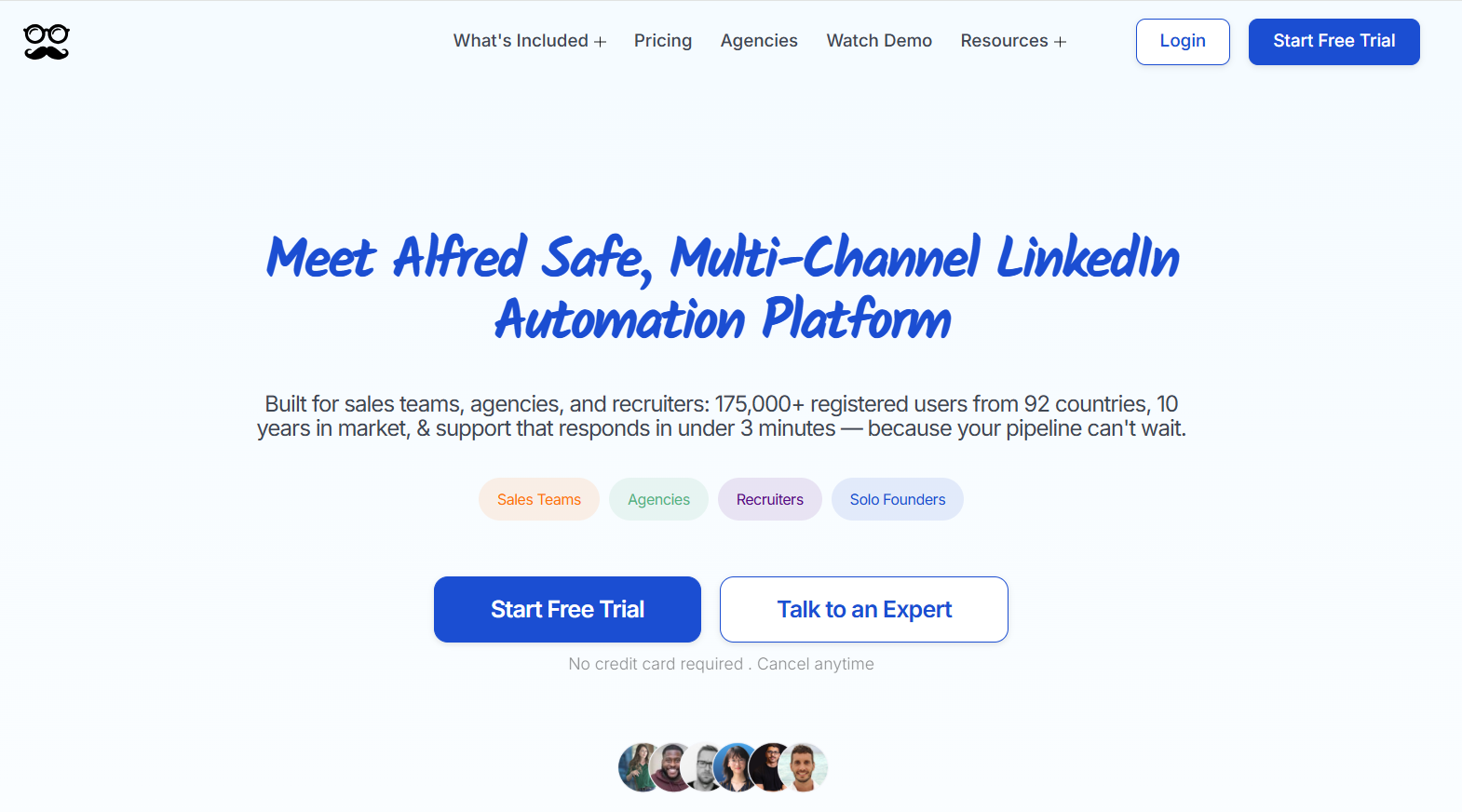
Full disclosure: Even though Meet Alfred is our solution, I'll do my best to show what makes it the strongest Dripify alternative for teams and agencies, and I'll say plainly where Dripify is the better buy.
Below are the capabilities behind that, and the reason teams at Reuters, Samsung, Oracle, Salesforce, and HSBC run outreach on it:
From a blank account to a live campaign in four steps
Here's how Meet Alfred works from the moment you sign up:
Step 1: Connect LinkedIn and set the guardrails
You begin by connecting a LinkedIn profile, with two-factor authentication handled inside the app, then cap daily volume to safely exceed LinkedIn's usual pace while staying within safe parameters.
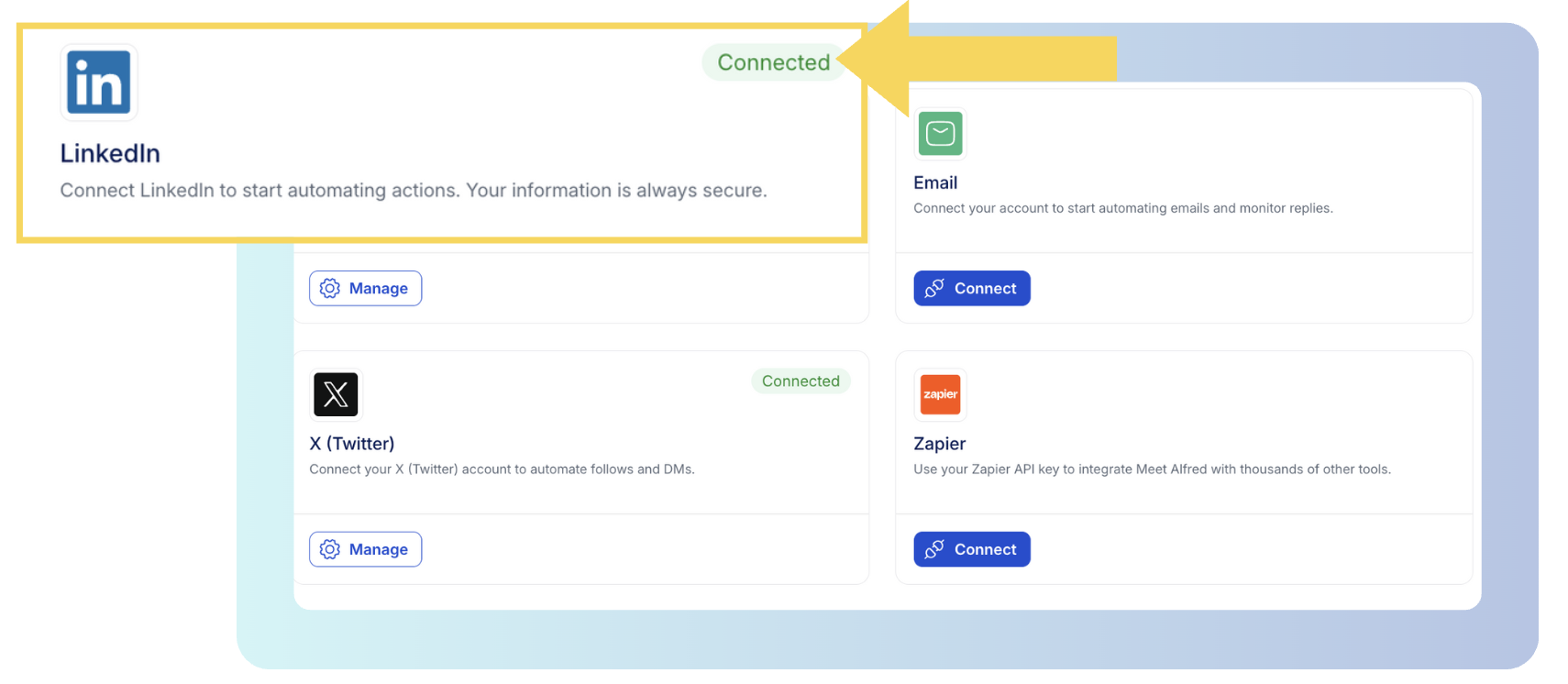
Working hours and a time zone go in at the same time, so nothing fires at two in the morning in your prospect's market, and auto-withdrawal clears pending invitations without you chasing them.
➡️ Every campaign randomizes its pacing on top of that cap, and because sending happens in the cloud on a dedicated IP, there's no proxy to buy and no browser session to leave open.
Step 2: Pick the audience
Once the guardrails are in place, the campaign needs an audience.
The warmest ones come from activity you can already see: a shared group, the attendee list from an event, a newsletter's subscribers, or the reactions under a post.
For colder targeting, a LinkedIn search will do it, filtered on job title, industry, location, language, and keywords, and the screen shows a sample of what came back next to a dial for how many of those profiles the campaign should take.
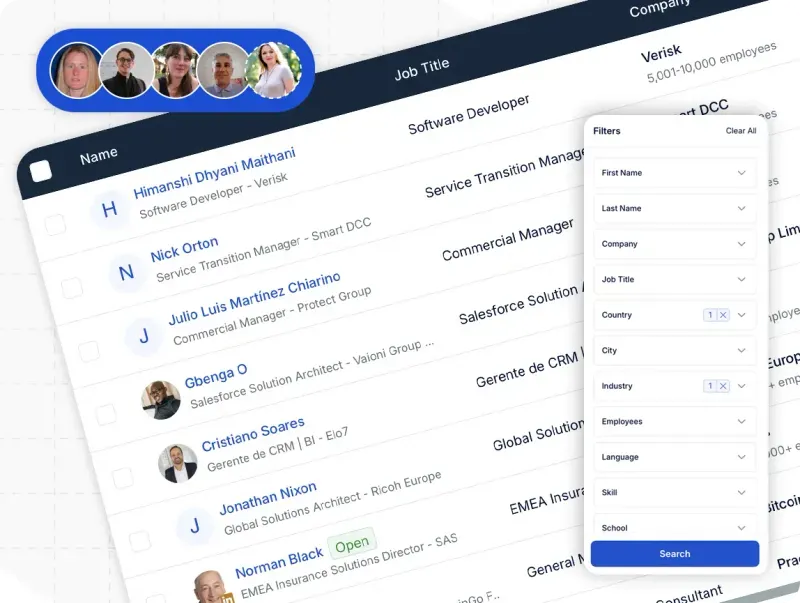
The AI Lead Finder runs separately from campaign setup: the search and the saved list both happen inside Finder, where results cap at 1,000 on Basic, 5,000 on Pro, and 10,000 on Team, and that finished list then becomes a source you pick when the campaign gets built.
Step 3: Assemble the sequence and set it running
A sequence is an ordered set of actions, each waiting a defined interval before the next one fires.
Some teams build from scratch around plays they already trust, and others open one of our pre-built templates and rewrite the copy.
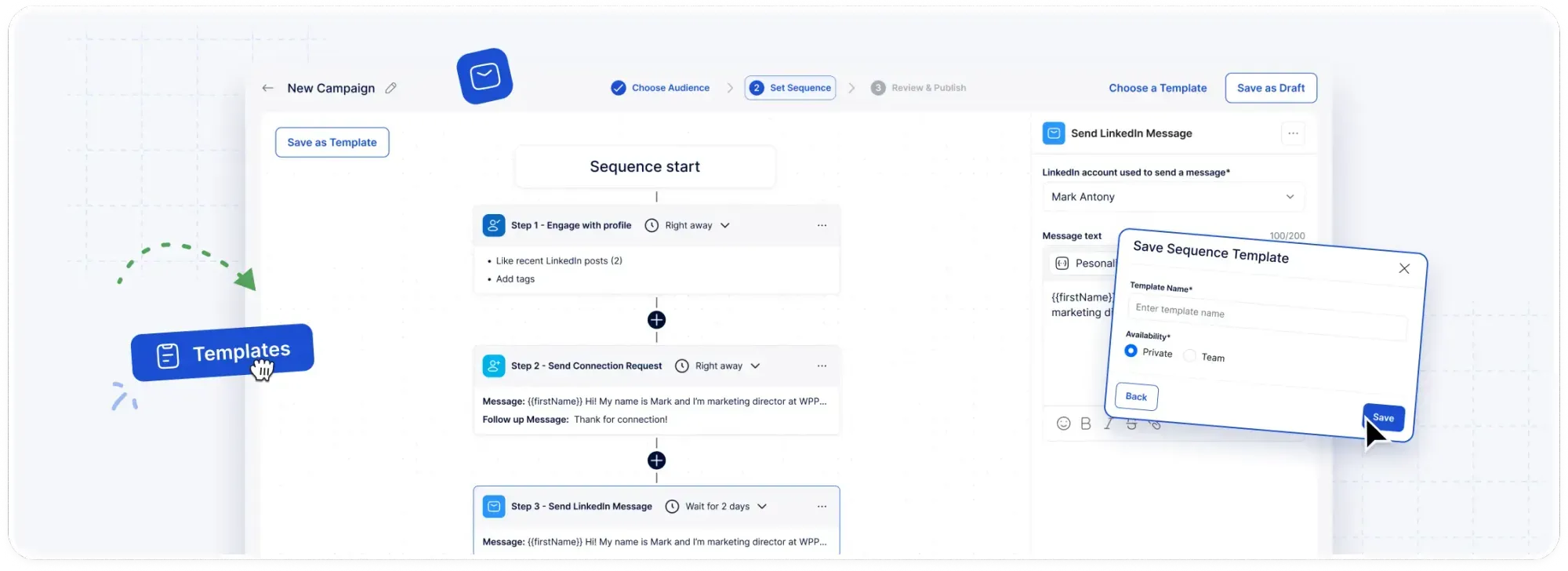
For example, you can build a workflow that views a profile on day one, sends a connection request two days later with a personalized note, and then sends a follow-up 2 days after that if the prospect hasn’t responded.
Any sequence that performs can be saved and shared, so a play that works becomes the default for the whole team.
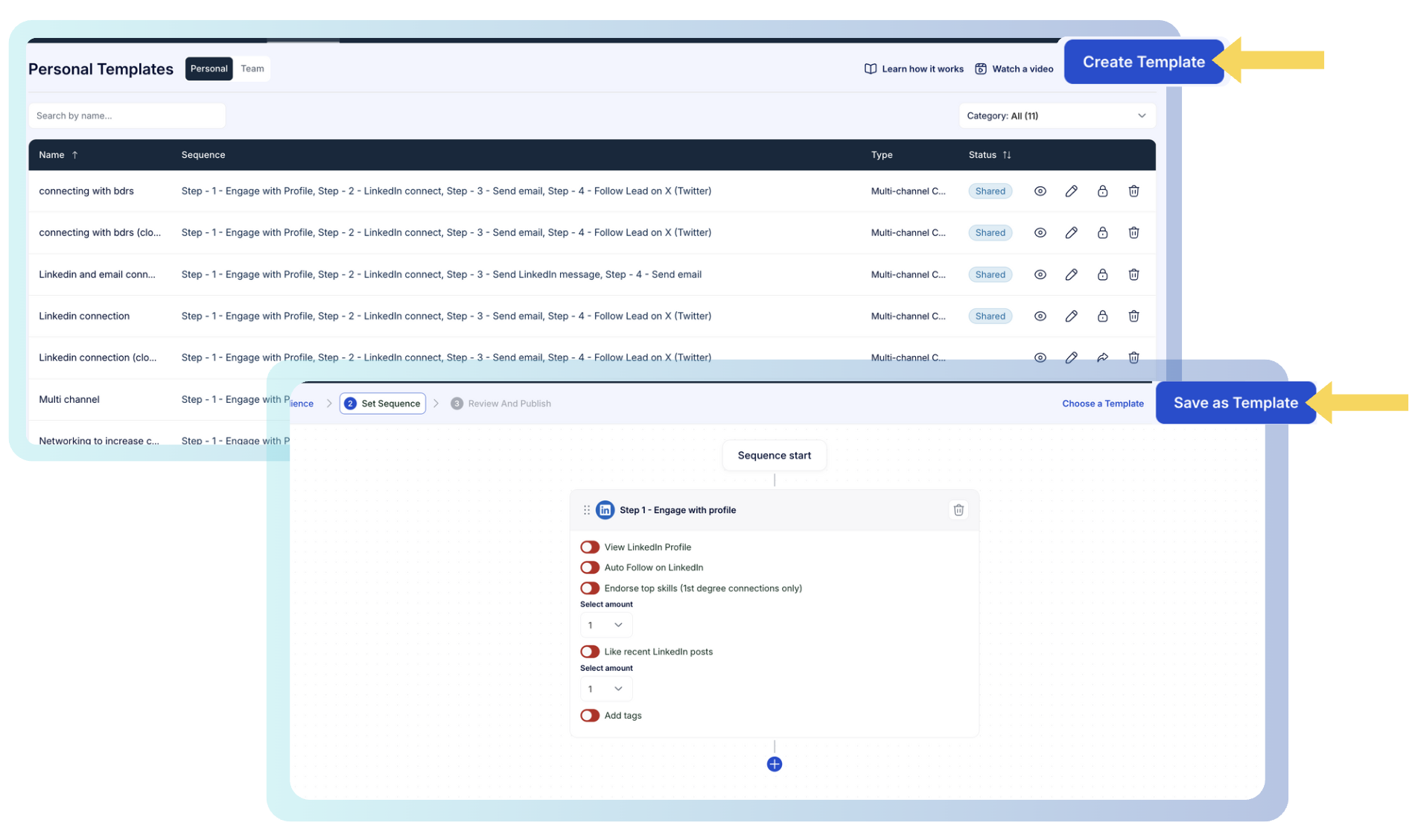
Once you launch, Meet Alfred works each step on its own schedule in the cloud, with the campaign view reporting replies, connections made, opens, clicks, and conversions as they happen.
Step 4: Work the replies as a team
LinkedIn's native inbox becomes hard to manage somewhere past the first few hundred replies, and putting three or four reps on the same list makes that worse.
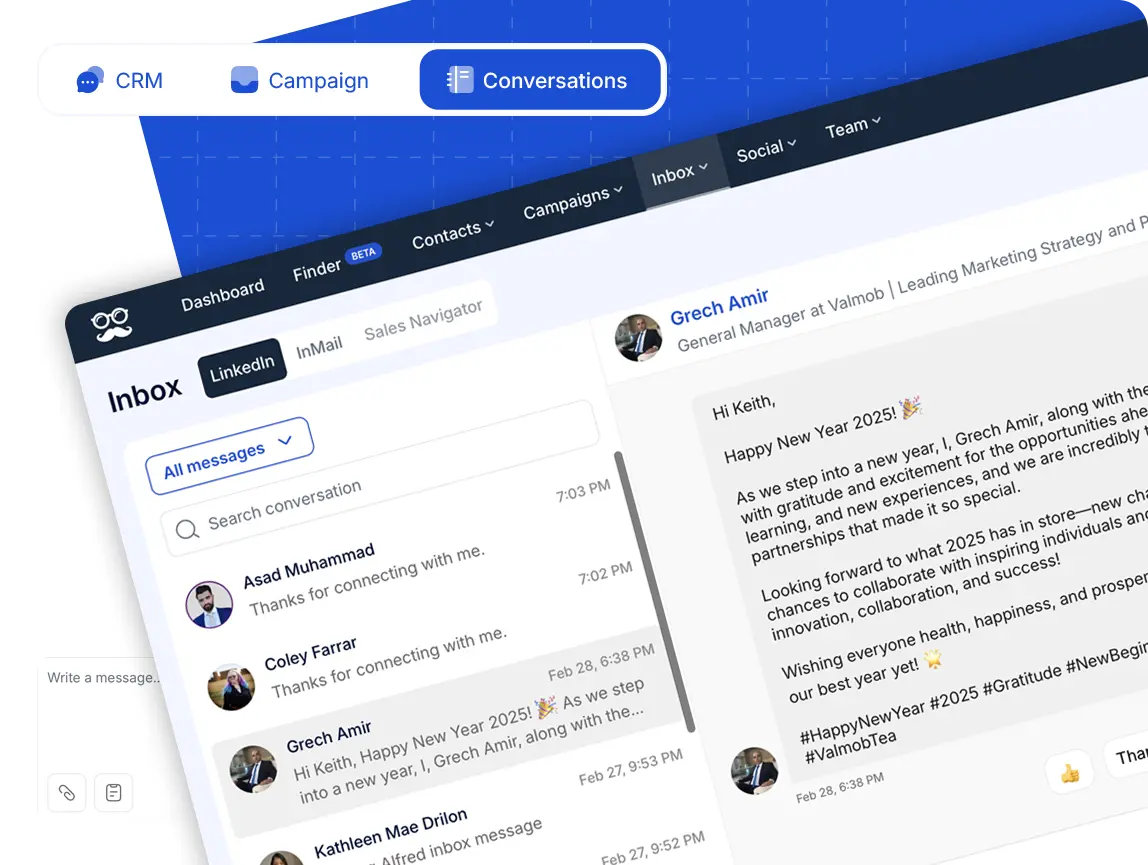
That's why every prospect conversation lands in one place, whatever channel it started on, stays current as new replies arrive, and carries enough context for whoever picks it up next.
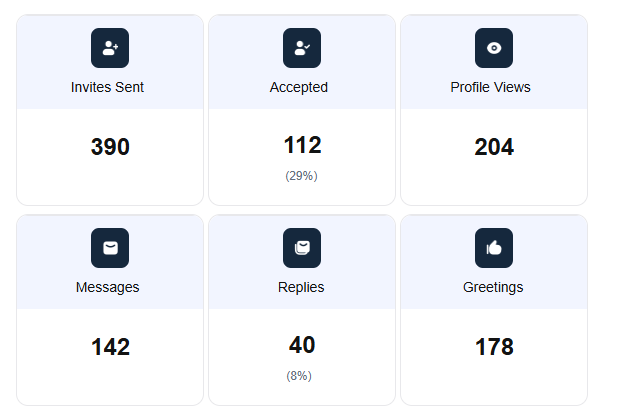
You’ll also be able to see team stats, which include invites sent, accepted, profile views, messages, replies, and greetings.
Multi-channel outreach across LinkedIn, email, and X
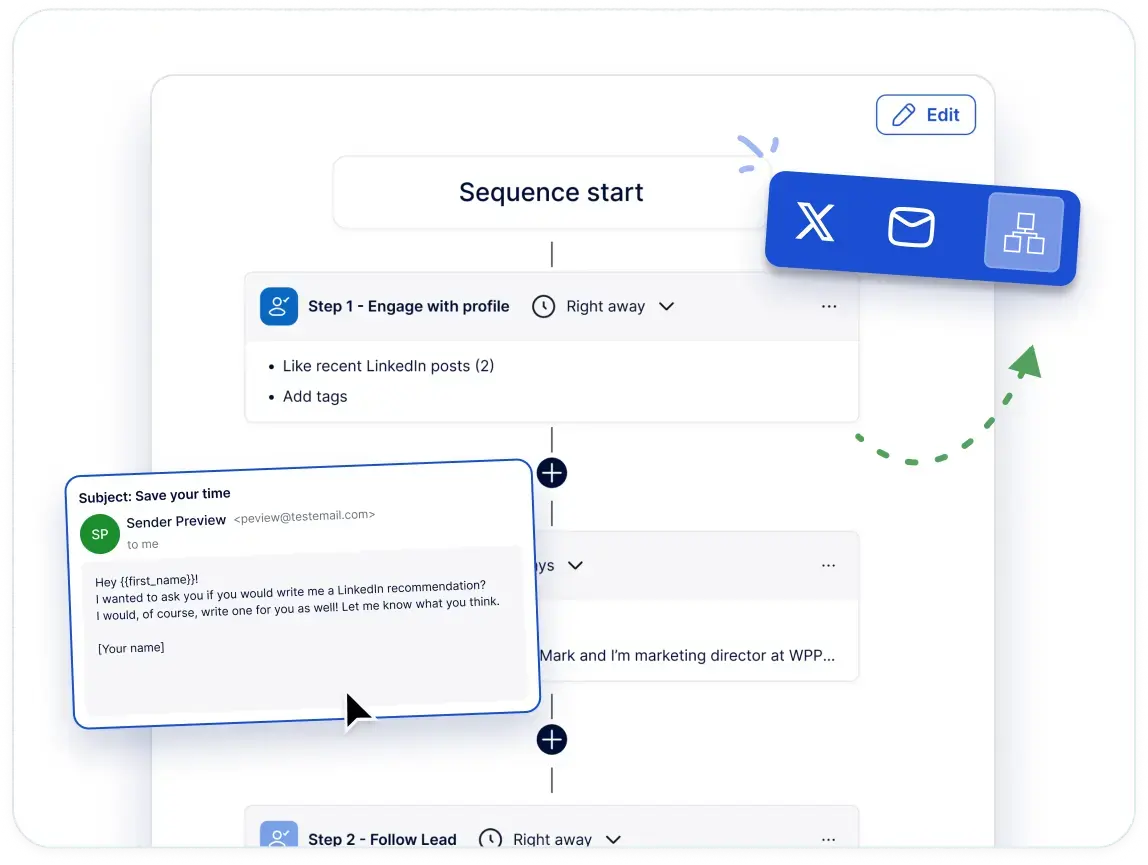
On Meet Alfred, email, X, and InMail steps drop into the same sequence as the LinkedIn ones, so one campaign covers every channel a prospect might answer on.
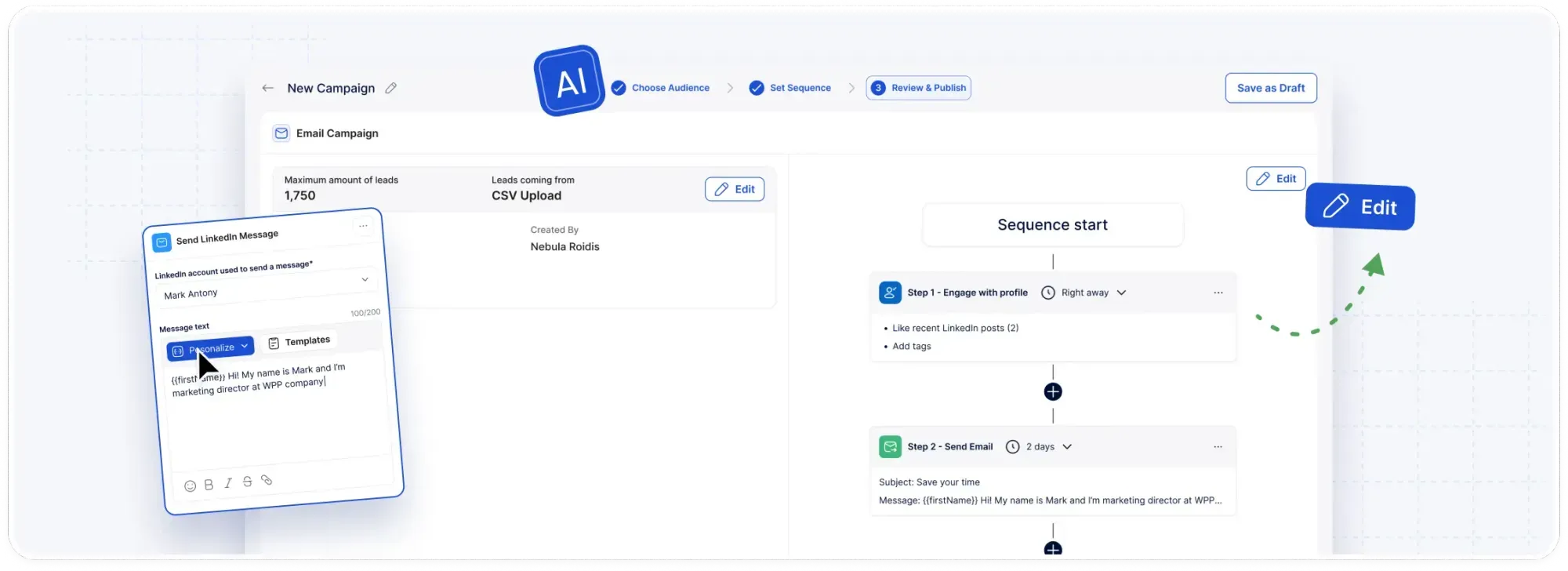
A prospect who leaves a connection request sitting can pick up an email four days later, with no export in between and no second tool to reconcile afterwards.
Email runs through your own SMTP or IMAP connection, which covers Gmail, G Suite, Outlook, and anything else on those protocols, with no message credits to top up, since your daily ceiling is your own mailbox's rather than a Meet Alfred quota.
Here's what Meet Alfred handles across those channels:
- Coordinated campaigns that move a prospect between LinkedIn, email, and X (Twitter) inside one workflow.
- Deliver personalized outreach at scale through dynamic fields, saved templates, and pacing that never bunches up.
- X direct messages to as many as 1,000 prospects a day, running alone or as steps beside the LinkedIn and email touches.
- One reporting view across every channel, tracking opens, clicks, replies, connections, and conversions so you can see which channel is carrying the pipeline.
White label and multi-client management
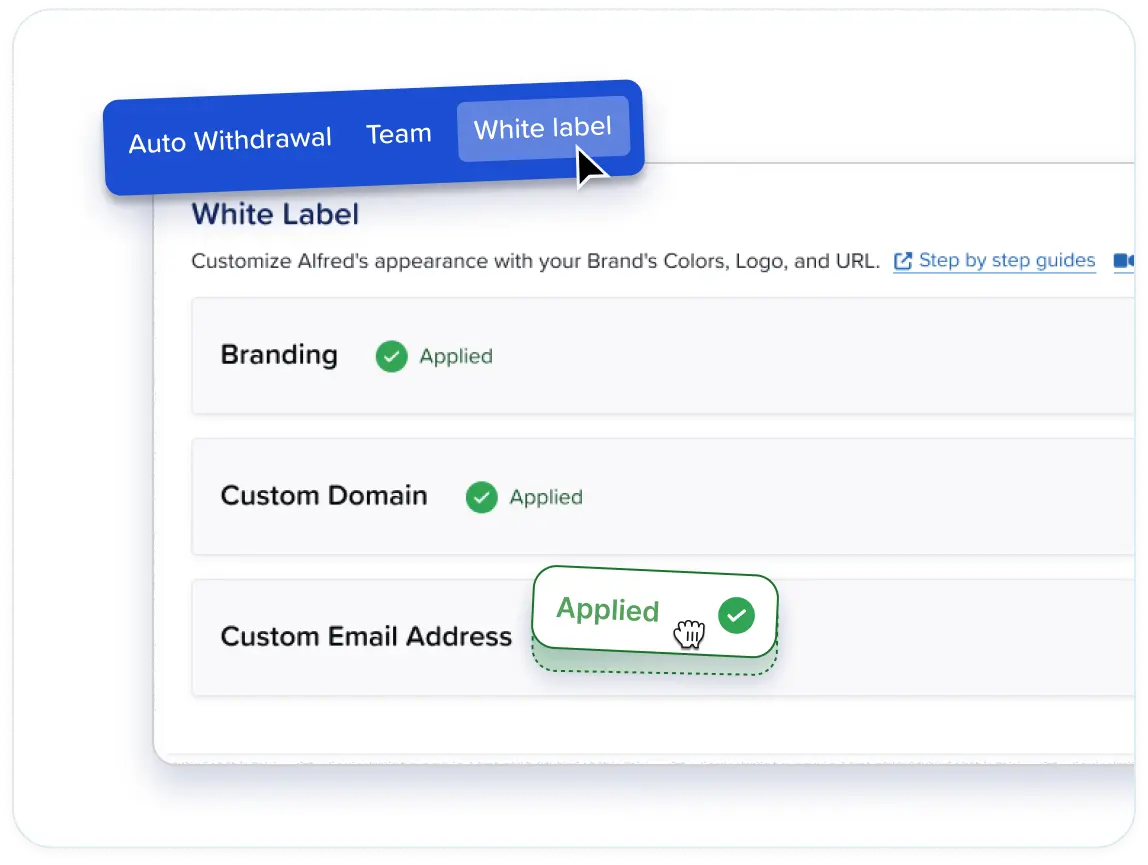
If you’re an agency that wants to switch from Dripify, you’ll love Meet Alfred’s white label functionality, which rebrands the whole platform as yours, from the logo and brand colors through to a custom domain such as app.youragency.com.
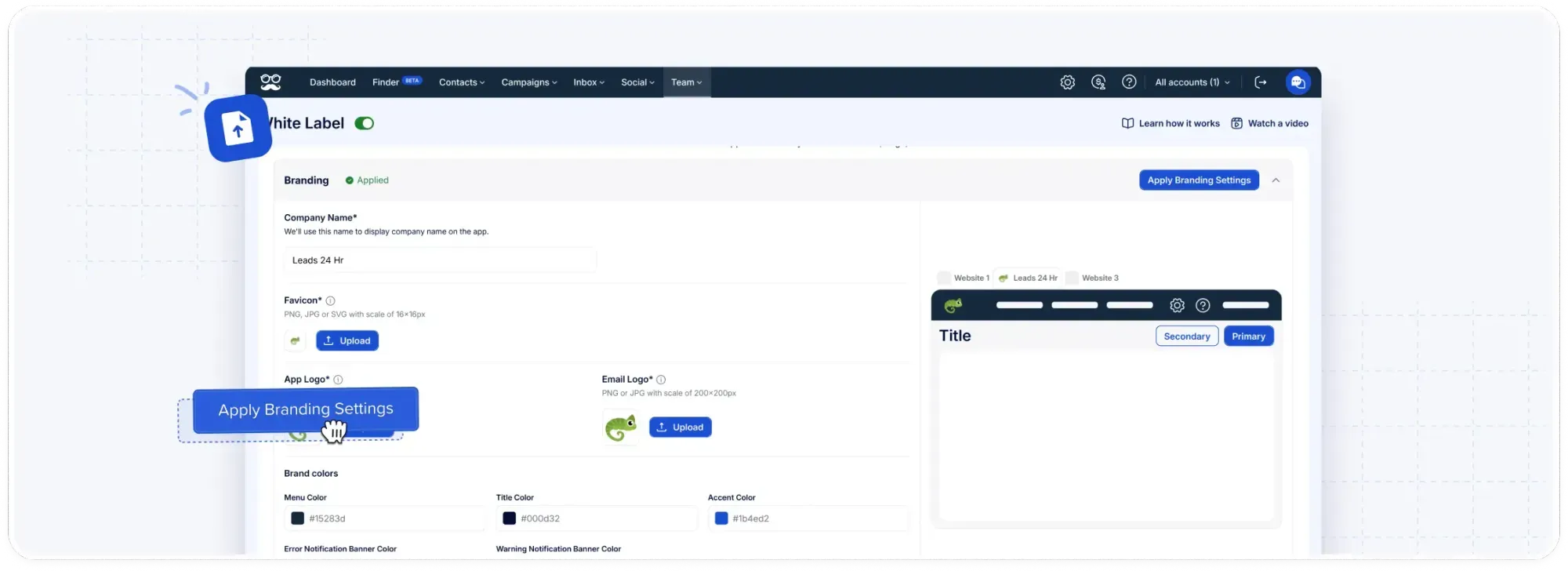
System notifications can also go out from your own email address, so even the automated mail carries your brand and not ours.
Groups can organize accounts by client or campaign, role-based permissions keep each person in their own lane, and team analytics break activity down by member.
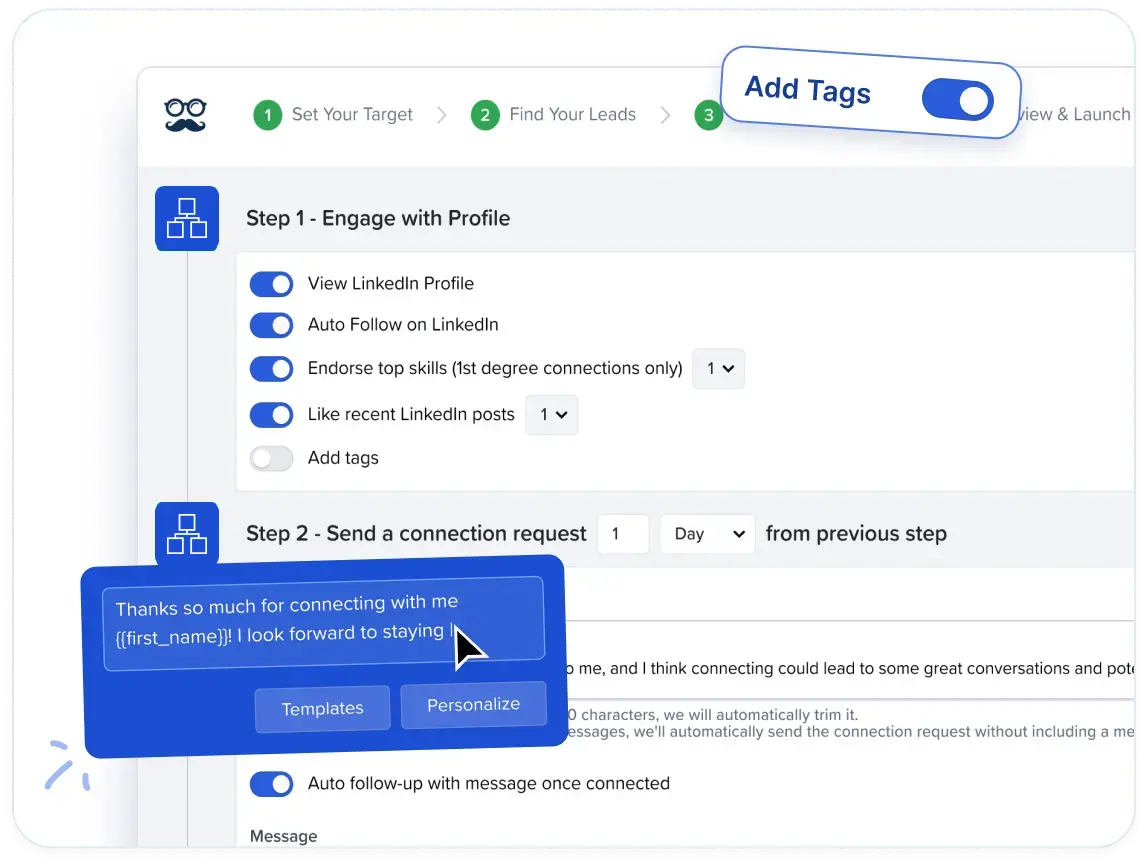
And the best part? Set up takes just a few clicks with no developers required. In fact, customizing the platform takes minutes.
You can upload your logo, pick your colors, and make it yours without spending hours figuring it out.
How is Meet Alfred different from Dripify?
Dripify handles LinkedIn and email drip campaigns properly, and two of its capabilities deserve credit: the Advanced tier's step analytics, which report delivery and acceptance rates action by action, and split testing that pits message variants against each other until the numbers favor one.
Four distinctions matter if you are weighing a move from Dripify to Meet Alfred:
- The channels on offer: X outreach at up to 1,000 prospects a day comes built in with Meet Alfred, together with scheduled social posting to LinkedIn, Facebook, Instagram, and X off the same dashboard.
- How the list gets built: Our AI Lead Finder does discovery inside the campaign screen, returning 1,000 to 10,000 results depending on plan, where Dripify's nine lead sources draw on LinkedIn searches, posts, and spreadsheet imports.
- What an agency can put its name on: Branding, a custom domain, and client-facing reports open up on Meet Alfred's Team plan at five seats. Dripify's published plans list no white label option.
- Cost at the plan you would realistically run: Dripify puts multi-team management on Advanced at $79/user/month annually, where our Team tier is $39 on the same billing and Pro at $49 already carries multi-channel sequences, Sales Navigator, and InMail automation.
➡️ What's more, every connected account on Meet Alfred gets its own dedicated IP address, and our support answers around the clock with an average first reply under three minutes.
Pricing
You can try Meet Alfred free for seven days with full feature access and no credit card required.
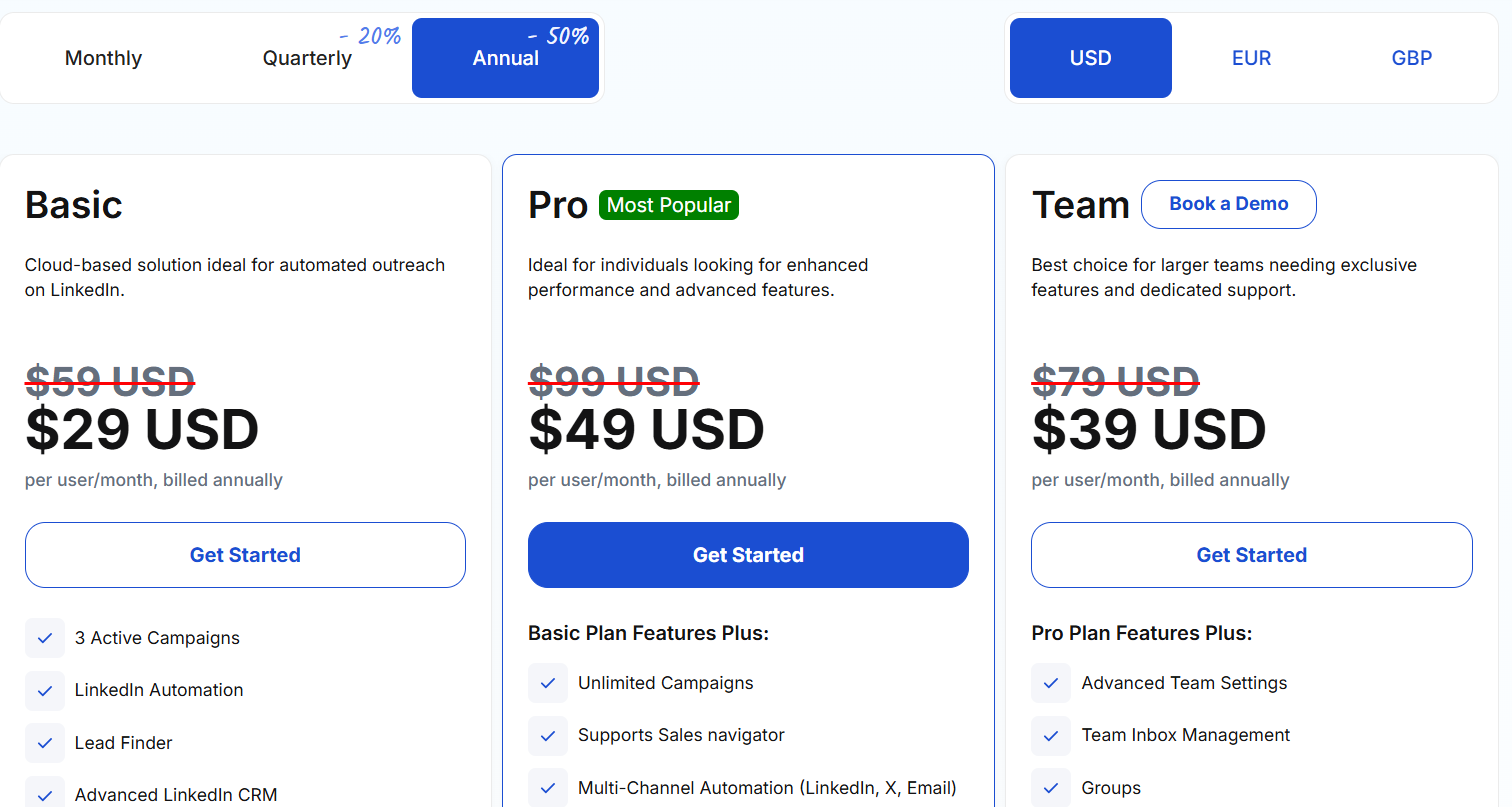
After that, there are three paid tiers, with annual billing taking 50% off and quarterly taking 20%:
- Basic, starts from $29/user/month when billed annually, and includes cloud-based LinkedIn automation, three active campaigns, Lead Finder capped at 1,000 results, the advanced LinkedIn CRM, Smart Inbox, message templates, automated greetings, custom tags, notes, and data exports.
- Pro, starts from $49/user/month when billed annually, and adds unlimited campaigns, Sales Navigator support, multi-channel sequences across LinkedIn, email, and X, InMail automation, group, event, and post campaigns, CSV campaigns, social post scheduling, Zapier and webhooks, custom snippets, and Lead Finder at 5,000 results.
- Team, starts from $39/user/month when billed annually, and adds advanced team settings, team inbox management, groups, and Lead Finder at 10,000 results, with white label unlocking at five seats and a dedicated account manager at ten.
Pros & Cons
✅ One subscription covers LinkedIn, email, and X outreach plus social posting, with no proxies to source.
✅ The AI Lead Finder builds prospect lists in the same screen where campaigns are built.
✅ Ideal for agencies, as you can white label the platform, impersonate accounts, and organize accounts by client.
❌ No free tier exists, only the seven-day trial.
#2: HeyReach
Best for: Agencies and outbound teams running many LinkedIn sending accounts that want one flat fee covering every sender.
Similar to: Expandi, Sbl.so.
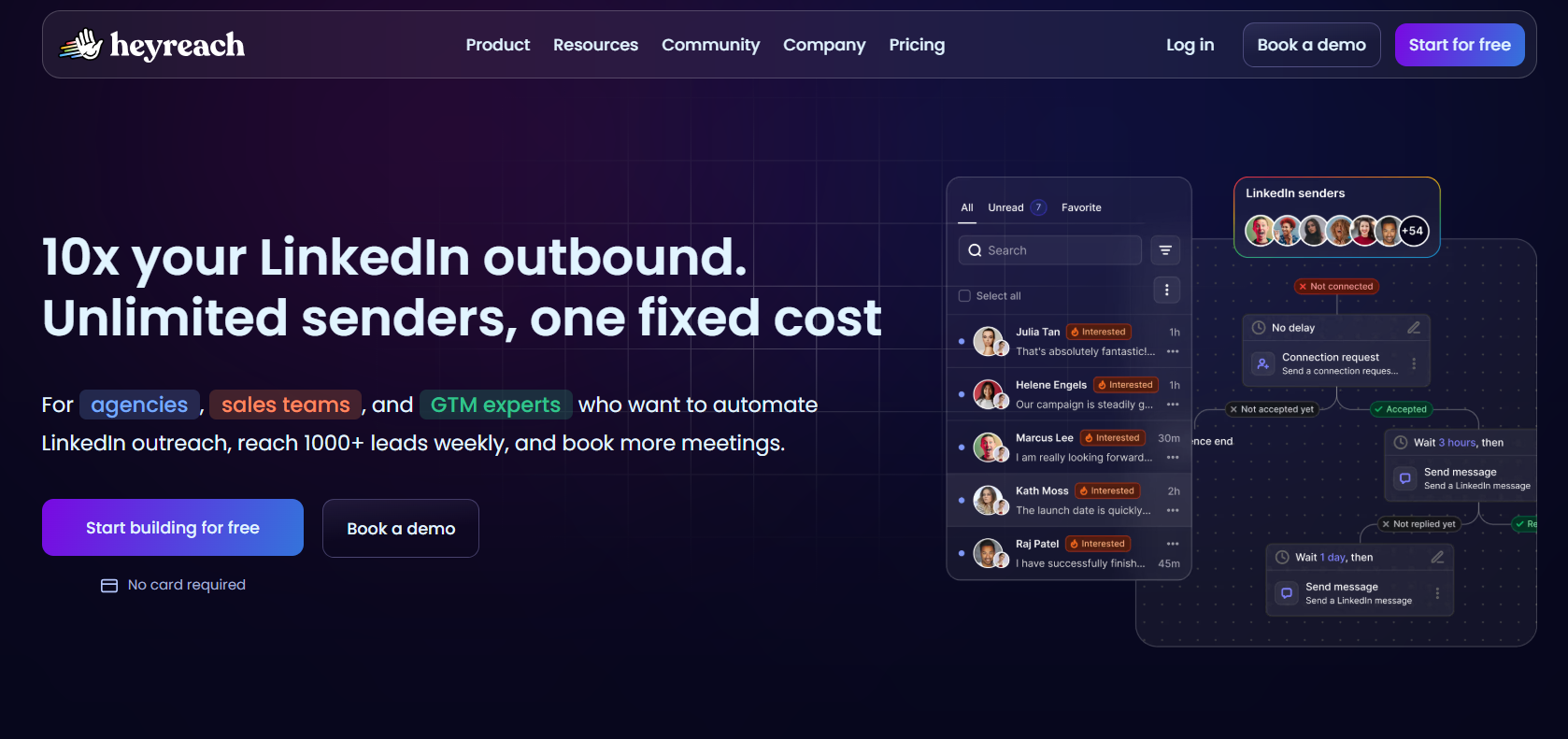
HeyReach charges per connected LinkedIn sender and not per user, so teammates, virtual assistants, and clients all come free, and sending rotates across the pool automatically.
Features
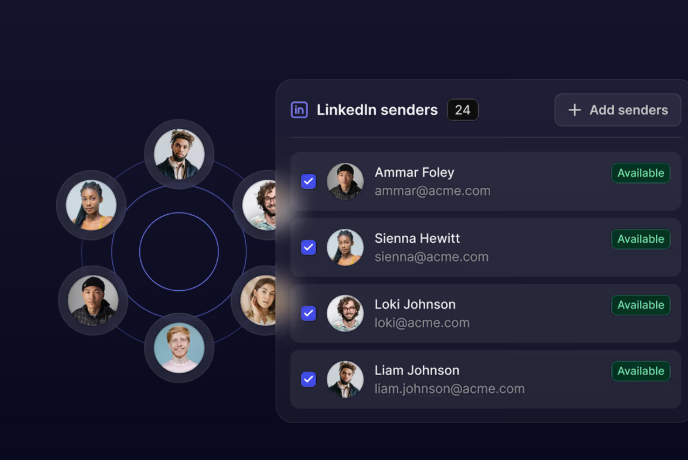
- Sender rotation: One campaign spreads its sending across every connected account, so volume climbs with the number of profiles you can staff without any single account carrying the load.
- Unified inbox: Every connected account's messages arrive in one view, where a manager can answer on a teammate's behalf and record an audio reply without opening LinkedIn.
- Import from wherever your lists live: Sales Navigator, Clay, RB2B, HubSpot, or any tool that can push contacts across, with an "If Connected" condition splitting existing connections from new ones.
- Built for people who automate: An API, webhooks, a command line tool, and an MCP server let an AI assistant launch campaigns and pull reporting conversationally.
Pricing
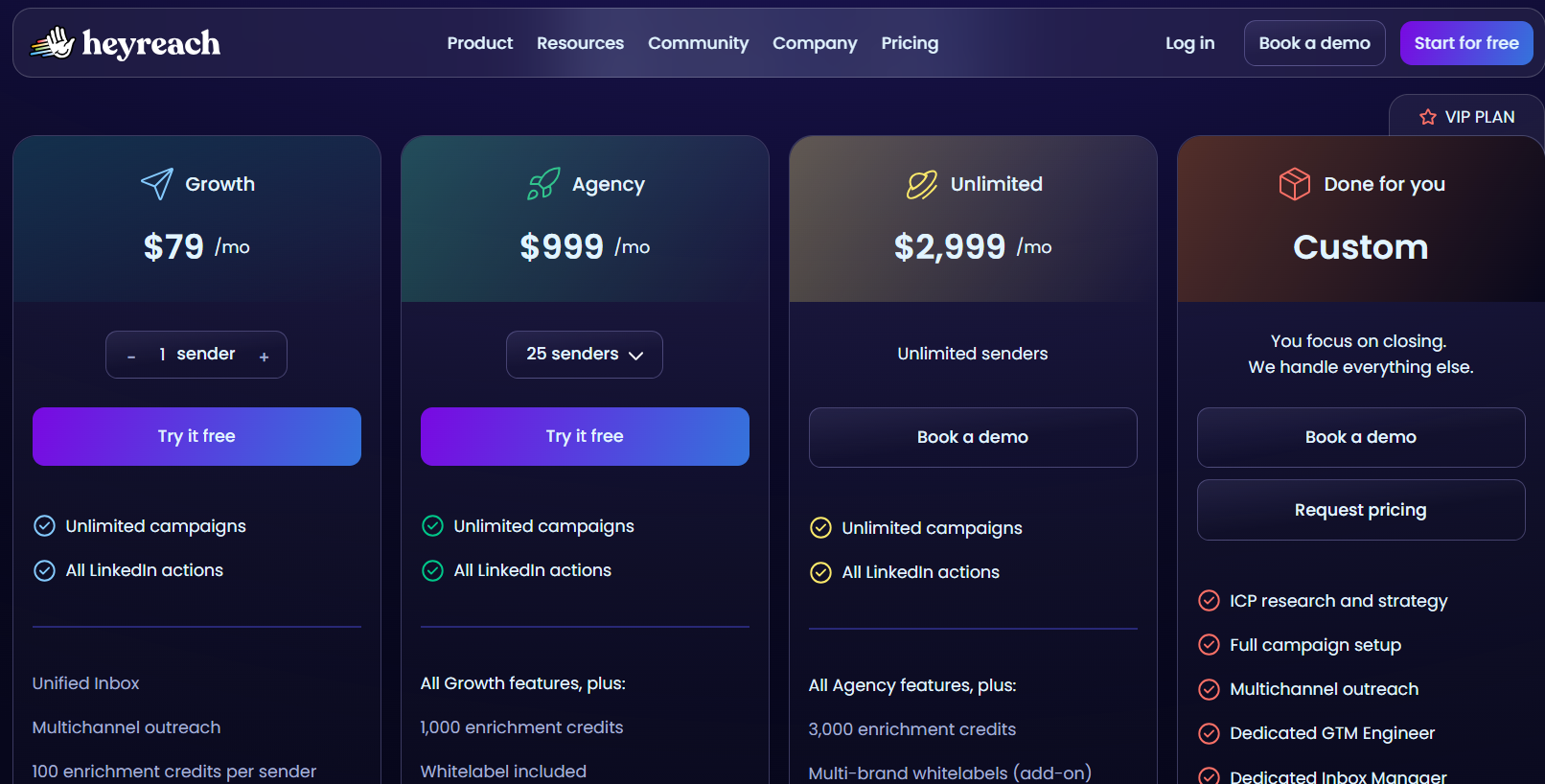
HeyReach prices by sender, with 10% off quarterly billing and 20% off annual:
- Growth, $79 per month: one sender with a dedicated residential proxy included.
- Agency, $999 per month: 25 senders, white label branding, and your own proxies expected.
- Unlimited, $2,999 per month: unlimited senders across multiple workspaces, again on your own proxies.
- Done for you, custom: HeyReach runs the outreach on your behalf.
- Trial: 14 days on Growth with three LinkedIn accounts and no card, plus a 30-day trial of the two larger plans on request.
There's also a discounted early-stage program for companies under $250,000 ARR with fewer than five people.
Pros & Cons
✅ Flat sender pricing gets cheaper per account as you scale, which is why agencies keep landing on it.
✅ Deep GTM tooling, from Clay and n8n through to a HubSpot sync that HubSpot itself has verified.
❌ A G2 review mentions that they wish HeyReach had outbound email too.
❌ Proxies become your job on the Agency and Unlimited plans, although they do offer that they’ll help you.
#3: Waalaxy
Best for: Small teams and first-timers who want a LinkedIn campaign live the same afternoon.
Similar to: Dux-Soup, Lemlist.
Waalaxy is a Chrome extension that sits on top of LinkedIn, and its templates do most of the thinking, so a campaign can go out straight from a search result without anyone building logic first.
Features
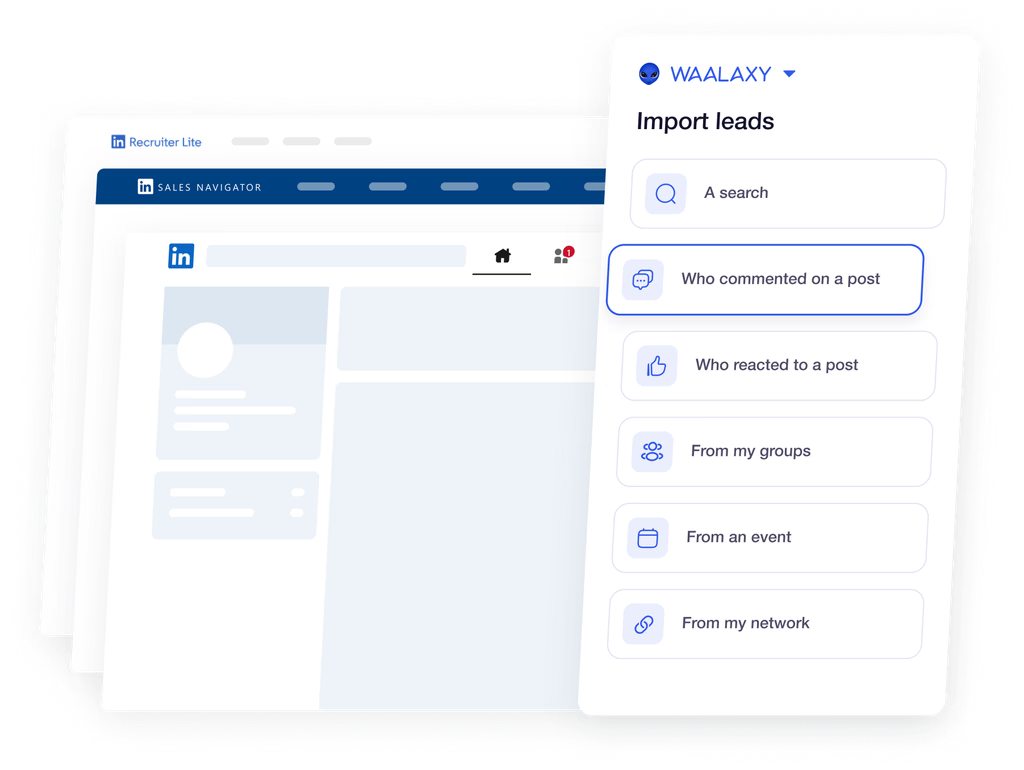
- Templates that come pre-assembled: 99 of them, launching off a LinkedIn search, a Sales Navigator list, or Recruiter Lite, follow-ups included and reply detection removing anyone who answers.
- Triggers based on interest: Post reactions and comments get captured on their own, and the same applies to people engaging with rival companies or the loudest voices in your category.
- Address finding and email steps: Enrichment credits feed email follow-ups into the top tier's campaigns, at a match rate the company puts above 61%.
- Working as a group: Nobody double-messages a lead thanks to overlap checks, with prospect lists, permissions, and a shared analytics view alongside.
Pricing
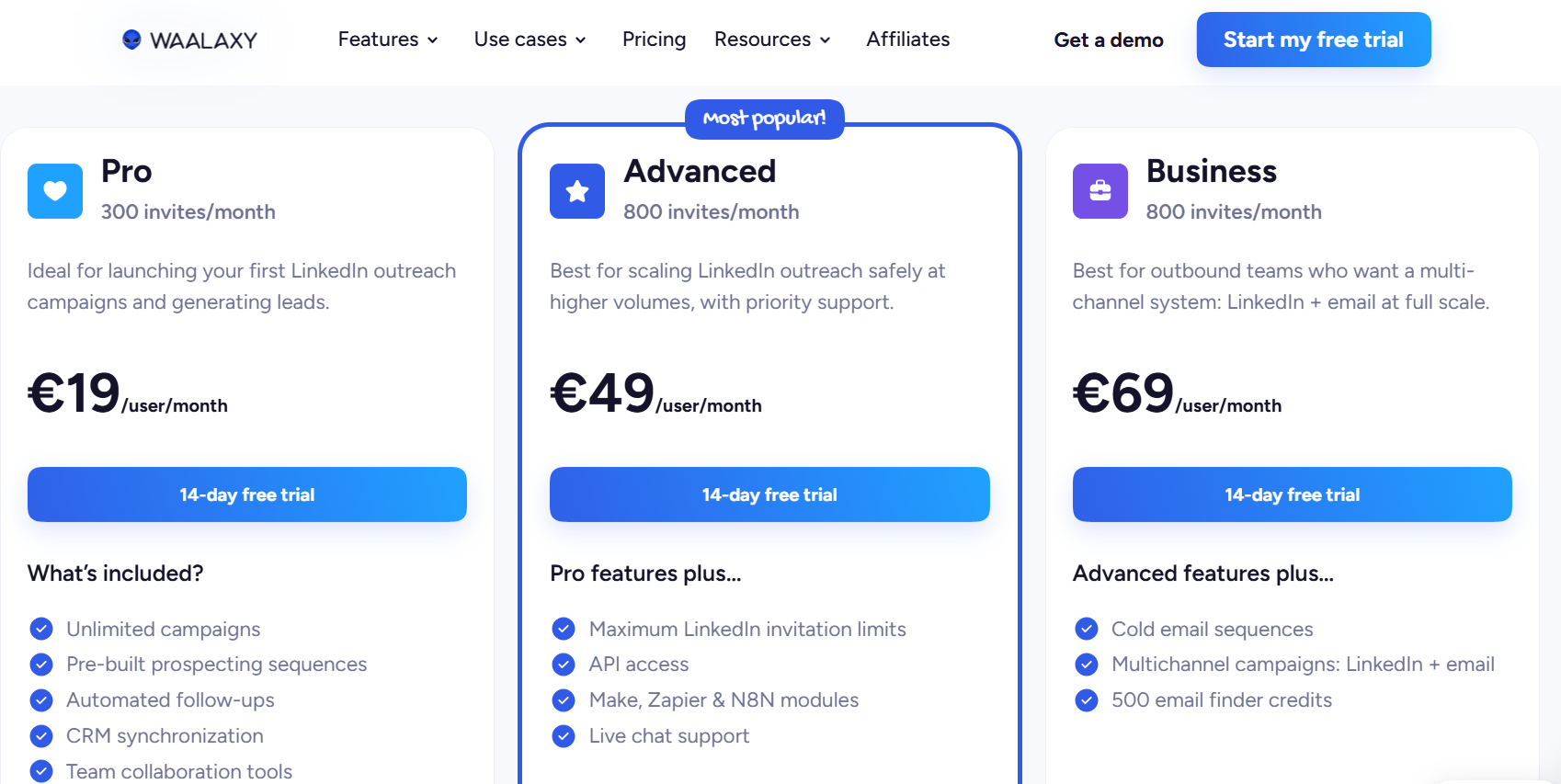
Monthly invitation allowance is what separates the tiers, each billed per user, with the rate falling on longer commitments:
- Pro, €19 per user per month: 300 invitations monthly, campaigns without limit, the template library, automatic follow-ups, and CRM syncing.
- Advanced, €49 per user per month: the allowance rises to 800, plus API access, Make and Zapier and n8n modules, and chat support.
- Business, €69 per user per month: cold email sequences, campaigns crossing LinkedIn and email, and 500 address-finder credits monthly.
- LinkedIn Inbox add-on: charged separately whichever tier you are on, with 500 conversations free to try it.
- Trial: 14 days, no card required.
Pros & Cons
✅ 99 prebuilt sequences mean a first campaign never starts from a blank canvas.
✅ Intent triggers pull in post reactions and competitor engagement without manual list building.
✅ Duplicate prevention keeps two reps from opening the same thread with one lead.
❌ Multiple G2 reviews mention that they’re not happy with the pricing of Waalaxy.
❌ The inbox is a separate add-on.
#4: Expandi
Best for: Buyers whose opening question about any tool is what happens to the LinkedIn account, and who want branching logic on top of that.
Similar to: HeyReach, Meet Alfred.
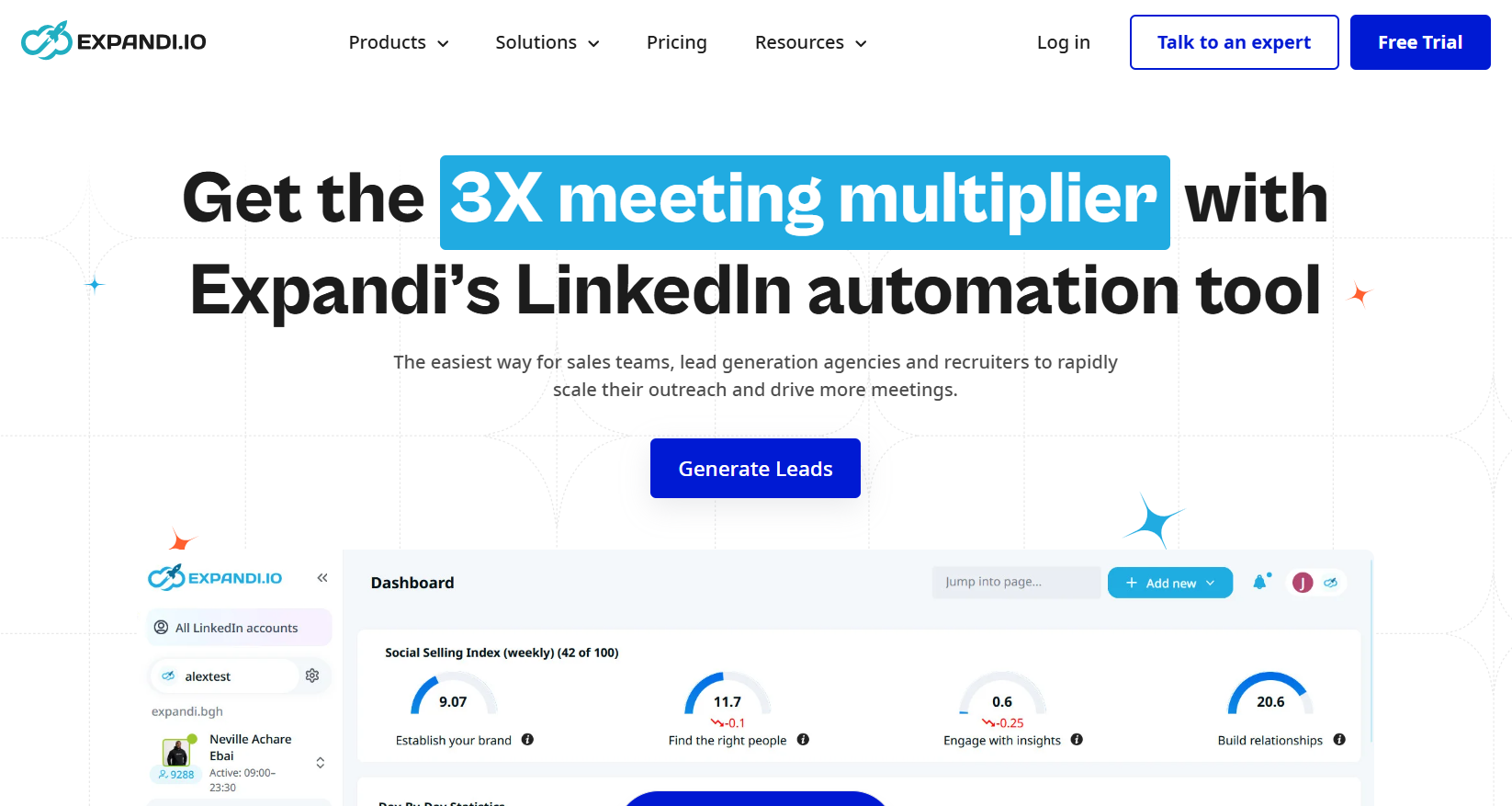
Expandi is a cloud LinkedIn platform whose Smart Sequences do the heavy lifting, using if-then rules to decide what follows an acceptance, a reply, an opened email, or a liked post.
Features
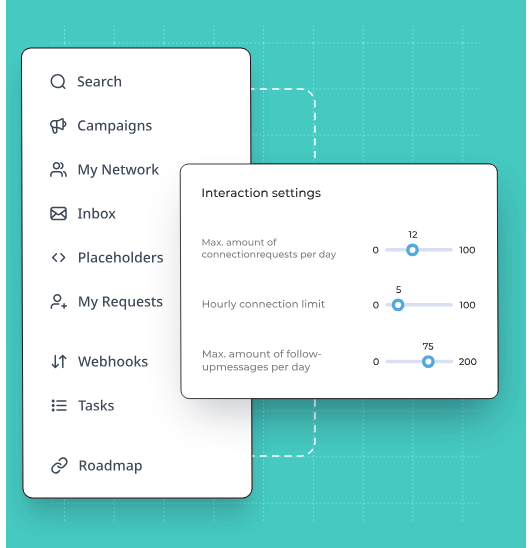
- Smart Sequences: Conditions split the path after accepts, replies, profile visits, email opens, and post engagement, so one campaign can send two prospects down completely different routes.
- Protection built into the architecture: Sending from the cloud, a regional IP tied to each account, warm-up that ramps a new profile gradually, and randomized daily ranges on every action type.
- Softening the approach: Profile views and post interactions get scheduled before the first message, so the invite comes from someone the prospect has already noticed.
- Visual personalization: Hyperise produces dynamic images and GIFs while Sendspark covers personalized video, each charged as an add-on.
Pricing
One plan is published, and agencies get a direct quote:
- Business, $79 per month with two months waived on annual billing: the protection layer in full, unlimited campaigns, multichannel outreach with email follow-ups, the builder, step-by-step statistics, campaign prioritization, scheduling, and blacklisting.
- Agency, quoted from ten seats: roles and permissions, campaign management from one place, reports built for clients, template sharing, a customer success manager of your own, and the platform under your brand.
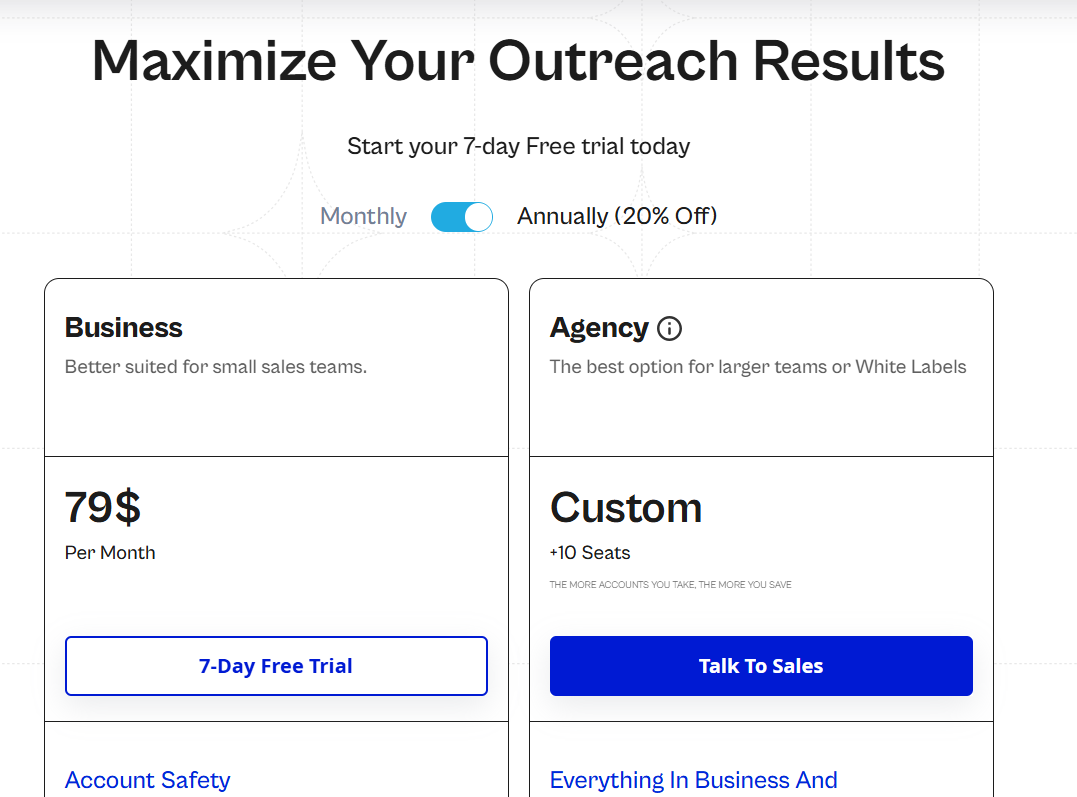
There’s also a 7-day free trial that you can sign up for to test out the solution.
Pros & Cons
✅ Every connected profile gets a regional IP and an automatic warm-up period.
✅ The branching is the sharpest part of the product, firing on what a prospect did and not merely on how long it has been.
✅ Statistics per step pinpoint exactly which action loses people.
❌ Personalized imagery and video carry extra charges.
❌ One published plan, at $79 per seat.
#5: La Growth Machine
Best for: Outbound teams that want calls and X in the same sequence as LinkedIn and email, and would sooner pay for senders than seats.
Similar to: Reply.io, Lemlist.
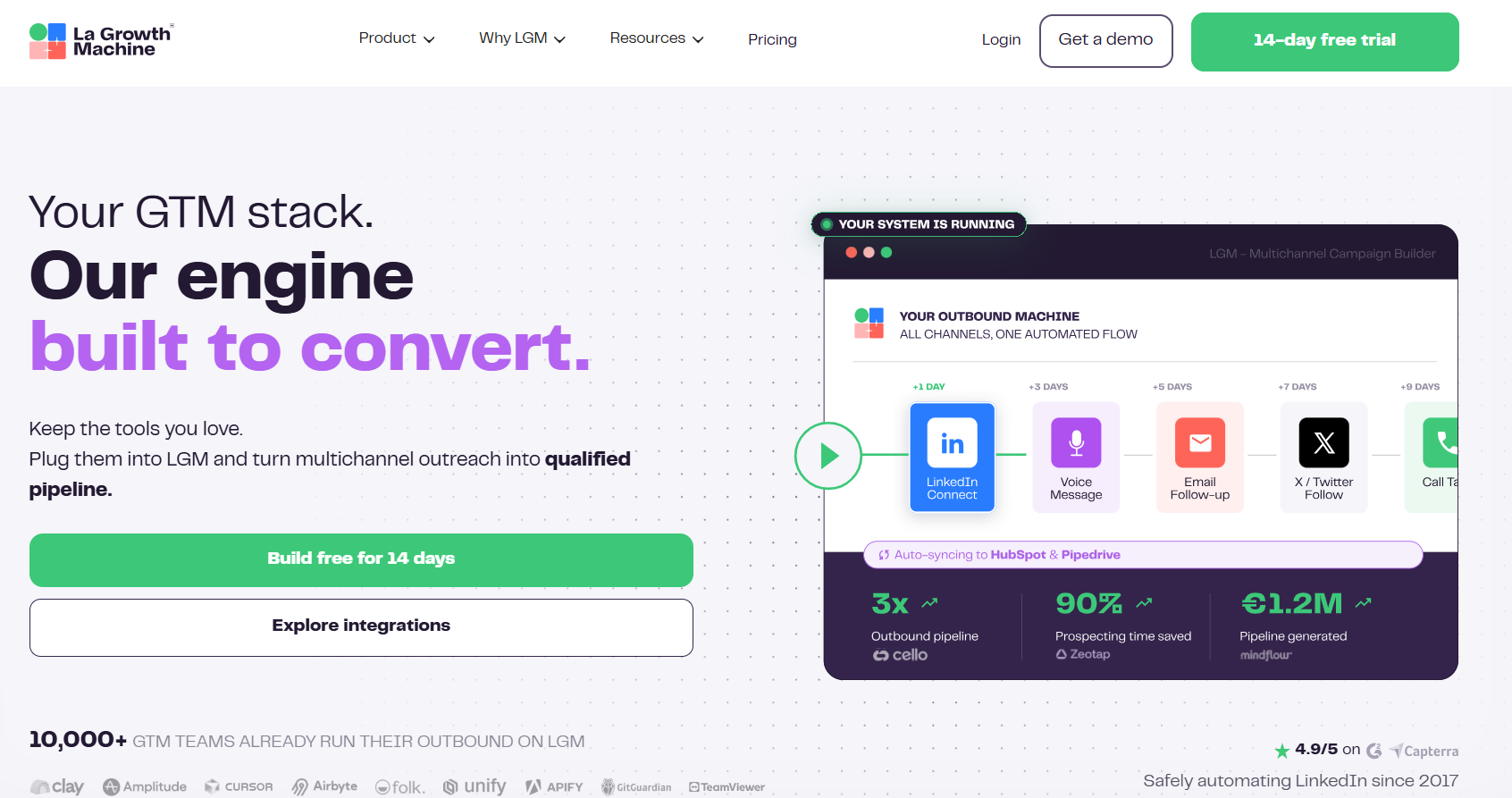
La Growth Machine bills per identity, meaning per profile that actively runs campaigns, so anyone whose job is answering replies can be invited at no cost.
Features
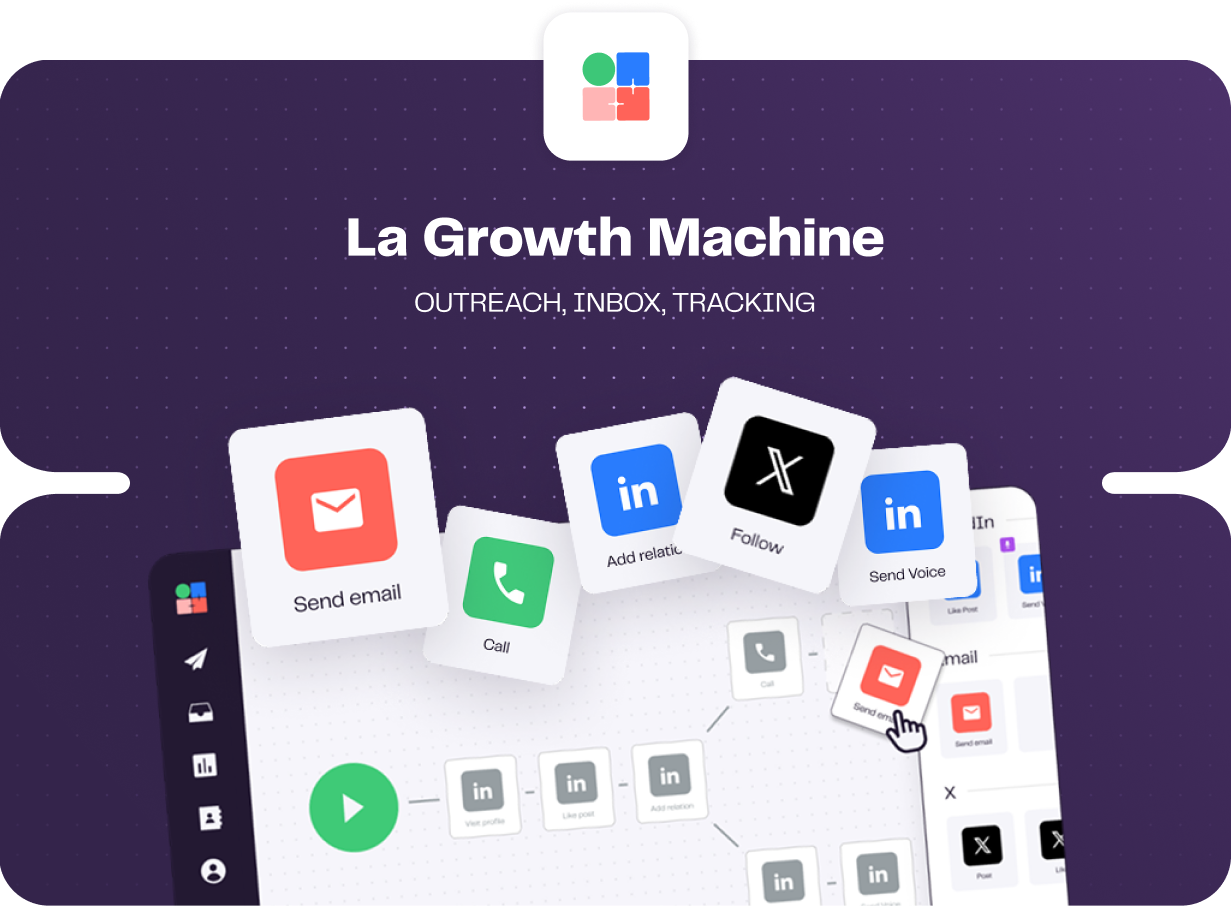
- Native conditions and branching: Each lead takes a different path depending on what they did, and split testing covers subject lines, message copy, and whether a connection request carries a note.
- LinkedIn voice messages: One recording goes out at scale with an AI-written opening line generated for each prospect, which is a hard touch for a competitor to copy.
- Shared multichannel inbox: LinkedIn and email replies pool together with filters by identity or campaign, and status labels apply without leaving the thread and carry through to HubSpot or Pipedrive.
- Enrichment in the subscription: Verified emails and profile data come with a monthly allowance on every plan, drawn from a waterfall of providers.
Pricing
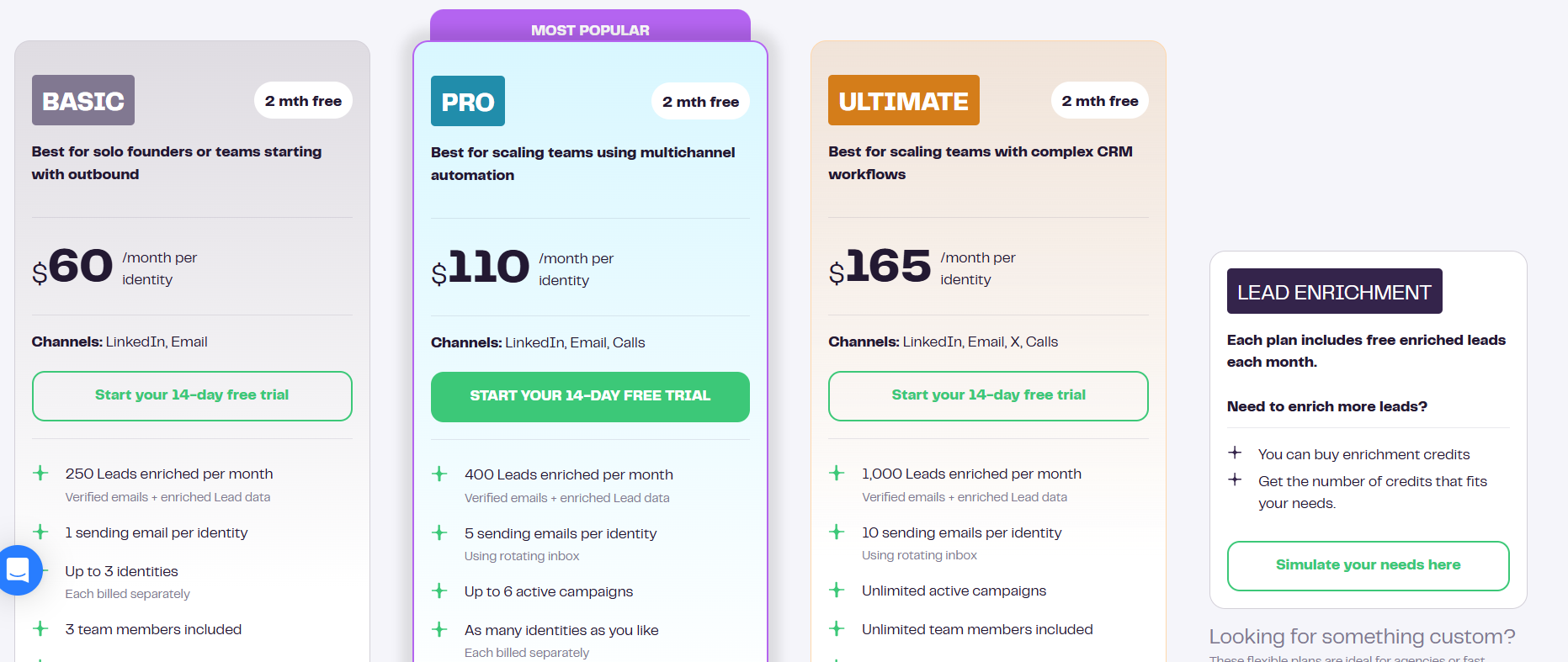
Pricing is per identity per month, with two months free on annual billing:
- Basic, $60 per identity: LinkedIn and email, 250 enriched leads a month, one sending address, up to three identities, and three team members.
- Pro, $110 per identity: adds calls, 400 enriched leads, five rotating sending addresses, six active campaigns, social warming, and 25 free team members.
- Ultimate, $165 per identity: adds X, 1,000 enriched leads, ten sending addresses, unlimited campaigns and team members, and two-way HubSpot or Pipedrive sync.
- Agency, custom: quoted from a six-identity minimum.
- Trial: 14 days, no card required.
Pros & Cons
✅ Four channels in one sequence, with in-app calling on Pro and X on Ultimate.
✅ Lead enrichment is bundled into the subscription, so it never becomes a second line on the invoice.
✅ Invited team members are free, so only the profiles actually sending count toward the bill.
❌ Per-identity pricing can climb quickly once several people are sending.
❌ The app can be buggy with occasional sync errors, and UI lags that disrupt the workflow setup, according to a G2 review.
#6: Dux-Soup
Best for: Individuals and lean teams that want LinkedIn drip campaigns at the lowest entry price here, on the browser or in the cloud.
Similar to: Waalaxy.
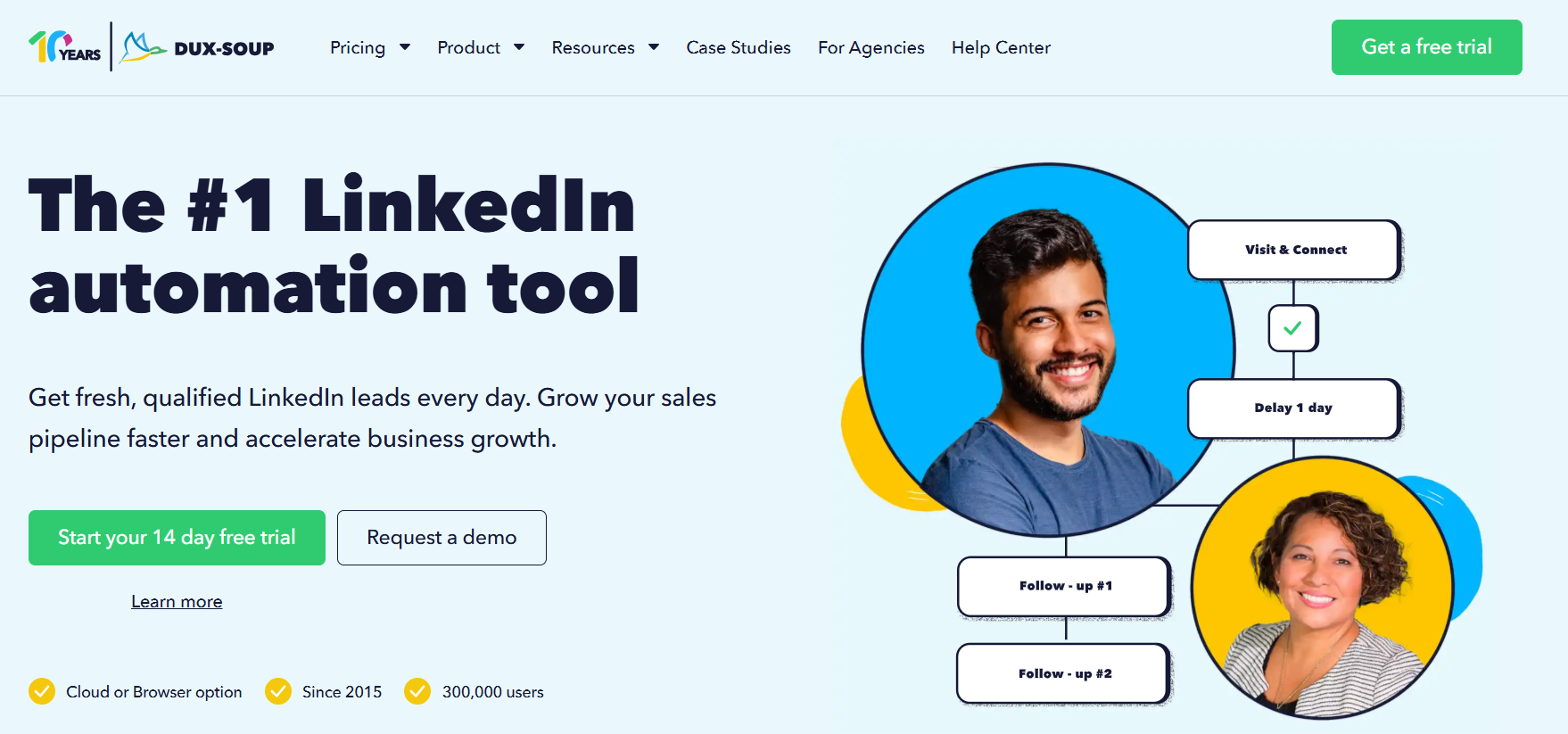
Dux-Soup sells three products under one name, running either as a browser extension on your own LinkedIn, Recruiter, or Sales Navigator account, or as a fully cloud-hosted edition that keeps campaigns going when your machine is off.
Features

- Drip campaigns with up to 12 actions: Endorsing, following, InMail, connecting, messaging, profile visits, and post likes arrange by drag and drop with custom delays between each.
- Response detection: Anyone who replies drops out of the automated sequence straight away, so follow-ups stop once a real conversation starts.
- AI personalization: Individual messages get written against each prospect's profile, with an AI response assistant alongside them from the Turbo tier upward.
- Dux-Dash: Campaign statistics, a lead management dashboard, a central inbox, and a contact management system, with native integrations pushing leads to your CRM.
Pricing
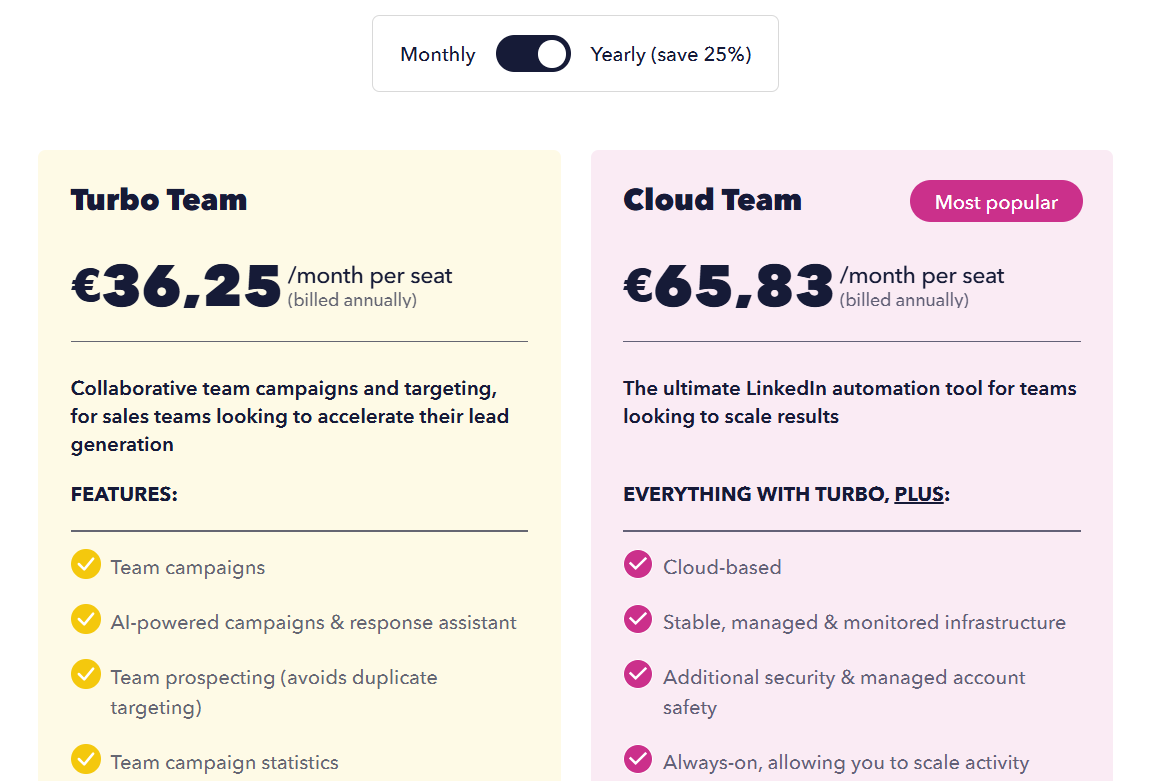
Dux-Soup prices per user with 25% off annual billing, plus a separate agency licence:
- Pro Dux, €12.99 per month or €9.92 billed annually: personalized invitations, messages to first-degree connections, post liking, profile visits and tagging, and CSV export.
- Turbo Dux, €49 per month or €36.25 annually: unlimited drip campaigns, AI personalization, campaign statistics, the lead dashboard, and CRM integrations.
- Cloud Dux, €88 per month or €65.83 annually: the managed cloud version, always on and monitored.
- Cloud Agency, €330 per month: five client seats or more, with one dashboard for unlimited LinkedIn accounts.
- Trial: 14 days covering the Turbo feature set.
Pros & Cons
✅ The lowest entry price on this list, at under €10 a month billed annually.
✅ Runs on your native LinkedIn account with no third-party credential access, and history stays in LinkedIn.
❌ The UI is a bit dated, according to another G2 review.
#7: Sbl.so
Best for: Founders and small teams with nobody to hand outbound to, who want their own profile kept clear of campaign volume.
Similar to: HeyReach, Reply.io.
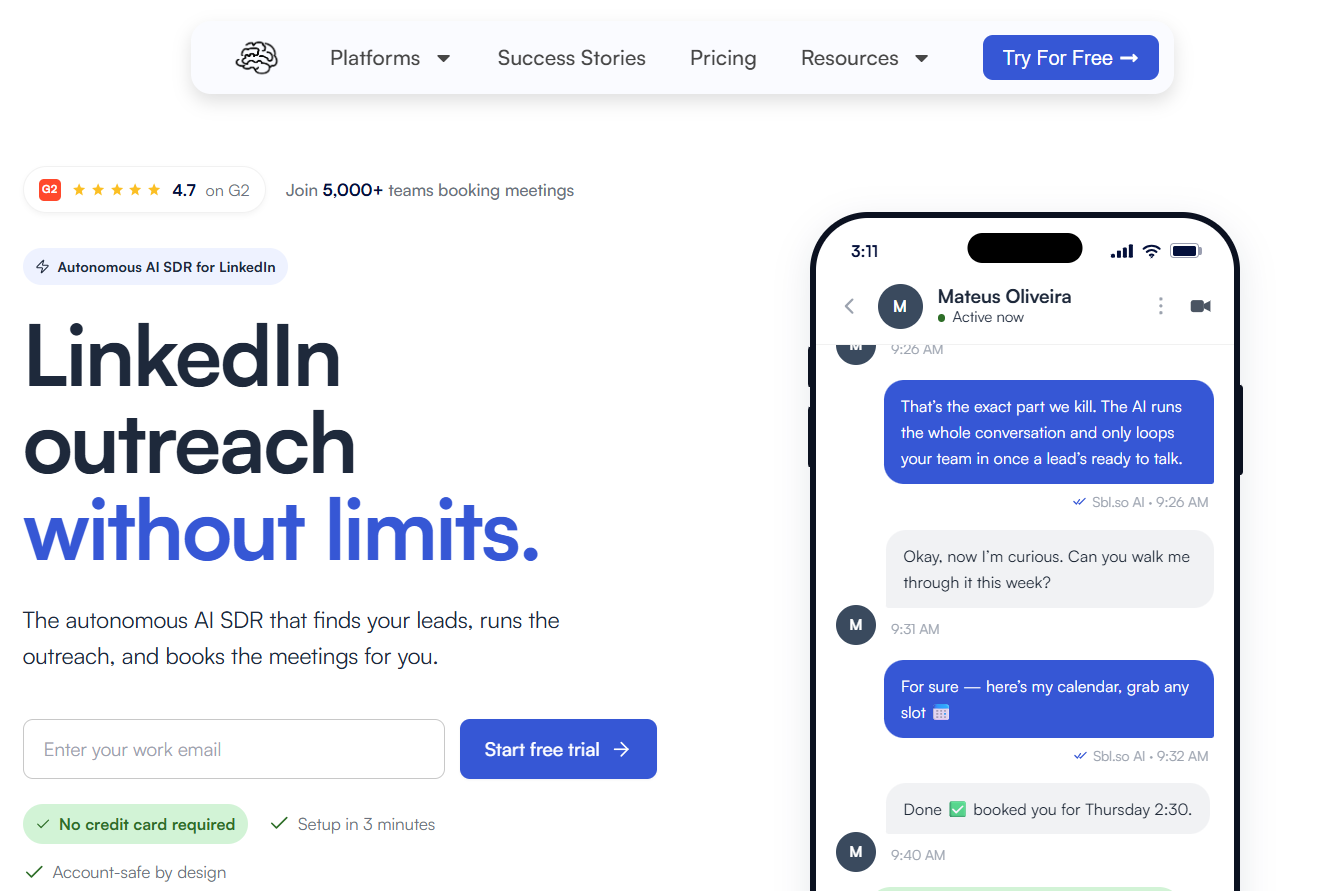
Sbl.so functions as an AI sales rep for LinkedIn. You describe the buyer, and it assembles the list off buying signals, starts the conversations, works the replies, and puts meetings on your calendar.
Features
- Lists assembled from signals: Job moves, funding announcements, engagement with competitors' posts, and profile activity refresh the list daily, with each name scored against your ideal customer.
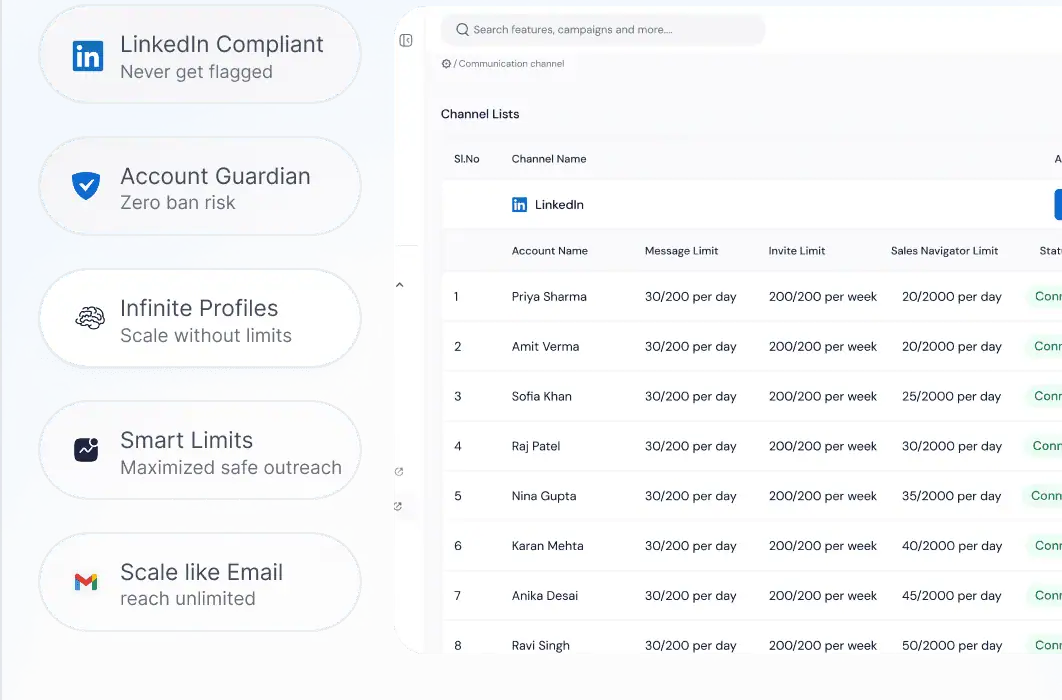
- Profiles the vendor supplies: Sending accounts turn up already warmed, and volume distributes across the pool so one profile never shoulders an entire campaign.
- Conversations handled by AI: It replies in over 100 languages, can send a voice message cloned from your own, and passes a thread to a person once the lead warms up.
- CRM and inbox included: Calendar booking, one team inbox, live analytics, workspaces without limit, and a mobile app, connecting out to HubSpot, Salesforce, Pipedrive, Slack, Zapier, n8n, and Make.
Pricing
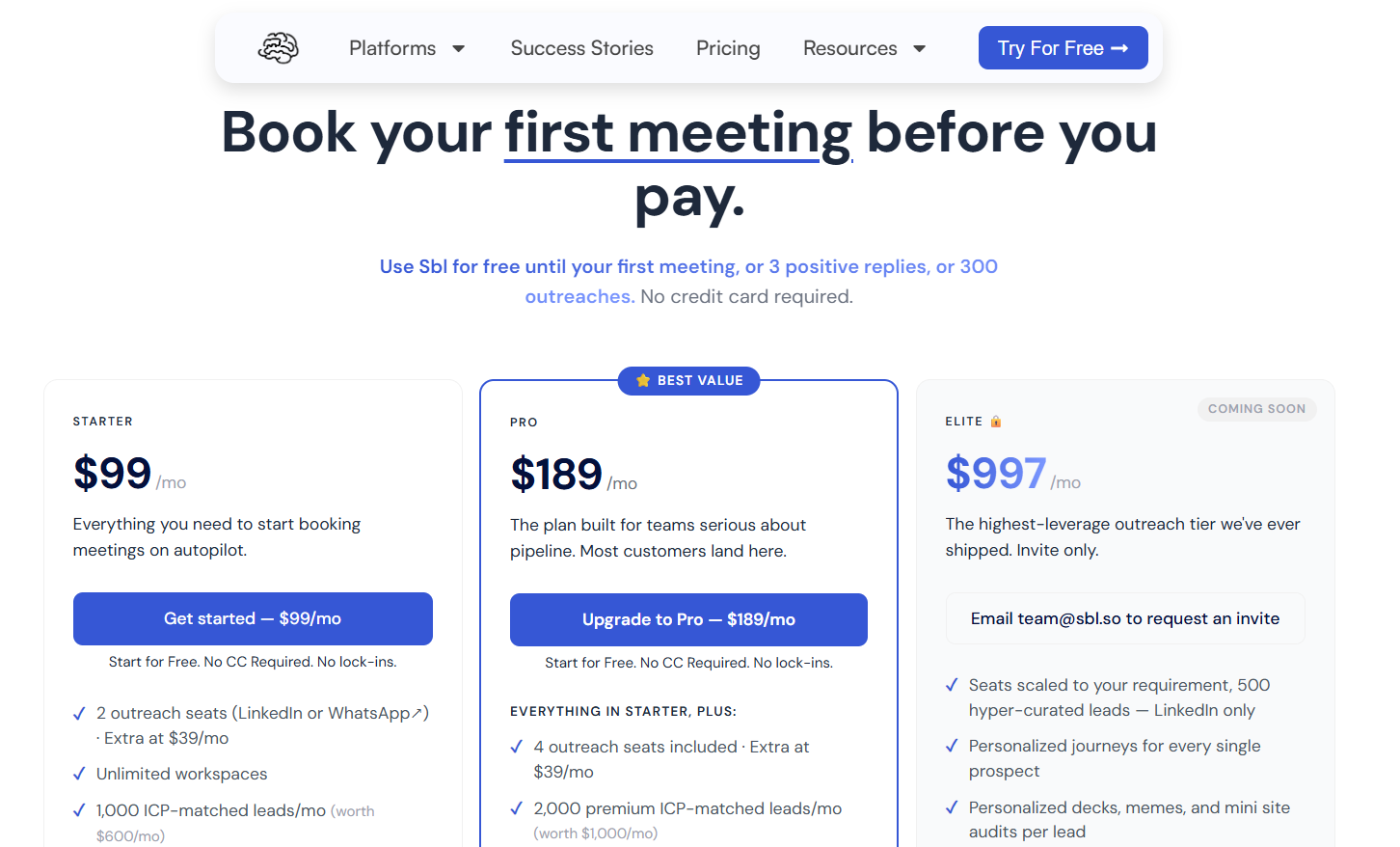
The platform has quite the non-standard free trial: it’s free until your first meeting, three positive replies, or 300 outreaches, whichever arrives first, with no card required.
Sbl.so charges by outreach seat, where a seat covers one LinkedIn or WhatsApp account, and extra seats run $39 a month:
- Starter, $99 per month: two outreach seats, 1,000 ICP-matched leads a month, signals from comments and reactions on your own posts, AI chat replies in more than 100 languages, unlimited Sales Navigator extraction, unlimited workspaces, two team members, and priority support.
- Pro, $189 per month: four outreach seats, 2,000 premium leads a month, premium signals covering job changes, funding, and competitor monitoring, rich media with an AI cloned voice, the built-in CRM with export, custom webhooks, and ten team members.
- Elite, $997 per month: listed as coming soon and invite-only, with seats scaled to the account, 500 hyper-curated LinkedIn leads, and a personalized journey built for every prospect.
- Enterprise, custom: shaped around a specific workflow, volume, or compliance requirement.
Pros & Cons
✅ Campaign volume never touches your personal profile, since the sending happens elsewhere.
✅ Buying signals build the list on their own and keep it current daily.
✅ The AI runs a conversation all the way to a booked meeting, which fits a founder selling with no SDR on payroll.
❌ LinkedIn and WhatsApp are the only channels available today.

❌ Email automation is on the roadmap.
#8: PhantomBuster
Best for: Growth and RevOps people who need lead data and buying signals from more platforms than LinkedIn alone.
Similar to: Waalaxy, Sbl.so.
PhantomBuster is a data extraction and enrichment toolkit with outreach automations built around it, pulling live data from more than 15 platforms including LinkedIn, Sales Navigator, Google, Instagram, and X.
Features
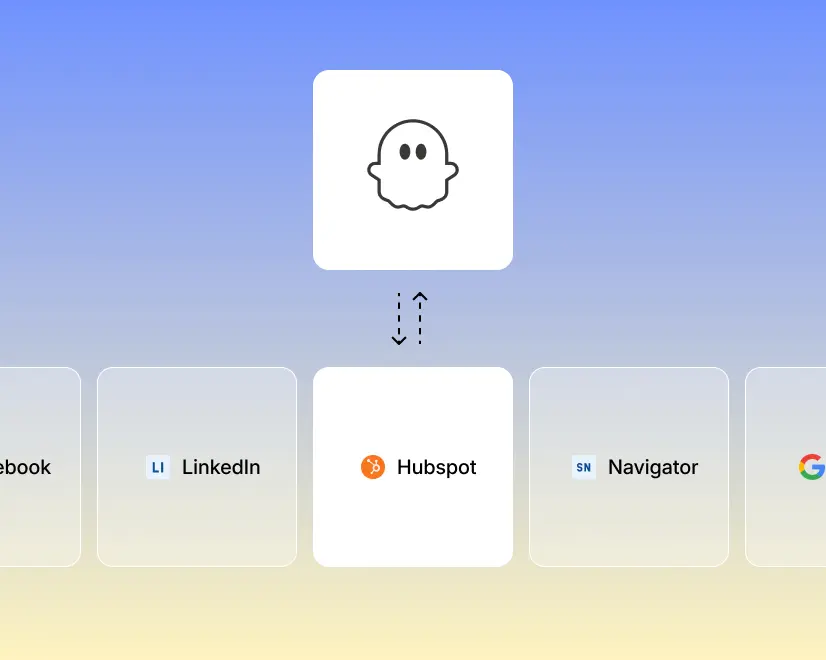
- Prebuilt automations: More than 100 ready-made jobs configure and schedule in minutes, from extracting the likers and commenters on a LinkedIn post through to exporting a Google Maps search.
- Live enrichment: More than 1,000 data points layer onto each record, and lists auto-refresh on a schedule so a segment never goes stale between builds.
- LinkedIn outreach automations: Connection requests, direct messages, likes, and event invitations run on a schedule, with AI writing the message against whatever signal that lead showed.
- MCP server: The whole toolkit exposes to Claude or ChatGPT, so prospecting can be driven in conversation, and multiple LinkedIn accounts connect to one workspace.
Pricing
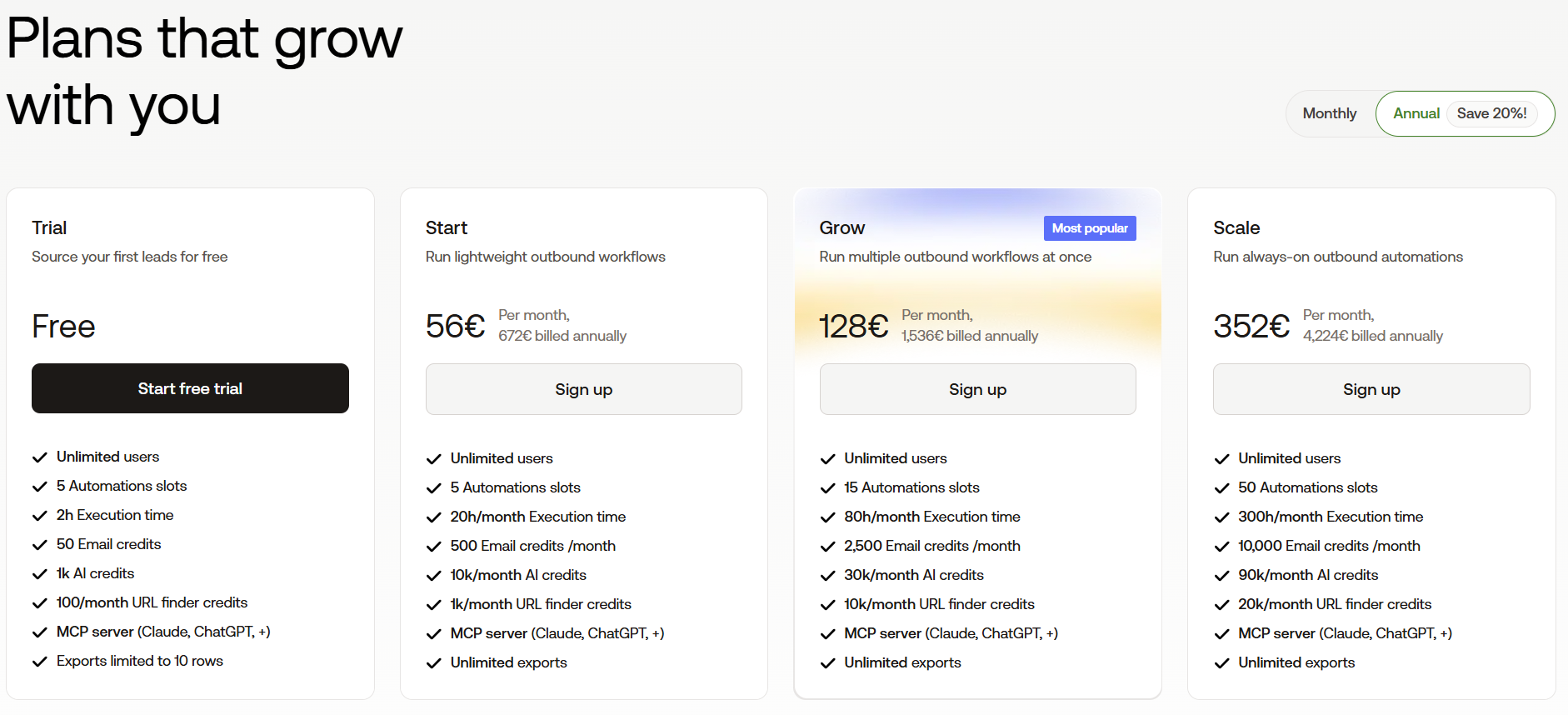
PhantomBuster meters automation slots, execution hours, and separate credit pools, with 20% off annual billing:
- Free trial: five automation slots, two execution hours, 50 email credits, and exports capped at ten rows.
- Start, €56 per month billed annually: five slots, 20 execution hours, 500 email credits, and 1,000 URL finder credits.
- Grow, €128 per month billed annually: 15 slots, 80 hours, 2,500 email credits, and 10,000 URL finder credits.
- Scale, €352 per month billed annually: 50 slots, 300 hours, 10,000 email credits, and 20,000 URL finder credits.
Pros & Cons
✅ Data and signals from more than 15 platforms, including sources a pure sequencer never sees.
✅ Prebuilt automations handle fairly technical jobs without any code.
✅ MCP access for teams running prospecting through an AI assistant.
❌ Metered credits and execution hours can make monthly cost harder to forecast.
❌ There's no unified reply inbox, so conversations happen elsewhere.
#9: Reply.io
Best for: Sales teams that want five channels inside one conditional sequence, with an AI SDR available as an upgrade.
Similar to: Lemlist, La Growth Machine.
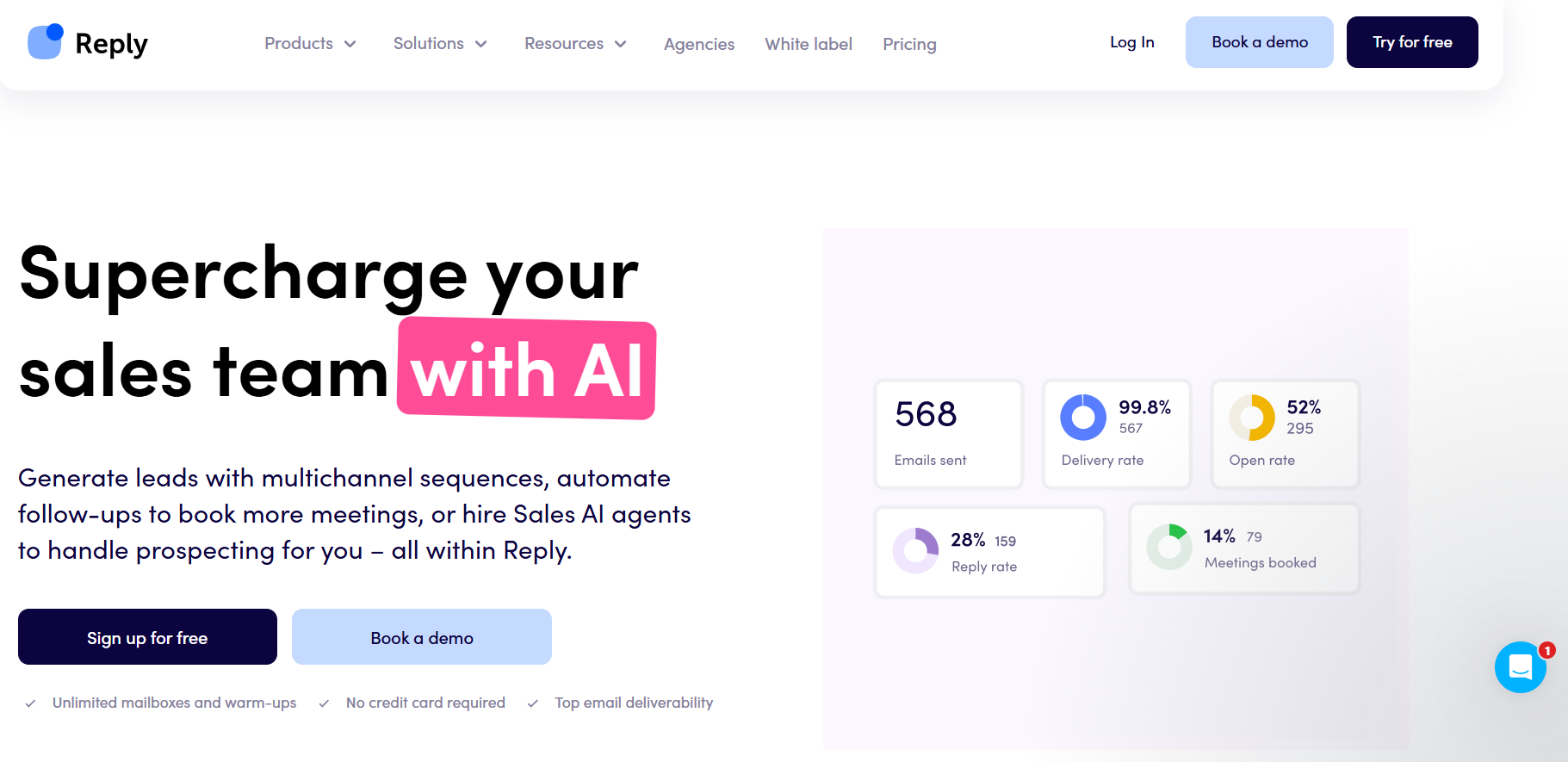
Reply.io is a sales engagement platform where email, LinkedIn, calls, SMS, and WhatsApp all run as steps in one sequence, with anything else attached through a Zapier step.
Features
- LinkedIn as a real module: Connection requests, messages, InMails, voice messages, attachments, post likes, follows, and skill endorsements each run automatically or wait for your approval as a manual task.
- Conditional multichannel sequences: Silence on email moves a prospect to a LinkedIn touch, and then a call, with the branch decided by what that person actually did.
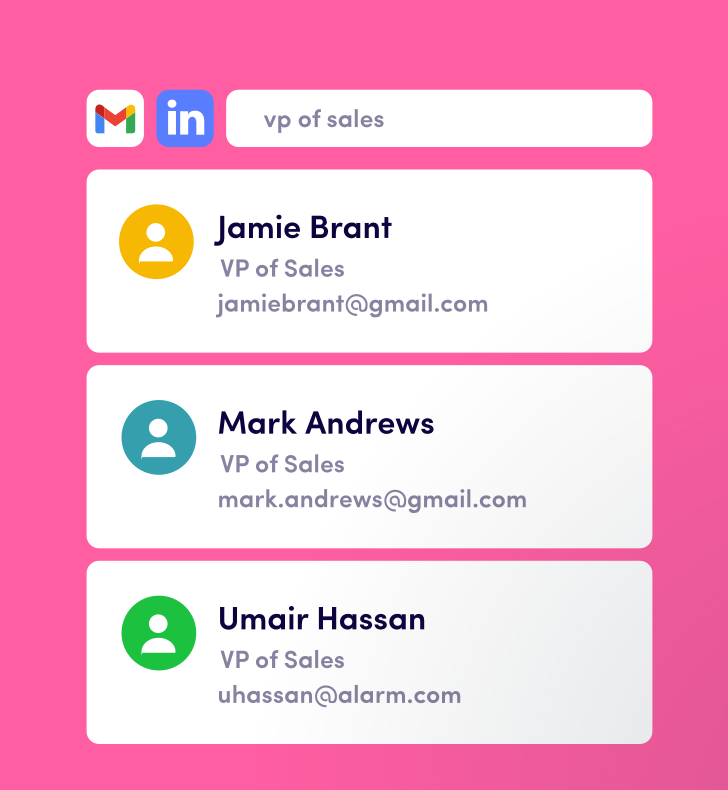
- Live B2B data: Contact search with buying-intent signals, plus website visitor reveals included on every plan up to 200 a month.
- Deliverability suite: Unlimited mailboxes with warm-up, DNS setup, custom tracking domains, inbox rotation, and domain purchase inside the app.
Pricing
Reply.io runs two shapes depending on whether you're buying email volume or channel coverage:
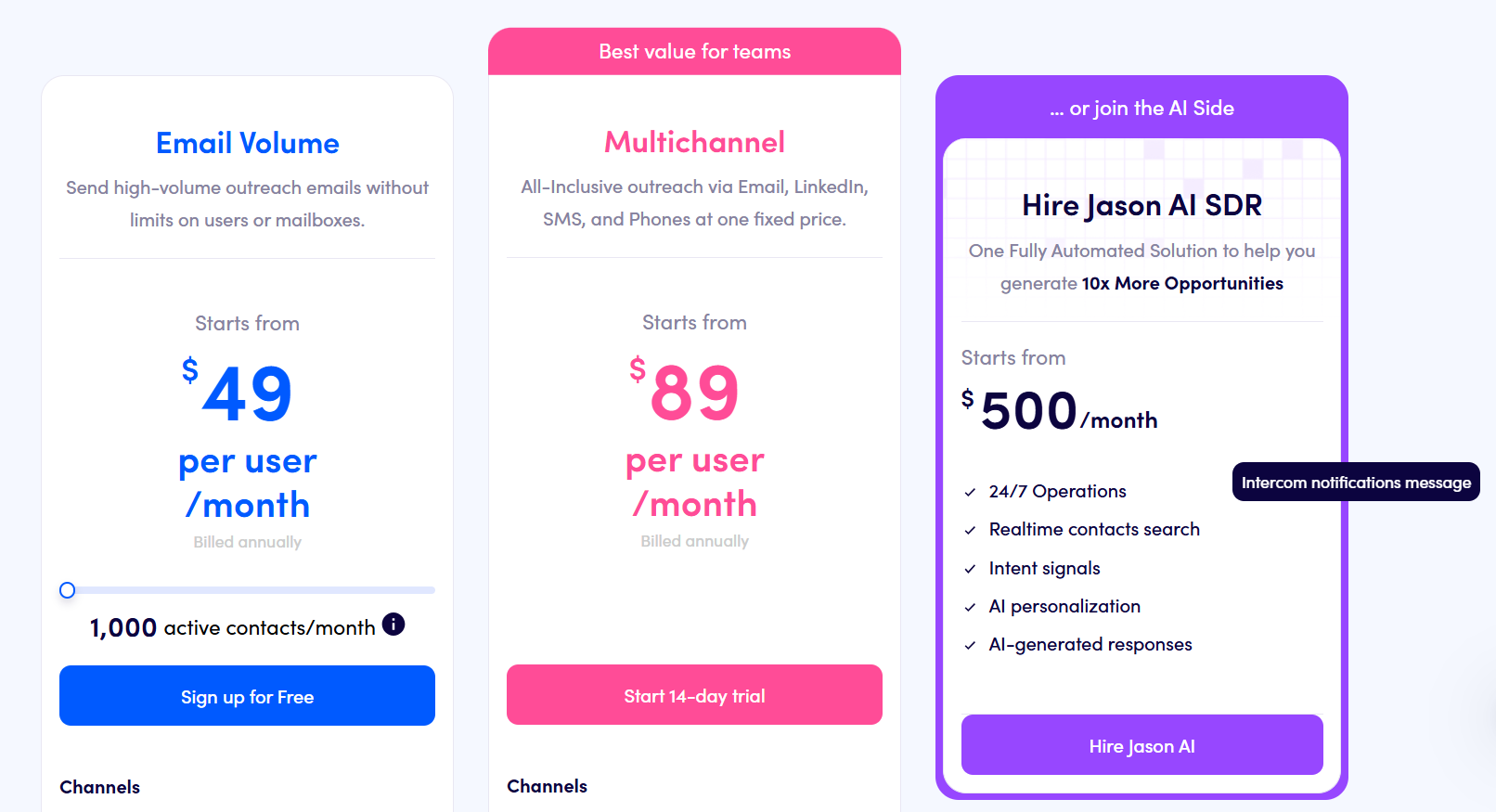
- Multichannel, from $89 per user per month billed annually: ten mailboxes with LinkedIn, calls, and SMS included, plus WhatsApp as a semi-automated step.
- Email Volume, from $49 per month: unlimited users and mailboxes with 1,000 active contacts, where LinkedIn is $69/month per account and calls with SMS are $29/month per user.
- Jason AI SDR, from $500 per month: a fully automated prospecting and reply motion.
- Agency, from $166 per month: an agency dashboard with client management.
- Free trial: 14 days across the platform.
Pros & Cons
✅ Five channels branch inside one sequence, though LinkedIn and calling are priced as add-ons.
✅ Warm-up is included, with mailbox count governed by a fair-usage policy tied to your contact volume.
✅ An AI SDR available on the upgrade path, so a second vendor never enters the picture.
❌ There is no possibility to parallelize actions within the same sequence (for example, contacting someone in parallel via email and on LinkedIn, without LinkedIn becoming a bottleneck), according to a G2 review.
❌ A unified outbox is also missing, according to the same G2 review.
#10: Lemlist
Best for: Senders losing more replies to spam folders than to weak copy, who also want a dialer and WhatsApp in the sequence.
Similar to: Reply.io, Waalaxy.
Lemlist is an outbound solution, where one sequence can carry a prospect across email, LinkedIn, phone, WhatsApp, and SMS, with conditions choosing the next step based on what that prospect did.
Features
- Sequences across five channels: A campaign might start on email, add a LinkedIn invite and a voice note, dial the prospect, then chase over WhatsApp, with conditions picking which of those any given lead actually gets.
- Deliverability Hub: Warm-up, rotation between inboxes, limit management, and DNS checks, with warnings arriving early enough to save a mailbox.
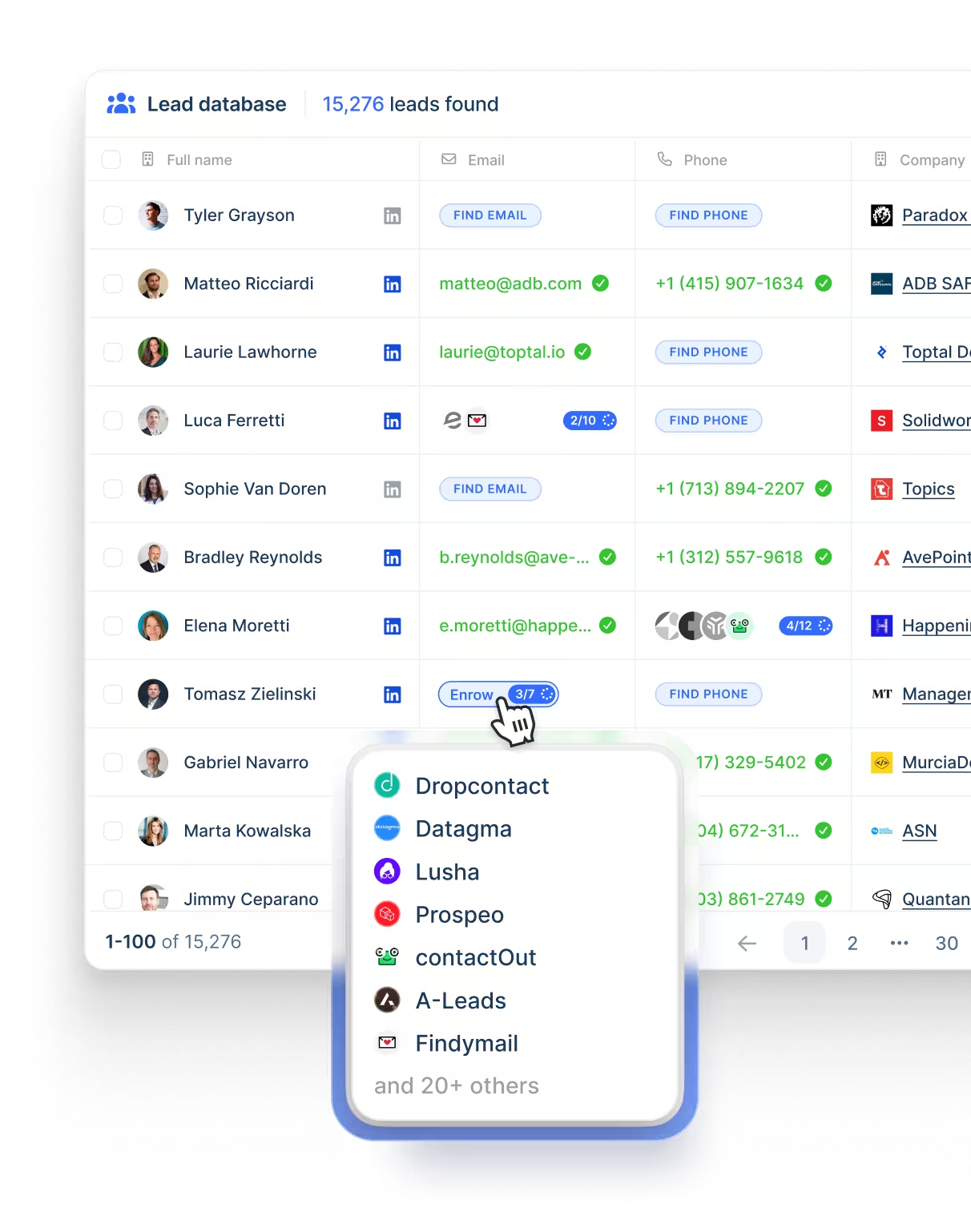
- Contact data on tap: A database of more than 650 million records with address and phone lookup over it, billed by credit.
- Agents doing the legwork: lemAgent researches accounts and cleans data, while separate agents watch for hiring activity, role changes, funding, and site visits.
Pricing
Three paid plans, with 20% off the price on yearly billing:
- Email, $69 monthly at list or $55 yearly: users and email senders without limit, 50,000 messages monthly, the Deliverability Hub, and the contact database.
- Multichannel, $109 monthly at list or $87 yearly per user: five senders each, LinkedIn automation, SMS, the built-in dialer, unlimited messages, and WhatsApp as a further add-on.
- Enterprise, custom: single sign-on, bespoke roles and permissions, a named account manager, and priority support.
- Credits: five per verified address, 20 per phone number, and intent signals priced individually from 20 upward.
There’s also a 2-week free trial that you can sign up for.
Pros & Cons
✅ Inbox placement tooling ships with the platform, so warm-up and domain monitoring need no second vendor.
✅ WhatsApp and in-app calling are rare across this list, and both belong to the same sequence as LinkedIn.
✅ The entry plan puts no limit on users or on email senders.
❌ There's a bit of a learning curve to get the most out of all the features when you first start, according to a G2 review.
❌ Enrichment and intent signals draw on credits.
Get started with Meet Alfred for free
The channels, the lead sourcing, the shared inbox, and the client branding all belong to the same platform here at Meet Alfred, so growing your outreach doesn't mean growing the list of software subscriptions and platforms you manage.
Here's what a week looks like once Meet Alfred is up and running:
- Prospects are reached on LinkedIn, by email, and on X from one sequence, with follow-ups pacing themselves inside safe daily limits while you're in meetings.
- Prospect lists are built in the same screen as the campaign through the AI Lead Finder, with no sourcing contract and no email credits to meter.
- Every reply from every rep is in one Smart Inbox, campaigns are pausing the moment a prospect answers, and managers are replying on behalf of any account without sharing a password.
- Client-ready reporting is under your own logo and domain, next to a social scheduler keeping your content live across LinkedIn, Facebook, Instagram, and X.
➡️ You can start your free trial of Meet Alfred with full feature access and no credit card required, or book a demo and our team will walk you through the platform.
⚠️ Disclaimer: This article was last updated on the 7th of August, 2026, and if there's any misinterpretation of the information, please contact us, and we will fact-check it.
Related Articles
Use Meet Alfred to get customers to find you!
Speak to one of our Automation Experts today
Start seeing results!