Below, I've lined up 10 HeyReach alternatives for 2026 and matched each to the kind of team it fits, from single-platform multi-channel suites to lightweight LinkedIn-only tools.
TL;DR
- Meet Alfred offers the best alternative to HeyReach in 2026 for sales teams, agencies, and recruiters, as LinkedIn, email, and X outreach all run from one platform that combines lead sourcing with a shared inbox.
- If your motion depends on email as much as LinkedIn, the two to compare are Lemlist and Salesforge, both of which carry deliverability tooling and mailbox infrastructure inside the platform.
- Teams that want AI to handle the conversation itself, not just the sending, tend to look at Sbl.so for managed sender profiles and We-Connect for auto-reply in co-pilot or autonomous mode.
- For LinkedIn-first outreach with no extra channels to pay for, Expandi, Dripify, Waalaxy, and Octopus CRM span the range from a $99 branching sequence builder down to a $6.99 entry point.
What are the best alternatives to HeyReach?
The best alternatives to HeyReach in 2026 are Meet Alfred, Lemlist, and Expandi.
The table covers all 10 tools with the team each one suits and what each one charges:
#1: Meet Alfred
Meet Alfred is the best alternative to HeyReach in 2026 for sales teams, agencies, and recruiters that need more than one channel and would prefer not to buy a proxy provider, an email tool, and a lead database to get there.
Our multi-channel automation platform handles LinkedIn, email, and X outreach in a single sequence, sources the prospects itself, and gives agencies a version of the product carrying their own logo and domain.
Full disclosure: Even though Meet Alfred is our solution, I’ll do my best to explain what makes it the best alternative to HeyReach for sales teams, agencies, and recruiters.
Let’s go over the features and capabilities that have helped teams at Reuters, Samsung, Oracle, Salesforce, and HSBC save hours every week:
From a blank account to a live campaign in four steps
Here’s how Meet Alfred works from the moment you sign up for the platform:
Step 1: Connect LinkedIn and set the guardrails
You start by connecting a LinkedIn profile with two-factor authentication handled in the app, then cap the daily volume of connection requests.
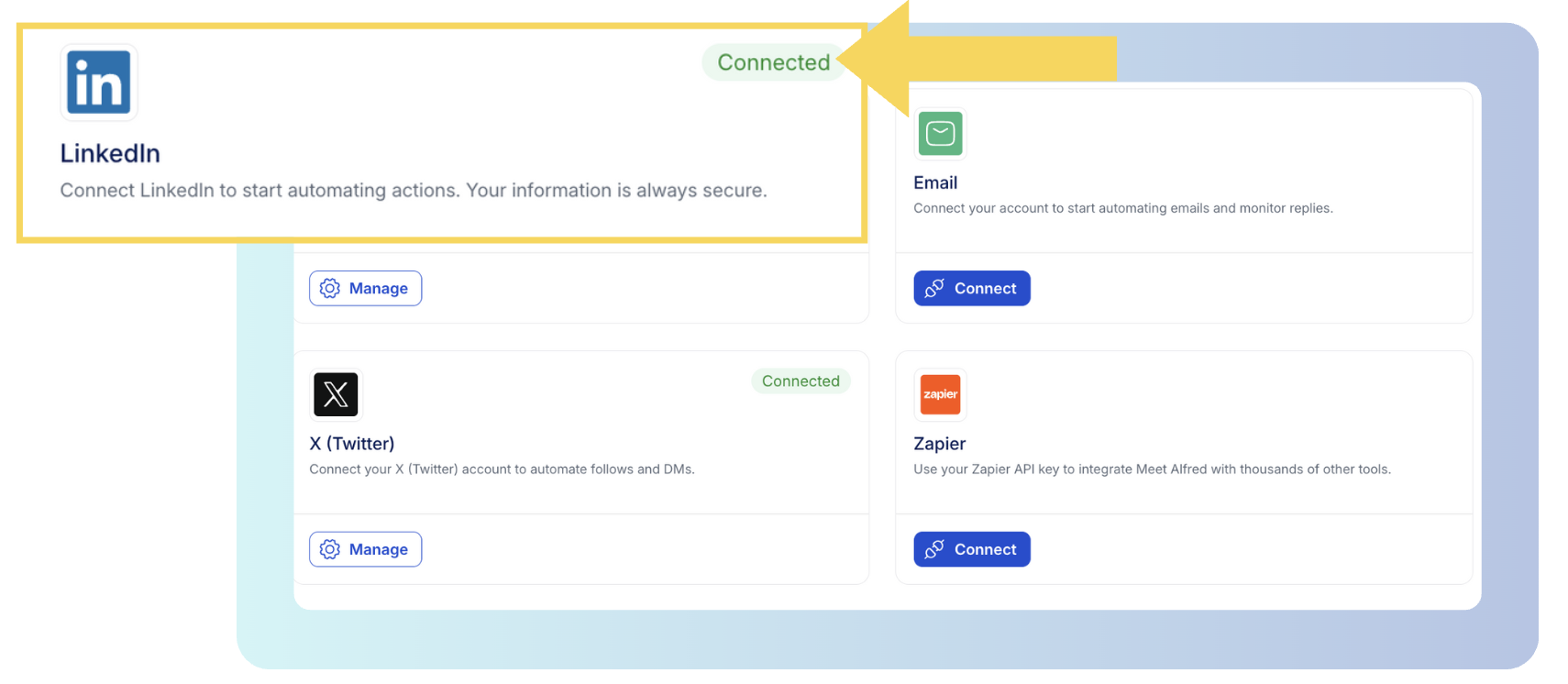
Each campaign randomizes its pacing on top of that cap, and because sending runs in the cloud on a dedicated IP, there's no proxy to buy and no browser session to leave open.
➡️ You can learn more about setting up Meet Alfred here, including setting up our Verify on the Fly functionality that helps you stay ahead of disconnections without needing to log into Meet Alfred every time a 2FA code is required.
Step 2: Pick the audience
With the account connected and the limits set, the next decision is who the campaign targets, and warm sources tend to convert best: group members, event attendees, newsletter subscribers, or anyone who liked or commented on a specific post.
A LinkedIn search works as a source too, narrowed by job title, industry, location, language, and keywords, with a preview of sample results before you commit and a selector for how many profiles go in.
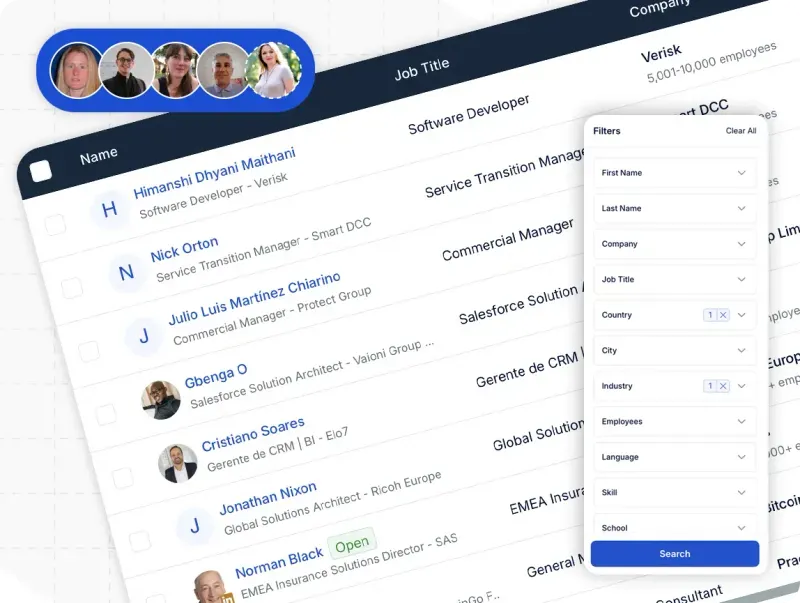
The AI Lead Finder is its own flow: you build and save the list inside Finder, capped at 1,000 results on Basic, 5,000 on Pro, and 10,000 on Team, then choose that list as the source when you set the campaign up.
Step 3: Build the sequence
After figuring out your audience, the next step is to build your sequence.
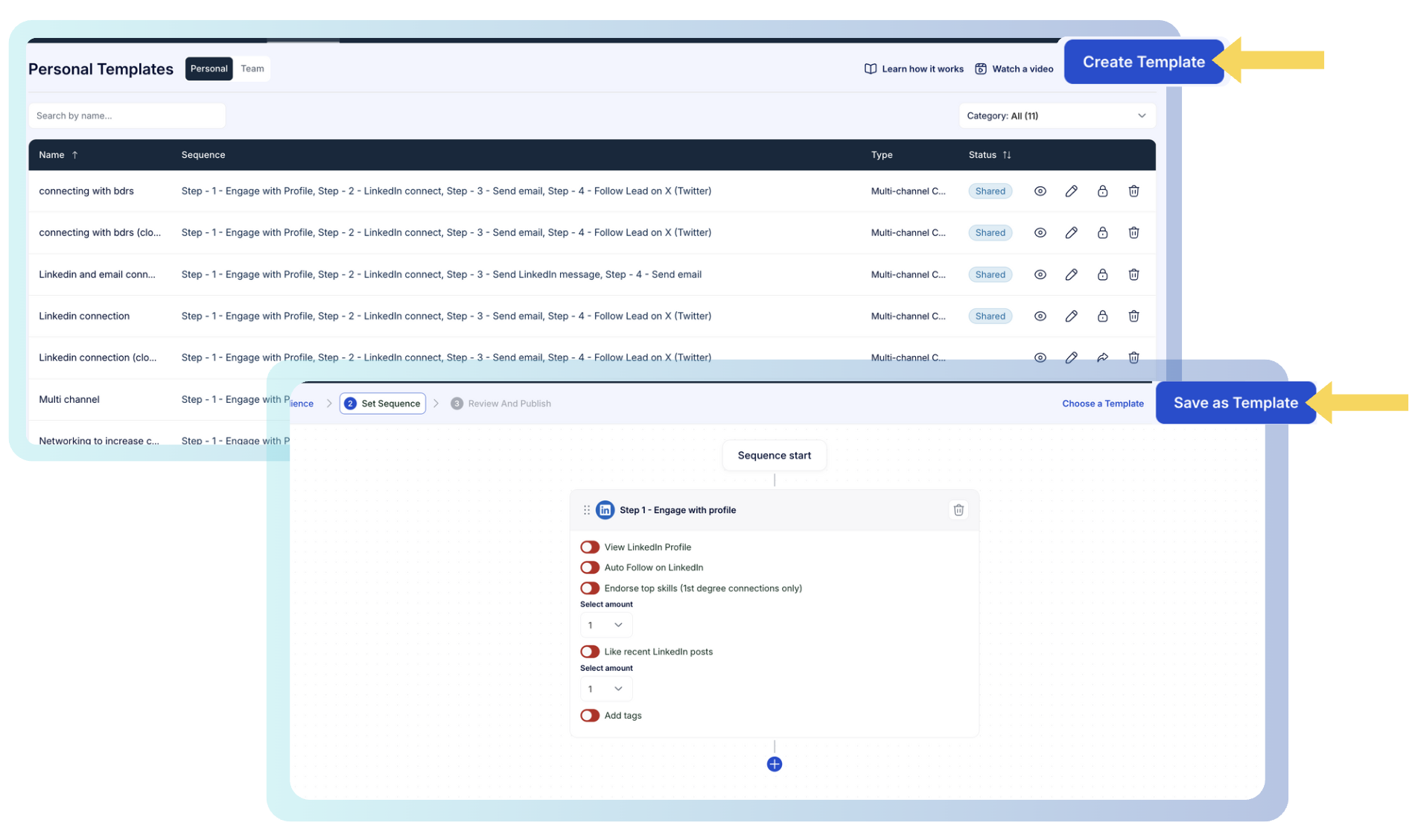
You can handle it manually from scratch, or choose one of the pre-built sequence templates that you’ve created.
For example, you can create a sequence that first views a person’s profile, follows the person on the next day, and then sends a connection request the following day with a personalized message.
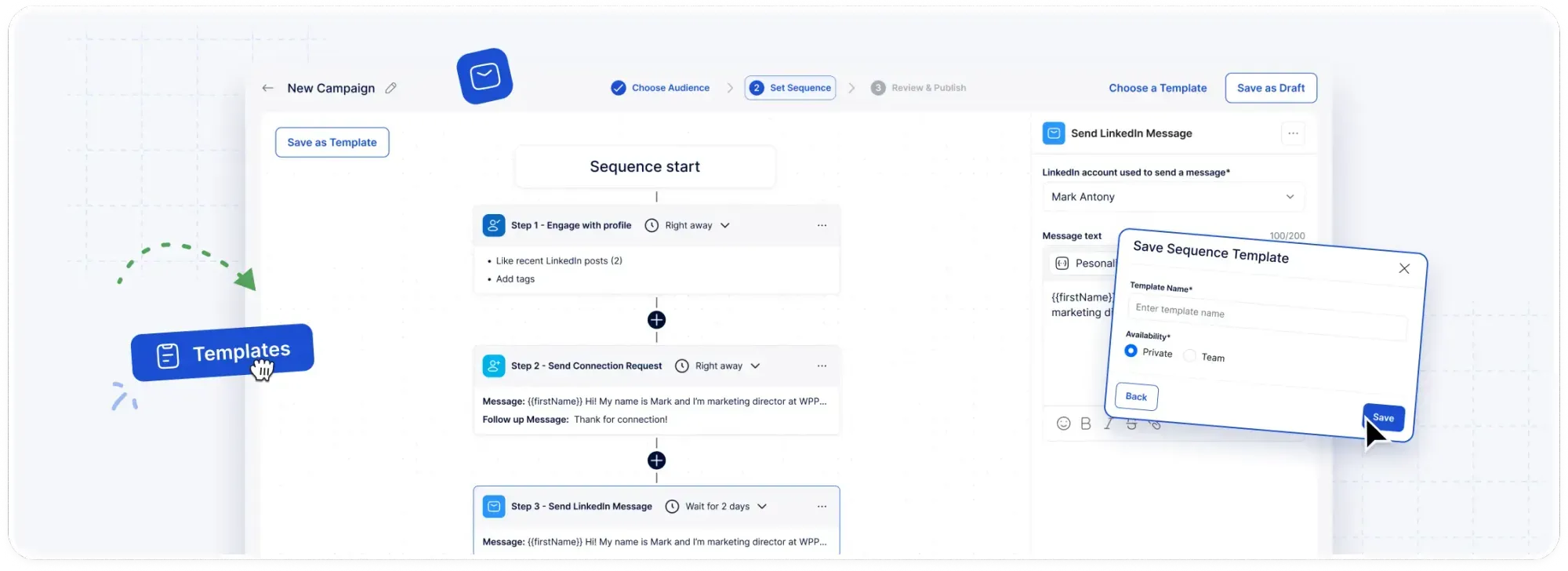
The whole multi-step sequence can be saved and shared with the team, so a play that works becomes the default for everyone.
Once you hit launch, Alfred works each step on its own schedule in the cloud, with the campaign view reporting replies, connections made, opens, clicks, and conversions as they happen.
Step 4: Manage every conversation, across every rep
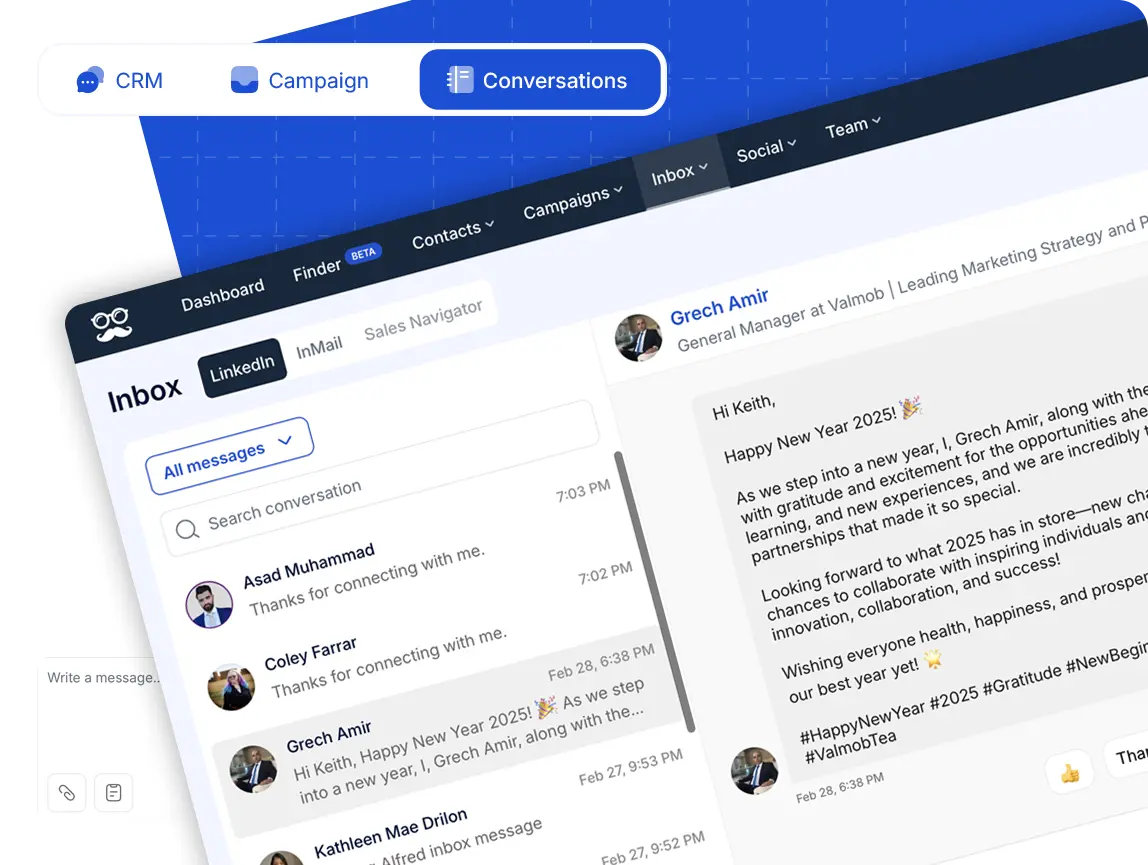
We knew that thousands of leads and hundreds of replies stop being manageable in LinkedIn's own inbox, and it gets harder again when several reps are working the same list.
This is why in Meet Alfred, every prospect conversation is centralized in one place (whatever channel it started on), stays current as new replies arrive, and carries enough context for whoever picks it up next.
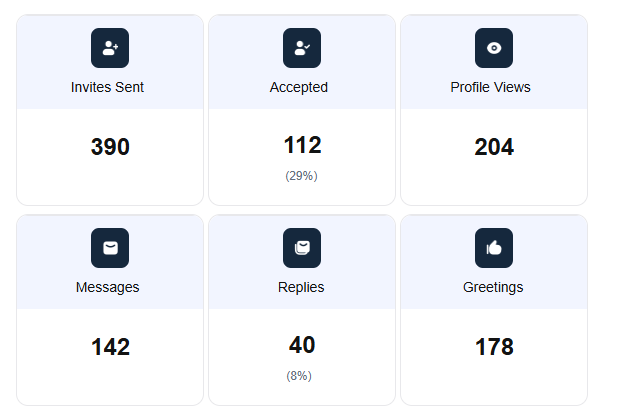
Team stats run alongside that, covering connection requests, follow-ups, and replies down by rep, which is the view most agency owners and sales managers keep open through the week.
Impersonation: run a teammate's outreach without their password
Impersonation lets you manage another team member's LinkedIn activity from your own dashboard with no login details changing hands, and it's available on the Teams, Agency, and Enterprise plans.
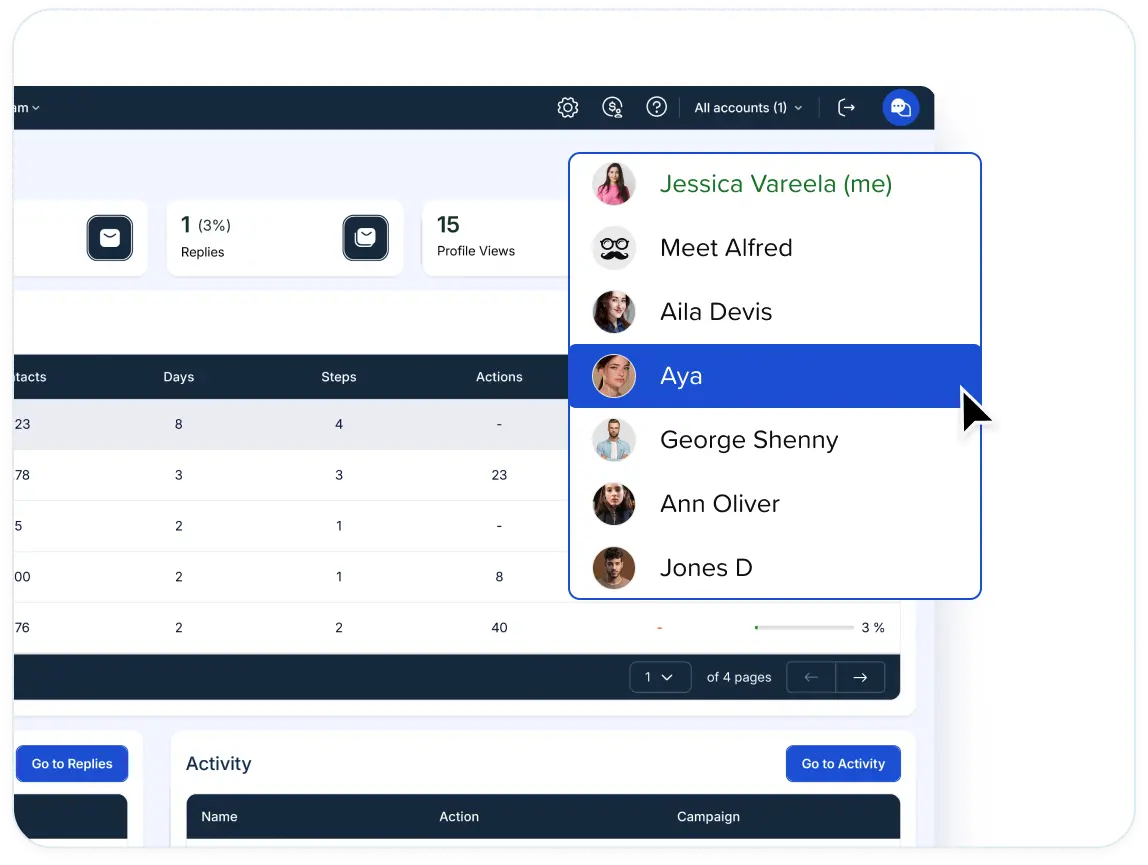
You can get in two routes: by either picking the account from the profile bar at the top of the screen, or opening the Team or Team Stats page and using Manage User beside the account you want.
Once you're inside someone else's account, you can create and launch campaigns, set up integrations, work their Smart Inbox and reply to leads, and read their performance stats and activity logs.
For an agency, that means one person serves several client profiles from a single login, with messaging staying consistent across them, and each task is still assigned to whoever owns that relationship.
Multi-channel outreach across LinkedIn, email, and X
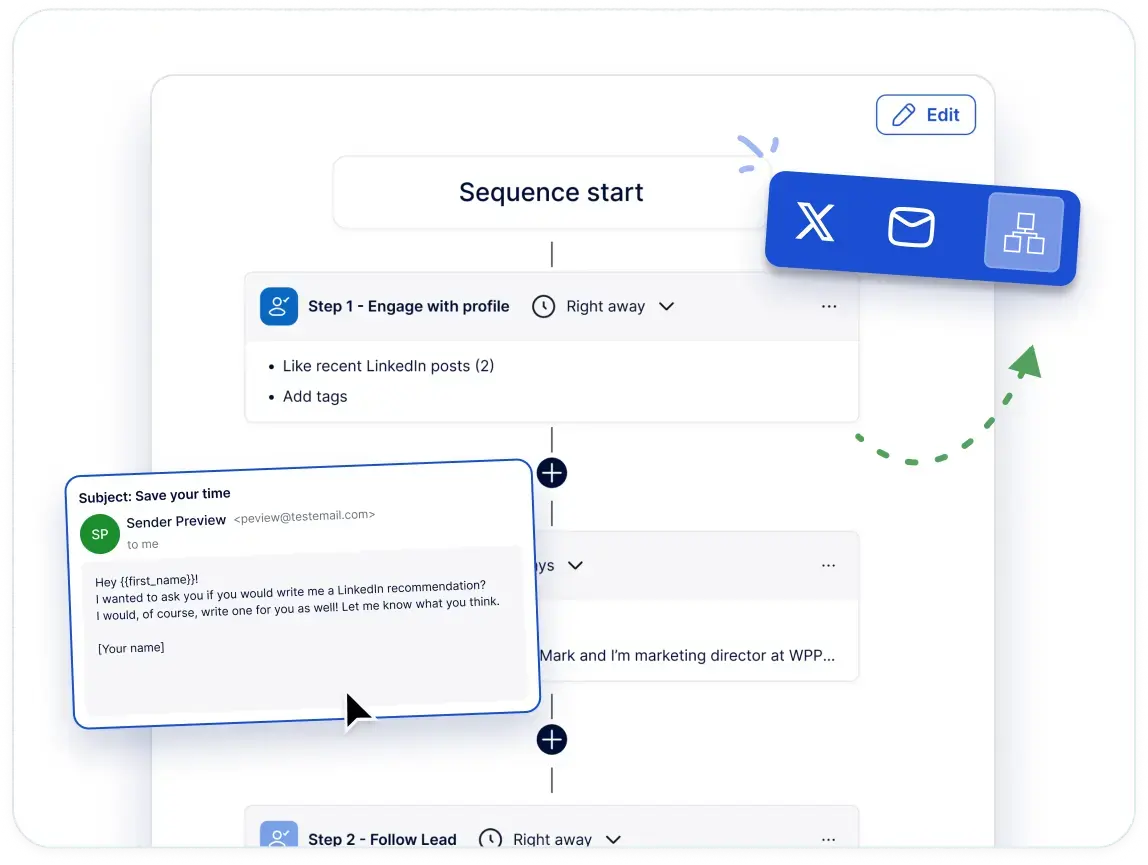
On Meet Alfred, email, X, and InMail steps drop into the same sequence as the LinkedIn ones, so a single campaign covers every channel a prospect might answer on.
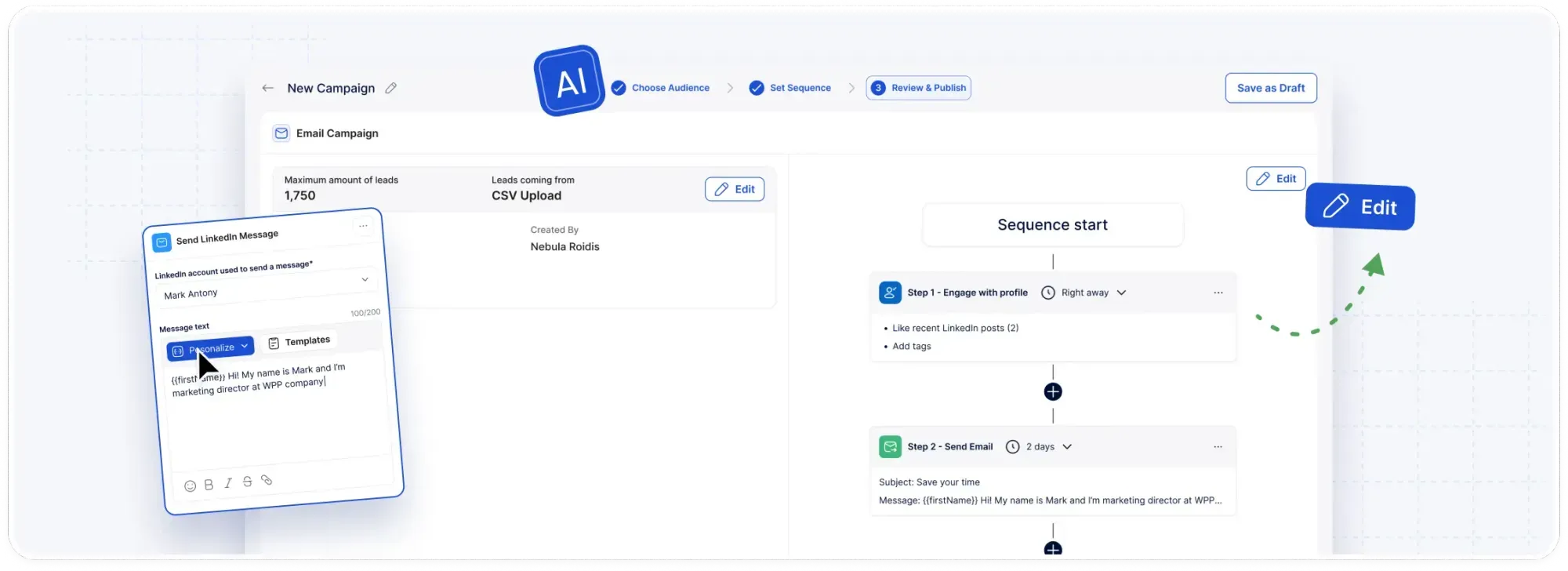
For example, a prospect who ignored a connection request gets an email a few days later, with no export and no second tool to reconcile afterwards.
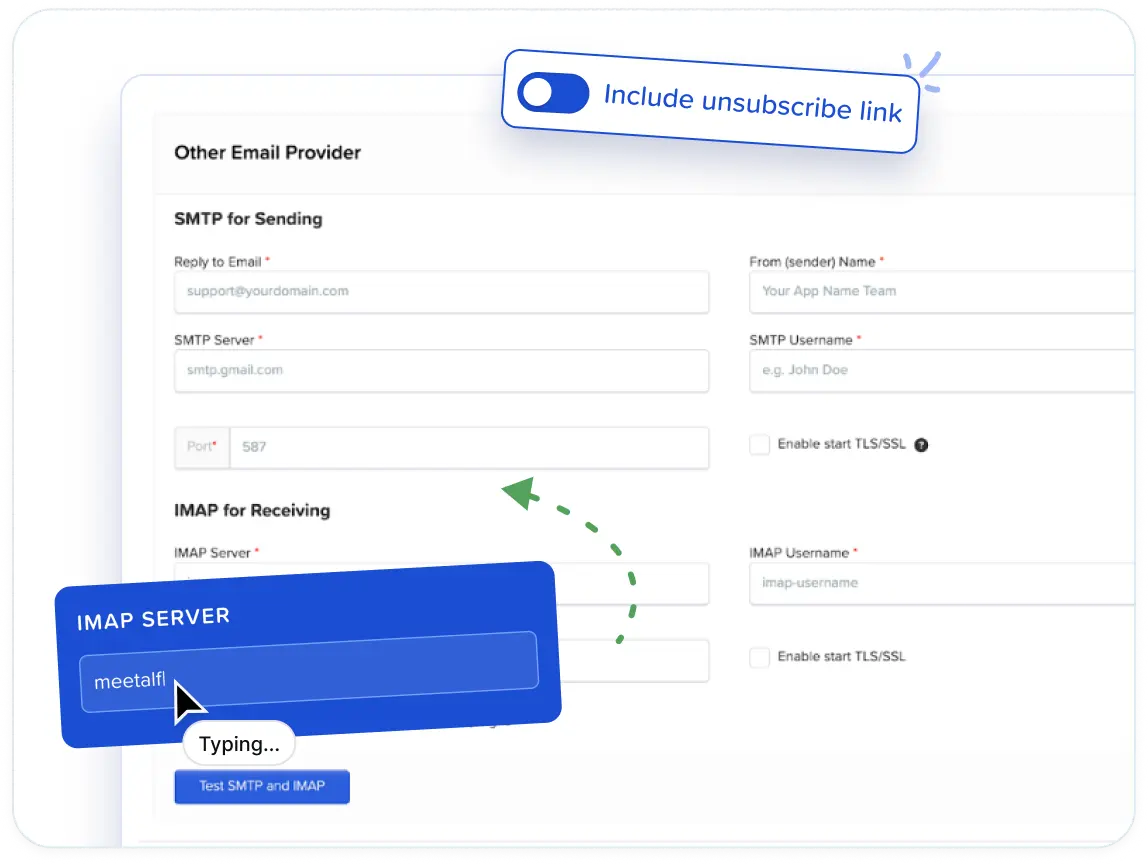
Email travels over your own SMTP or IMAP connection, which covers Gmail, G Suite, Outlook, and anything else on those protocols, with no ceiling on volume and no message credits to top up.
Here’s what that covers in practice:
- Build coordinated campaigns that run seamlessly across LinkedIn, X (Twitter), and email.
- Deliver outreach that feels personal, even at scale, by using dynamic fields, message templates, and natural pacing.
- See how every channel performs with clear, unified reporting, as you can track opens, replies, and conversions to understand what’s working.
How is Meet Alfred different from HeyReach?
HeyReach covers LinkedIn at scale and covers it well, sending from the cloud on a dedicated IP per sender, handling replies in a purpose-built unified inbox, billing by sender so extra teammates, and connecting natively to Clay, Trigify, and MCP clients.
Four differences are worth weighing before you switch:
- Channels past LinkedIn: X outreach and social posting to LinkedIn, Facebook, Instagram, and X are native to Meet Alfred.
- Who sends the email: Meet Alfred sends through your own SMTP or IMAP connection with no volume cap and no message credits, where HeyReach routes email into Instantly, Smartlead, or EmailBison on a separate subscription costing $37 to $97 a month.
- Where the prospect list comes from: Meet Alfred’s AI Lead Finder builds lists inside the campaign screen, capped at 1,000 to 10,000 results by plan, where a LinkedIn-first stack like HeyReach imports them from tools like Clay, Sales Navigator, and HubSpot.
- The white label entry point: Meet Alfred unlocks agency branding on the Team plan ($39/user/month), where HeyReach's branding arrives with its agency tier ($999/month for 25 senders).
➡️ What’s more, Meet Alfred doesn't ask you to supply proxies as you scale accounts, where a per-sender model can hand that back to you at agency volume, and our support has an average first reply under three minutes.
Pricing
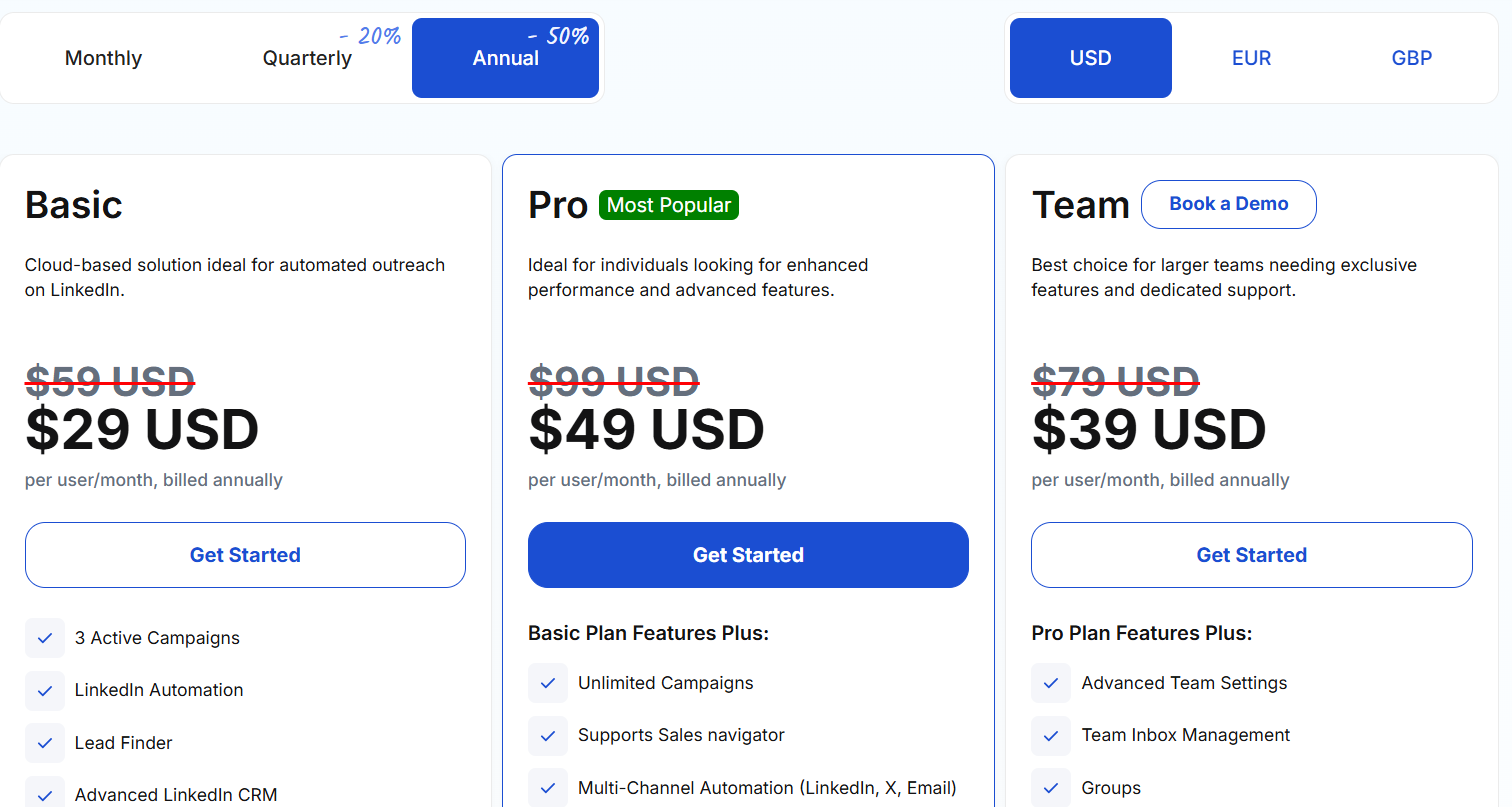
You can try Meet Alfred for free with our 7-day free trial, which gives you full feature access with no credit card required.
After that, you can choose between 3 paid tiers:
- Basic, starts from $29/user/month when billed annually, and includes cloud-based LinkedIn automation, three active campaigns, Lead Finder capped at 1,000 results, the advanced LinkedIn CRM, Smart Inbox, message templates, automated greetings, custom tags, notes, and data exports.
- Pro, starts from $49/user/month when billed annually, and adds unlimited campaigns, Sales Navigator support, multi-channel sequences across LinkedIn, email, and X, InMail automation, group, event, and post campaigns, CSV campaigns, custom snippets, and Lead Finder at 5,000 results.
- Team, starts from $39/user/month when billed annually, and adds advanced team settings, team inbox management, groups, and Lead Finder at 10,000 results, with white label unlocking at five seats.
Pros & Cons
✅ One subscription covers LinkedIn, email, and X outreach, with no proxies to source and unlimited email sending through your own SMTP or IMAP connection.
✅ The AI Lead Finder builds prospect lists in the same place campaigns are built.
✅ Perfect for agencies, as you can white label the platform, impersonate accounts, and organize accounts by client.
❌ There’s no free plan that you can sign up for.
#2: Lemlist
Best for: Outbound teams whose reply volume depends on inbox placement, and who want phone, WhatsApp, and SMS steps inside the same sequence as LinkedIn.
Similar to: Salesforge, Meet Alfred.
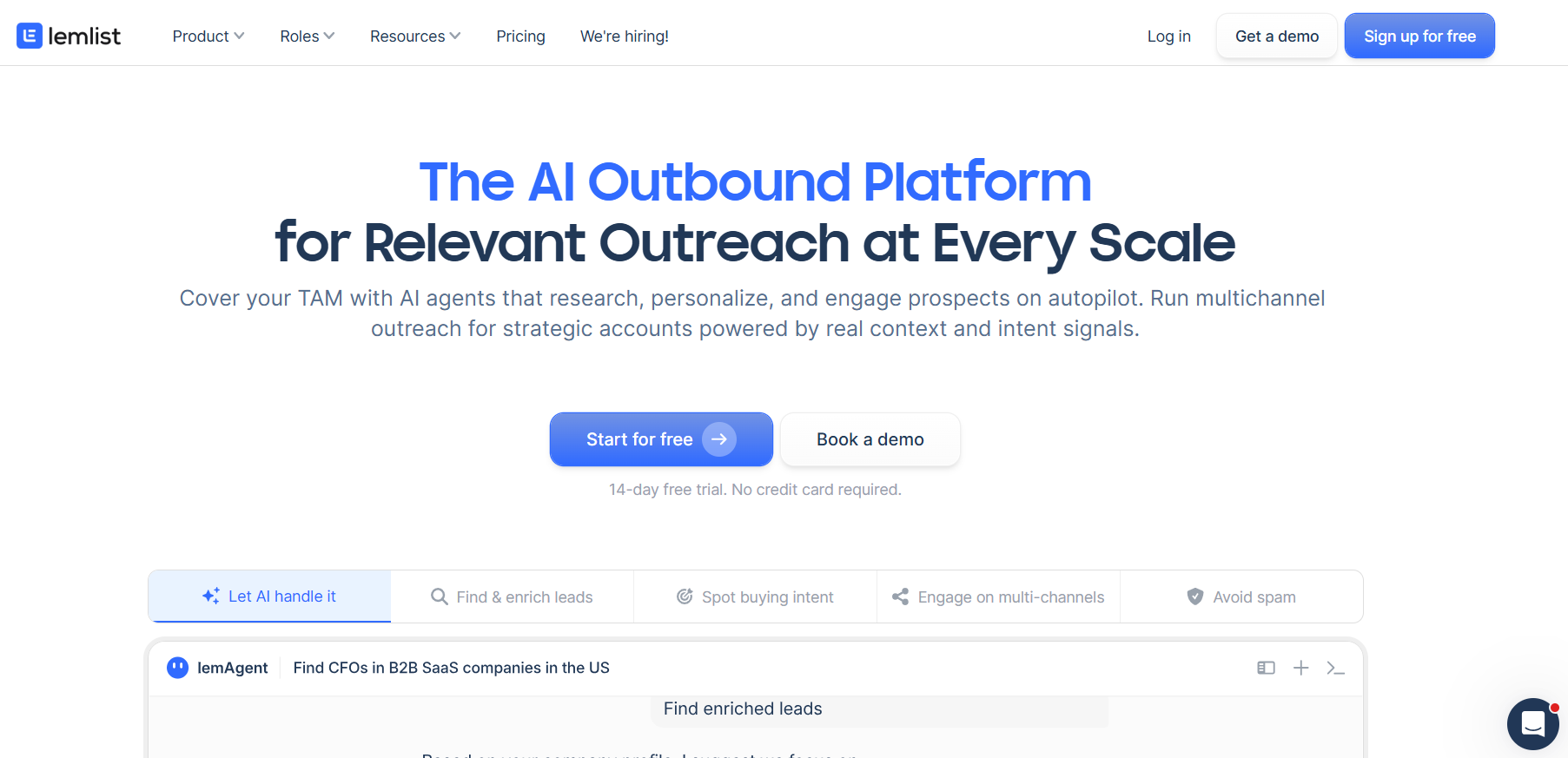
Lemlist is an outbound platform where one sequence can carry a prospect across email, LinkedIn, phone, WhatsApp, and SMS, with conditions choosing the next step based on what that prospect did.
Features
- Multichannel sequences: One campaign can open with an email, add a LinkedIn invite and a voice note, place a call, then follow up over WhatsApp or SMS, with conditions deciding which of those a given lead actually receives.
- Deliverability Hub: Warm-up, inbox rotation, sending-limit management, and domain health monitoring, with alerts that reach you while a mailbox problem is still fixable.
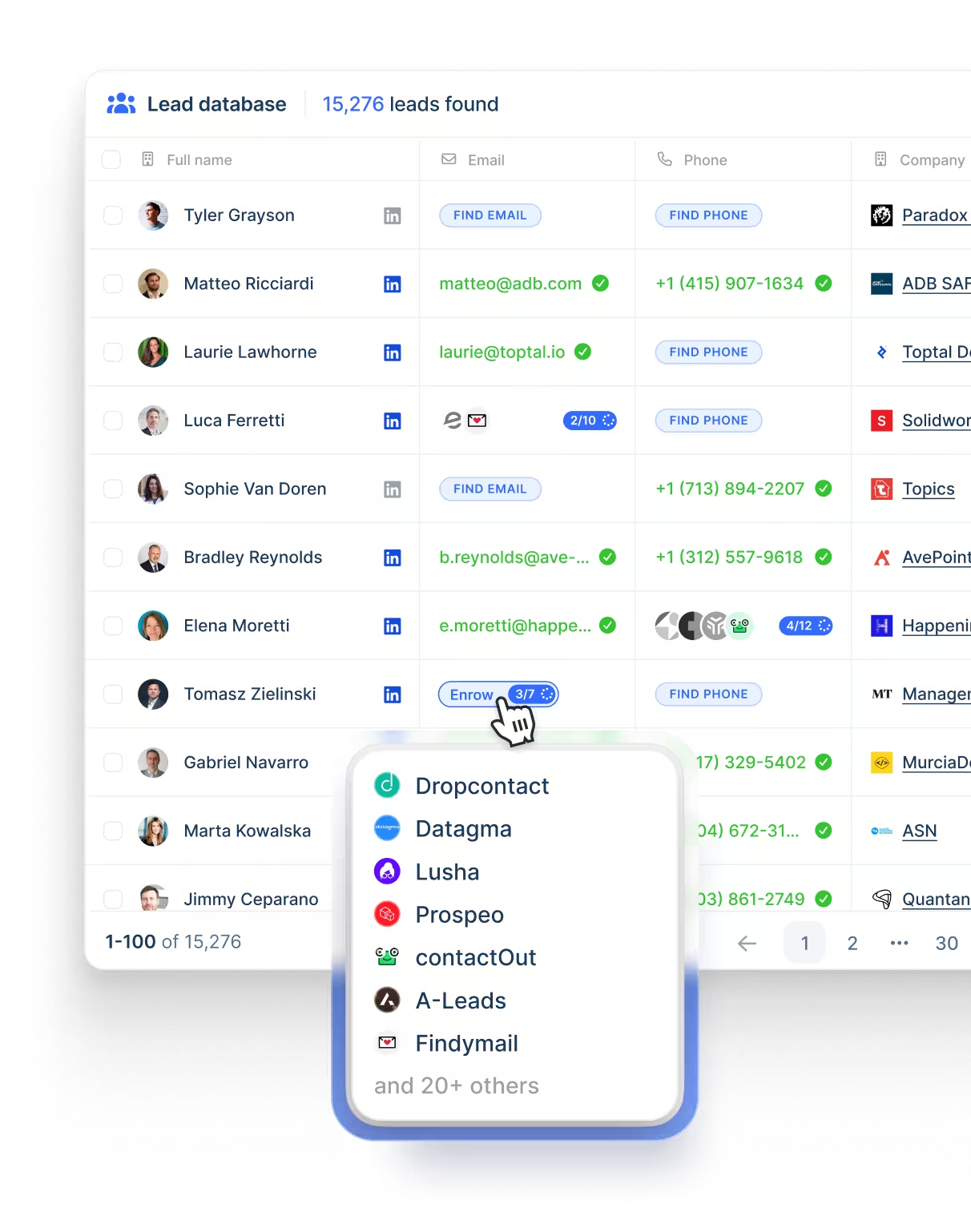
- Lead database and finders: A built-in contact database plus email and phone finders drawing on multiple data providers, with results paid for by credit.
- AI agents: Intent signal agents watching for hiring moves, job changes, funding rounds, and website visits, and enrichment agents pulling context from LinkedIn, websites, and CRM records into the copy.
Pricing
Lemlist has 3 paid plans that you can choose from:
- Email, $69 per month list or $55 billed annually: unlimited users and email senders, 50,000 emails a month, the Deliverability Hub, and access to the lead database.
- Multichannel, $109 per month list or $87 billed annually per user: five senders per user, LinkedIn automation, SMS, a built-in dialer, unlimited messages, and WhatsApp as a further add-on.
- Enterprise, custom: built for teams of five users or more, adding SSO, custom roles and permissions, and a dedicated account manager.
There’s also a 2-week free trial that you can sign up for.
Pros & Cons
✅ Phone and SMS steps are unique to Lemlist here, and WhatsApp is one of only two places you'll find it on this list.
✅ Deliverability tooling is part of the platform, so warm-up and domain monitoring need no separate vendor.
✅ The Email plan carries unlimited users and unlimited email senders.
❌ Enrichment and intent signals draw on credits.
❌ There's a bit of a learning curve to get the most out of all the features when you first start, according to a G2 review.
#3: Expandi
Best for: Agencies and sales teams that want sequences branching on prospect behaviour, with a dedicated country-based IP behind every account.
Similar to: Dripify, We-Connect.
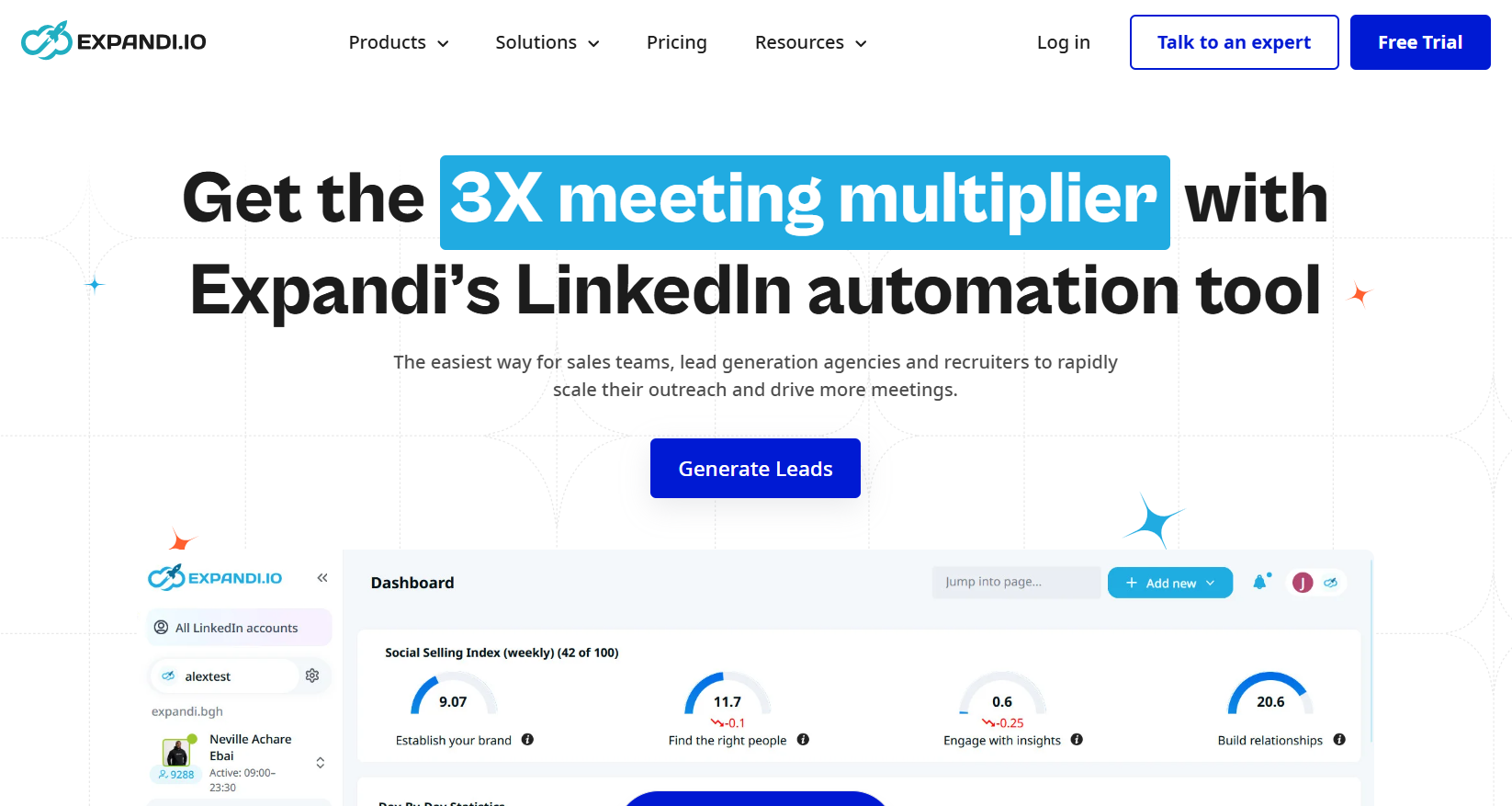
Smart Sequences are the centre of Expandi, a cloud LinkedIn platform where if-then conditions decide what happens after an accept, a reply, an email open, or a post like.
Features
- Smart Sequences: A drag-and-drop builder where conditions branch on accepts, replies, profile visits, email opens, and post engagement, so two prospects can travel very different paths through the same campaign.
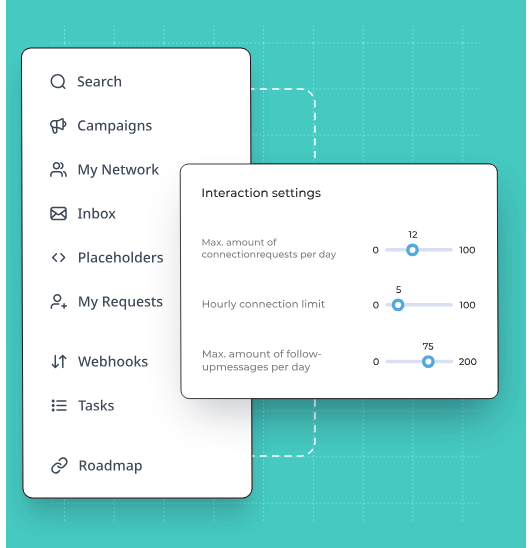
- Account safety layer: Cloud sending, a dedicated country-based IP per account, automatic profile warm-up, and randomized daily ranges applied to every action type the platform sends on your behalf.
- Engagement before the ask: Profile views and post interactions scheduled ahead of the first message, so an invite arrives from a name the prospect has already seen once or twice.
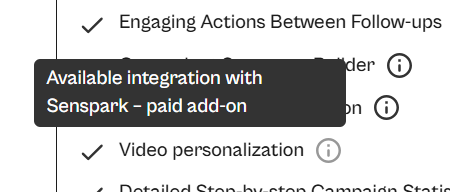
- Personalized visuals: Hyperise for dynamic images and GIFs and Sendspark for personalized video, both available as paid add-ons.
Pricing
Expandi publishes one seat-based plan and quotes agencies directly:
- Business, $79 per seat per month when billed annually: the full safety layer, unlimited campaigns, multichannel outreach with email follow-ups, the sequence builder, step-by-step campaign statistics, campaign prioritization, flexible scheduling, and the blacklist feature.
- Agency, custom from ten seats: flexible roles and permissions, centralized campaign management, client-facing reports, template sharing, a dedicated customer success manager, and the platform under your own brand.
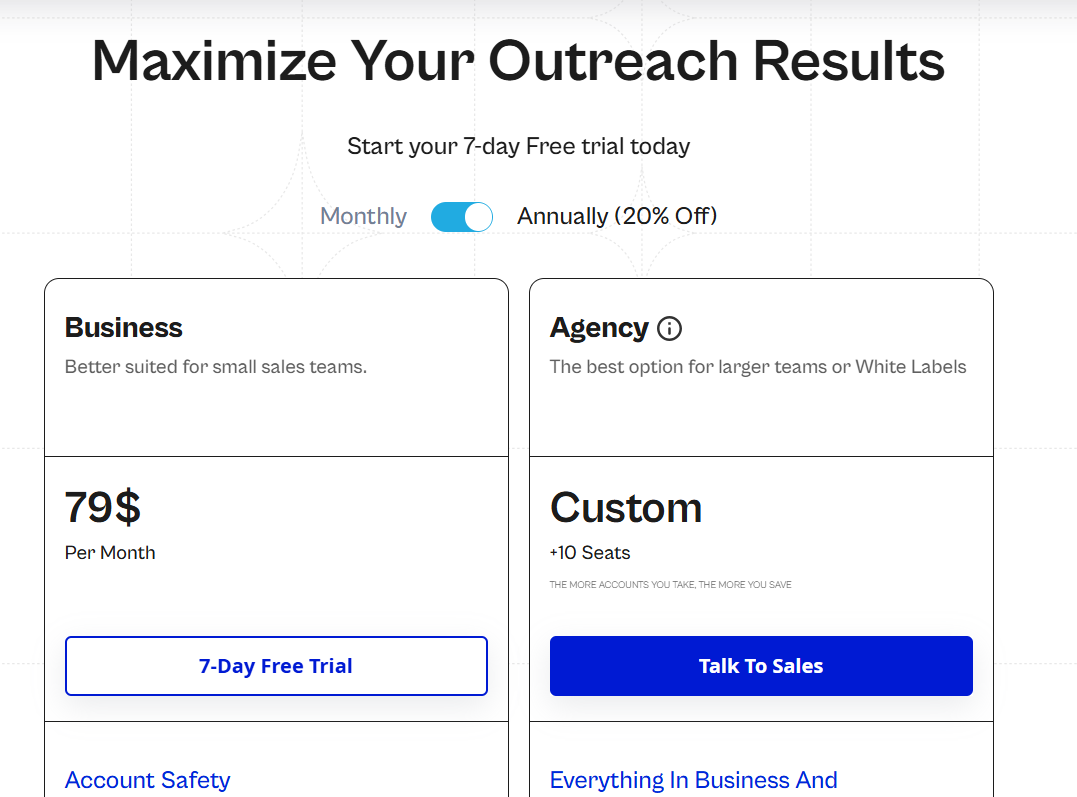
There’s also a 7-day Free trial that you can sign up for to test out the solution.
Pros & Cons
✅ A dedicated country-based IP and automatic warm-up on every connected account.
✅ Branching logic is the strongest part of the product, with conditions firing on engagement, not just elapsed time.
✅ Per-step statistics show exactly where prospects drop out of a sequence.
❌ Image and video personalization are paid add-ons.
❌ One published plan, at $79 per seat.
#4: Sbl.so
Best for: Founders and lean teams that want the outreach run for them, with sending kept off their own LinkedIn profile.
Similar to: Salesforge, Lemlist.
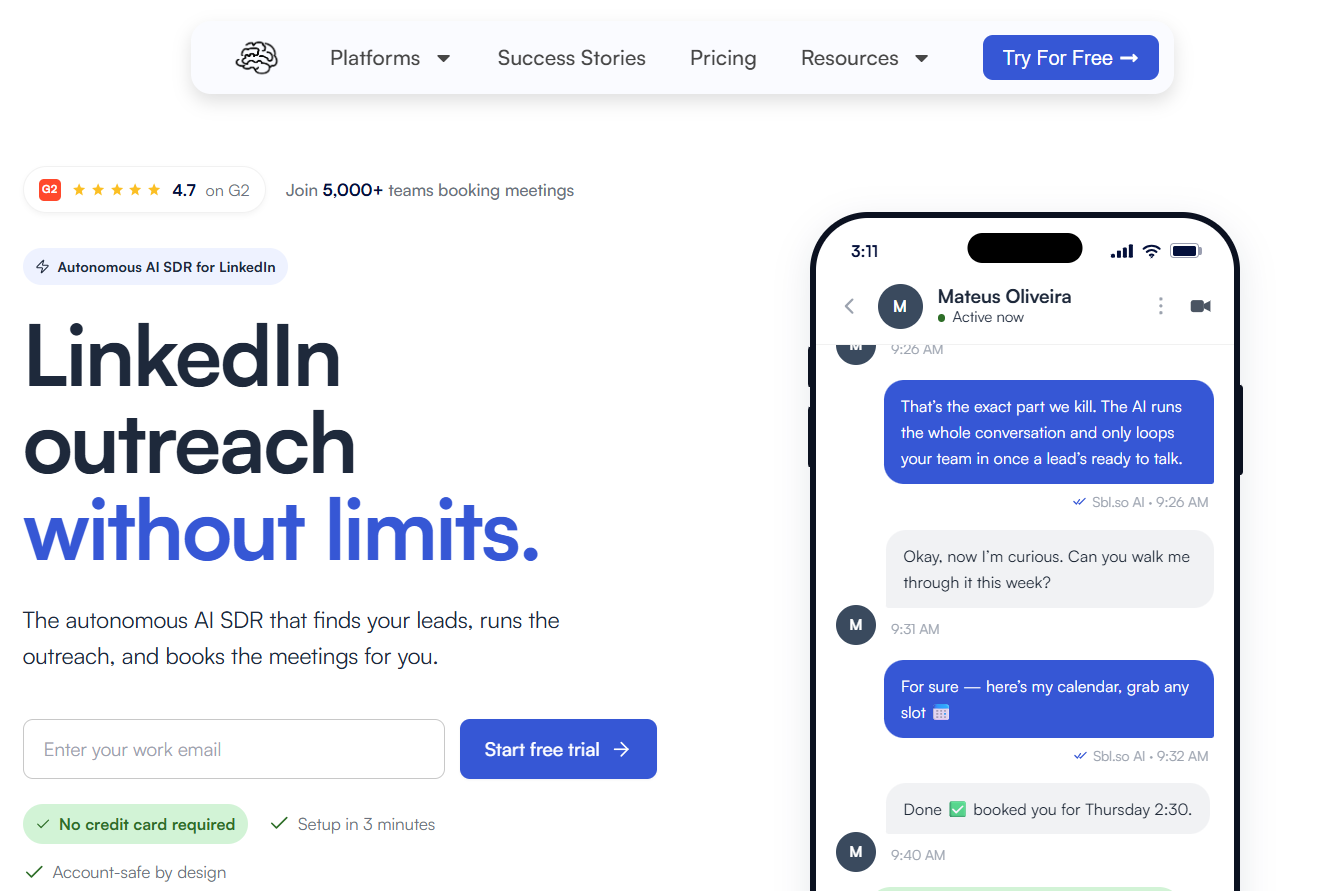
Sbl.so is an AI SDR for LinkedIn: you describe the customer you want, and the platform builds the list from buying signals, opens the conversations, handles the replies, and books meetings into your calendar.
Features
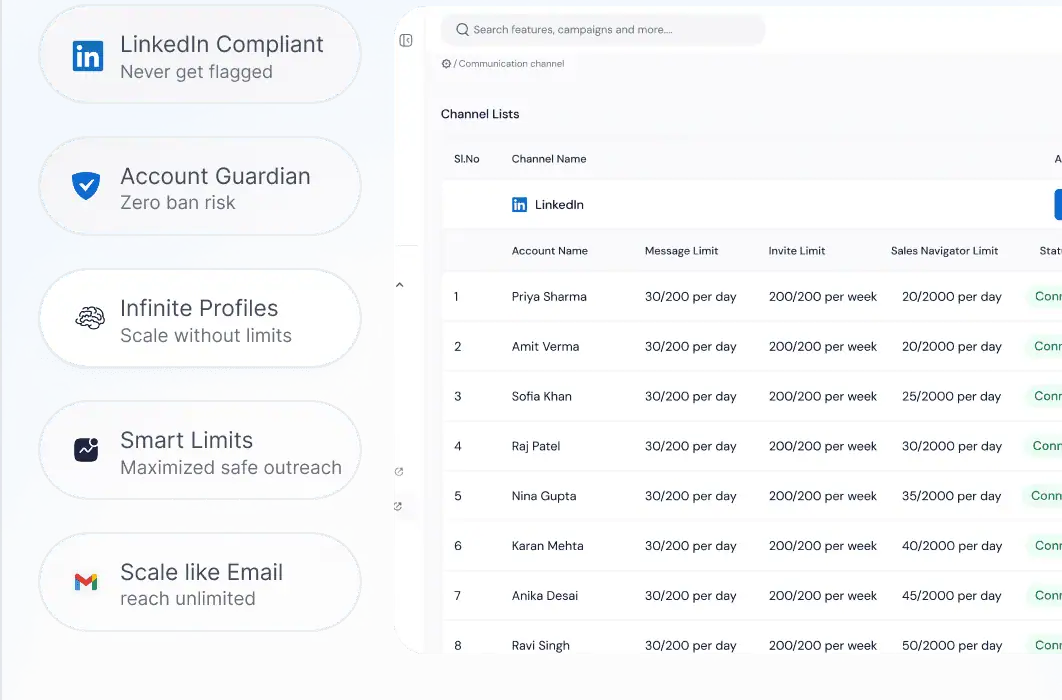
- Signal-based lead sourcing: A list refreshing daily off job changes, funding rounds, competitor post engagement, and profile activity, then scored against your ideal customer profile.
- Managed sender profiles: Accounts the vendor warms up before you ever touch them, with sending spread across the pool so no single profile carries a whole campaign.
- AI conversation handling: Chat that answers in more than 100 languages and can send a voice message in a clone of your own voice, handing the thread over to a human once a lead turns warm.
- Comment-to-DM automation: Point it at a post URL, and commenters matching a keyword or an intent filter get messaged and dropped into a nurture sequence.
Pricing
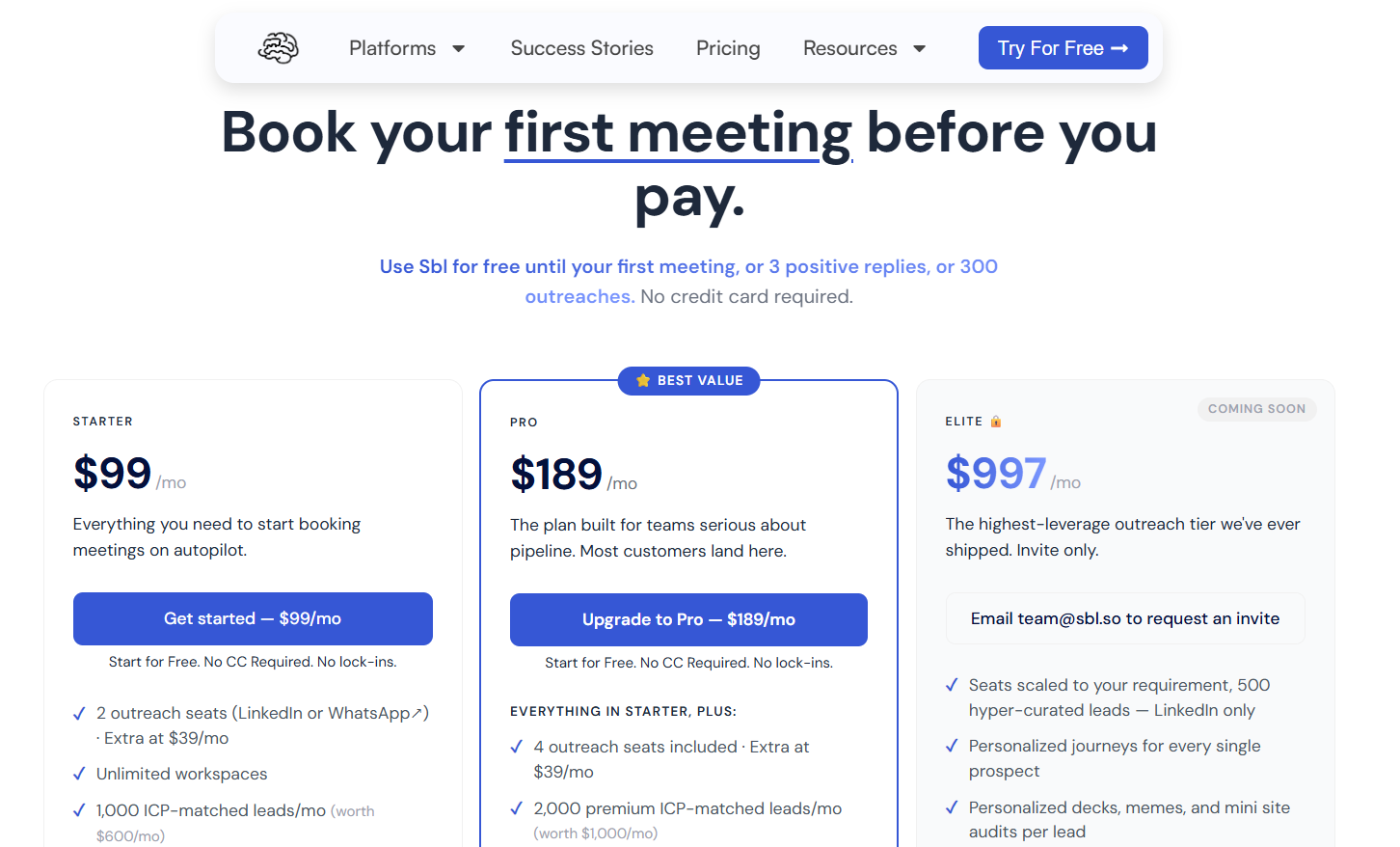
The platform has an interesting free trial: it’s free until your first meeting, three positive replies, or 300 outreaches, whichever arrives first, with no card required.
Sbl.so charges by outreach seat, where a seat covers one LinkedIn or WhatsApp account, and extra seats run $39 a month:
- Starter, $99 per month: two outreach seats, 1,000 ICP-matched leads a month, signals from comments and reactions on your own posts, AI chat replies in more than 100 languages, unlimited Sales Navigator extraction, unlimited workspaces, two team members, and priority support.
- Pro, $189 per month: four outreach seats, 2,000 premium leads a month, premium signals covering job changes, funding, and competitor monitoring, rich media with an AI cloned voice, the built-in CRM with export, custom webhooks, and ten team members.
- Elite, $997 per month: listed as coming soon and invite-only, with seats scaled to the account, 500 hyper-curated LinkedIn leads, and a personalized journey built for every prospect.
- Enterprise, custom: shaped around a specific workflow, volume, or compliance requirement.
Pros & Cons
✅ Outreach sends from managed profiles, so a personal account stays clear of campaign volume entirely.
✅ The prospect list assembles itself from buying signals and refreshes daily.
✅ AI carries the conversation through to a booked meeting, which suits founders selling without an SDR on payroll.
✅ Comment-to-DM turns engagement on any post into a nurture sequence automatically.
❌ Email automation is on the roadmap.
❌ LinkedIn and WhatsApp are the live channels today.

#5: Salesforge
Best for: Email-led teams and agencies that scale by adding senders, not seats, and want mailbox infrastructure in the same stack.
Similar to: Lemlist, Sbl.so.
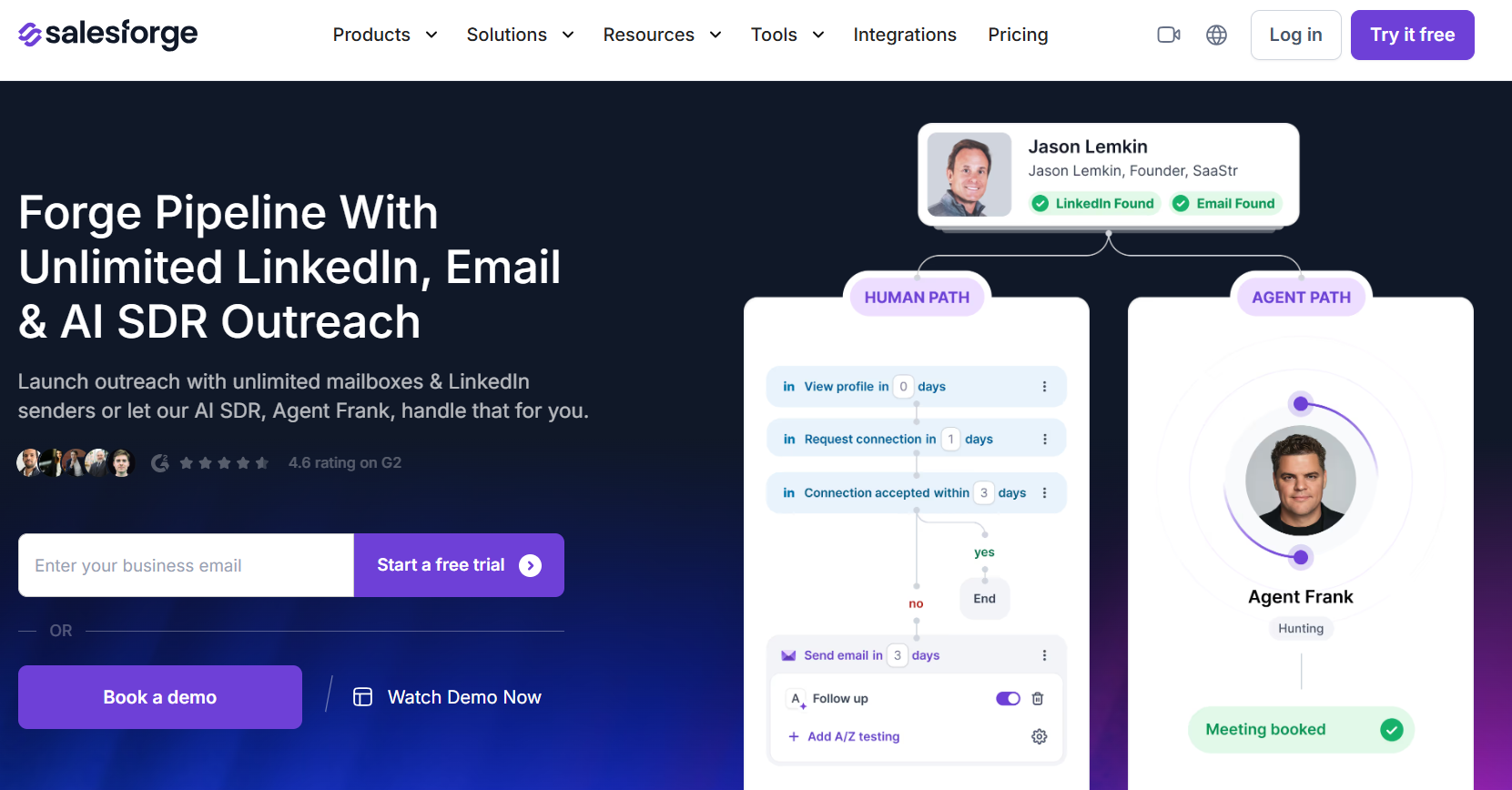
Salesforge handles the sending inside a wider product family that also covers mailbox infrastructure, warm-up, and lead sourcing under a single login.
Features
- Unlimited senders: Unlimited mailboxes on both paid plans, with unlimited LinkedIn senders and unlimited users on Growth.
- Primebox: One inbox for email and LinkedIn replies that threads a response correctly even when a prospect answers from a second mailbox, with sentiment analysis on top.
- Warmforge: Unlimited warm-up at no extra charge through mailboxes the vendor controls, with inbox placement tests and domain health alerts.
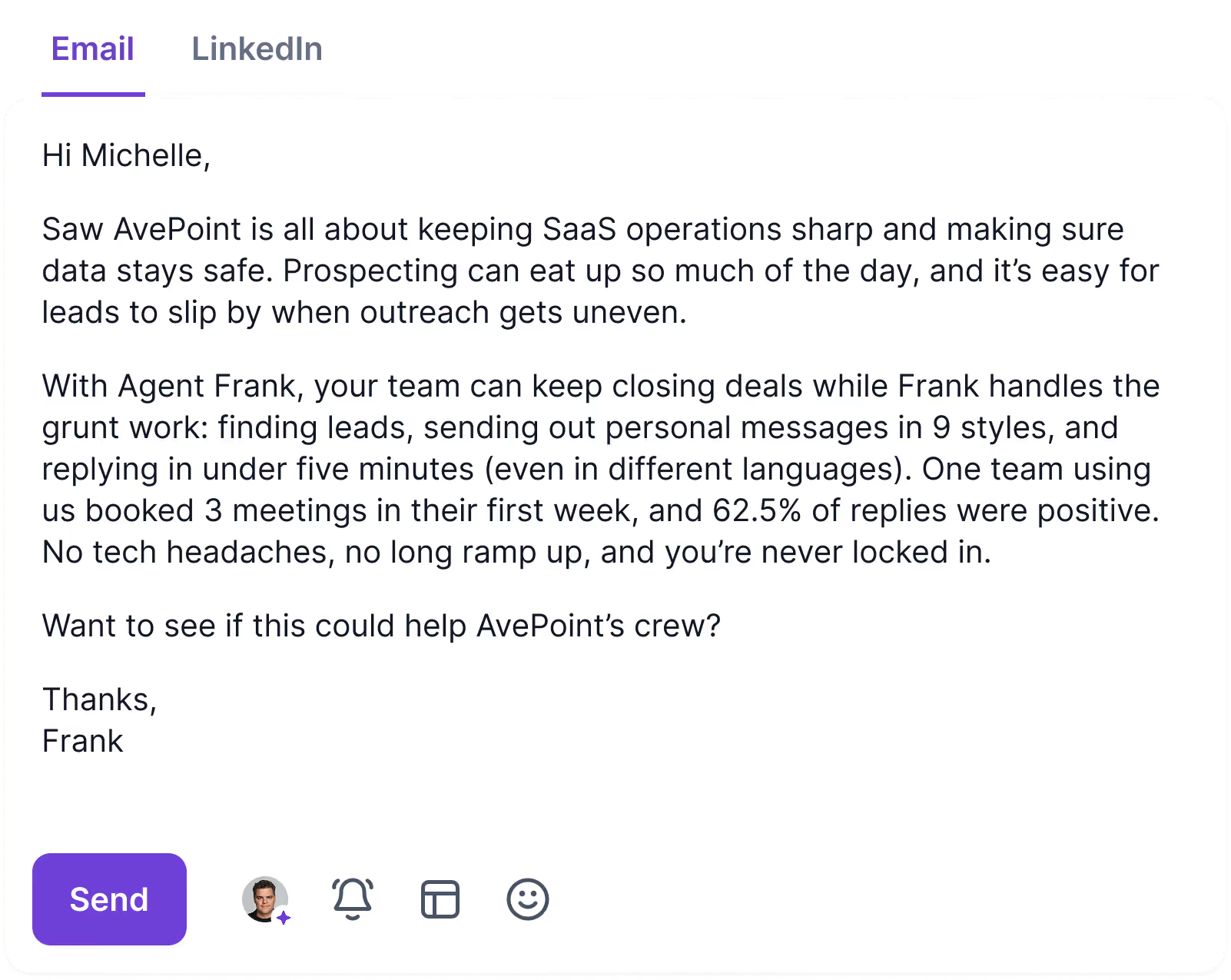
- Agent Frank: An AI SDR that prospects, writes, follows up, and books meetings, running in co-pilot or autopilot mode across more than 20 languages.
Pricing
Salesforge charges for sending volume and active contacts, with the AI SDR sold as a separate line.
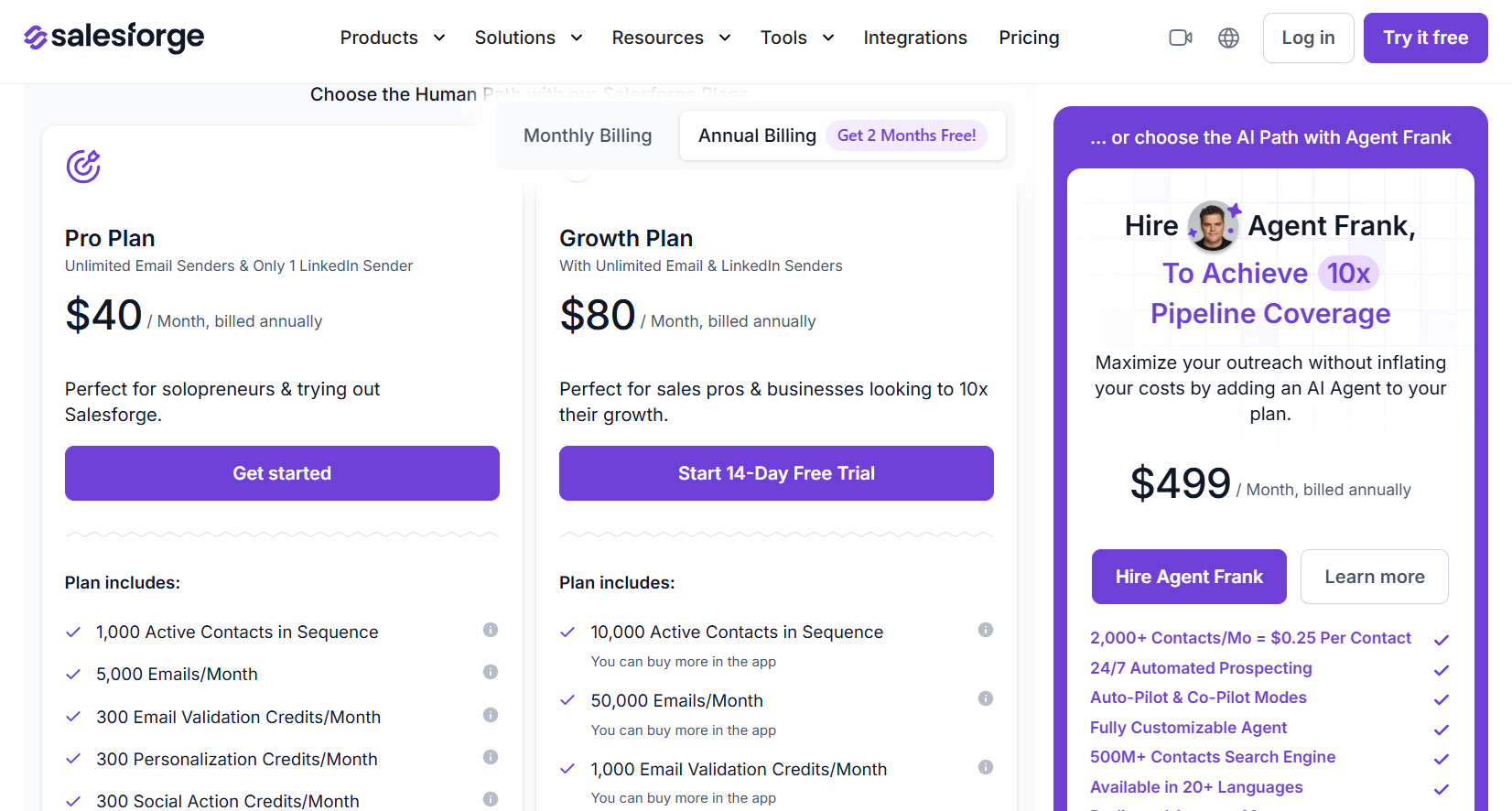
- Pro, $40 per month billed annually: one LinkedIn sender, one user, 5,000 emails a month, 1,000 active contacts, unlimited mailboxes, and unlimited premium warm-up.
- Growth, $80 per month billed annually: unlimited LinkedIn senders, unlimited users, 50,000 emails, 10,000 active contacts, multi-language sequences, split testing, priority support, and API access.
- Agent Frank, from $499 per month billed annually: 2,000 contacts a month of autonomous prospecting, a dedicated account manager, and a shared Slack channel.
- Credits on Growth: 1,000 each per month for email validation, personalization, and social actions, with more available in-app.
Pros & Cons
✅ Unlimited LinkedIn senders and unlimited users on the Growth plan makes team size a non-issue for budgeting.
✅ Mailbox infrastructure, warm-up, lead sourcing, and sending all come from one vendor with one support team.
✅ Primebox keeps email and LinkedIn replies together, including responses from an address you never wrote to.
✅ White label is available for agencies.
❌ Personalization and social actions run on credits.
❌ Adopting the full stack can mean learning several products.
#6: Dripify
Best for: Solo sellers and small teams that want a straightforward LinkedIn and email drip builder with reporting on every step.
Similar to: Waalaxy, We-Connect.
Dripify builds LinkedIn and email drip campaigns in a drag-and-drop panel, with actions, delays, and conditions arranged in one view and prebuilt templates for the common plays.
Features
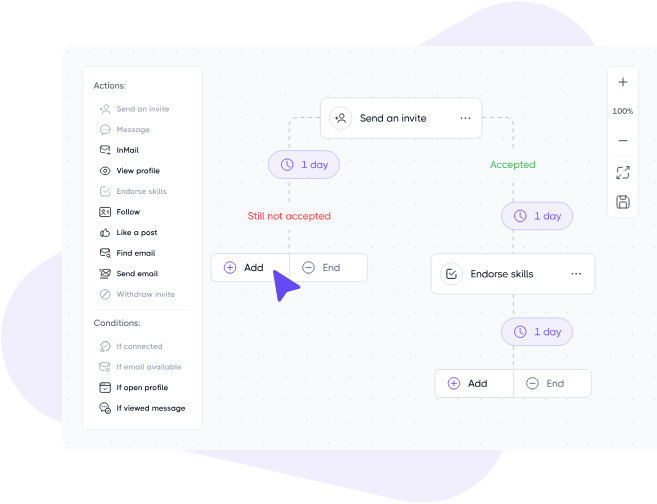
- Drip campaign builder: Ten or more LinkedIn and email steps arranged with wait times and branching rules between them, plus templates covering the standard lead generation flows.
- Hyper-personalization: More than 20 personalization fields including an icebreaker variable, with a backup phrase for any lead whose profile lacks the detail you referenced.
- Step analytics, from the Advanced tier: Per-step numbers on invites accepted and replies received, so the weak link in a long sequence is easy to isolate and rewrite.
- Lead data: An email finder with monthly credits on every paid plan, an email verifier, and enrichment returning around 30 live data points per lead.
Pricing
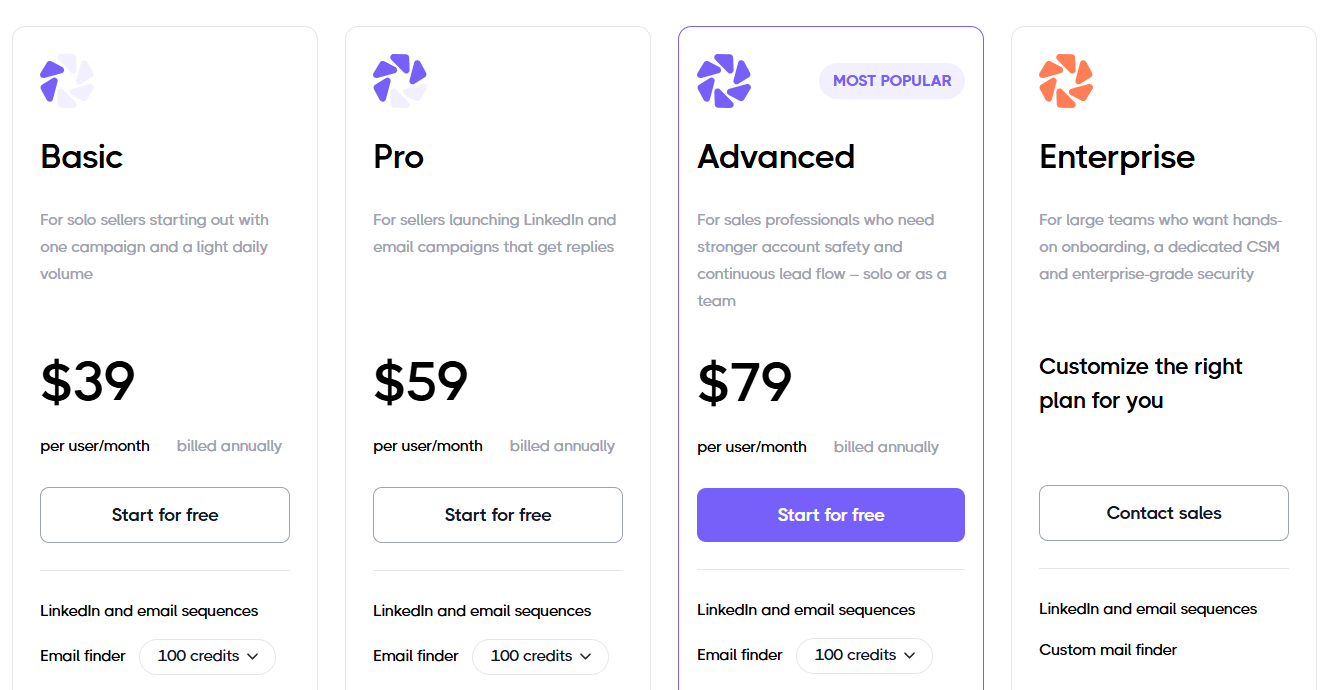
Three published tiers are billed per user, with a custom enterprise plan above them.
- Basic, $39 per user per month billed annually ($59 monthly): one drip campaign, limited daily quotas, advanced analytics and reports, sequence templates, built-in LinkedIn protection, and around-the-clock live support.
- Pro, $59 billed annually ($79 monthly): unlimited drip campaigns, full daily quotas, a dedicated inbox, CSV export, and webhook integration.
- Advanced, $79 billed annually ($99 monthly): multi-team management, advanced LinkedIn protection, lead tagging, step analytics, evergreen leads, and split testing.
- Enterprise, custom: premium onboarding, dedicated technical support, and a customer success manager.
Pros & Cons
✅ LinkedIn and email sequences are included from the entry tier, not withheld for a higher plan.
✅ Nine lead sources, including any LinkedIn post as a rolling feed of fresh prospects.
✅ The builder is approachable for people who have never run automated outreach before.
❌ Team management arrives on the Advanced tier.
❌ Basic covers one drip campaign.
#7: La Growth Machine
Best for: Outbound teams that want calls and X in the same sequence as LinkedIn and email, and would sooner pay for senders than seats.
Similar to: Lemlist, Salesforge.
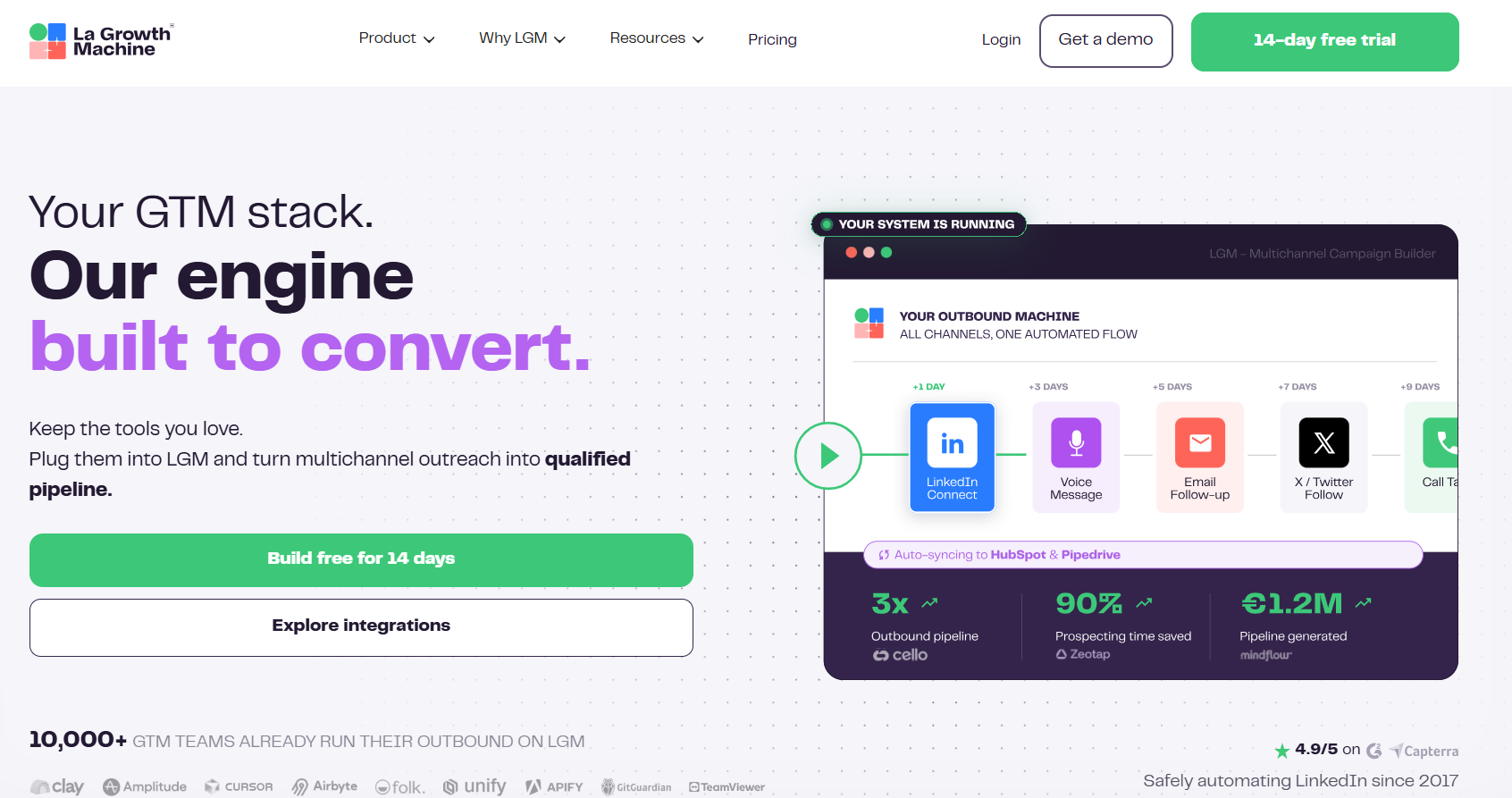
La Growth Machine runs LinkedIn, email, calls, and X inside a single sequence, with conditions routing each lead down a different path based on what they did.
Features
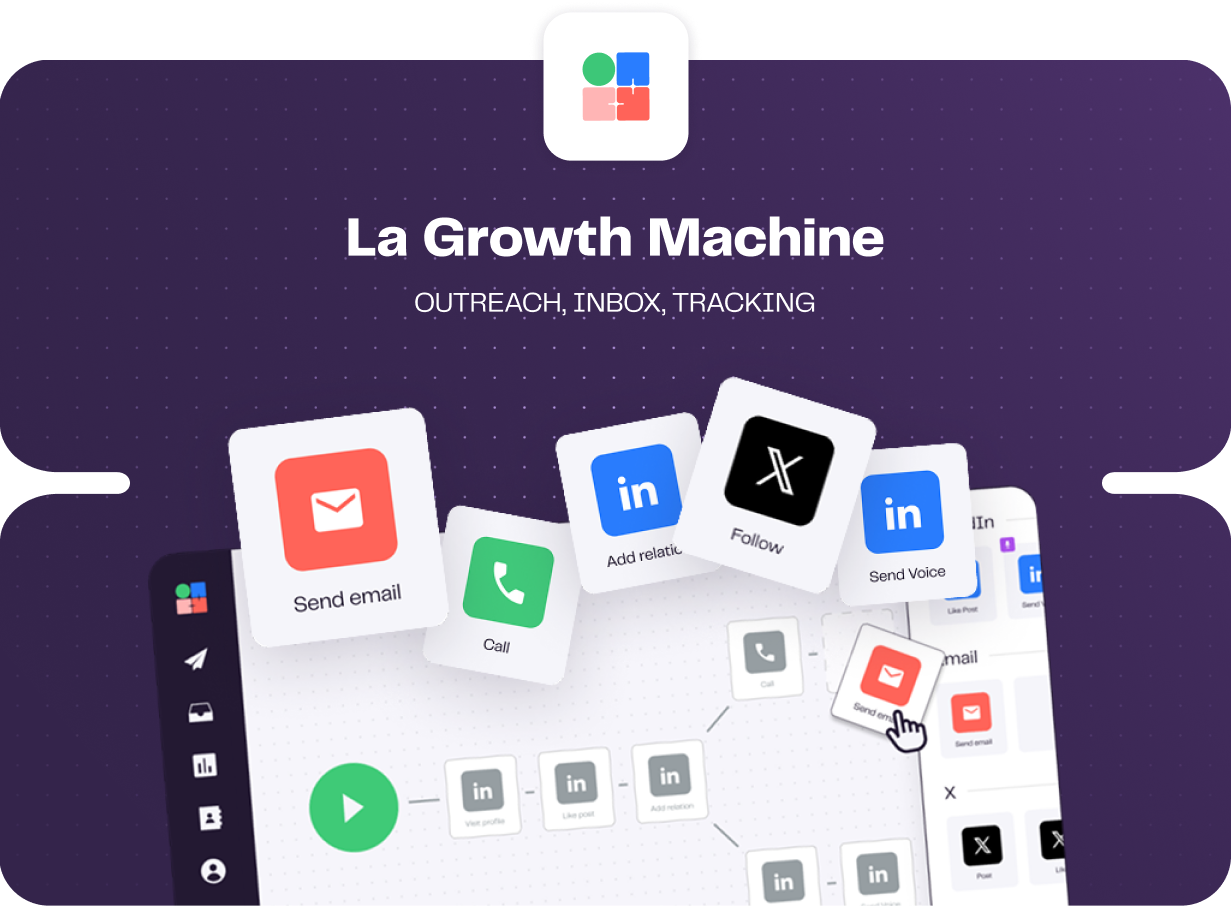
- Branching and split testing: Conditions send each lead down their own path, and tests cover subject lines, message copy, and whether a connection request goes out with a note attached.
- LinkedIn voice messages: One recording goes out at scale with an AI-written opening line generated per prospect, which is an unusual touch to find inside an automated sequence.
- Shared multichannel inbox: LinkedIn and email replies pool into one view with filters by identity or campaign, and status labels applied in the thread carry through to HubSpot or Pipedrive.
- Enrichment in the subscription: Verified emails and profile data come with a monthly allowance on every plan, drawn from a waterfall of providers.
Pricing
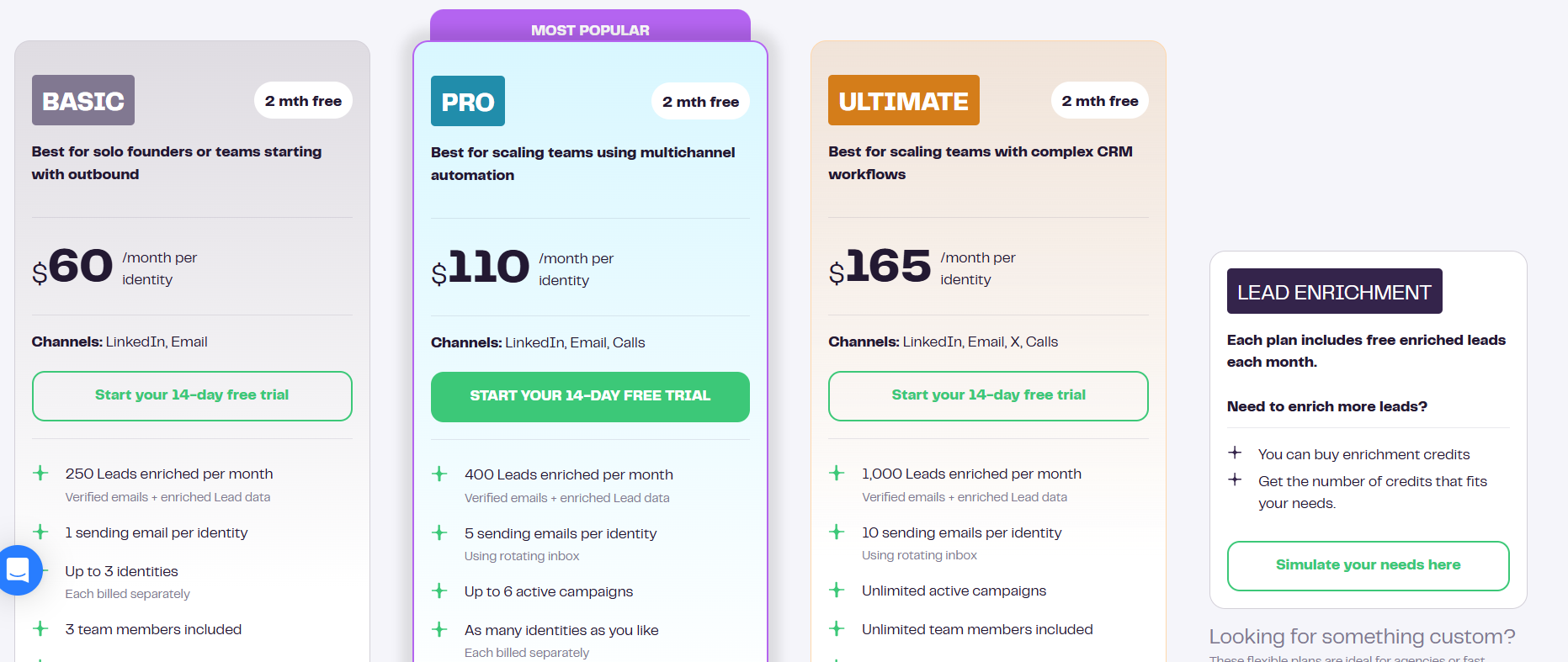
Pricing runs per identity per month, with two months free on annual billing.
- Basic, $60 per identity: LinkedIn and email, 250 enriched leads a month, one sending address, up to three identities, and three team members.
- Pro, $110 per identity: adds calls, 400 enriched leads, five rotating sending addresses, six active campaigns, social warming, and 25 free team members.
- Ultimate, $165 per identity: adds X, 1,000 enriched leads, ten sending addresses, unlimited campaigns and team members, and two-way HubSpot or Pipedrive sync.
- Agency, custom: quoted from a six-identity minimum.
- Free trial: 14 days, no card required.
Pros & Cons
✅ Four channels in one sequence, with in-app calling on Pro and X on Ultimate.
✅ Enrichment is bundled into the subscription, so it never becomes a second line on the invoice.
✅ Invited team members cost nothing, so only the profiles actually sending count toward the bill.
❌ Per-identity pricing climbs quickly once several reps are sending.
❌ Sync errors and interface lag during workflow setup, according to a G2 review.
#8: Waalaxy
Best for: Small teams and first-timers who want a LinkedIn campaign live the same afternoon.
Similar to: Octopus CRM, Dripify.
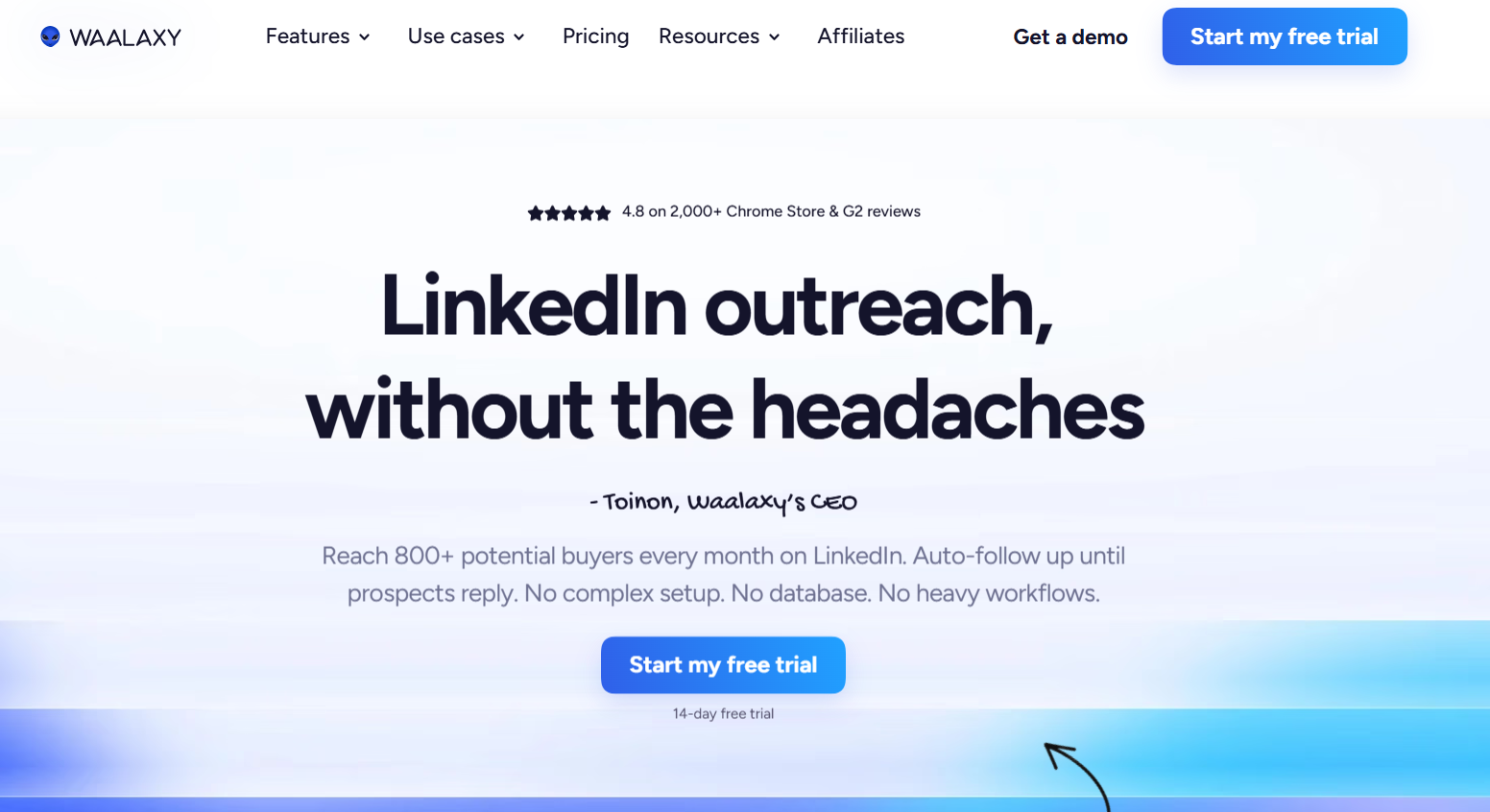
Prebuilt sequences carry most of the weight in Waalaxy, so a campaign launches straight off a LinkedIn search with no flow to design first.
Features
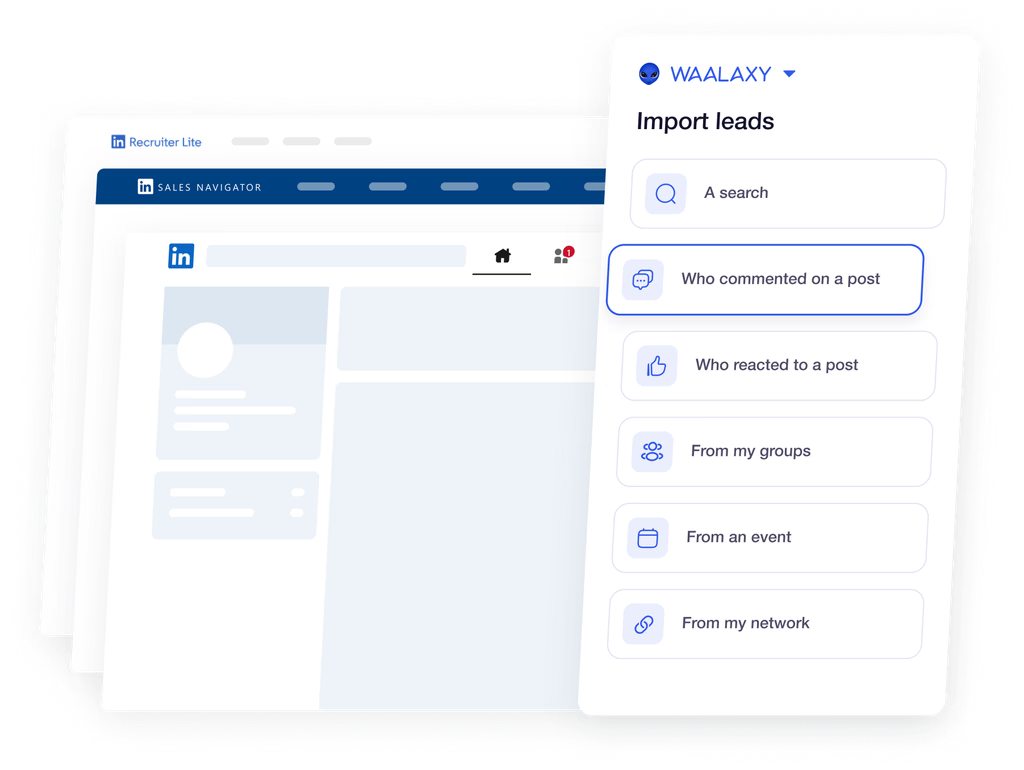
- Prebuilt sequences: 99 campaign templates that launch straight from a LinkedIn search, a Sales Navigator list, or Recruiter Lite, with the follow-ups already built in.
- Intent-based imports: Automatic capture of anyone reacting to or commenting on your posts, plus leads engaging with competitors and the key voices in your market.
- Email finder and cold email: Enrichment credits feeding email follow-ups into the same campaign on the top tier, with multichannel sequences alongside.
- Team features: Duplicate prevention across reps, shared prospect lists and sequences, roles and permissions, and a shared analytics dashboard.
Pricing
Monthly invitation volume separates the tiers, all billed per user:
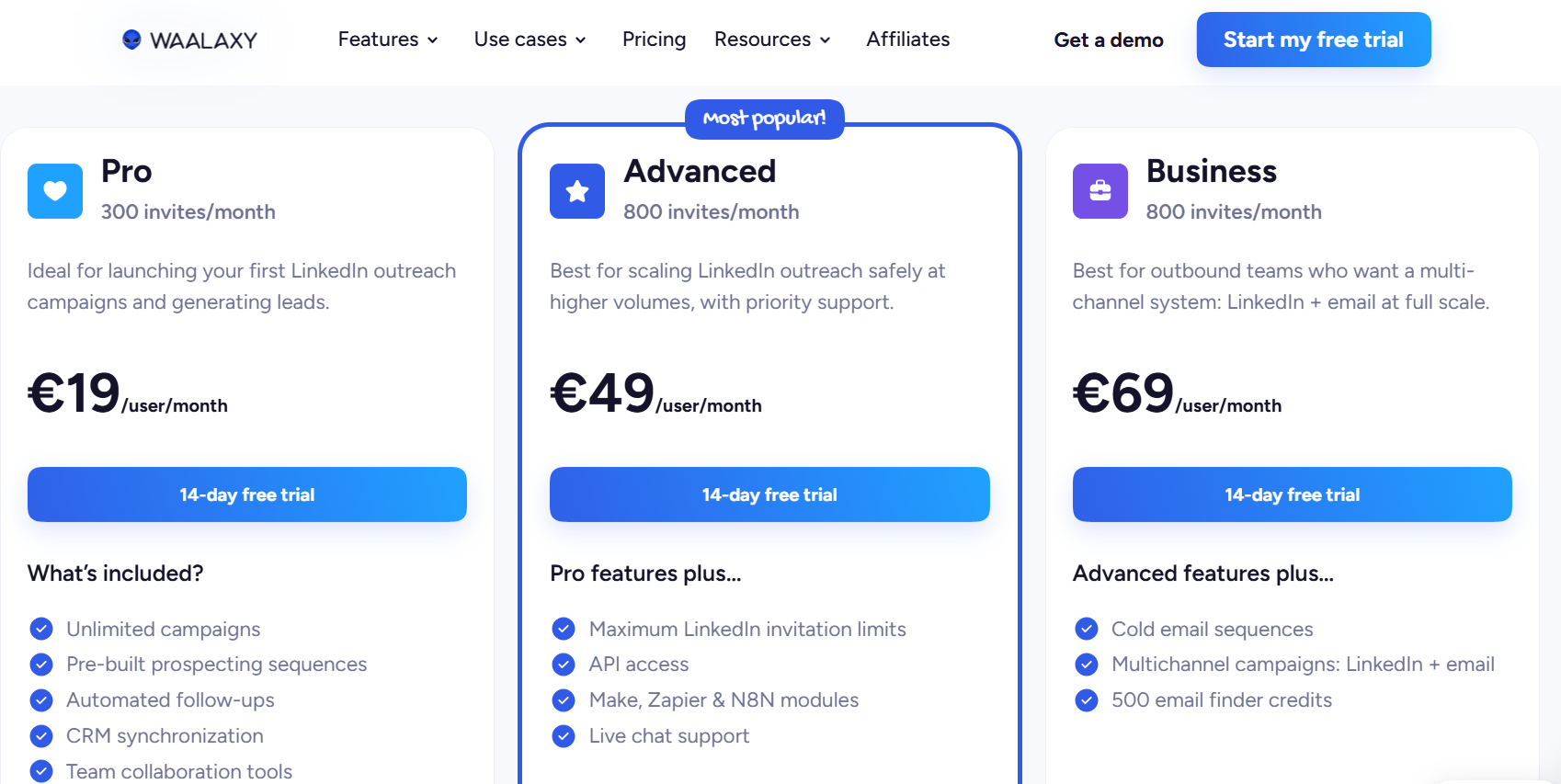
- Pro, €19 per user per month: 300 invitations a month, unlimited campaigns, prebuilt sequences, automated follow-ups, and CRM sync.
- Advanced, €49 per user per month: 800 invitations, API access, Make, Zapier, and n8n modules, and live chat support.
- Business, €69 per user per month: cold email sequences, multichannel campaigns across LinkedIn and email, and 500 email finder credits a month.
- LinkedIn Inbox add-on: priced separately on every tier, with 500 free conversations to test it.
- Trial: 14 days, with quarterly and yearly billing reducing the monthly rate.
Pros & Cons
✅ 99 prebuilt sequences mean a first campaign never starts from a blank canvas.
✅ Intent triggers pull in post reactions and competitor engagement without manual list building.
✅ Duplicate prevention keeps two reps from opening the same thread with one lead.
✅ Integrations reach HubSpot and Pipedrive, with Make, Zapier, and n8n modules from the Advanced tier.
❌ The inbox is a separate add-on.
❌ Multiple G2 reviews mention that they’re not happy with the pricing of Waalaxy.
#9: Octopus CRM
Best for: Individuals testing whether automated LinkedIn outreach works for their market before committing budget.
Similar to: Waalaxy.
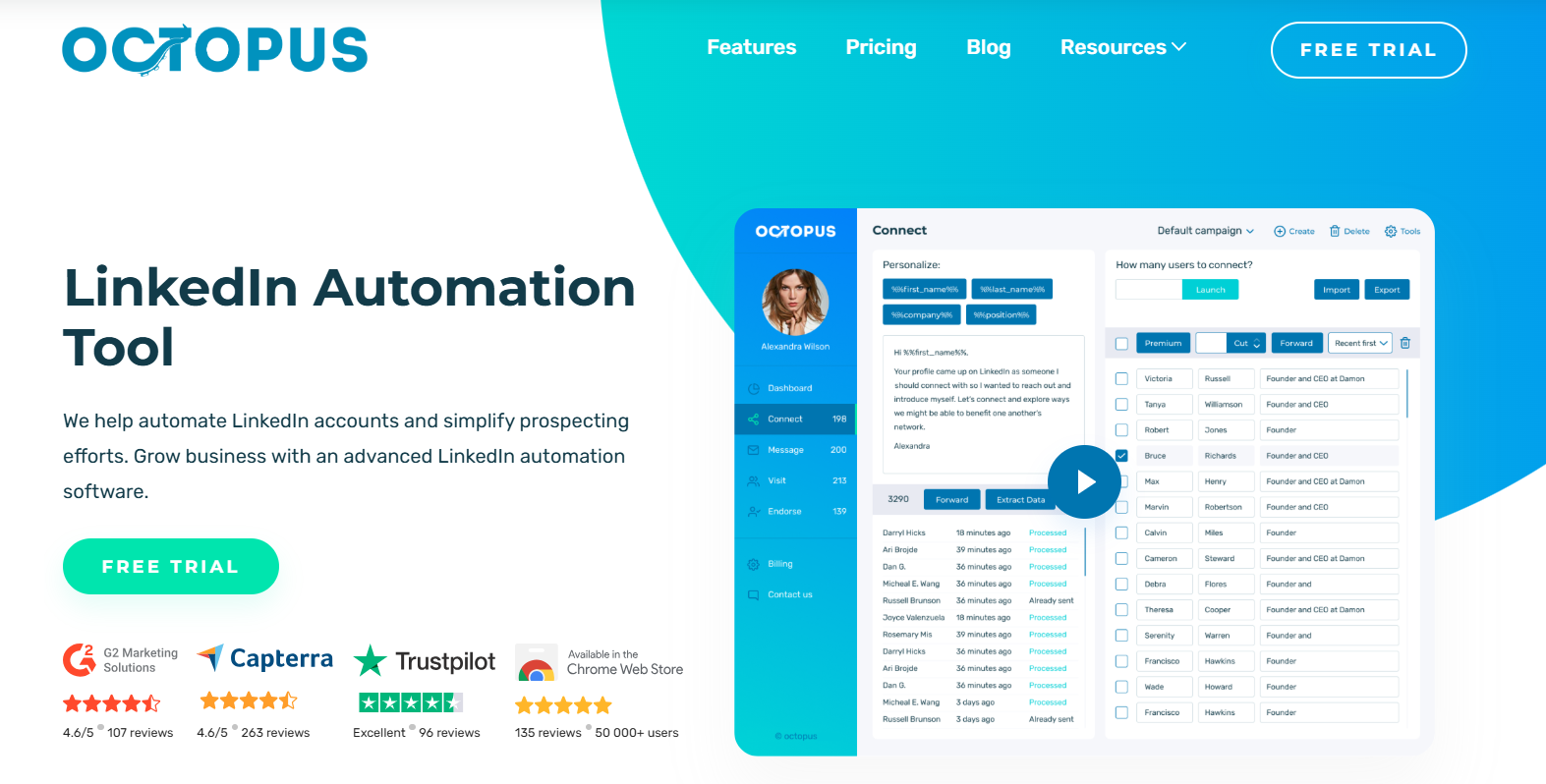
Octopus CRM covers the core LinkedIn actions, from personalized invites and bulk messaging through to profile views and skill endorsements, with a personal CRM tracking what each campaign produced.
Features
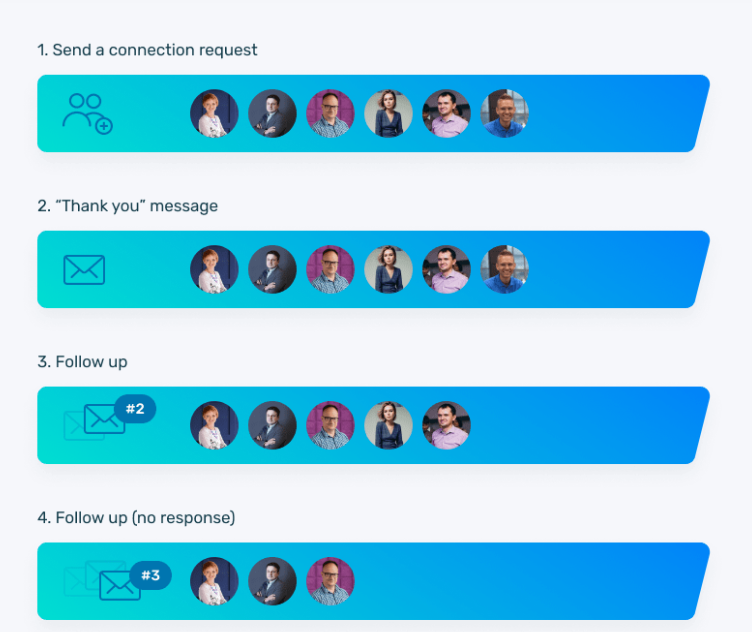
- Core automation: Profile views and skill endorsements to warm a prospect up, then personalized connection requests and bulk messaging to first-degree connections.
- Personal CRM: A contact list with campaign statistics attached, plus import and export of your own data.
- Funnel builder: Chain actions into a LinkedIn lead generation funnel, so a profile view leads to an invite and an accepted invite leads to a message.
- Activity control: An alert when daily activity on the account climbs higher than it should, giving you a chance to slow down.
Pricing
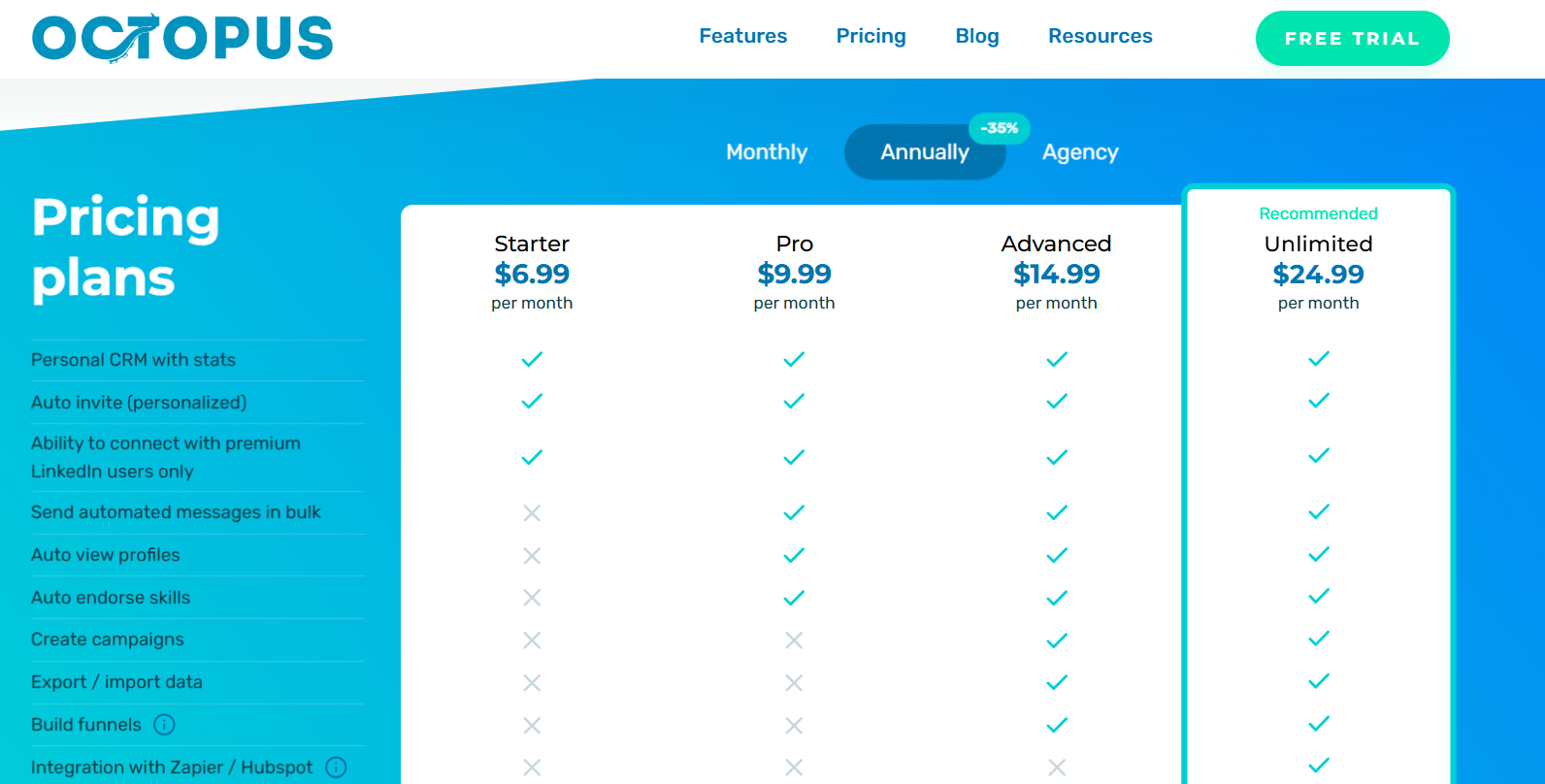
Octopus CRM publishes four tiers that unlock progressively more of the action set, with Sales Navigator supported across all of them, and the feature matrix on its pricing page is worth reading against your own checklist before you pick one.
- Starter, $6.99 per month: the entry point, with personalized auto-invites and the personal CRM.
- Pro, $9.99 per month: more of the messaging and profile-view actions.
- Advanced, $14.99 per month: adds integrations, including Zapier and HubSpot.
- Unlimited, $24.99 per month: the full action set, plus support for LinkedIn Premium and Recruiter alongside Sales Navigator.
- Trial: seven days, no credit card, cancel anytime.
Pros & Cons
✅ Activity alerts add a safety net you rarely get on a tool this cheap.
✅ The funnel builder chains profile views through to invites and follow-up messages.
✅ Sales Navigator works from the entry tier upward.
❌ A G2 review mentions that they’re not happy with Octopus CRM’s customer support.
❌ Another G2 review mentions that the platform is very LinkedIn-specific.
#10: We-Connect
Best for: Small sales teams and recruiters who want behaviour-triggered email steps alongside LinkedIn, with AI drafting and answering messages.
Similar to: Dripify, Expandi.
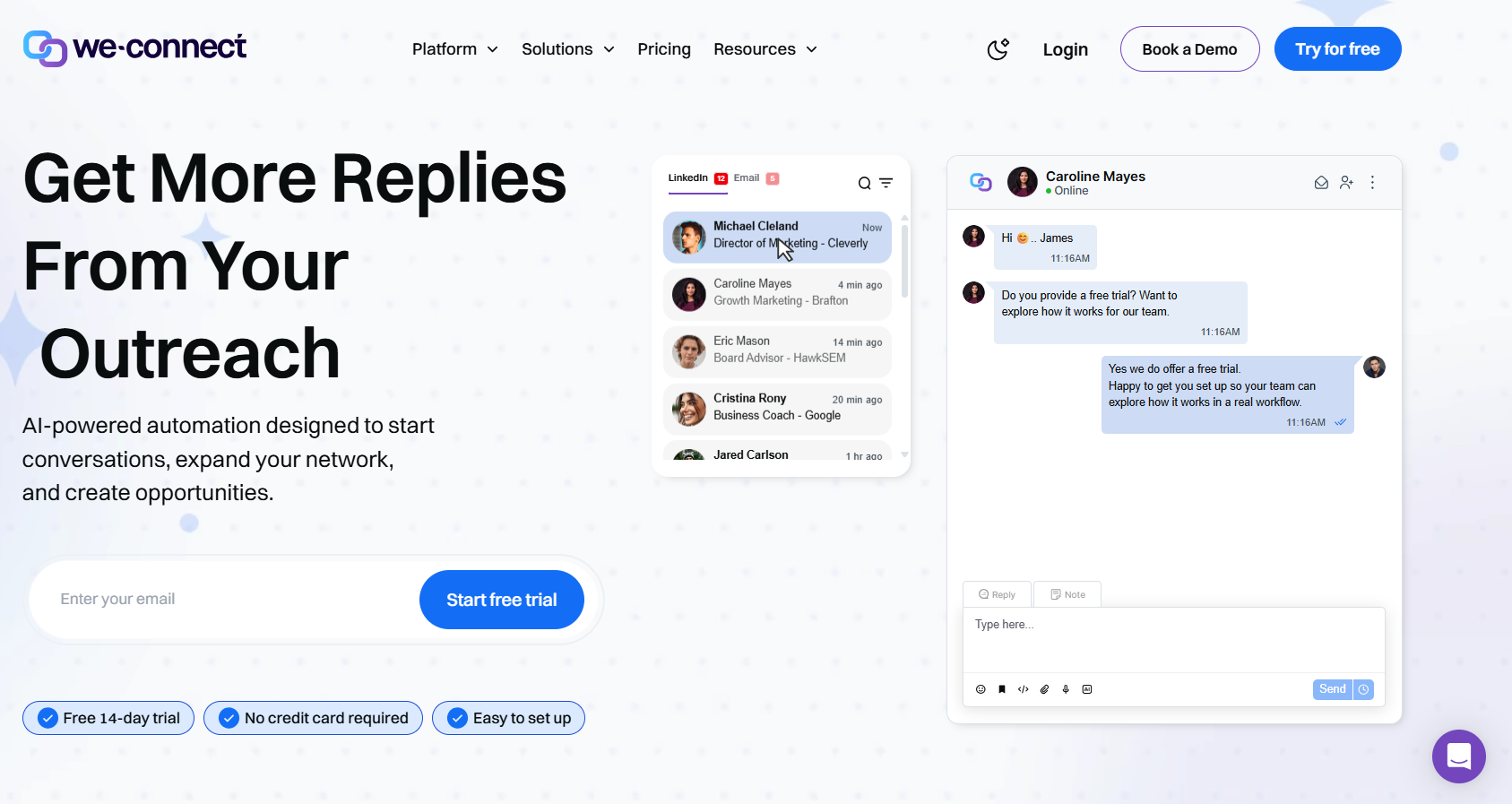
We-Connect pairs LinkedIn automation with email sequences and puts AI on both sides of the conversation, drafting the outbound copy and answering replies with or without your sign-off.
Features
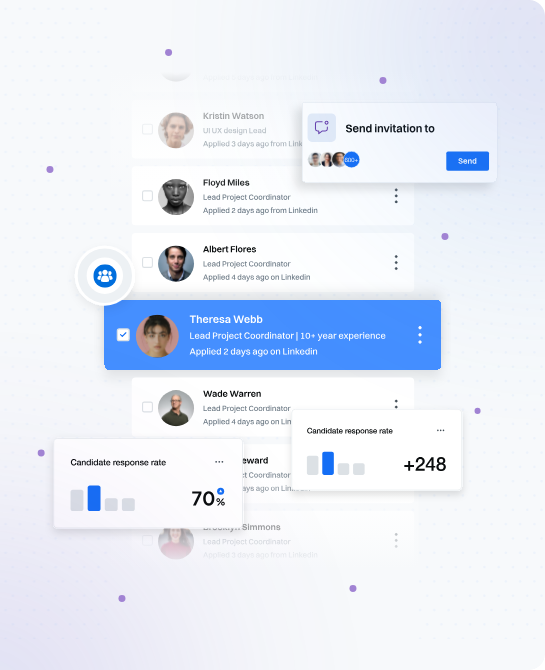
- LinkedIn automation: The full action set from invites through to InMails, with every message populated from the contact's own profile before it goes out.
- Email workflows: Email steps triggered by what a contact did on LinkedIn, with split testing on the copy and reporting on opens, clicks, and bounces.
- AI Assist and auto-reply: Connection notes and follow-ups drafted from profile data, and incoming messages answered in co-pilot or autonomous mode.
- Lead Engine: A visual builder, still in beta, that reads what a contact did and decides where they go next, scoring them along the way.
Pricing
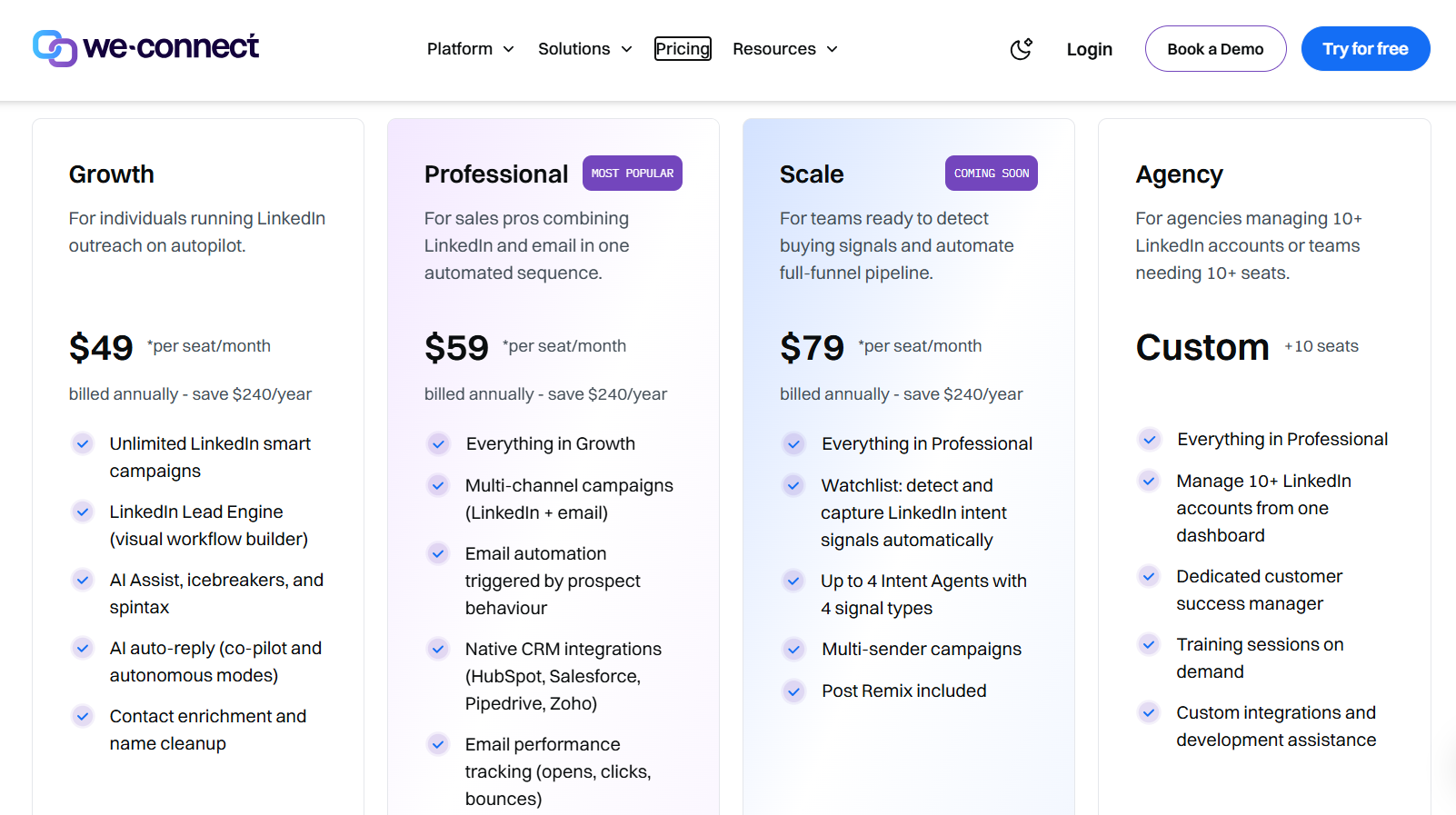
We-Connect prices per seat, with annual billing reducing the rate and agencies quoted directly.
- Growth, $49 per seat per month billed annually: unlimited LinkedIn smart campaigns, the Lead Engine, AI Assist with icebreakers and spintax, AI auto-reply, and contact enrichment.
- Professional, $59 per seat per month billed annually: multi-channel campaigns, behaviour-triggered email automation, native CRM integrations, and email performance tracking.
- Scale, $79 per seat per month billed annually: listed as coming soon, with intent-signal capture, up to four intent agents, multi-sender campaigns, and Post Remix included.
- Agency, custom from ten seats: ten LinkedIn accounts or more from one dashboard, a dedicated customer success manager, training sessions on demand, and custom development assistance.
- Trial: 14 days, no credit card, with Post Remix sold as an add-on at an introductory $16 per seat per month.
Pros & Cons
✅ AI auto-reply runs in co-pilot or autonomous mode, which few tools in the $50 to $60 range offer.
✅ Native syncs with Salesforce, HubSpot, Pipedrive, and Zoho from the Professional tier, plus campaign notifications in Slack.
✅ Email steps fire on LinkedIn behaviour from the Professional tier.
✅ The agency plan covers ten accounts or more with a dedicated success manager.
❌ The starting price is higher than many other alternatives on the market.
❌ Post scheduling is an add-on that starts from $16/month/seat.
Get started with Meet Alfred for free
The channels, the lead sourcing, the shared inbox, and the client branding all belong in the same platform here at Meet Alfred, so scaling outreach doesn't mean scaling the number of vendors you manage.
Here’s what a week looks like once Meet Alfred is running:
- Prospects reached on LinkedIn, by email, and on X from one sequence, with follow-ups pacing themselves inside safe daily limits while you're in meetings.
- Prospect lists built in the same screen as the campaign through the AI Lead Finder, with no sourcing contract and no email credits to meter.
- Every reply from every rep in one Smart Inbox, campaigns pausing the moment a prospect answers, and managers replying on behalf of any account without sharing a password.
- Client-ready reporting under your own logo and domain, next to a social scheduler keeping that client's content live across LinkedIn, Facebook, Instagram, and X.
➡️ You can start your free trial of Meet Alfred with full feature access and no credit card required, or book a demo and our team will walk you through the platform.
⚠️ Disclaimer: This article was last updated on the 7th of August, 2026, and if there's any misinterpretation of the information, please contact us, and we will fact-check it.
Related Articles
Use Meet Alfred to get customers to find you!
Speak to one of our Automation Experts today
Start seeing results!