


OutFlo is a LinkedIn outreach platform for lead-gen agencies and GTM teams, priced per connected LinkedIn account, with flat bundles available from 25 senders.
When I look at alternatives to OutFlo, two questions come first: what each extra sending account costs, and what an agency still has to buy or assemble before client work can run on it.
Below, I've ranked 10 options, priced them from a single account up to 25, and mapped the agency controls each one includes.
TL;DR
- Meet Alfred is the best OutFlo alternative in 2026 for agencies that want email and X steps in the same sequence as LinkedIn, plus white label and manager impersonation for client accounts.
- HeyReach and Salesforge come closest on cost per sender: $999 a month buys 25 HeyReach senders, and Salesforge Growth has no sender cap at $80 billed annually.
- For per-profile protection, Expandi pairs a regional IP with gradual warm-up, and Sbl.so sends from pre-warmed profiles it supplies.
- La Growth Machine, We-Connect, Reply.io, Lemlist, and Dux-Soup cover the rest, including a €330 cloud agency licence from Dux-Soup.
What are the best OutFlo alternatives?
My top OutFlo alternative in 2026 is Meet Alfred, for agencies that want email and X next to LinkedIn, and HeyReach is the closest match for flat pricing across a large sender pool.
Each row shows who the tool fits and what the first paid plan costs:
How did I evaluate these OutFlo alternatives?
I evaluated each OutFlo alternative on four factors: cost per sending account, client separation and branding, reply handling across accounts, and whether email runs inside the tool.
Those four come straight from OutFlo's own pitch, which pairs per-account pricing with client workspaces and a unified inbox, then passes leads to Smartlead or Instantly for email.
- Cost per sending account: I priced every tool from one LinkedIn account up to 25, using published annual prices where they exist and list prices otherwise, and noted which prices leave out email or proxies.
- Client separation and branding: Workspaces, groups, roles, or permission settings that keep one client's accounts apart from the next, and whether white label is published or quoted.
- Replies across accounts: One inbox for every connected profile, plus the option to answer as a teammate or let AI draft the reply.
- Email in the same tool: Native email steps, a handoff to a separate sender, or no email channel at all.
I left out tools that only run as a browser extension on one profile, because an agency leaving OutFlo needs a cloud setup that can hold many accounts at once.
➡️ For a wider look at the category, our guide to LinkedIn and multichannel automation tools compares safety controls and team features across more platforms.
#1: Meet Alfred - Best OutFlo Alternative for Agencies Running More Than LinkedIn
Meet Alfred is the best OutFlo alternative in 2026 for agencies that need email and X outreach in the same sequence as LinkedIn, and white-label covers the client-facing side.
OutFlo and our platform both serve agencies, but OutFlo stays on LinkedIn and hands leads to Smartlead or Instantly for email.
We've kept email and X inside our campaign builder and added social posting to four networks.
A note on bias: we make Meet Alfred, so this section sticks to what the platform does today, and its gaps are listed in the cons.
We know that agency reps lose four to six hours per client each week to manual LinkedIn work, and the setup below is aimed at winning those hours back.
One agency on our platform, MIM Agency, booked more than 40 new clients in six months and grew from four to more than 12 clients per account executive without adding headcount.
How would an agency run client accounts on Meet Alfred?
An agency on Meet Alfred gives each client its own group and brand, then runs and reports on that client's outreach from one login, in the six steps below.
Step 1: Set up a group and brand for each client
Groups keep one client's accounts and campaigns together, and I set one up before connecting a single profile.
White label then puts your logo and colors on a domain such as app.youragency.com, and system emails can go out from your own address.
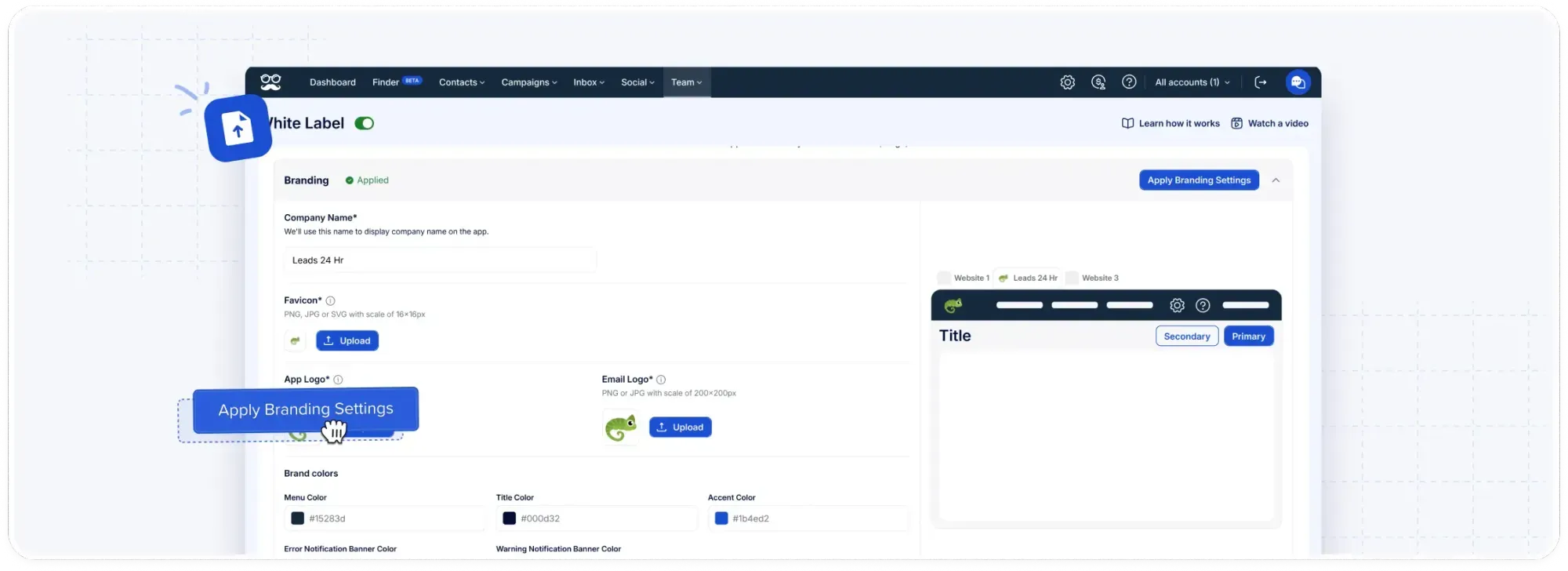
If a client relationship ends, that account can switch back to the default Meet Alfred domain at any time.
Step 2: Give every teammate a defined lane
Roles and permissions decide who can edit which client's campaigns, and users can be created without an email address for profiles the agency manages end to end.
Managers can still step into any account through impersonation, which I rely on when a rep is out and a client's prospect replies.
Step 3: Build each client's audience and keep the wrong people out
Each client's list can come from Sales Navigator lists, company pages, LinkedIn Event attendees, or a CSV the client hands over.
The blacklist in the LinkedIn CRM is the control I'd set up first for any client, by loading their existing customers and competitors so nobody on those lists gets pitched.
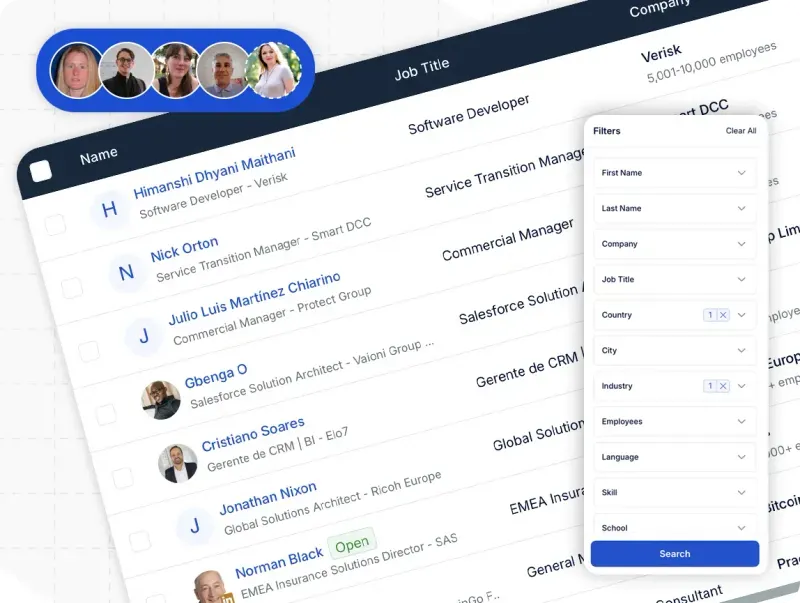
Color-coded tags and notes then show which campaign or client each lead came from.
Step 4: Reuse one sequence per client vertical
Sequence templates can be saved for the whole team, and I build one per vertical, such as SaaS or recruitment, then adjust the copy for each client.
Each sequence can mix LinkedIn actions, InMail, email, and X steps.
Email sends through the client's own mailbox over SMTP or IMAP, using addresses from a CSV or from first-degree connections' contact details.
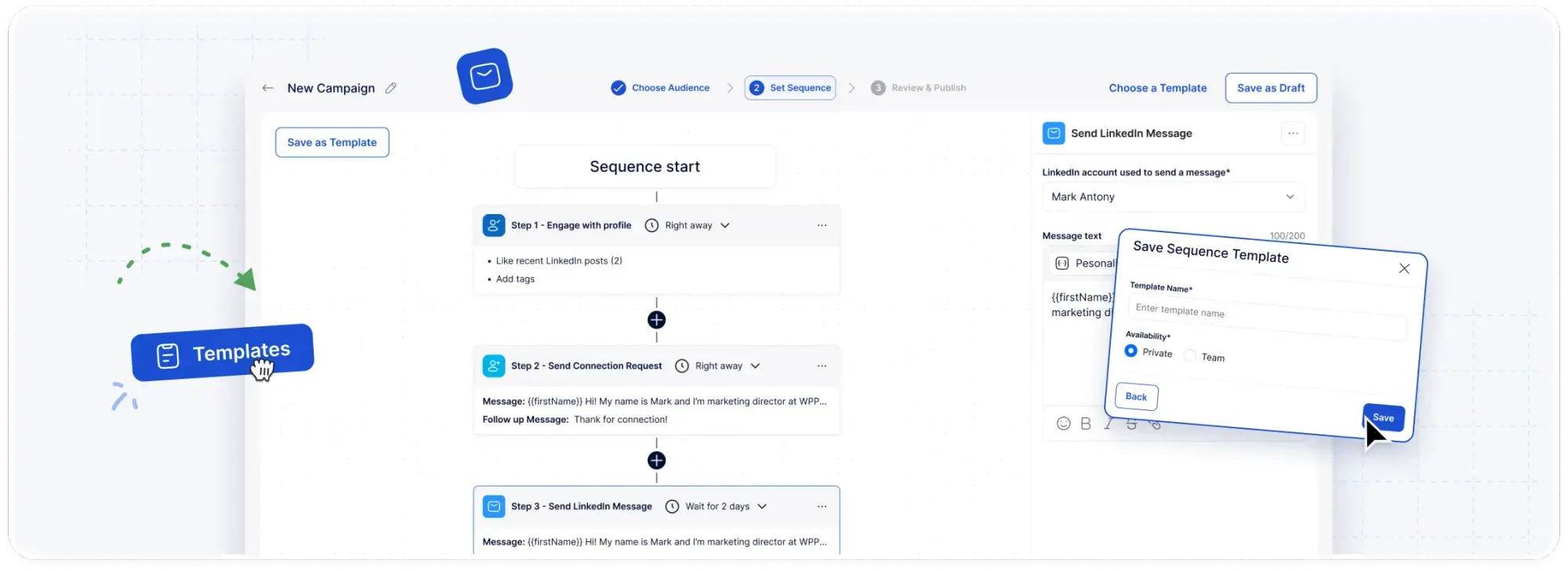
Leads can be added to a running campaign, and anyone who replied but went quiet can be returned to the sequence.
Step 5: Keep client networks warm between campaigns
Automated greetings send birthday wishes, work anniversary notes, new role congratulations, and thank-yous for endorsements from each client's profile, which gives a reason to reach out that isn't a pitch.
LinkedIn trends monitoring follows keywords you pick for each client and surfaces posts worth engaging with.
From the same login, social posts can be scheduled to LinkedIn, Facebook, Instagram, and X.
Step 6: Report without rebuilding spreadsheets
Team analytics and campaign data export directly, which saves rebuilding numbers by hand for each client update.
The dashboard also tracks withdrawn invitations over time, a figure I like to share with clients who worry about account health.
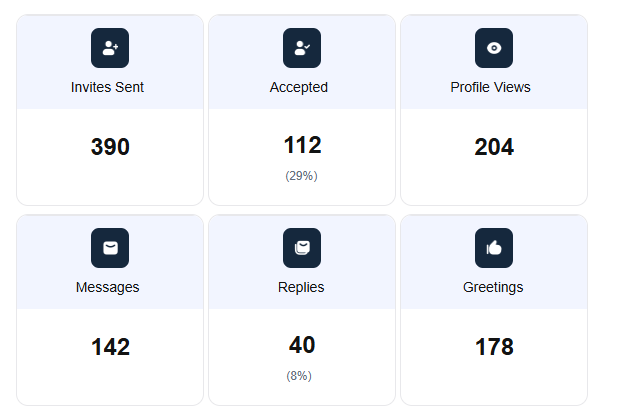
Our agencies page describes white-label campaign reporting as well, so client-facing reports can carry your brand.
How is Meet Alfred different from OutFlo?
OutFlo is a LinkedIn-only platform priced per connected account, while Meet Alfred is priced per seat and adds email and X outreach to LinkedIn automation.
I've put both platforms against the same criteria:
Two OutFlo strengths are worth weighing before a switch: the warm-up that ramps each account by its Social Selling Index, and the MCP connection for teams that run campaigns from an AI assistant.
➡️ If OutFlo's flat bundle at 25 accounts or more is your deciding factor, our per-seat pricing costs more at that size, and the cost table further down shows the gap in numbers.
Pricing
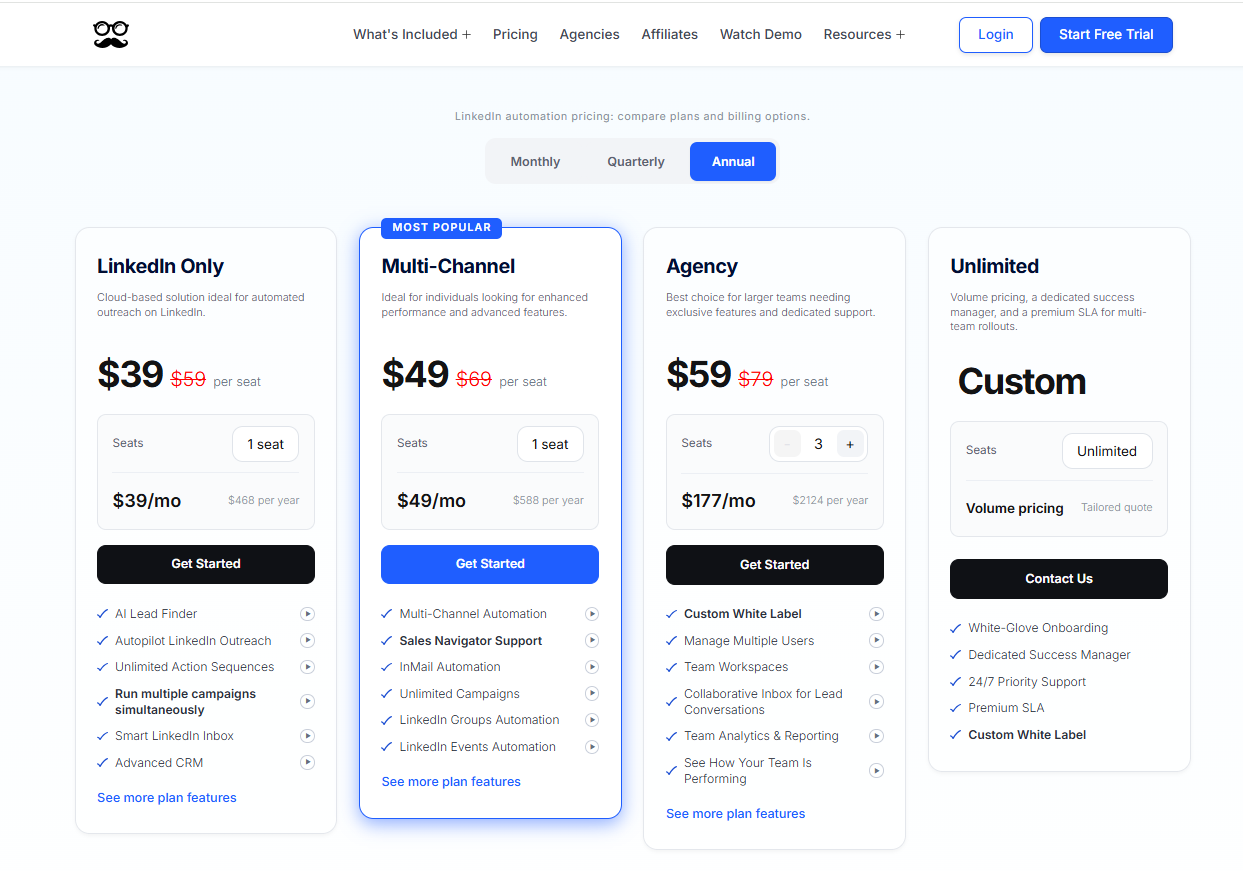
Meet Alfred's paid plans begin at $39/seat/month on annual billing, and you can test every feature first on a 7-day trial that needs no credit card.
We publish four plans:
- LinkedIn Only, $39/seat/month billed annually: the Smart LinkedIn Inbox and CRM, 1,000 Lead Finder results, simultaneous campaigns of any length, automated greetings, templates, and email or chat support on Basic and Premium accounts.
- Multi-Channel, $49/seat/month billed annually: X and email steps, InMail, Sales Navigator, unlimited campaigns from groups, events, posts, and newsletters, CSV campaigns, the social scheduler, Zapier, webhooks, CRM integrations, and 5,000 Lead Finder results.
- Agency, $59/seat/month billed annually with three seats or more: Multi-Channel plus Salesforce and HubSpot, team workspaces, a shared inbox, roles and groups, white label, an account manager with onboarding, priority support, and 10,000 Lead Finder results.
- Unlimited, custom: volume pricing for as many seats as you need, plus white-glove onboarding, a premium SLA, custom white label, a dedicated success manager, and priority support at any hour.
Pros & Cons
✅ Client groups and per-client blacklists keep one client's leads out of another's campaigns.
✅ White label reaches the notification emails clients receive.
✅ Automated greetings give each client's network a touch that isn't a sales message.
✅ Team data exports cut the time spent on client reports.
❌ No AI that sends replies by itself.
❌ Costs more than flat bundles past 25 accounts.
#2: HeyReach
Best for: Agencies running a large pool of LinkedIn senders on one flat fee and handling email in another tool.
Similar to: OutFlo, Expandi.
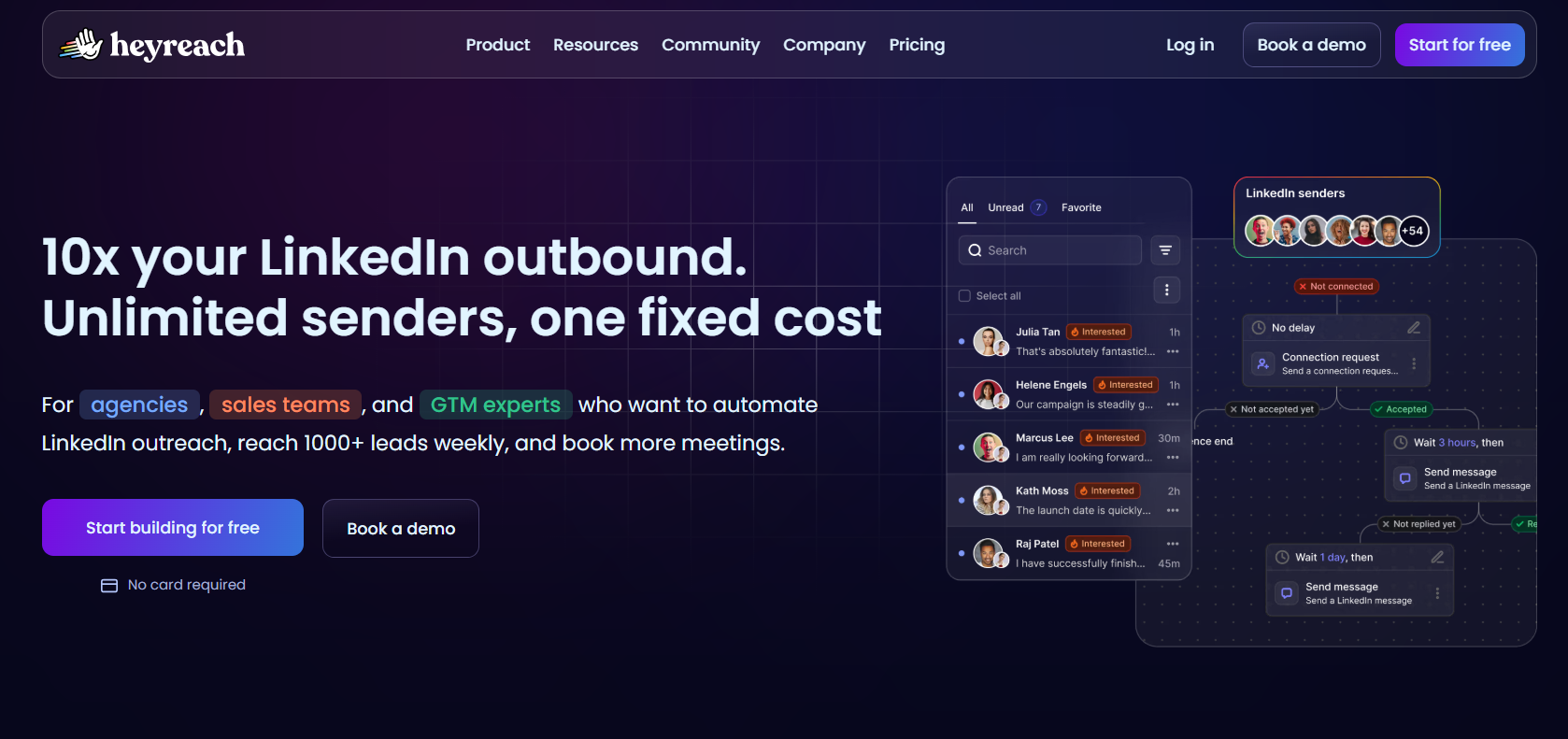
HeyReach and OutFlo share a billing model, charging per connected LinkedIn sender and letting teammates and clients into the workspace for free.
The bigger difference shows at 25 accounts, where HeyReach's Agency plan costs $999 a month, or $799.20 billed annually, on proxies you supply, against $525 billed yearly for OutFlo's Booster bundle.
➡️ Our HeyReach alternatives roundup covers where HeyReach users tend to look next.
Features
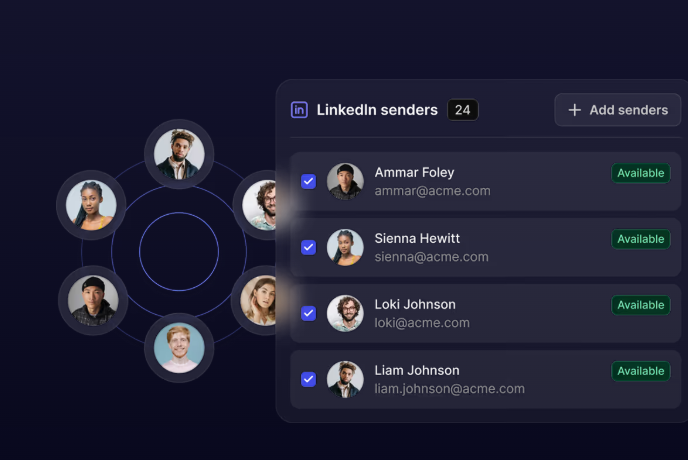
- Free seats beyond senders: Only connected LinkedIn profiles count toward the bill, so clients and assistants can log in at no cost.
- MCP server: An AI assistant can launch campaigns and fetch reports in conversation, plus an API and webhooks for custom builds.
- Sender pool rotation: Volume spreads over every connected profile, and each new account adds capacity.
- List imports with an "If Connected" split: Contacts can come from Clay, RB2B, HubSpot, Sales Navigator, or any tool that pushes them, and existing connections get their own path.
- Shared inbox with voice replies: A manager can answer in any sender's thread, audio messages included.
Pricing
HeyReach charges per sender from $79 a month and discounts quarterly billing by 10% and annual billing by 20%.
- Growth, $79/month: one sender, its residential proxy included.
- Agency, $999/month: white label and 25 senders, running on proxies you supply.
- Unlimited, $2,999/month: multiple workspaces and no sender limit, again using proxies you bring.
- Done for you, custom: the HeyReach team runs outreach for you.
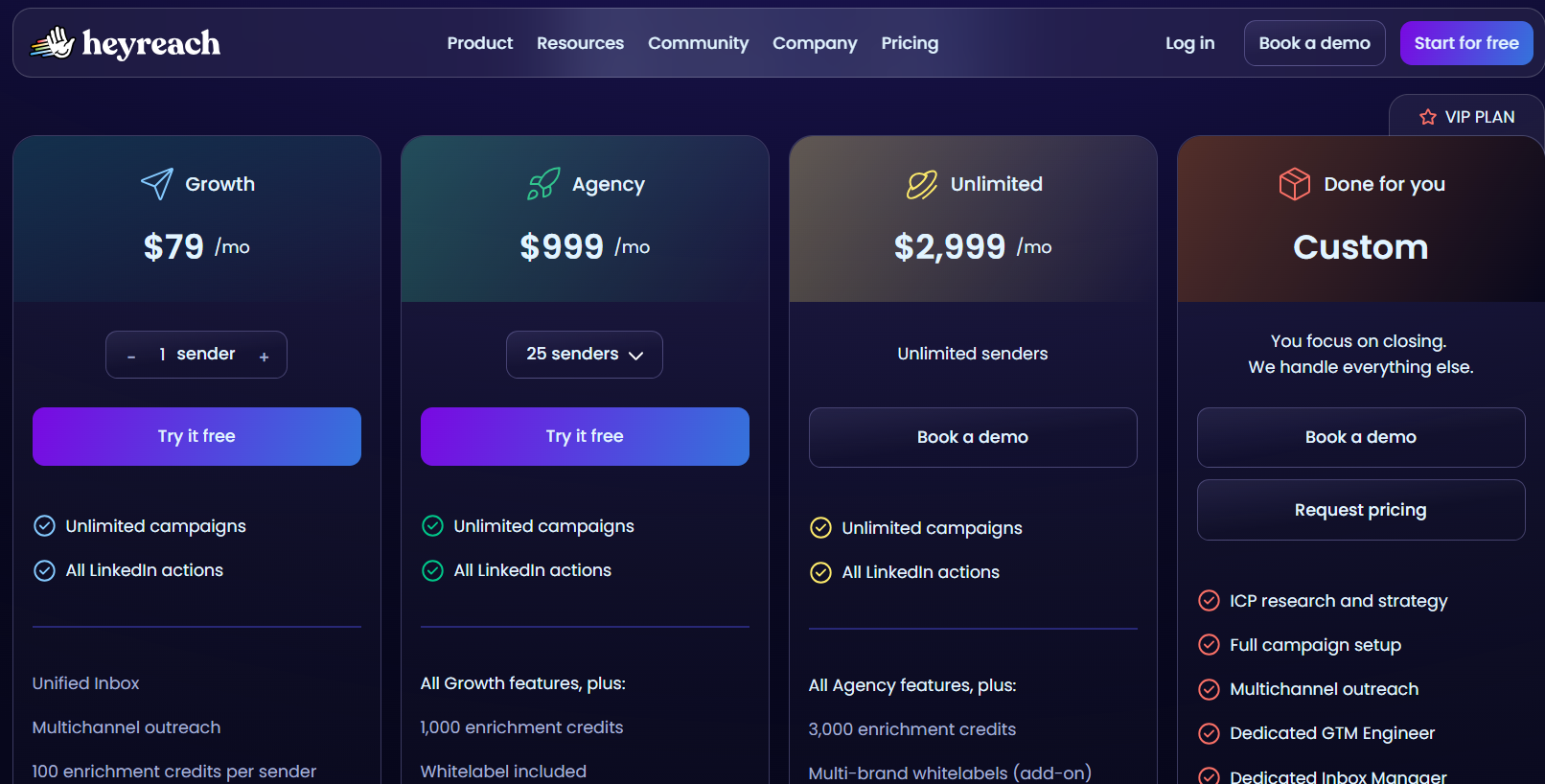
Growth's 14-day trial includes three LinkedIn accounts without a card, and 30-day trials of the bigger plans are available on request.
There's also a reduced-price early-stage program for teams of fewer than five people under $250,000 ARR.
Pros & Cons
✅ Clients and assistants never add seats to the invoice.
✅ The HubSpot sync carries HubSpot's own verification.
❌ No native outbound email, a gap one G2 reviewer also raises.
#3: Expandi
Best for: Agencies and sales teams that want each connected profile warmed up gradually behind a regional IP and sequences that branch on prospect behaviour.
Similar to: OutFlo, HeyReach.
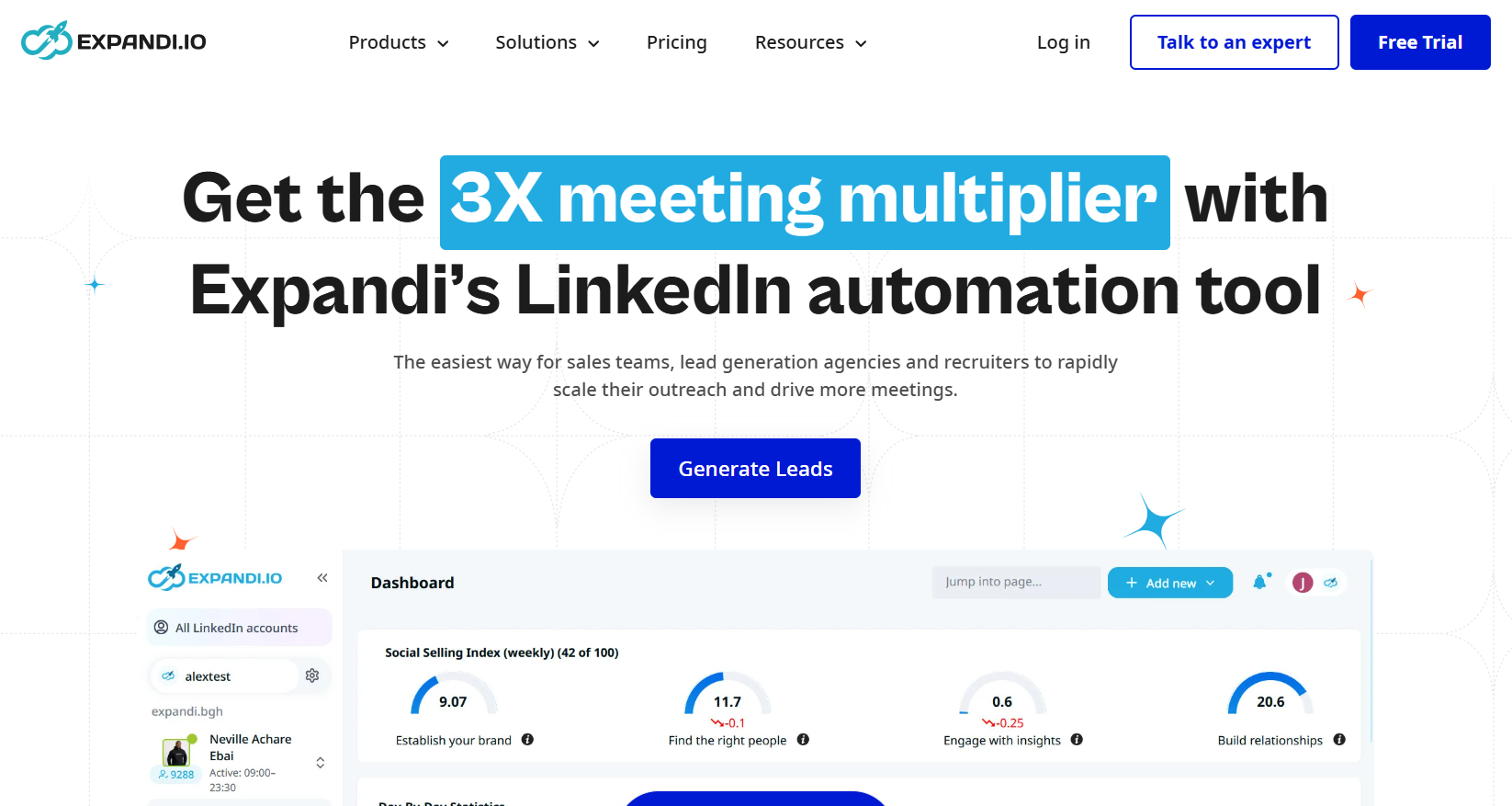
Account protection is the first reason I'd shortlist Expandi.
Every connected profile sends through its own regional IP and goes through a gradual warm-up, two controls OutFlo also applies to each account.
Email follow-ups come with the single published plan.
Based on my experience, Expandi suits agencies under ten profiles best, because the agency tier and its white label are quoted from ten seats.
Features
- Statistics for every step: Each sequence step reports its own numbers, which makes a weak message easy to find.
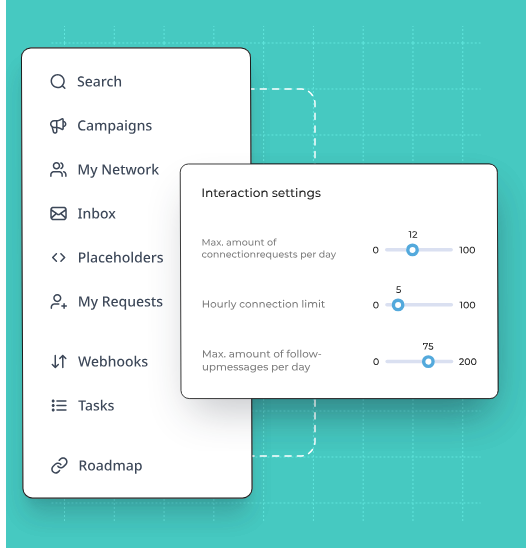
- Prioritization and scheduling: Campaigns can be ranked against each other and timed, and a blacklist keeps chosen contacts out.
- If-then Smart Sequences: The next step depends on the prospect's action, whether that's an accepted invite, a reply, an email open, a profile visit, or a liked post.
- Hyperise and Sendspark add-ons: Dynamic images and GIFs come through Hyperise and personalized video through Sendspark, each billed separately.
Pricing
Expandi publishes one plan at $79 a month, waives two months on annual billing, and quotes agencies directly.
- Business, $79/month: the full protection layer, unlimited campaigns, email follow-ups in multichannel sequences, the builder, per-step statistics, campaign prioritization, scheduling, and a blacklist.
- Agency, quoted from ten seats: white label, roles and permissions, central campaign management, client-facing reports, shared templates, and a dedicated customer success manager.
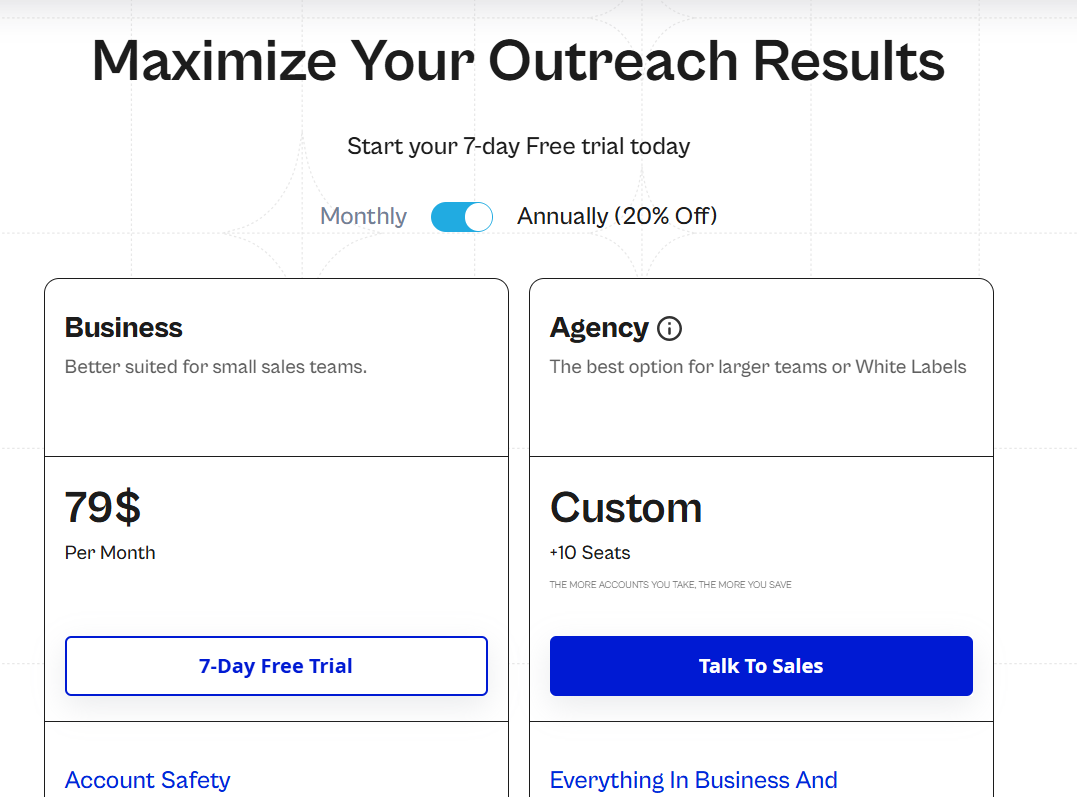
Expandi offers a 7-day free trial.
Pros & Cons
✅ New profiles ramp up slowly before reaching full volume.
✅ Branching reacts to what prospects actually do.
✅ Email follow-ups need no upgrade.
✅ The agency quote includes client reporting and white-label.
❌ Personalized images and video are paid extras.
➡️ Teams comparing Expandi with similar tools can read our Expandi alternatives breakdown.
#4: Salesforge
Best for: Email-led agencies that want many LinkedIn senders and users on one fixed price and their mailbox infrastructure from the same vendor.
Similar to: Lemlist, HeyReach.
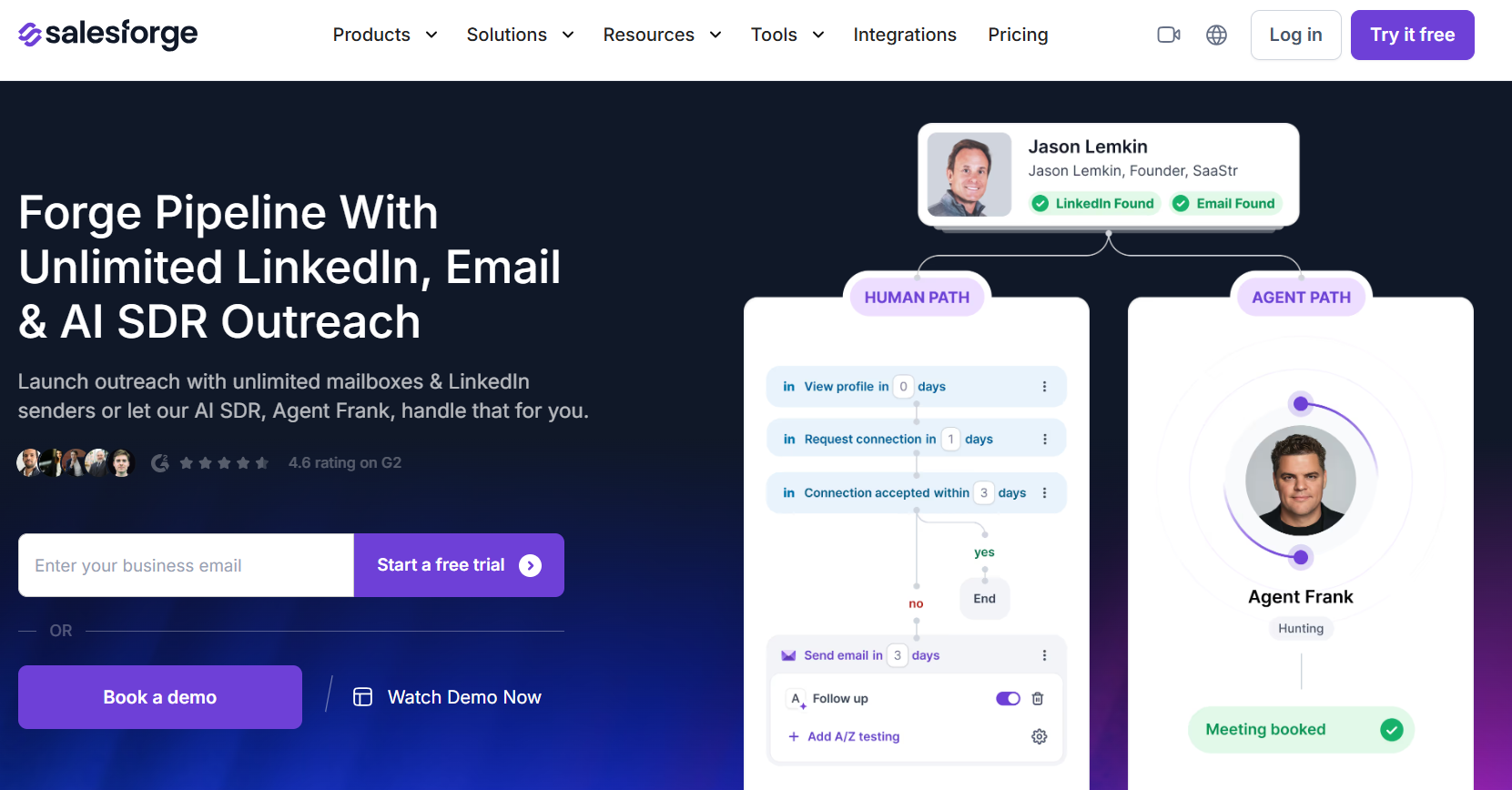
At $80 a month billed annually, Salesforge Growth puts no cap on LinkedIn senders or users, the lowest flat price for a large account pool in this roundup.
The number to check first is the allowance of 1,000 social action credits a month, since 25 busy profiles could work through it quickly and top-ups cost extra.
➡️ We've compared Salesforge with its own competitors in our Salesforge alternatives roundup.
Features
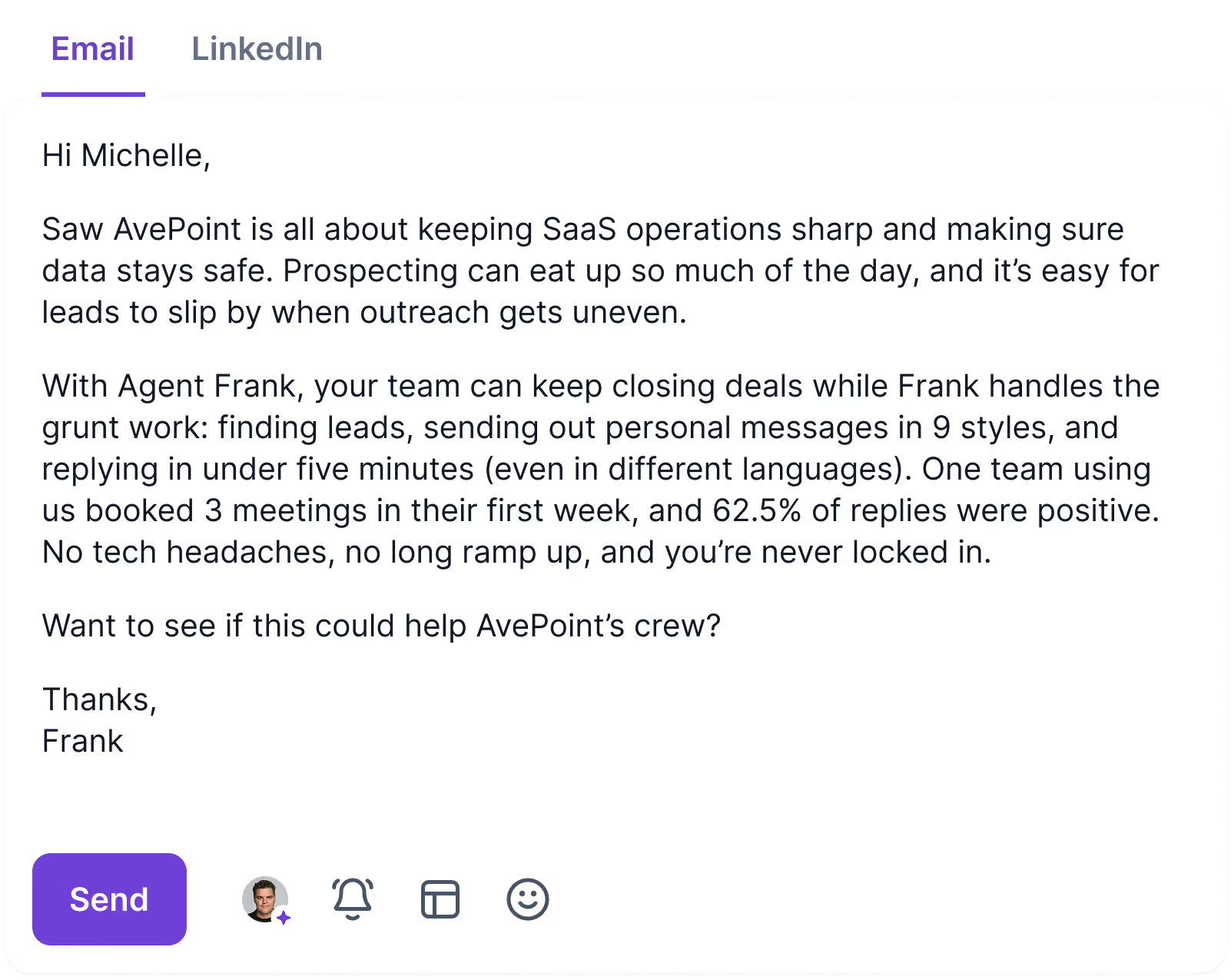
- Agent Frank: An AI SDR sold separately, able to take a list from first touch to booked meeting in more than 20 languages, with a co-pilot mode for teams that want to approve its work.
- Warmforge warm-up: Mailboxes warm up at no extra charge on Salesforge's own network, and placement tests flag deliverability problems early.
- Primebox: Email and LinkedIn replies share an inbox that threads a conversation correctly even when the prospect switches addresses, and each reply gets a sentiment tag.
- Multi-language sequences: Growth runs sequences in several languages and adds split testing.
- Unlimited mailboxes: Both paid plans accept as many sending mailboxes as you connect.
Pricing
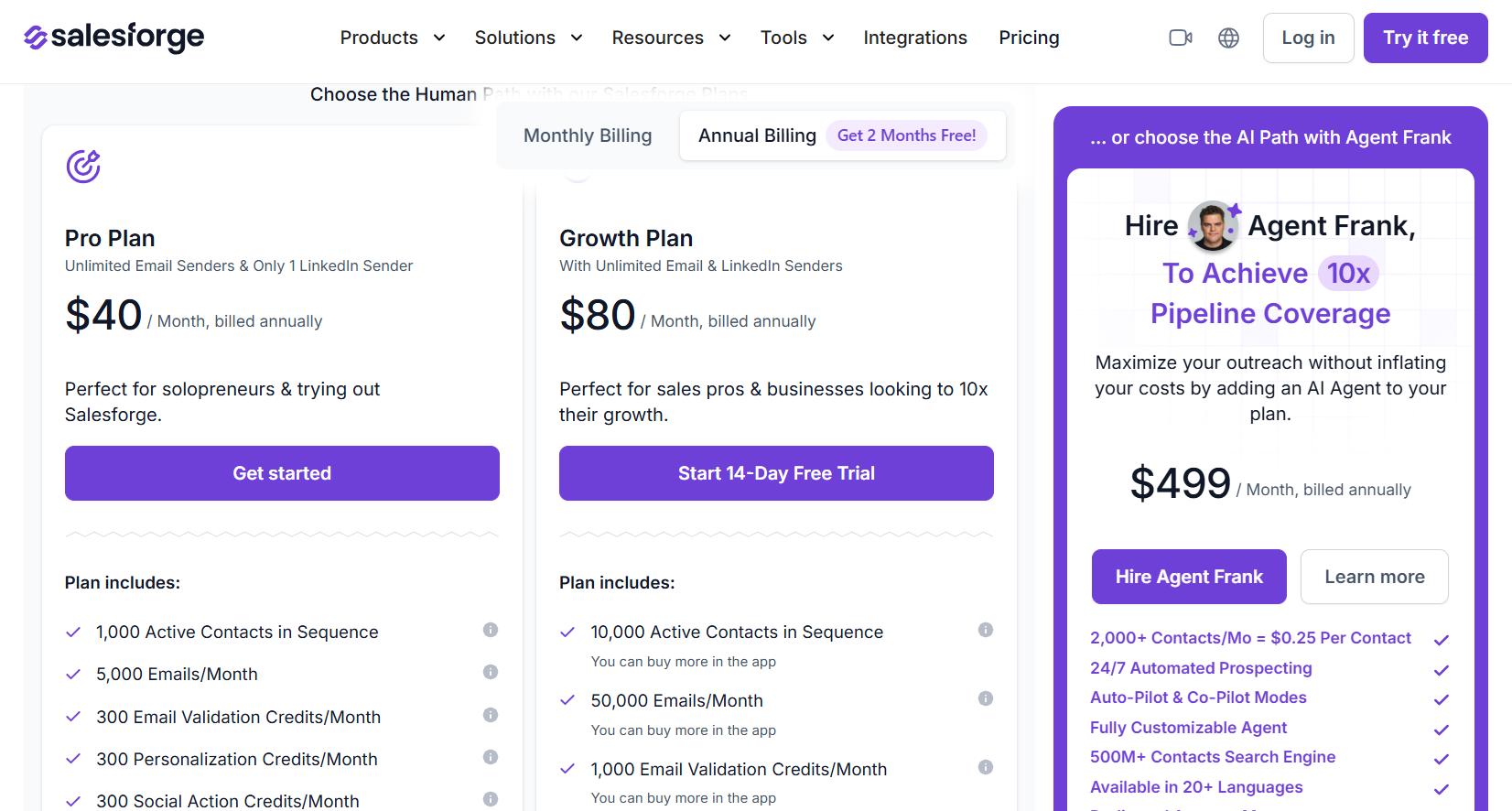
Salesforge bills for sending volume and active contacts, starting at $40 a month on annual billing, and sells Agent Frank separately.
- Pro, $40/month billed annually: a single user and LinkedIn sender, 5,000 emails and 1,000 active contacts each month, plus unlimited mailboxes and premium warm-up.
- Growth, $80/month billed annually: uncapped users and LinkedIn senders, 50,000 emails, 10,000 active contacts, split testing, priority support, sequences in multiple languages, and API access.
- Agent Frank, from $499/month billed annually: 2,000 contacts a month prospected autonomously, backed by an account manager in a shared Slack channel.
- Credits on Growth: 1,000 social action credits a month, matched by equal pools for email validation and personalization, and top-ups are sold in the app.
Pros & Cons
✅ The bill stays the same as LinkedIn profiles are added on Growth.
✅ Agencies can white-label the platform.
❌ Personalization and social actions run on credits.
❌ Getting the most from it means learning several connected products.
#5: La Growth Machine
Best for: Agencies that bill clients per sending profile and want calls and X in the sequence, where reply-only teammates join free.
Similar to: Lemlist, Reply.io.
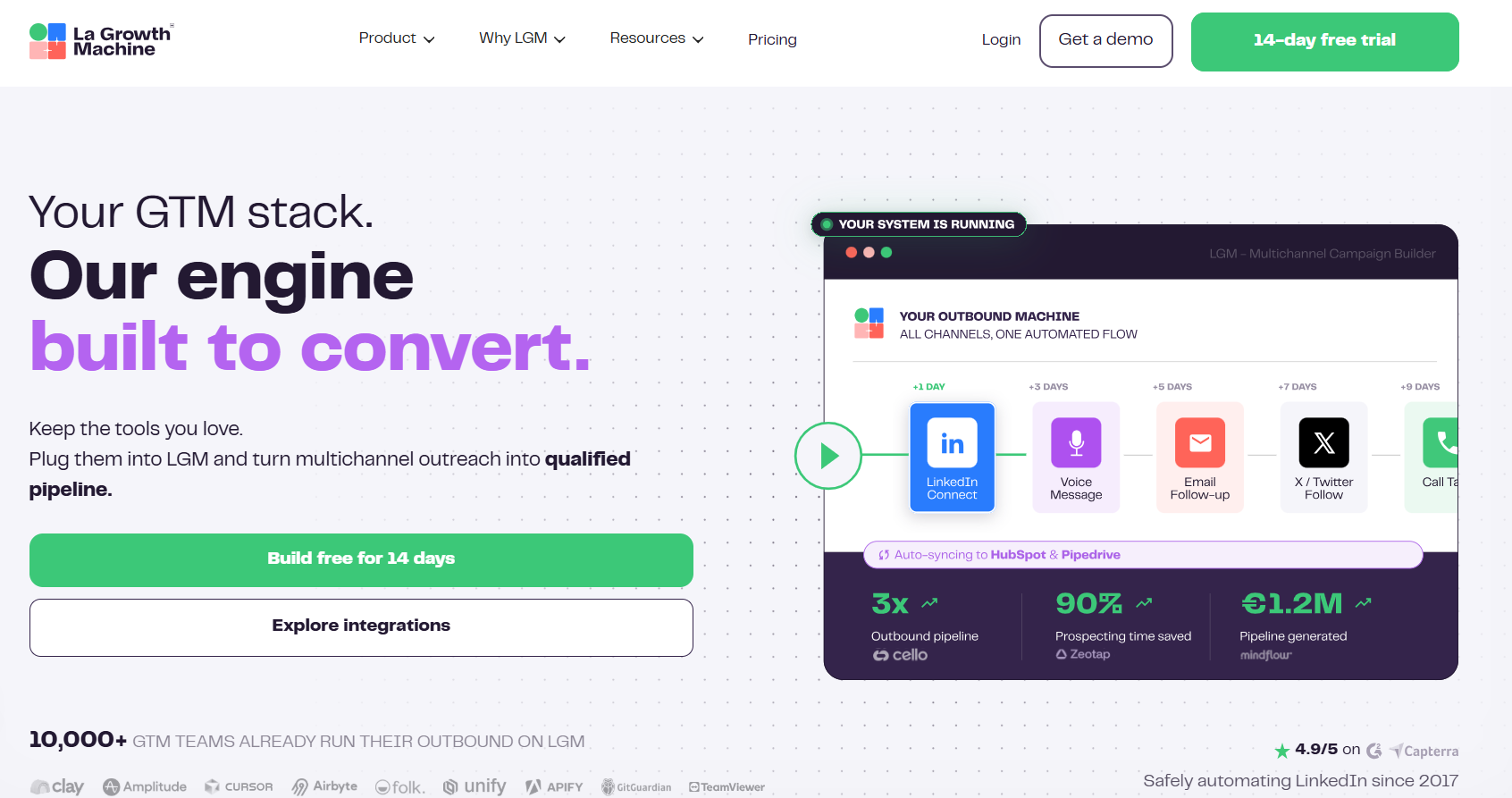
La Growth Machine bills per identity, which means only the profiles that send count toward the invoice.
Reply-only colleagues join free, from three on Basic up to an unlimited number on Ultimate.
OutFlo users would be swapping flat bundles for wider channel coverage.
Past six identities, it's ideal to ask for the Agency quote, since Pro at $110 per identity adds up across 15 or 20 client profiles.
Features
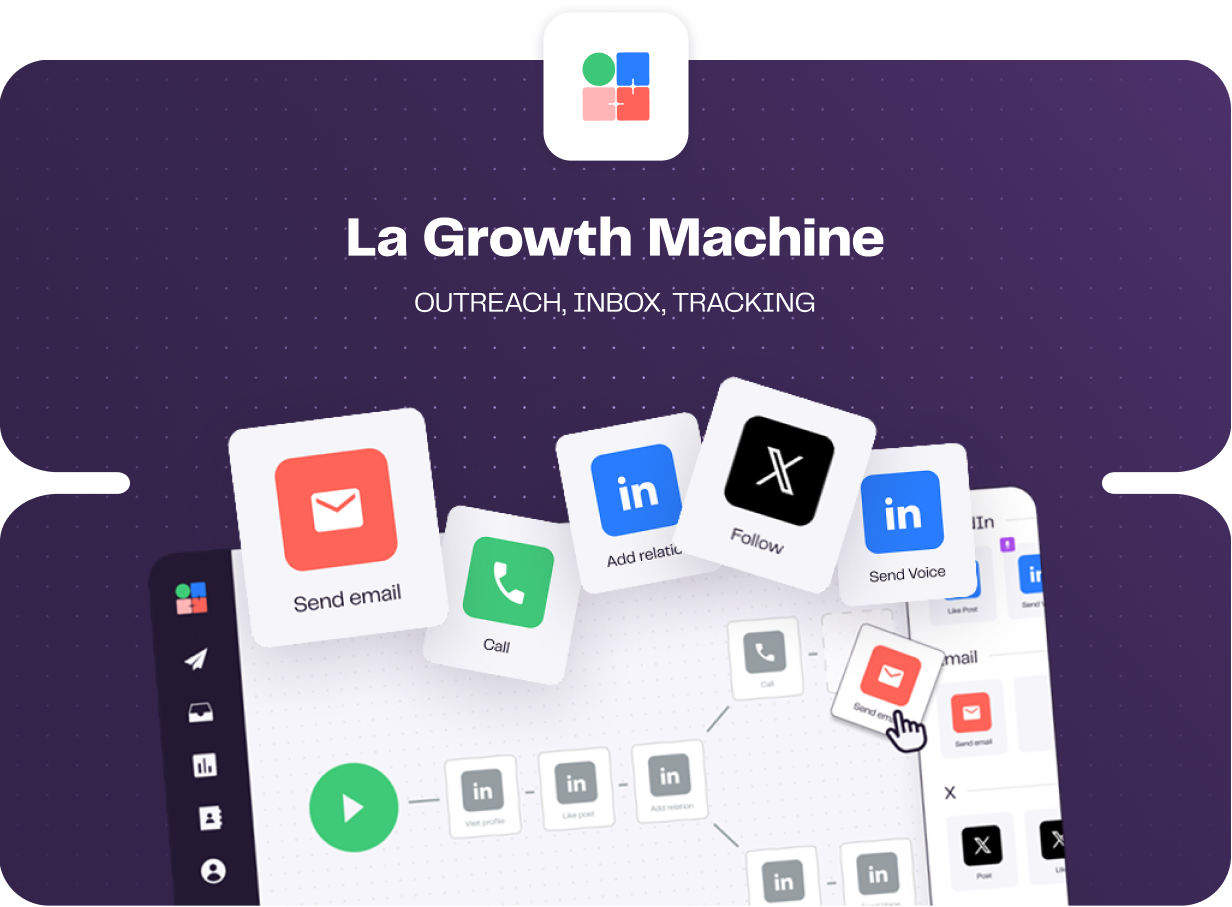
- Inbox filtered by identity: LinkedIn and email replies can be sorted by identity or campaign, and status labels sync to HubSpot or Pipedrive.
- Enrichment on every plan: A monthly quota of verified emails and profile data comes with each tier, which covers smaller client lists without a separate data tool.
- Personalized voice notes: You record once, and AI writes a unique first line for each recipient.
- Split tests on connection notes: Tests compare a connection request sent with a note against one sent without, next to tests on message copy.
Pricing
Identities start at $60 a month on La Growth Machine, and annual billing takes two months off the price.
- Basic, $60 per identity: email and LinkedIn for a maximum of three identities and three teammates, with one sending address and 250 enriched leads monthly.
- Pro, $110 per identity: calling, 400 enriched leads, five rotating addresses, six active campaigns, social warming, and room for 25 teammates at no charge.
- Ultimate, $165 per identity: X, 1,000 enriched leads, ten addresses, unlimited campaigns and teammates, and a two-way HubSpot or Pipedrive sync.
- Agency, custom: priced on request from six identities.
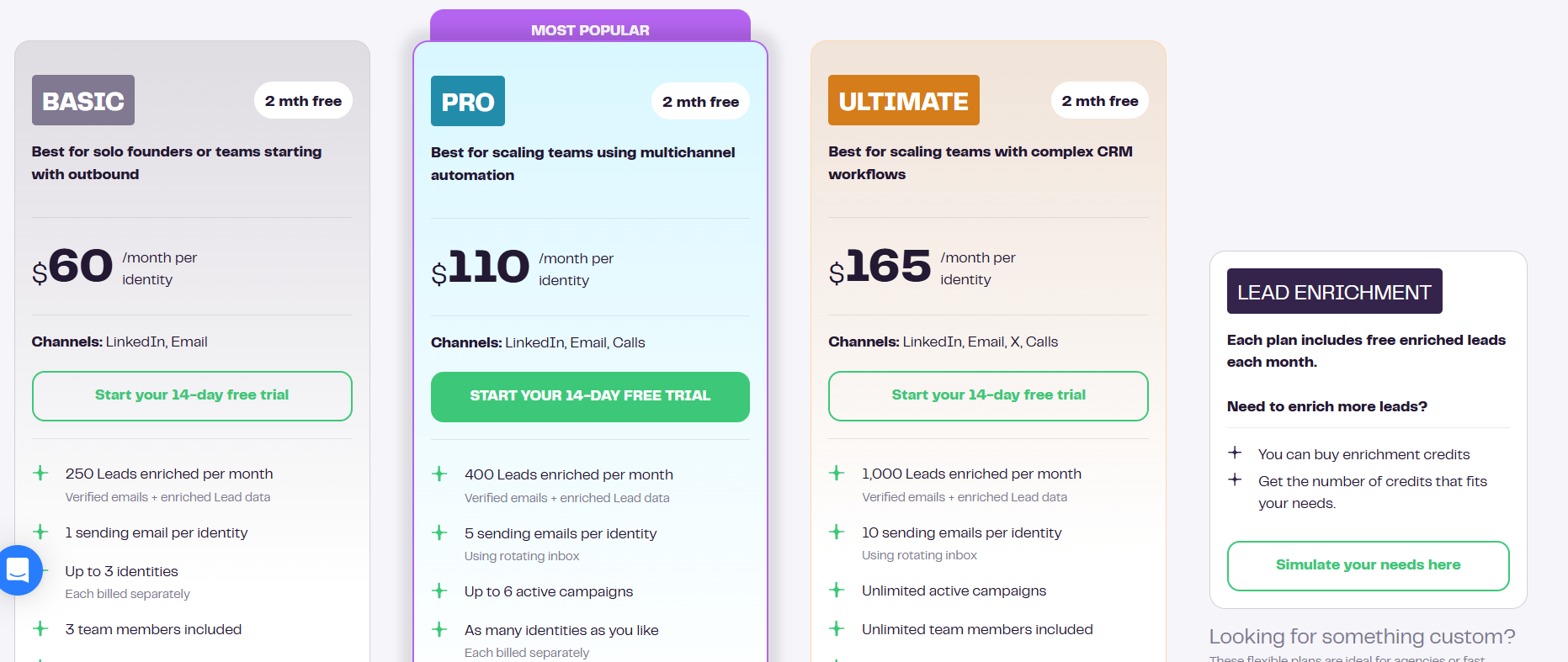
There's a 14-day trial, and La Growth Machine doesn't ask for a card to start it.
Pros & Cons
✅ Reply-only teammates cost nothing.
✅ Calls and X can join the same sequence on higher tiers.
❌ Monthly cost rises with every sending identity.
➡️ Our La Growth Machine alternatives article covers what teams move to from here.
#6: Sbl.so
Best for: Founder-led teams that want an AI rep running LinkedIn conversations from vendor-supplied profiles, keeping their own accounts out of the volume.
Similar to: HeyReach, Salesforge.
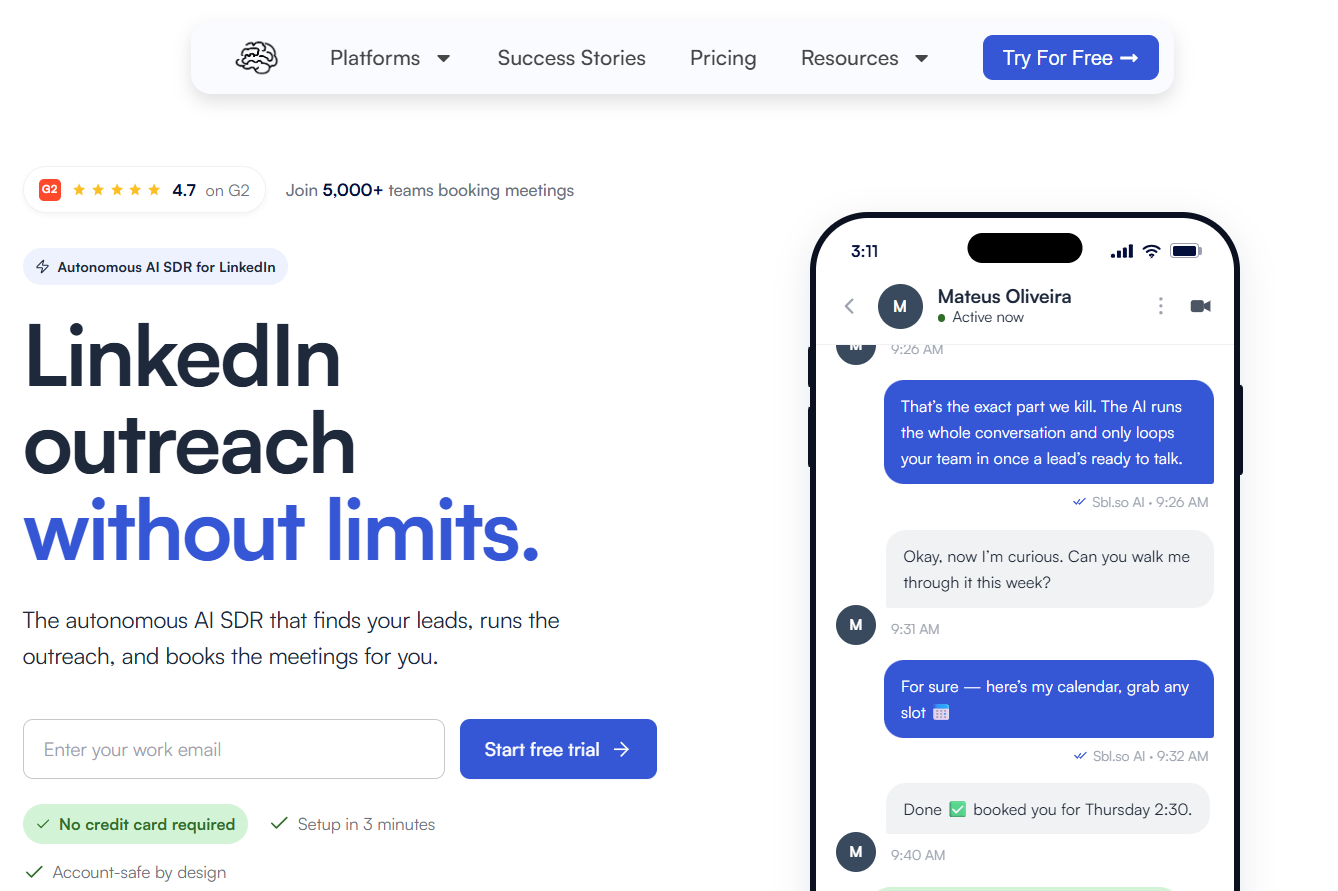
Sbl.so is less a sequencer than an AI SDR. You describe the buyer, and the platform works from signal-based lists through to a booked meeting.
Sending runs from pre-warmed profiles Sbl.so supplies, not from the client's own account.
That detail is the one I'd raise with every client before signing, because some will want outreach going out under their own name.
Channels stop at LinkedIn and WhatsApp for now.
Features
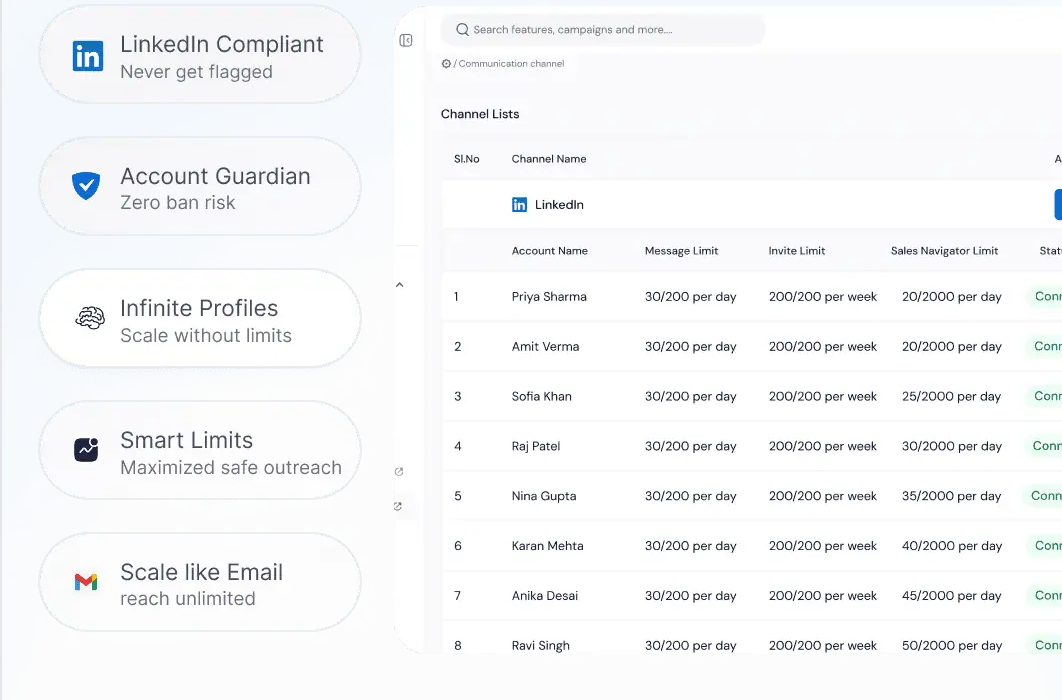
- Booking built in: Calendar booking, a team inbox, live analytics, and a mobile app come with the CRM, which connects to HubSpot, Salesforce, Pipedrive, Slack, Zapier, n8n, and Make.
- Voice cloning on Pro: Voice messages go out in an AI copy of your own voice.
- Signals refreshed daily: Starter draws signals from engagement on your own posts, and Pro adds funding rounds, job moves, and competitor monitoring, with every name scored against your ICP.
- Handover to a person: The AI answers in over 100 languages and passes a thread to your team once the lead warms up.
Pricing
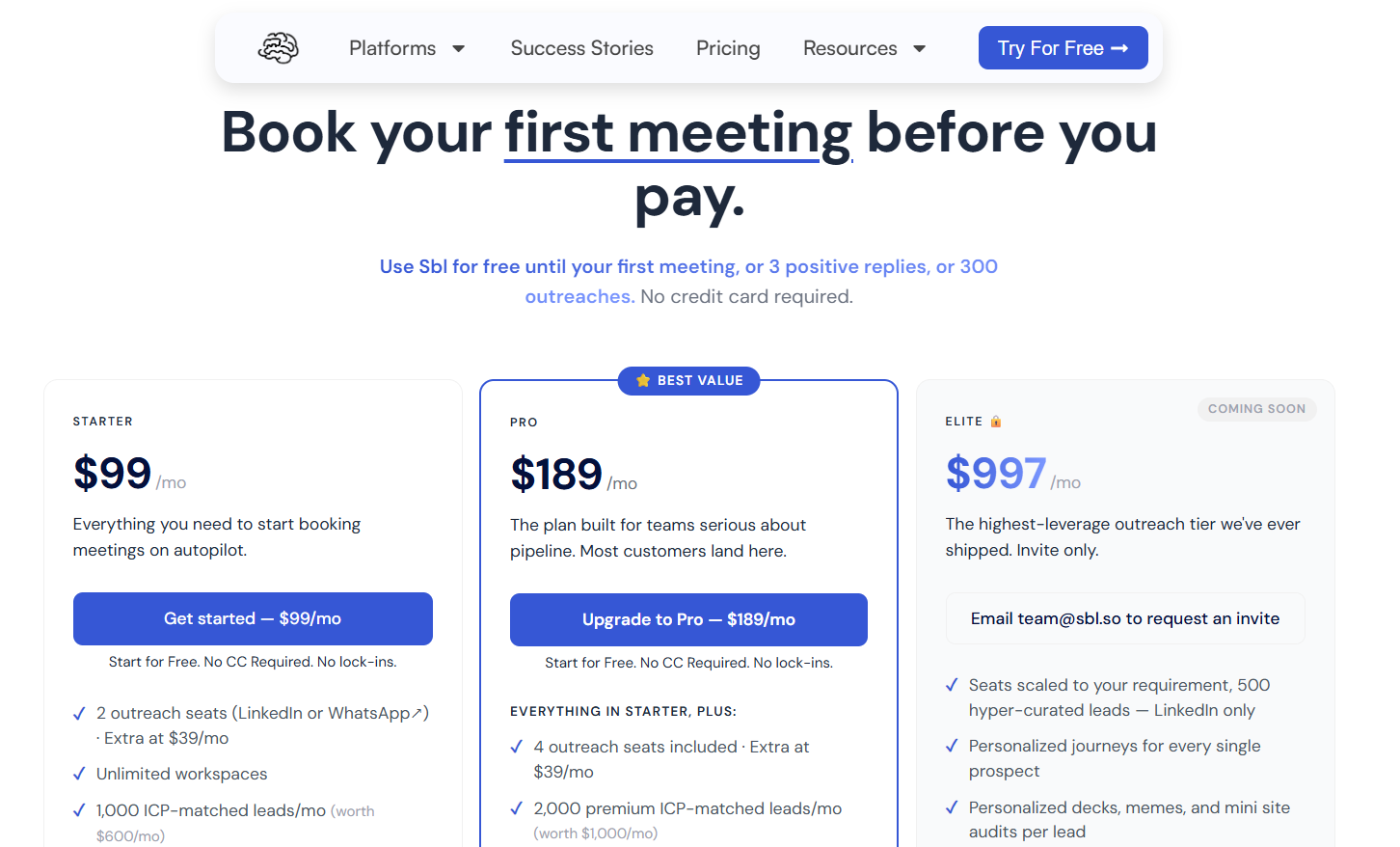
Sbl.so starts at $99 a month for two outreach seats, and every extra seat costs $39.
Each seat equals one LinkedIn or WhatsApp account, and the free trial ends at your first meeting, or earlier if you reach three positive replies or 300 outreaches.
- Starter, $99/month: two seats and 1,000 leads a month matched to your ICP, signals from your own posts, multilingual AI replies, priority support, two users, and Sales Navigator extraction and workspaces without limits.
- Pro, $189/month: four seats, 2,000 premium leads, job-change, funding, and competitor signals, voice cloning, an exportable CRM, custom webhooks, and up to ten users.
- Elite, $997/month: invite-only and coming soon, built on 500 hand-curated LinkedIn leads and a tailored journey for each prospect.
- Enterprise, custom: designed around a particular workflow or compliance requirement.
Pros & Cons
✅ Client accounts never carry campaign volume.
✅ Lists rebuild themselves from fresh signals every day.
❌ No email automation yet.
#7: We-Connect
Best for: Agencies and recruiters that want AI to draft or answer LinkedIn replies and email steps that react to LinkedIn activity.
Similar to: Expandi, OutFlo.
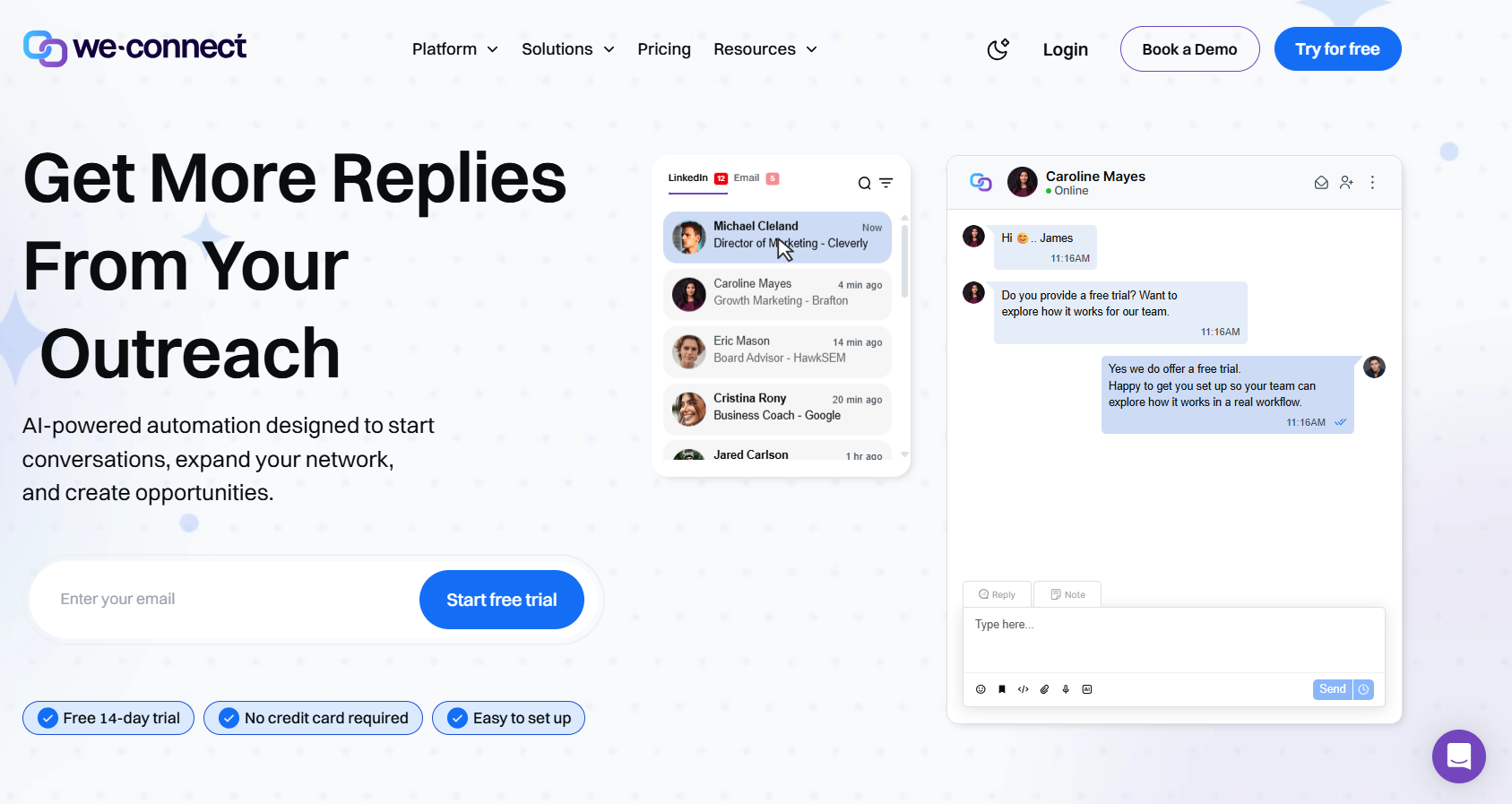
Recruiters and agencies that want AI drafting LinkedIn replies should look at We-Connect, whose auto-reply works as a co-pilot or fully on its own.
That's similar to OutFlo's AI Reply Setter, and unlike OutFlo, We-Connect runs its own email steps from the $59 Professional plan.
Agency pricing is quoted from ten seats with a dedicated success manager, and you'll want that quote in hand before comparing it with OutFlo's Booster bundle.
Features
- Lead Engine (beta): A visual builder that scores each contact on behaviour and routes them to a next step.
- Contact enrichment: Growth includes contact enrichment for LinkedIn leads.
- Agency dashboard: Ten or more LinkedIn accounts managed from one view on the agency plan, with training on demand.
- Behaviour-based email: Professional adds email steps triggered by LinkedIn activity, along with split tests and performance tracking.
Pricing
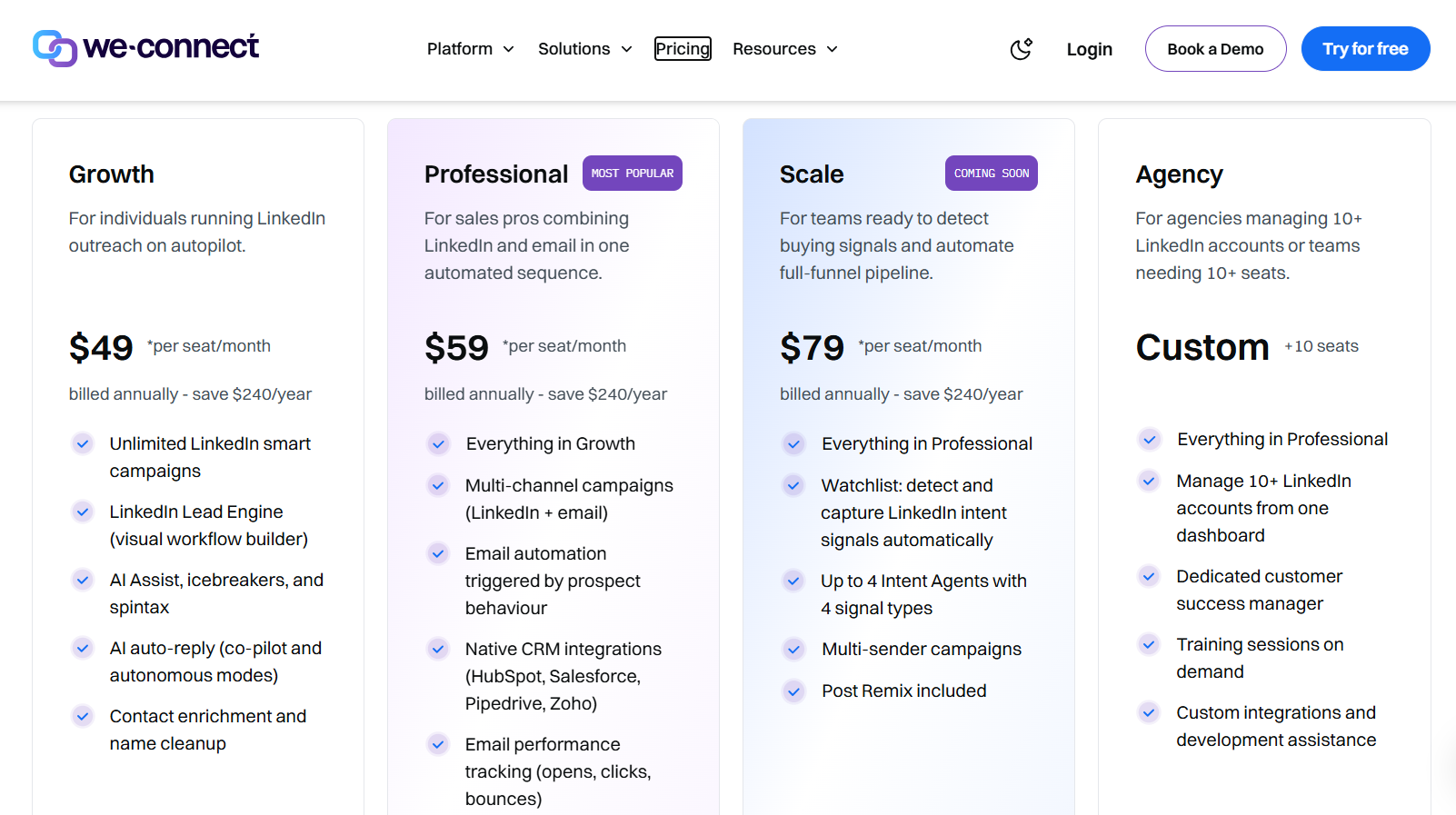
We-Connect costs $49 per seat a month on annual billing, and agencies are quoted directly.
- Growth, $49/seat/month billed annually: LinkedIn smart campaigns without a cap, AI Assist with icebreakers and spintax, the Lead Engine, AI auto-reply, and enrichment of contact details.
- Professional, $59/seat/month billed annually: email joins LinkedIn in campaigns, triggered by prospect behaviour, alongside native CRM integrations and email tracking.
- Scale, $79/seat/month billed annually: marked as coming soon, adding Post Remix, multi-sender campaigns, intent signals, and as many as four intent agents.
- Agency, custom from ten seats: one dashboard for ten or more LinkedIn accounts, a dedicated success manager, training sessions on demand, and help with custom development.
The trial is 14 days with no card, and Post Remix is an add-on at an introductory $16/seat/month.
Pros & Cons
✅ AI can answer replies without waiting for a person.
✅ The agency dashboard handles ten or more LinkedIn accounts.
❌ Calls and SMS aren't part of the product.
❌ Scale, with its intent agents, isn't live yet.
#8: Reply.io
Best for: Email-heavy agencies that add LinkedIn accounts one at a time and want client workspaces plus an AI SDR on the upgrade path.
Similar to: Lemlist, Salesforge.
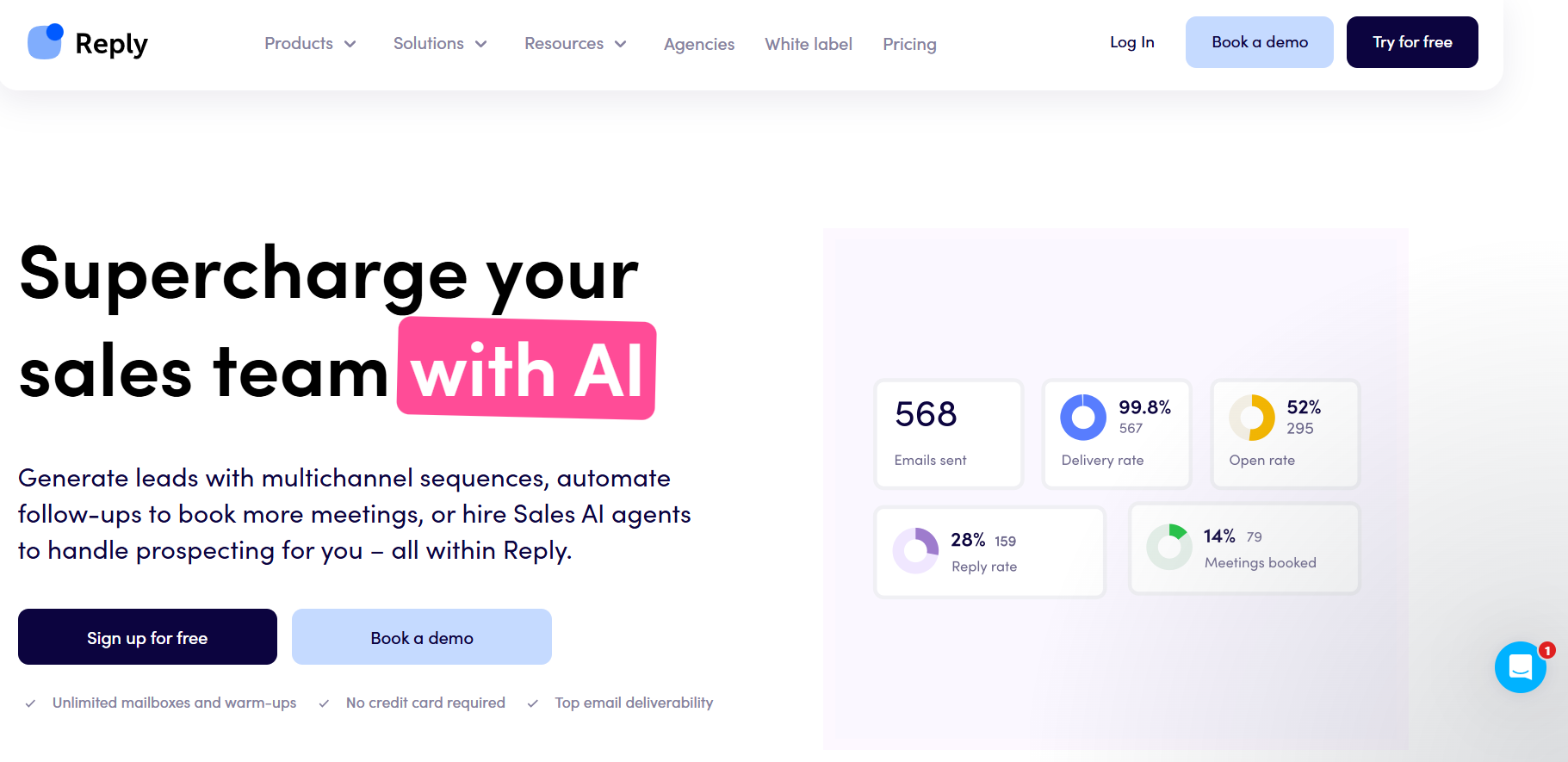
LinkedIn is the whole product at OutFlo. At Reply.io it's one module among several: $69 a month per account on Email Volume, or bundled in with Multichannel.
Agency Core adds client workspaces and an agency dashboard from $210 a month.
In practice, I'd only pick Reply.io over OutFlo for clients whose pipeline comes mostly from email or calls.
Features
- Client workspaces: Agency Core gives each client a separate workspace and caps neither clients nor users.
- Website visitor reveals: Every plan identifies up to 200 site visitors a month, next to intent-scored contact search.
- Warm-up and DNS tools: Every mailbox gets warm-up, and DNS records and custom tracking domains can be set up in the app.
- Five channels in one sequence: Email, LinkedIn, calls, SMS, and WhatsApp steps branch on each prospect's actions.
Pricing
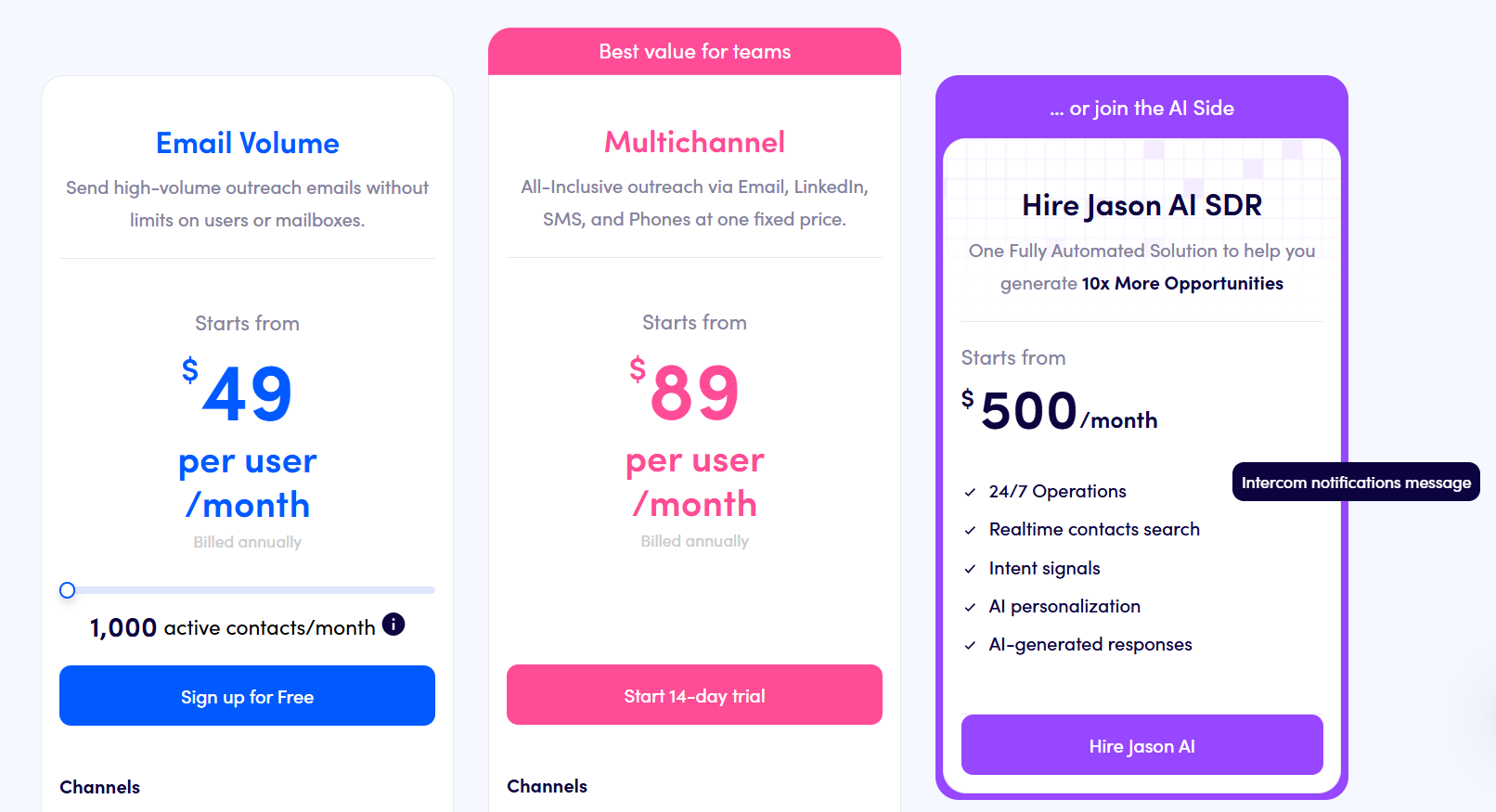
Reply.io's Email Volume plan starts at $49 a month, and LinkedIn is added per account.
- Email Volume, from $49/month: 1,000 active contacts with no cap on users or mailboxes, then $69/month for each LinkedIn account and $29/month per user for calls and SMS.
- Multichannel, from $89/user/month billed annually: ten mailboxes per user with LinkedIn, calling, SMS, and semi-automated WhatsApp included.
- Jason AI SDR, from $500/month: prospecting and replies run by AI on autopilot or copilot.
- Agency Core, from $210/month: an agency dashboard, client workspaces without caps on clients or seats, unlimited mailboxes, and optional white label.
Reply.io offers a 14-day free trial across the whole platform.
Pros & Cons
✅ Phone and messaging channels branch alongside LinkedIn.
✅ Domains and mailboxes can be bought without leaving the app.
❌ Each LinkedIn account adds $69 a month on Email Volume.
❌ One G2 reviewer would like email and LinkedIn actions to run in parallel.
#9: Lemlist
Best for: Email-first agencies that want deliverability tools built in and LinkedIn, phone, SMS, and WhatsApp steps around their email.
Similar to: Reply.io, Salesforge.
Email comes first at Lemlist, and LinkedIn is layered on top through the Multichannel plan at $87 per user a month billed yearly.
OutFlo works the other way round, starting from LinkedIn and passing email to a separate sender.
When deliverability problems cost a client more replies than LinkedIn acceptance does, Lemlist is the stronger fit.
➡️ For the tools teams compare it with, see our Lemlist alternatives list.
Features
- Signal agents: Hiring, role changes, funding, and site visits get flagged before outreach starts, while lemAgent handles account research.
- Dialer and SMS: The Multichannel plan adds calling and text messages to LinkedIn and email steps.
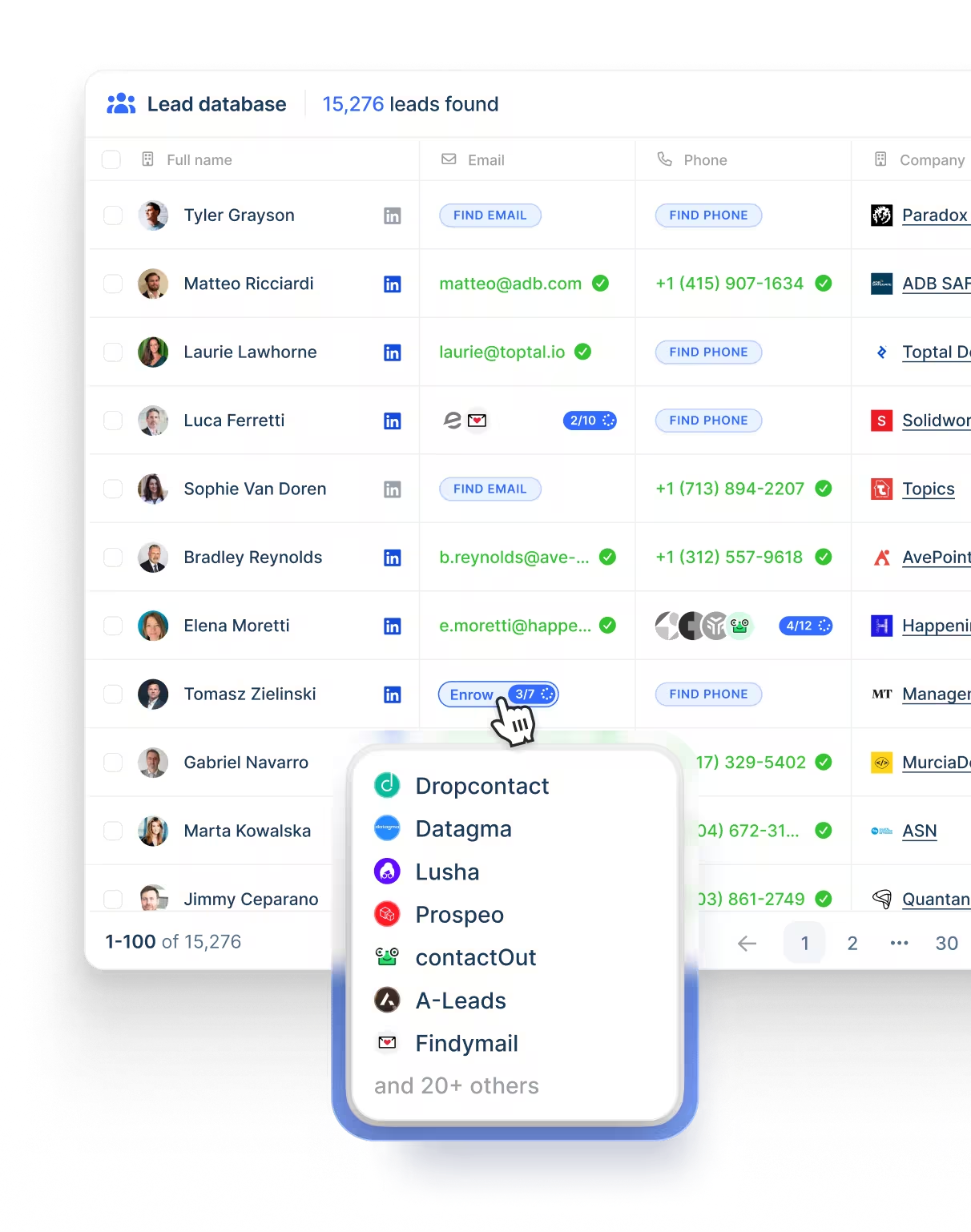
- 650 million contacts: Email and phone lookups run on credits against Lemlist's own database.
- Deliverability Hub: Warm-up and inbox rotation work alongside sending limits and DNS checks, with early warnings when a mailbox struggles.
- Per-lead conditions: Each lead receives only the steps its behaviour calls for, across up to five channels.
Pricing
Lemlist's Email plan costs $55 a month billed yearly, and LinkedIn automation starts on Multichannel.
- Email, $55/month yearly or $69 monthly: 50,000 messages a month with no limit on users or email senders, plus the Deliverability Hub and database access.
- Multichannel, $87/user/month yearly or $109 monthly: a built-in dialer, LinkedIn automation, SMS, unlimited messages, and five senders per user, and WhatsApp is sold as an extra.
- Enterprise, custom: single sign-on, custom roles and permissions, priority support, and a named account manager.
- Credits: a verified address costs five and a phone number 20, while intent signals start at 20 each.
Lemlist's free trial lasts 14 days.
Pros & Cons
✅ Unlimited users on the Email plan.
✅ Warm-up comes built in.
❌ Enrichment and intent signals cost credits.
#10: Dux-Soup
Best for: Small agencies that want one dashboard for many LinkedIn accounts on a fixed licence, or a browser extension for a single profile.
Similar to: Waalaxy, We-Connect.
Dux-Soup's Cloud Agency licence is €330 a month, sold from five client seats, with one dashboard for unlimited LinkedIn accounts.
Below that, the product comes as browser extensions on your own LinkedIn account and as a hosted Cloud Dux edition.
No edition sends email. Unless your clients only need LinkedIn, that gap outweighs the lower price for anyone leaving OutFlo.
Features

- Hosted Cloud Dux: Campaigns keep running, and Dux-Soup monitors them, while your computer is off.
- AI response assistant: From Turbo upward, AI helps answer replies, next to messages it writes from each prospect's profile.
- Twelve-action drips: InMails, endorsements, follows, post likes, profile visits, connection requests, and messages can share one drag-and-drop campaign.
- Native CRM pushes: Leads move into your CRM from Dux-Dash, the dashboard that also holds campaign statistics and a central inbox.
Pricing
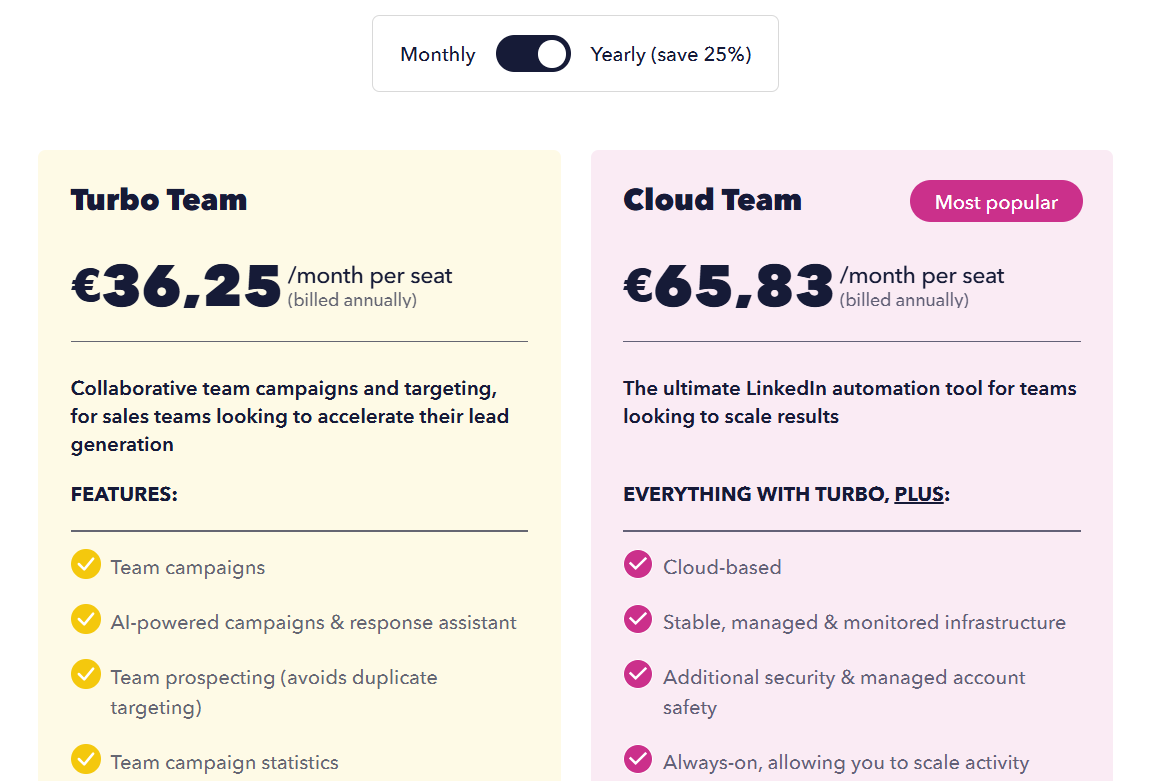
Dux-Soup charges per user, annual billing saves 25%, and the agency licence is priced on its own.
- Pro Dux, €12.99/month or €9.92 annually: personalized invites, first-degree messaging, profile visits and tagging, post likes, and CSV exports.
- Turbo Dux, €49/month or €36.25 annually: CRM integrations, the lead dashboard, drip campaigns without limits, AI-written personalization, and per-campaign statistics.
- Cloud Dux, €88/month or €65.83 annually: the hosted edition, monitored by Dux-Soup and running even with your computer off.
- Cloud Agency, €330/month: a single dashboard for client accounts, sold from five client seats.
A 14-day trial covers the Turbo feature set.
Pros & Cons
✅ One licence covers many client accounts.
✅ Extensions run on your own LinkedIn session without sharing credentials.
❌ No email steps.
❌ The interface looks dated to at least one G2 reviewer.
How much do OutFlo alternatives cost from 1 to 25 LinkedIn accounts?
At 25 LinkedIn accounts, Salesforge Growth at $80 a month and OutFlo's own Booster bundle at $525 are the lowest published prices.
Per-seat tools such as Meet Alfred, Expandi, We-Connect, and La Growth Machine cost more at that size.
Figures are monthly, at published annual prices where they exist and list prices where a vendor only advertises a discount, checked between August and November 2026.
Flat bundles such as OutFlo's Booster and HeyReach's Agency plan get cheaper per account as the pool grows, and Salesforge goes further by dropping the sender cap altogether.
Our own seat price climbs in a straight line with headcount, but it already carries email and X outreach, which a LinkedIn-only bundle leaves to another vendor.
Which OutFlo alternatives suit agencies managing client accounts?
Meet Alfred, HeyReach, Expandi, Salesforge, and Reply.io all offer white label for agency client work, and they differ mostly in how they separate clients and whether email comes in the same tool.
When I shortlist for client work, the client separation column comes first, because a branded login helps very little if two clients' leads can end up in the same list.
When is OutFlo still the right choice?
OutFlo remains the better fit if your agency runs LinkedIn only at 25 accounts or more and wants AI to draft or send replies from one inbox.
I'd stay with OutFlo in these situations:
- You run 25 or more LinkedIn accounts, and the Booster or Scale bundle beats per-seat pricing at that size.
- Your clients already send email through Smartlead or Instantly, and you only need LinkedIn leads passed across.
- You want the AI Reply Setter to draft replies for approval or answer eligible ones by itself.
- You run campaigns from Claude or ChatGPT through MCP.
How do OutFlo and Meet Alfred protect LinkedIn accounts?
OutFlo and Meet Alfred each run in the cloud and assign an IP to every account.
The main difference is that OutFlo ramps each account's limits by its Social Selling Index, while Meet Alfred relies on daily limits, working hours, randomized delays, and auto-withdrawal that you control.
Neither vendor guarantees that an account stays unrestricted, and OutFlo states this in its own FAQ.
My habit with any new client profile is to stay well under the daily maximum for the first few weeks and personalize every invite.
Try Meet Alfred free
Meet Alfred gives an agency LinkedIn automation, email, X outreach, and branded client logins in one subscription, removing the handoff between a LinkedIn tool and a separate email sender.
If I were moving an agency off OutFlo, I'd start with one client and rebuild their best LinkedIn sequence, adding an email step for contacts whose address came in the CSV.
White label would go on before that client logs in for the first time.
➡️ Start a 7-day free trial without entering a card, watch the demo first, or see how our agency program handles volume pricing for larger client rosters.
⚠️ Disclaimer: We last reviewed this article on 16 November 2026. If a detail looks outdated or wrong to you, let us know, and we'll check it again.
FAQs
What is the best alternative to OutFlo?
Meet Alfred is the best OutFlo alternative in 2026 because email and X run natively in the same sequence as LinkedIn, and client logins can carry your agency's own brand.
HeyReach is the more like-for-like swap for an agency that stays LinkedIn-only at a large account count.
My suggestion is to trial both on the same client profile in the same fortnight, since reply rates on one audience tell you more than a feature list.
Which OutFlo alternative is cheapest for many LinkedIn accounts?
Salesforge is the cheapest published option for many accounts, at $80 a month billed annually on Growth with no cap on LinkedIn senders or users.
Growth's LinkedIn actions run on 1,000 monthly social credits, and you'll want Salesforge to confirm how many actions those cover before moving 25 profiles across, because top-ups change the real monthly cost.
OutFlo's own Booster bundle, at $525 a month billed yearly for 25 accounts, still costs less than HeyReach's Agency plan at $799.20 on annual billing.
Does any OutFlo alternative include email without a separate tool?
Yes, Meet Alfred, Expandi, Salesforge, La Growth Machine, We-Connect, Reply.io, and Lemlist all run email steps natively, while HeyReach and Dux-Soup don't, and Sbl.so has email on its roadmap.
Our email steps send from your own mailbox over SMTP or IMAP and never draw on message credits, while We-Connect keeps email for its Professional plan.
In my experience, a native email step saves the most time on lists where you already hold verified addresses, because nothing has to sync to a second tool before the step sends.
Which OutFlo alternative is best for agencies?
Meet Alfred is the OutFlo alternative I'd recommend for agencies, because white label, impersonation, roles, and client groups all come on our published Agency plan at $59 a seat billed annually from three seats.
HeyReach suits agencies that stay LinkedIn-only with 25 senders or more, and Expandi and We-Connect quote their agency tiers from ten seats.
Before signing with any vendor, I'd check whether the white label covers notification emails as well as the login page, since clients see those emails long before they open a dashboard.
Is there an OutFlo alternative with AI that answers replies?
Sbl.so and We-Connect both answer LinkedIn replies with AI, and Salesforge's Agent Frank and Reply.io's Jason AI SDR take on the whole prospecting and reply loop.
The platform hands a conversation to a person once a lead warms up, and We-Connect's auto-reply runs in co-pilot or autonomous mode.
Meet Alfred keeps a person on every live conversation, which I prefer for client accounts where one off-key reply reflects on the client's brand.
Do OutFlo alternatives include proxies or dedicated IPs?
Several do: Meet Alfred gives each account a dedicated IP, Expandi assigns a regional IP per profile, and HeyReach includes a residential proxy on Growth, while Sbl.so sends from profiles it supplies.
HeyReach's Agency and Unlimited plans expect you to provide proxies, and I always add that cost before comparing either plan with OutFlo's per-account price.
Is OutFlo's year-end pricing offer still available?
OutFlo's pricing page showed a year-end offer in November 2026 that lowers Growth from $59 to $49 per account a month, locked for as long as the subscription stays active.
On yearly billing, the same page listed Growth at $37 per account a month, or $444 billed yearly for one account.
Offers like this tend to change, so it's ideal to recheck OutFlo's pricing page before budgeting around that rate.
Gustavo Parra is a Senior SEO & Content Strategist at Meet Alfred, where he specializes in LinkedIn automation, AI-driven outreach, and account-safe growth strategies. He works closely with product, engineering, and support teams to design automation frameworks that help sales teams and agencies scale LinkedIn outreach while minimizing risk. Gustavo focuses on turning real platform data and firsthand product experience into practical, compliance-first guidance.
Related Articles


