


SalesRobot prices LinkedIn by the account and lists email automation at $15 a month for each email account, and that split shapes how I compare its alternatives.
I checked two things for every tool: how email comes bundled, and how much the entry plan lets you run before an upgrade becomes necessary.
Below are 10 options, ranked, plus a table of entry plans and email models and a section on AI replies and voice notes.
TL;DR
- Meet Alfred is the best SalesRobot alternative in 2026 for teams that want email and X steps beside LinkedIn and email sent from their own mailbox, free of credits or a sending cap.
- Dripify mirrors SalesRobot's plan shape, matching SalesRobot's $39 to $79 range and adding email steps and finder credits on every paid plan.
- For AI in the conversation, Sbl.so books meetings from AI-run LinkedIn threads, and We-Connect's auto-reply can answer prospects without waiting for approval.
- La Growth Machine, Expandi, Lemlist, Reply.io, Salesforge, and Waalaxy make up the rest of the list, from €19 a user on Waalaxy up to Reply.io's Jason AI SDR at $500 a month.
What are the best SalesRobot alternatives?
I'd pick Meet Alfred first among SalesRobot alternatives in 2026 for email and X in the same campaign as LinkedIn, while Dripify is the like-for-like option on price and plan structure.
Audience and starting price for all ten:
How did I pick these SalesRobot alternatives?
I picked alternatives that automate LinkedIn and publish a price for the plan most buyers start on, then compared them on four points that follow from how SalesRobot is priced and sold.
- How email is billed: Sending through your own mailbox with no cap, through mailboxes included in the plan, or as a paid add-on.
- Where email addresses come from: Finder credits, bundled enrichment, a vendor database, or your own CSV.
- What the entry plan allows: Campaign limits, daily quotas, inbox access, and team features on the cheapest plan.
- AI inside the conversation: Reply handling plus voice and video messages, which SalesRobot puts at the front of its pitch.
Note: One exception made the list: Sbl.so doesn't send email yet, but I kept it because its AI runs LinkedIn conversations through to a booked meeting, the job SalesRobot's AI Appointment Setter is built for.
LinkedIn-only tools such as HeyReach and Dux-Soup didn't make the cut, since email is half of what SalesRobot sells.
➡️ Teams happy to stay on LinkedIn alone can browse our LinkedIn lead generation tools roundup.
#1: Meet Alfred - Best SalesRobot Alternative for Email and X Alongside LinkedIn
Meet Alfred is the best SalesRobot alternative in 2026, as email and X steps run in one sequence with LinkedIn and email sends from a mailbox you already own.
SalesRobot puts its effort into AI conversations, from its AI Appointment Setter to personalized voice and video notes, while our focus at Meet Alfred has been channel reach and the team side of outreach.
Note: Since Meet Alfred is our own product, I've kept to what it does today and put its gaps in the pros and cons.
I've noticed that the real cost of a LinkedIn and email setup rarely becomes clear in the first month.
The moment usually comes when a third mailbox gets connected, or when a warm reply goes unanswered because the rep who could close it never saw the thread.
Meet Alfred tackles four of those problems directly:
- Email that costs more with every mailbox: Email steps send through the mailboxes your team already uses, over SMTP or IMAP, and no step draws on credits or hits a volume cap.
- Messages that read like a template: Snippets pull profile and CSV details into each message, and automated greetings for new roles or work anniversaries give you a reason to write that isn't a pitch.
- Answered leads that drop out of the flow: A campaign pauses the moment someone replies, and bulk actions put a batch of stalled conversations back into their sequences.
- Prospects who barely use LinkedIn: X steps can reach up to 1,000 prospects a day inside the same sequence, and posts go out to four social networks from the same dashboard.
Here’s how Meet Alfred works and why teams at Reuters, Samsung, Oracle, Salesforce, and HSBC love it:
From a SalesRobot export to your first replies, in five steps
The five steps below take you from a CSV of SalesRobot leads to the first answers arriving in a shared inbox.
Step 1: Connect LinkedIn and decide how hard it runs
Setup opens with a LinkedIn profile, and the two-factor authentication prompt is completed without leaving Meet Alfred.
The connection request cap goes as high as 100 a day, which is above LinkedIn's usual pace but still inside safe parameters.
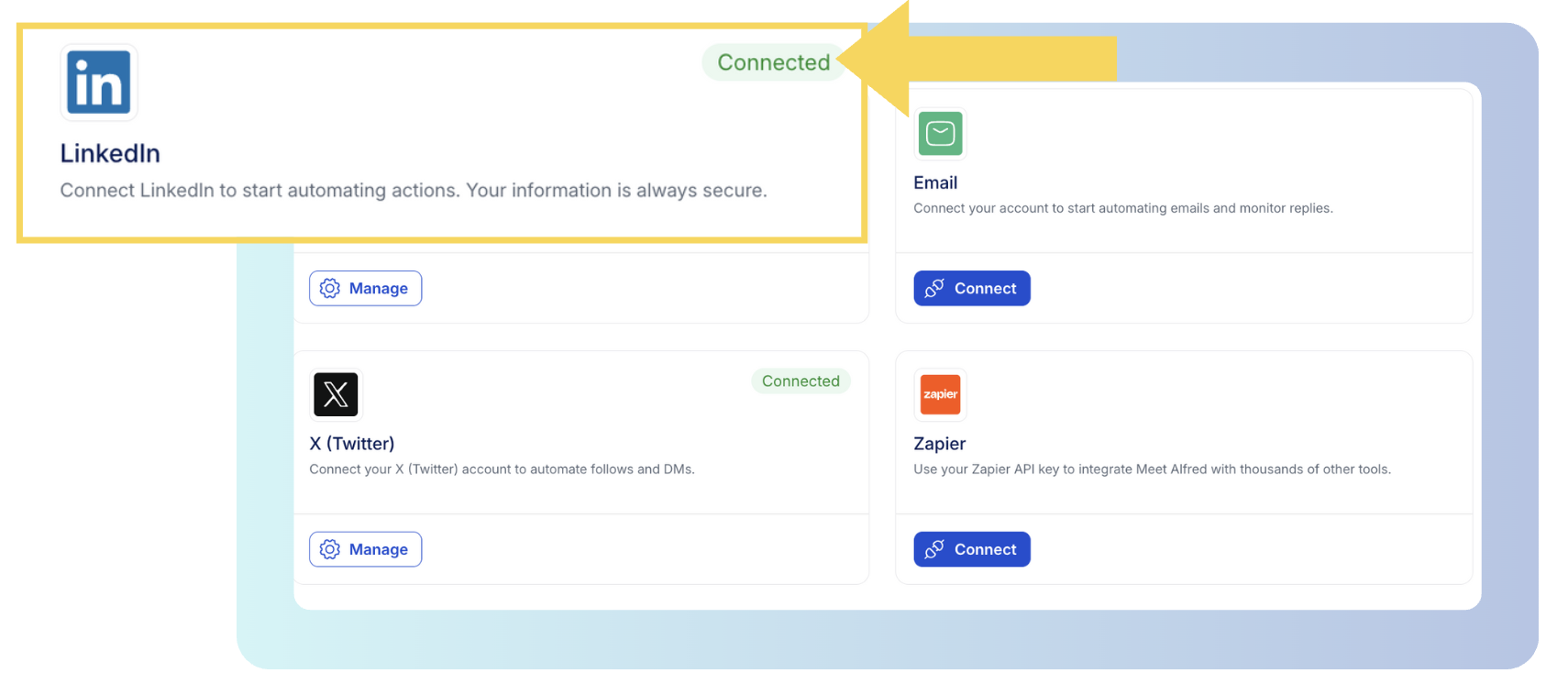
If you ran SalesRobot's Advanced plan at its 75-a-day quota, that leaves headroom, though I'd start a freshly connected profile well below either figure and raise it week by week.
Working hours take a time zone, so a campaign aimed at Sydney buyers runs during Sydney business hours even when your team works from London.
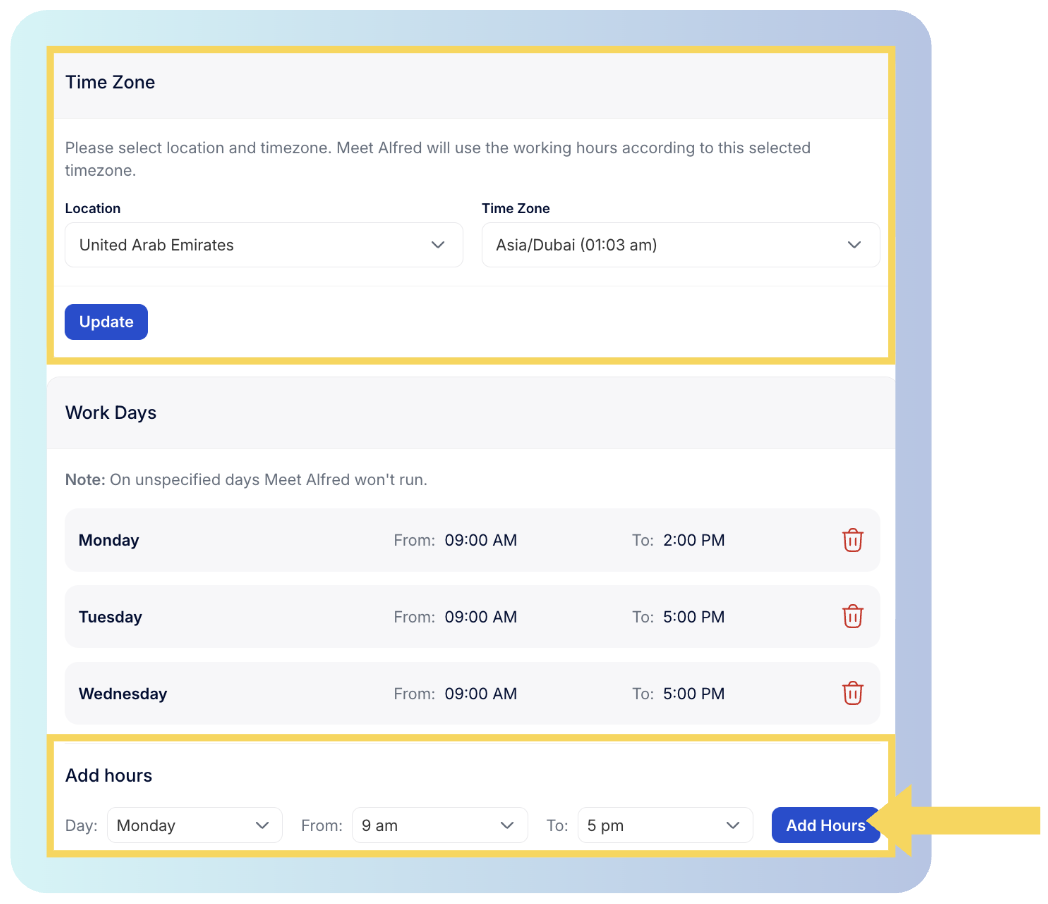
Invitations nobody accepted get withdrawn automatically, and withdrawal analytics track that activity over time, which hints at whether your targeting needs a rethink.
➡️ Like SalesRobot, Meet Alfred runs in the cloud, with a dedicated IP for every connected account and a randomized delay before each action, so there's nothing to install or keep open.
Step 2: Rebuild your lists
A SalesRobot CSV export imports as a campaign source, and its columns become custom fields, so research such as a recent funding round can still appear in the copy.
Beyond CSV, campaigns can draw on a LinkedIn search URL, a Sales Navigator search or list, or your first-degree connections.
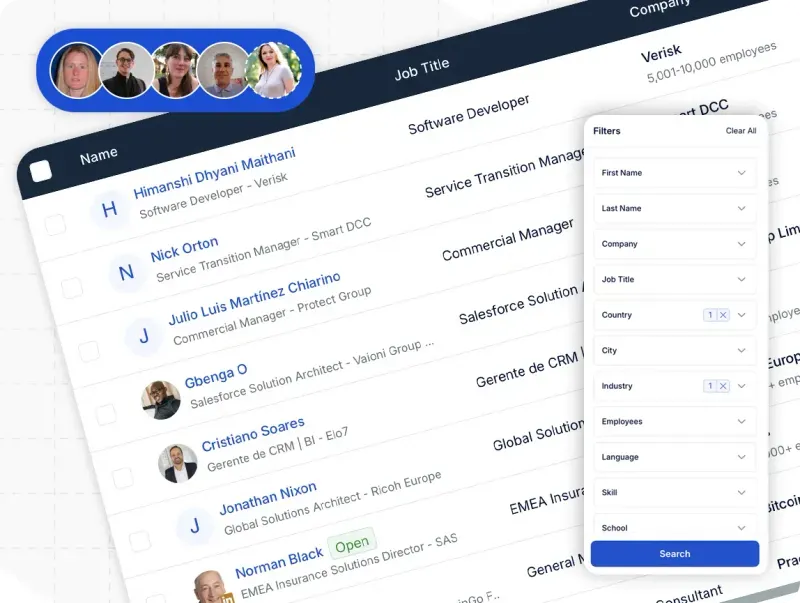
Warmer audiences come from activity you can already see, such as a group's members, an event's attendees, a newsletter's subscribers, or people engaging with a post you pick.
For brand-new lists, the AI Lead Finder searches LinkedIn by location, keywords, language, industry, and job title, which is enough to describe, say, heads of sales at fintech companies in Berlin.
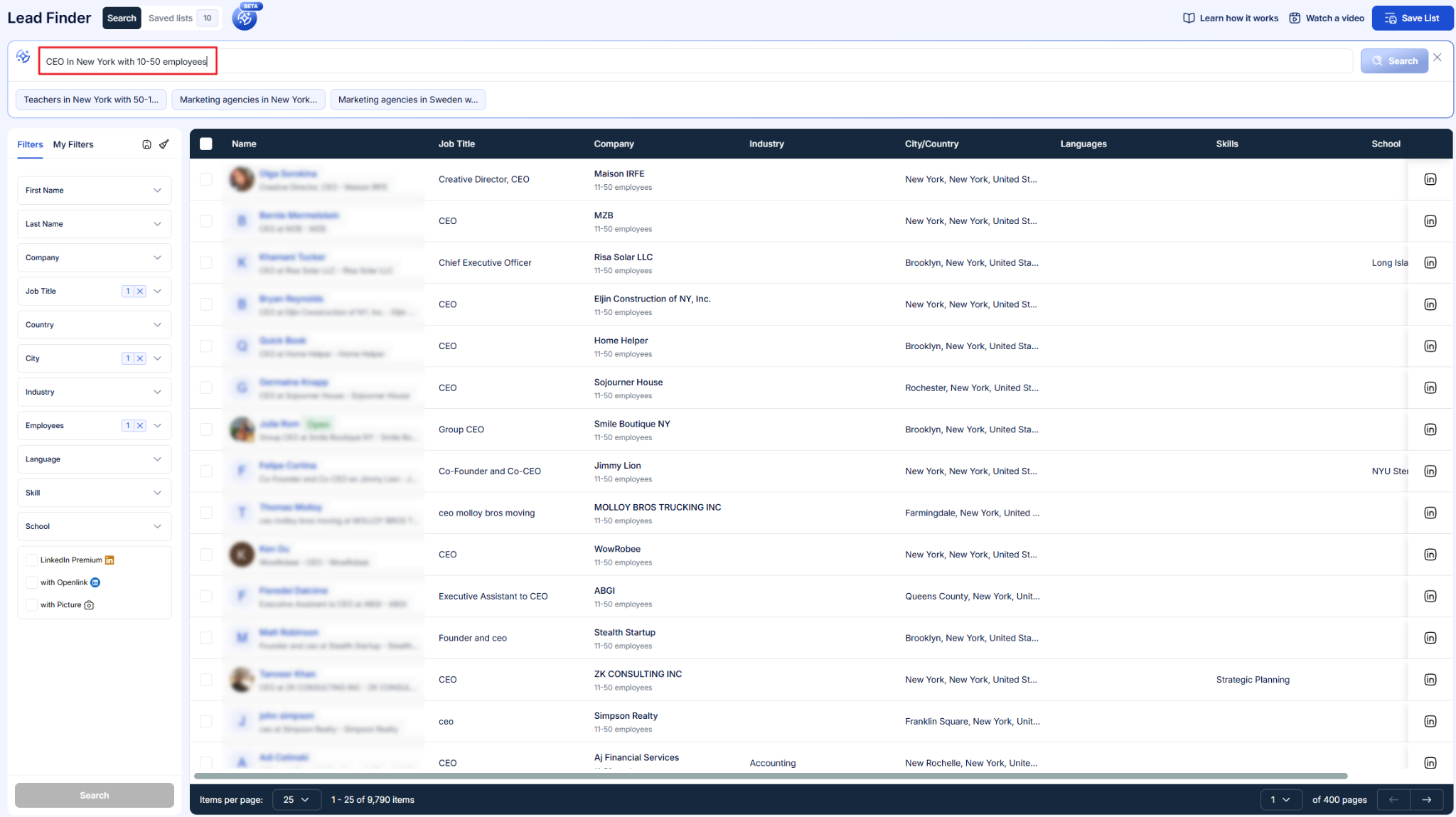
A sample of matching profiles appears before anything is committed, and the finished list drops straight into a campaign at whatever size you set.
Email addresses need one more decision, because Meet Alfred has no email finder.
The email step reaches leads whose address came in the CSV, plus first-degree connections whose contact details the LinkedIn CRM holds.
Both sets can be exported if you'd like to verify them elsewhere first.
Step 3: Write the sequence and launch it
A sequence is an ordered run of steps with a wait set between each one, and it can start blank or from a template someone on your team saved.
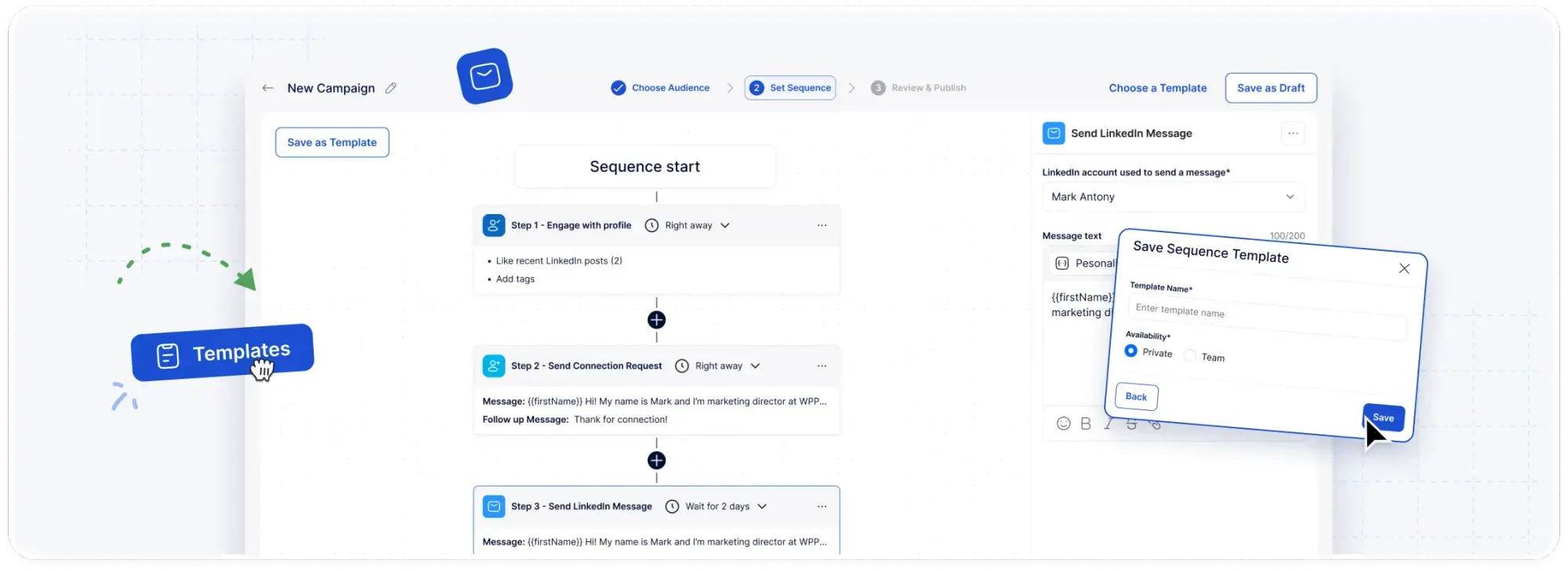
For a webinar push, I'd send a connection request with a note about the topic on day one and invite anyone who accepts to the LinkedIn Event on day three.
The slides go out as an attachment on day eight, and anyone still pending on day twelve gets the email step, provided the CSV carried their address.
Dynamic snippets drop each prospect's name, title, company, and other profile details into the copy, and custom snippets pull in the CSV columns from step two.
The template library is sorted by platform and use case, which helps when a new rep needs a connection note that already works.
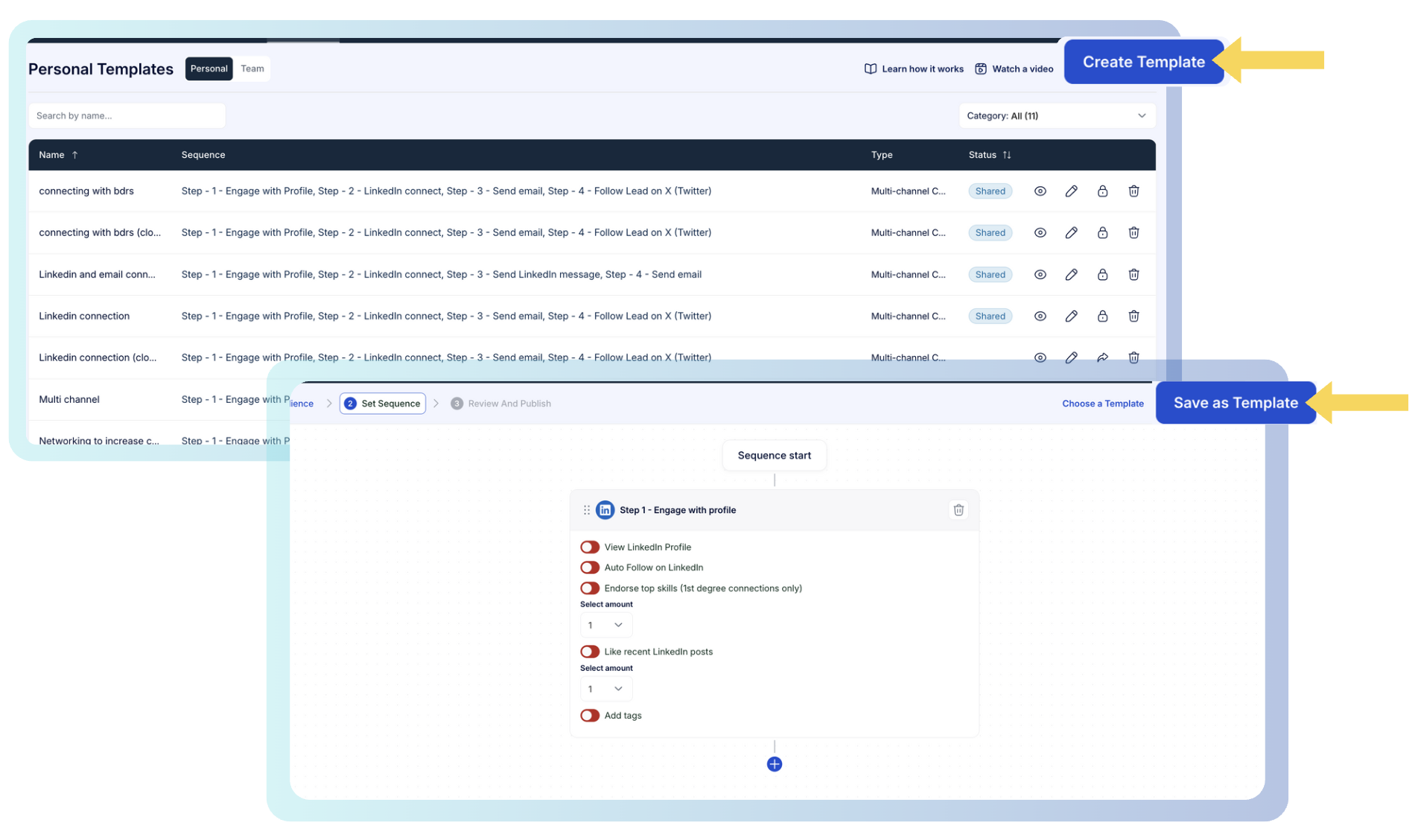
Once launched, the campaign keeps running in the cloud during the working hours you set, whether or not your laptop is open.
Sequences that perform can be saved for yourself or shared with the team, so the next campaign starts from a proven play.
Step 4: Work the replies together
LinkedIn's own inbox gets hard to manage once a few reps share one list.
The Smart Inbox collects every rep's LinkedIn messages and InMails, Sales Navigator conversations included, and shows the contact's job title and company beside each thread.
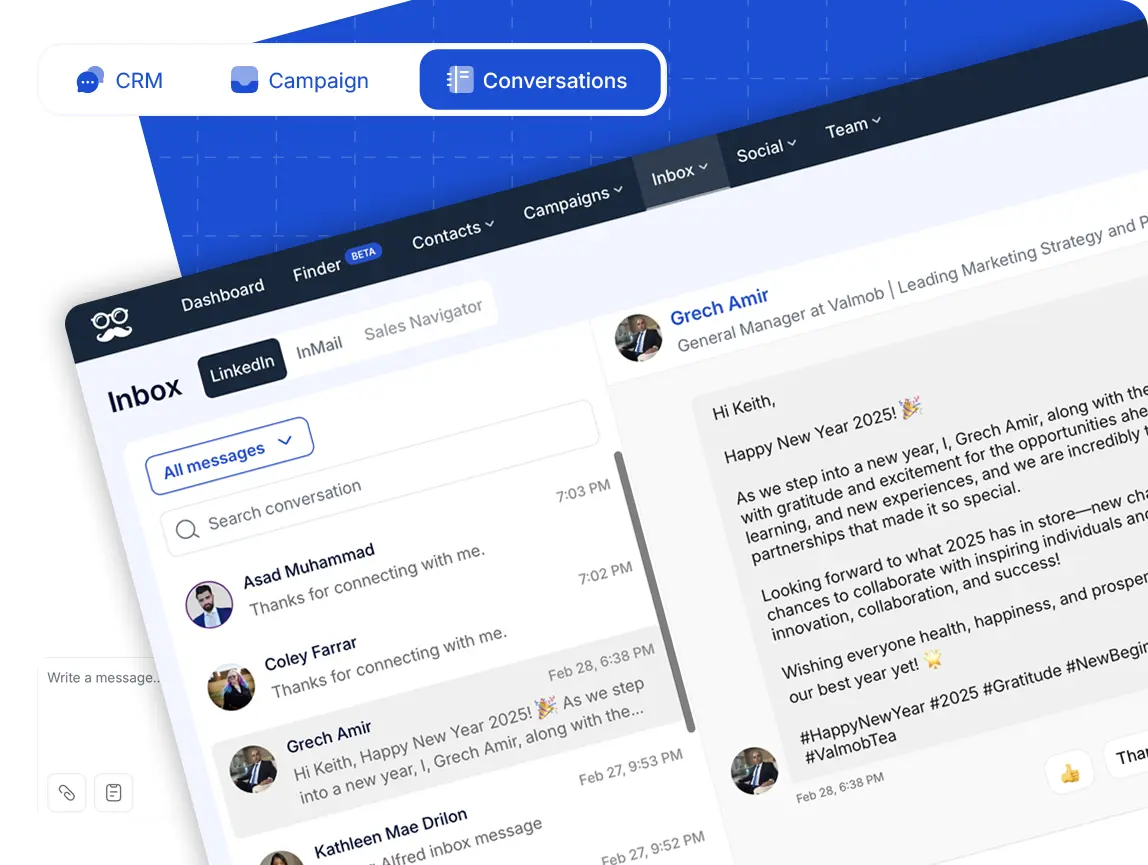
Filters sort conversations by platform or tag, and notes left by a colleague stay attached to the contact.
The moment someone answers, that contact's campaign pauses, so an automated follow-up never lands on top of a live conversation.
Shared reply templates and file attachments speed up the answer, and bulk actions can return a batch of stalled conversations to their sequences or export the replies for your CRM.
Team stats split connection requests and replies by rep, which makes it obvious who needs help with their opener.
Step 5: See which channel brings in the pipeline
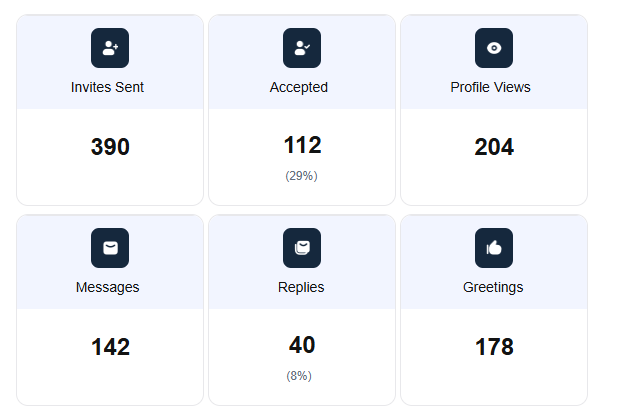
Reporting compares channels side by side, so you can tell whether the email step is pulling its weight or just adding volume.
Lead engagement reports follow each prospect from the first open to a conversion, and the enriched contact data is kept in the built-in CRM.
The dashboard also covers replies, activity, campaign results, and social scheduler analytics, and team data can be exported for a weekly review.
Covering for a rep without sharing a password
Impersonation lets a manager work inside any connected teammate's account from their own login, and no password changes hands.
There are two ways in, starting with the profile bar at the top of the screen, which lists every account you're allowed to switch into.
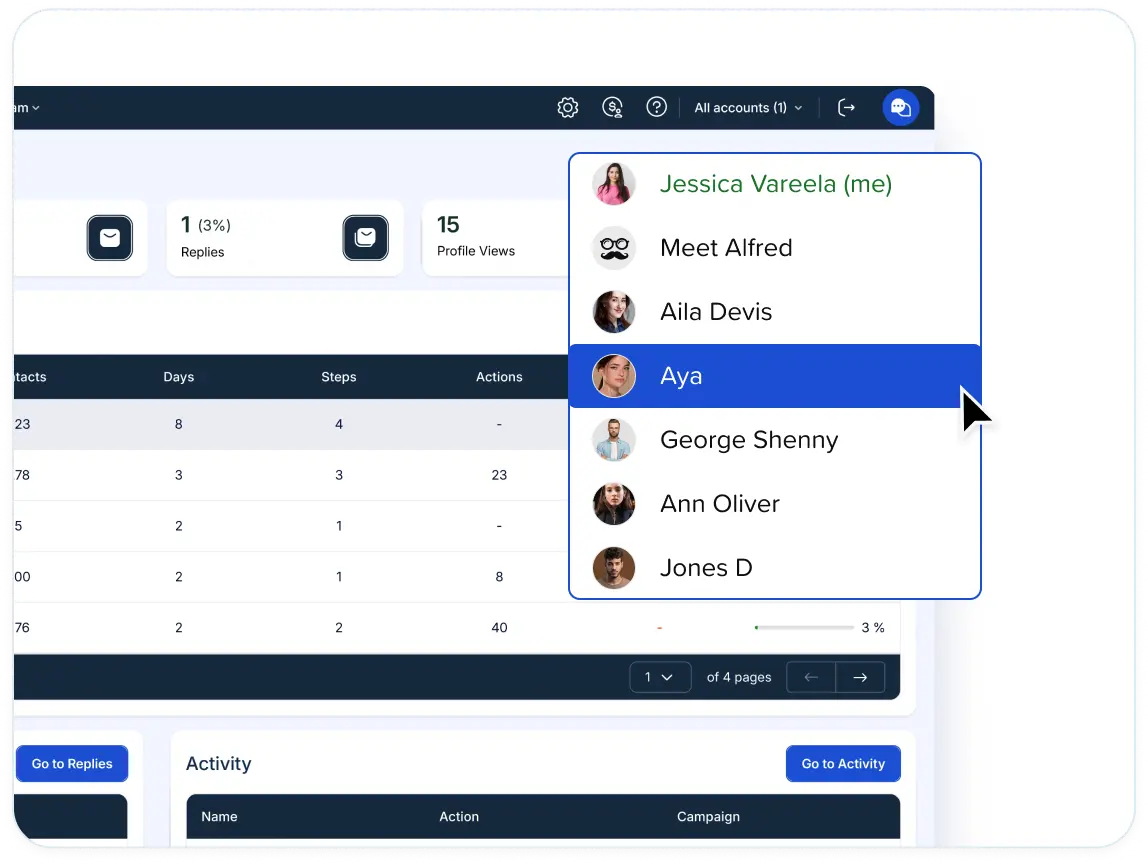
The Team page also has a Manage User control next to each person.
Once inside, you act with that account's permissions, which means building and launching campaigns, setting up integrations, answering leads in the Smart Inbox, and opening the activity log.
I lean on it most when a rep is on holiday and a prospect from their campaign replies, because the answer still comes from the profile the prospect knows.
SalesRobot lists one-click access to team accounts in its plan comparison as well, so the difference here is less about the feature and more about the roles and groups wrapped around it.
Email and X in the same sequence as LinkedIn
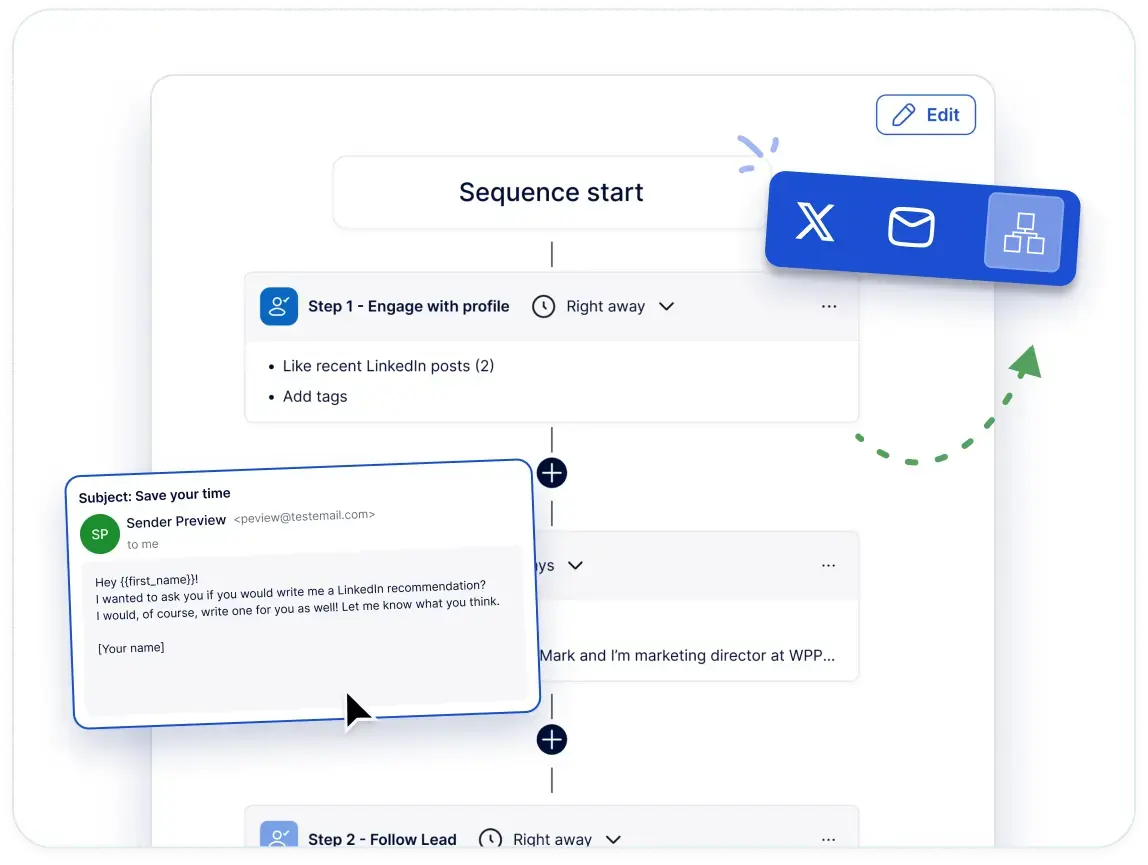
Email and X steps go into the same builder as LinkedIn actions and InMail, so one campaign can follow a prospect across channels.
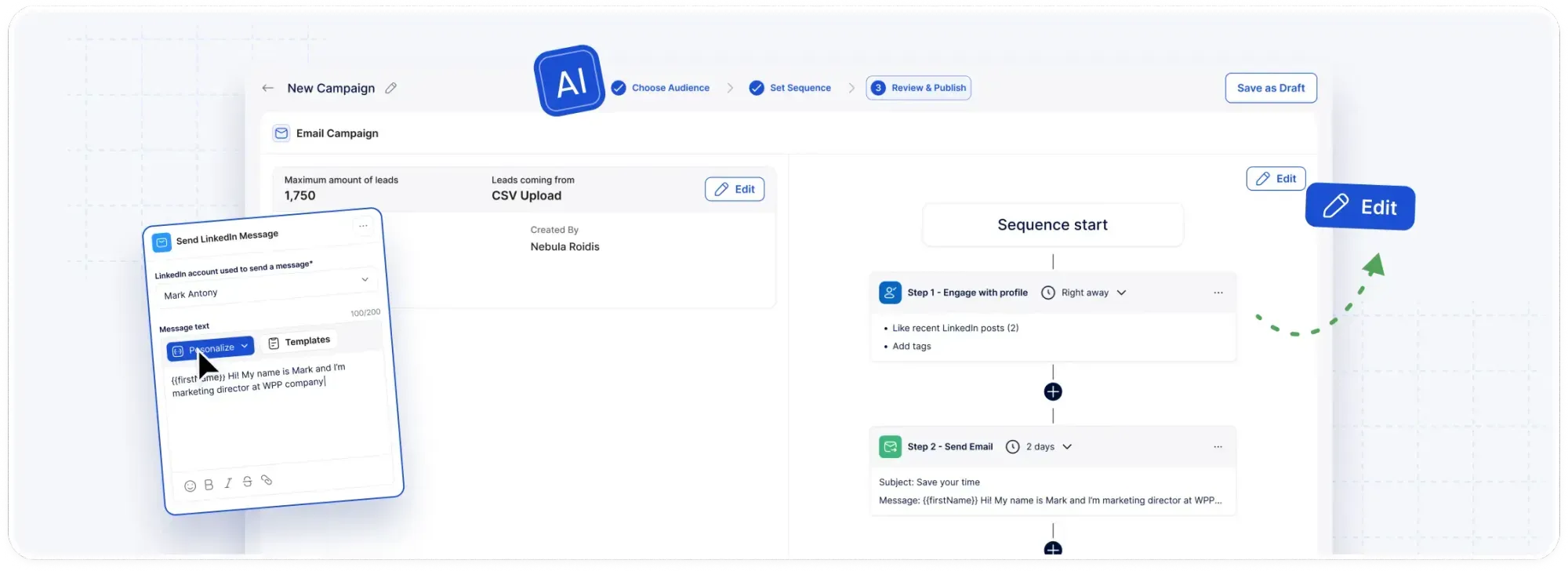
An accepted connection who goes quiet after two LinkedIn messages can get the next touch by email, with no export or second tool in between.
Email sends through a mailbox you already own over SMTP or IMAP, whether that's Gmail, G Suite, Outlook, or another provider using those protocols.
There are no message credits, and daily volume is whatever your own provider allows.
Across those channels, Meet Alfred also handles:
- Sender aliases and signatures: Each email can go out under a sender alias with a personalized signature, which keeps messages from a shared mailbox reading as if one rep wrote them.
- Email tracking: Opens and click-throughs are tracked next to LinkedIn results, and conversions are counted in the same dashboard.
- X steps: Following a target profile can come before the direct message, inside the sequence or as a standalone X campaign.
- Social scheduling: Posts for LinkedIn, Facebook, Instagram, and X go out from one dashboard, with a suggested posting time and analytics on how each post performed.
- Privacy and security: Email data is handled under GDPR and CCPA, and the AWS setup adds end-to-end encryption and DDoS protection.
How is Meet Alfred different from SalesRobot?
SalesRobot leads with AI in the conversation, through its AI Appointment Setter and personalized voice and video notes.
Meet Alfred's emphasis is channel reach, with X outreach and social posting added to LinkedIn and email.
Both platforms, measured against the same criteria:
➡️ SalesRobot's AI Appointment Setter and its voice and video messages have no counterpart in Meet Alfred, and a team whose replies depend on them should weigh that gap first.
Pricing
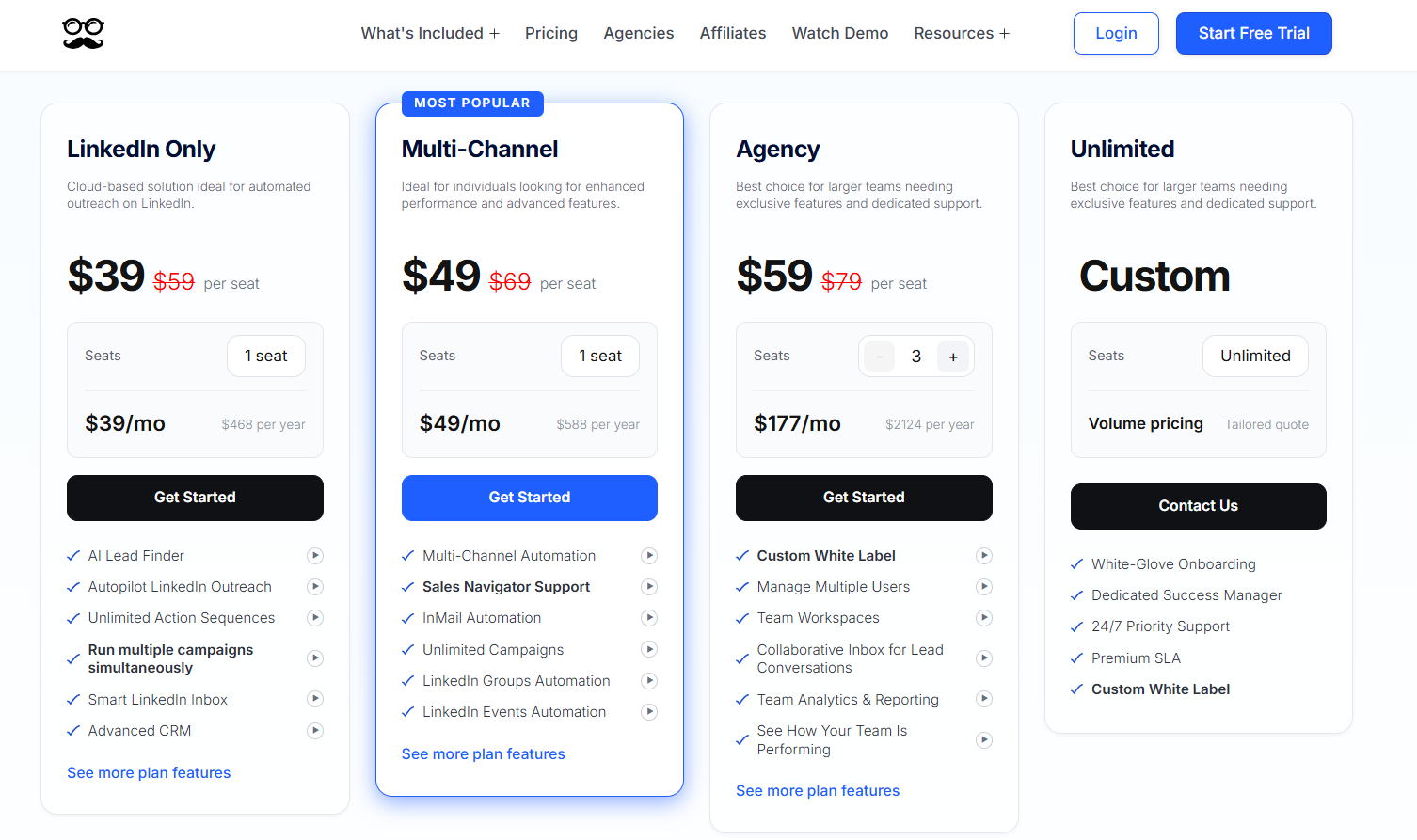
We sell four plans, the cheapest at $39/seat/month billed annually, and any of them can be tested on a 7-day free trial that needs no card.
- LinkedIn Only, $39/seat/month billed annually: automated greetings, templates, the CRM, the Smart LinkedIn Inbox, 1,000 Lead Finder results, and simultaneous sequences of any length on Basic or Premium accounts.
- Multi-Channel, $49/seat/month billed annually: the tier where email and X join LinkedIn, alongside Sales Navigator, InMail, unlimited campaigns, newsletter and event sources, social scheduling, CRM integrations, Zapier, webhooks, and a Lead Finder capped at 5,000 results.
- Agency, $59/seat/month billed annually, three-seat minimum: Multi-Channel plus a collaborative inbox, team workspaces, roles and groups, team analytics, Salesforce and HubSpot, white label, an account manager, priority support, and a Lead Finder capped at 10,000 results.
- Unlimited, custom: round-the-clock priority support, a dedicated success manager, custom white label, a premium SLA, and white-glove onboarding, all on a quote sized to your seat count.
Pros & Cons
✅ Email carries no credit or volume charges.
✅ Automated greetings give reasons to message that aren't a pitch.
✅ Bulk inbox actions put answered leads back into campaigns in one step.
✅ X outreach adds a channel SalesRobot doesn't cover.
❌ No voice or video steps, and no AI appointment setter.
❌ No built-in email finder.
#2: Dripify
Best for: Individual reps and two- or three-person teams who like SalesRobot's tier ladder and want email steps and an email finder from the first paid plan.
Similar to: SalesRobot, Waalaxy.
Dripify charges the same $39 to $79 range per user that SalesRobot charges per LinkedIn account, and Basic on both runs one campaign at a time.
What changes is email: steps and monthly finder credits come with every paid Dripify plan, and its pricing page doesn't list a fee per mailbox.
➡️ Dripify users weighing other options can browse our Dripify alternatives list.
Features
- Step-level reporting: Advanced counts accepted invites and replies at each step, which pinpoints the message where a long sequence loses people.
- Nine lead sources: Lists can come from searches and imports, including people engaging with any LinkedIn post you choose.
- Finder credits on paid plans: Every paid tier includes monthly email finder credits, and a verifier plus around 30 live data points of enrichment complete each record.
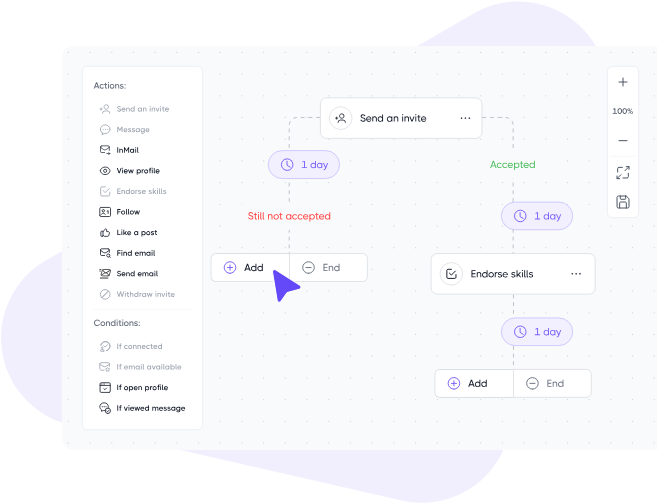
- Visual drip builder: LinkedIn and email steps connect through wait times and branching rules, starting from templates for common plays.
- Backup phrases for missing details: More than 20 variables, an icebreaker among them, can each carry a fallback for profiles that lack the data.
Pricing
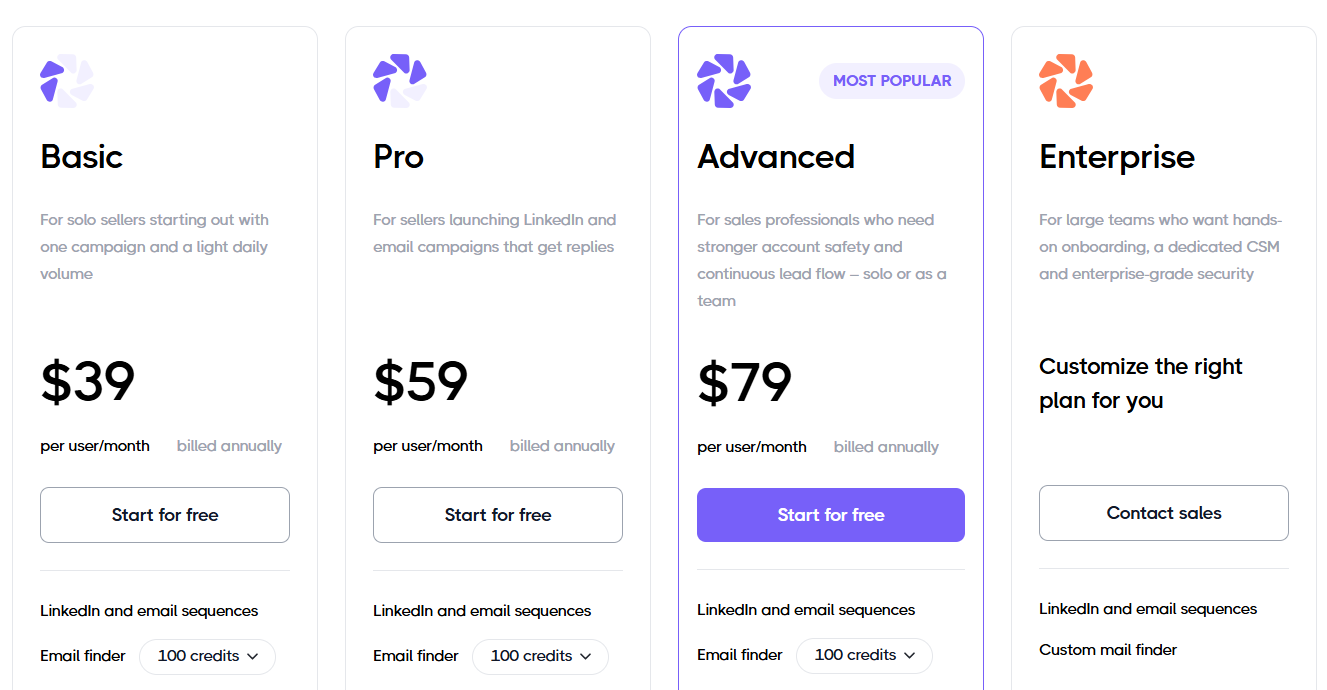
Dripify bills per user, from $39 a month on annual billing or $59 month to month.
- Basic, $39 annually or $59 monthly: a single drip campaign on limited daily quotas, plus templates, analytics, LinkedIn protection, and live support at any hour.
- Pro, $59 annually or $79 monthly: campaigns without limits, full daily quotas, its own inbox, CSV exports, and webhooks.
- Advanced, $79 annually or $99 monthly: step analytics, split tests, lead tags, evergreen leads, tighter LinkedIn protection, and multi-team management.
- Enterprise, custom: premium onboarding and dedicated technical support, overseen by a customer success manager.
Pros & Cons
✅ Email and finder credits start on the cheapest plan.
✅ Beginners pick up the builder quickly.
❌ Basic runs one campaign at a time.
❌ Team features need Advanced.
#3: La Growth Machine
Best for: Small sales teams that want AI-opened LinkedIn voice messages and monthly lead enrichment folded into the price of each sending profile.
Similar to: Lemlist, SalesRobot.
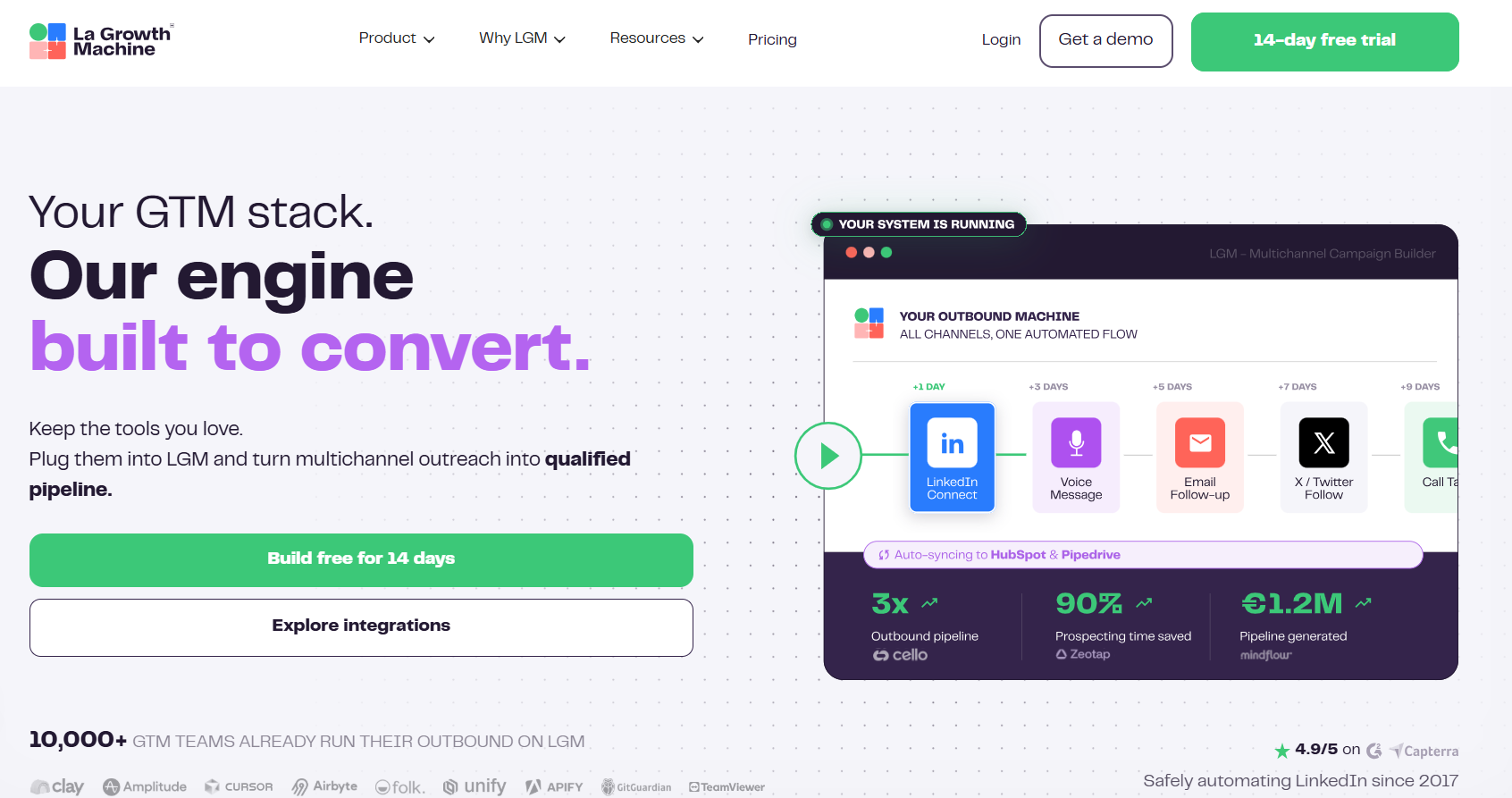
Voice notes are the reason I'd put La Growth Machine on a SalesRobot shortlist.
You record one message, and AI writes a separate opening line for every prospect who receives it.
Enrichment comes with each identity as well, starting at 250 leads a month on Basic with no credit pack to buy.
Calling starts on Pro, which is the tier you'll want if your reps dial prospects.
Features
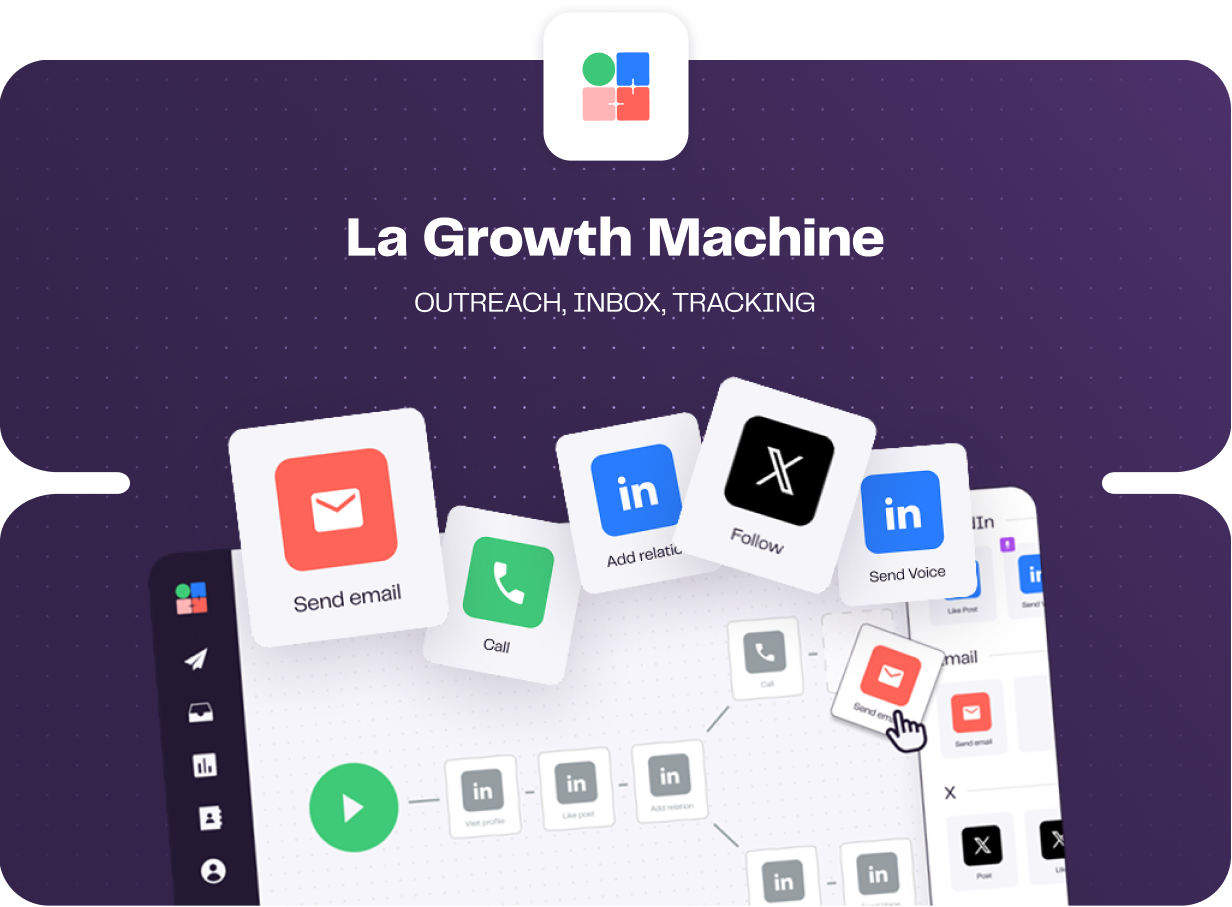
- Calls and X in the sequence: Pro adds phone steps and Ultimate adds X, which brings one flow to four channels.
- Rotating sending addresses: Pro rotates five sending addresses and Ultimate ten, spreading email volume across them.
- Behaviour-based branching: Each lead's path changes with what they do, and split tests compare message copy.
- Two-way CRM sync on Ultimate: HubSpot or Pipedrive stays in step with the status labels set in the shared inbox.
Pricing
Each identity costs $60 a month on Basic, and paying annually removes two months from the bill.
- Basic, $60 per identity: 250 enriched leads a month and a single sending address for LinkedIn and email, capped at three identities and three people on the team.
- Pro, $110 per identity: adds calling, social warming, six active campaigns, five rotating addresses, 400 enriched leads, and up to 25 teammates for free.
- Ultimate, $165 per identity: adds X and two-way HubSpot or Pipedrive syncing, along with 1,000 enriched leads, ten sending addresses, and no cap on campaigns or teammates.
- Agency, custom: quoted once you reach six identities.
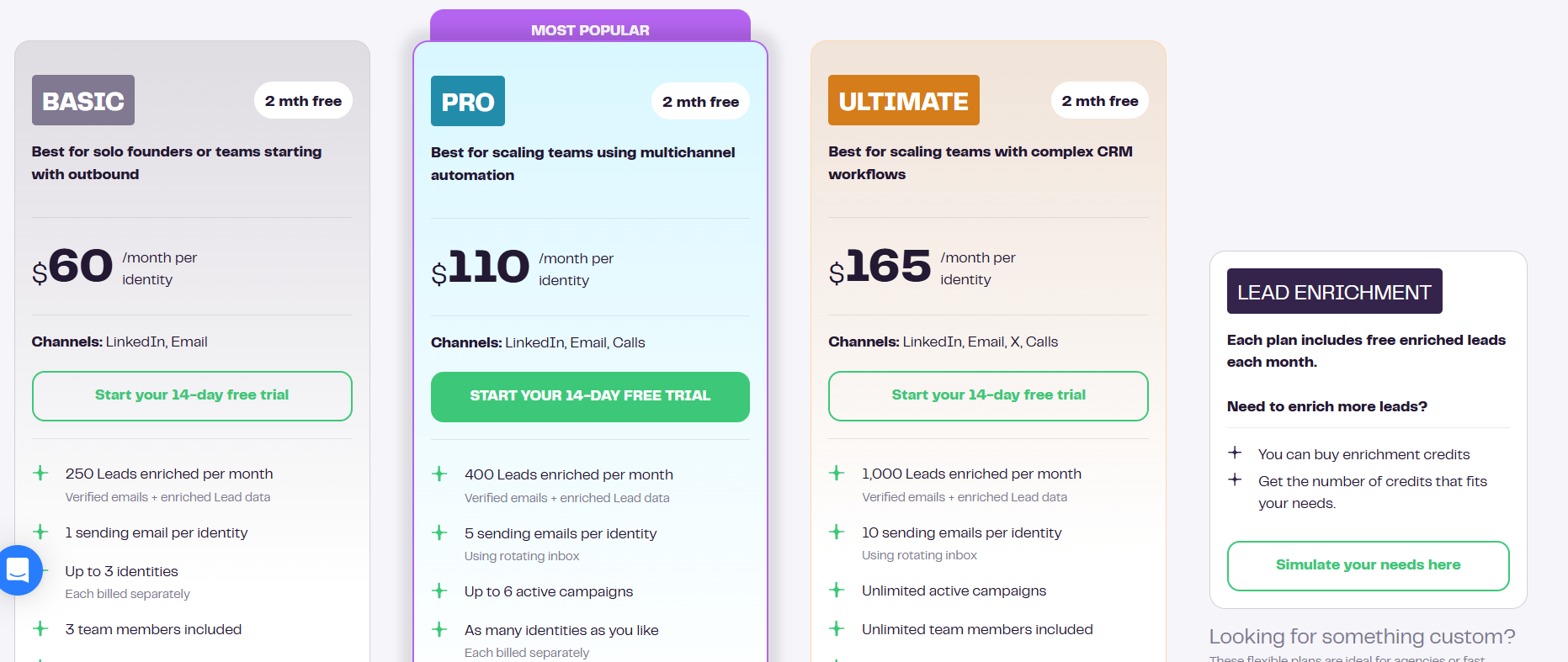
You can run La Growth Machine on a 14-day trial before paying, and no card is needed to start it.
Pros & Cons
✅ Every plan includes enrichment.
✅ Voice notes open with an AI-written line.
✅ Reply-only teammates are free.
✅ The top tier covers four channels.
❌ Sync errors and interface lag during workflow setup, according to a G2 review.
➡️ We cover the platform's own competitors in our La Growth Machine alternatives article.
#4: We-Connect
Best for: LinkedIn-led sales teams and recruiters who want AI handling prospect replies and email follow-ups triggered by what a contact does on LinkedIn.
Similar to: Dripify, Expandi.
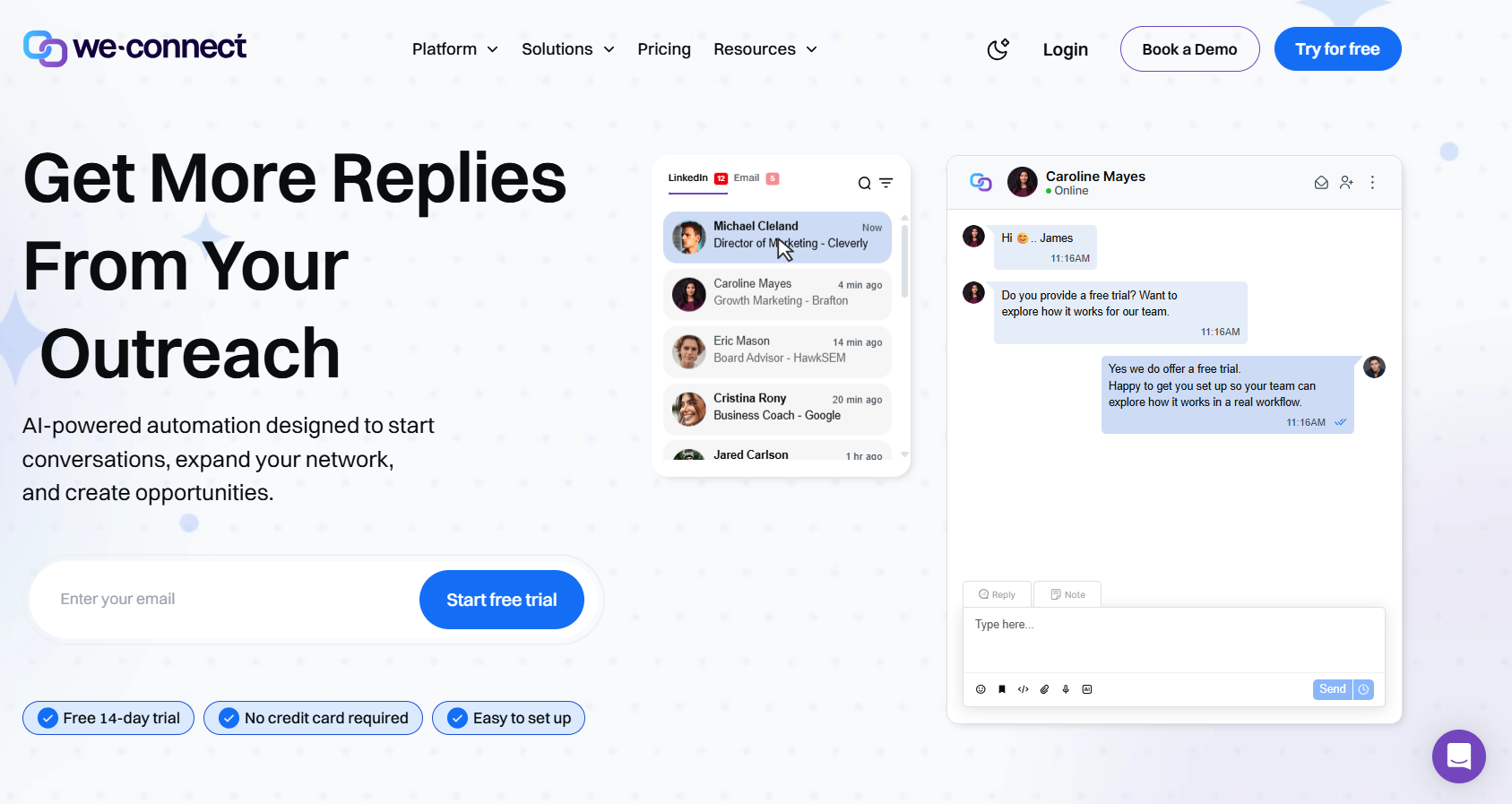
We-Connect's auto-reply is the feature to test if SalesRobot's AI Appointment Setter is what you'd miss, since it answers LinkedIn messages with or without your sign-off.
Email steps need the $59 Professional plan and fire on LinkedIn behaviour.
In my experience, it suits teams that want AI answering on LinkedIn and only a few email follow-ups.
Features
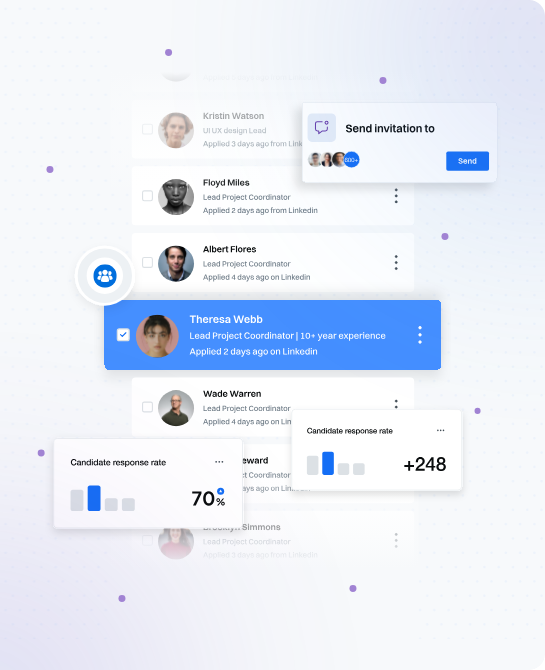
- Two auto-reply modes: Co-pilot mode waits for your approval, and autonomous mode answers on its own.
- AI Assist: Drafts connection notes and follow-ups from each contact's profile, using icebreakers and spintax.
- Native CRM syncs: Salesforce, HubSpot, Pipedrive, and Zoho on Professional, plus Slack notifications for campaigns.
- Post Remix add-on: Post scheduling sold at an introductory $16/seat/month and included in the upcoming Scale plan.
Pricing
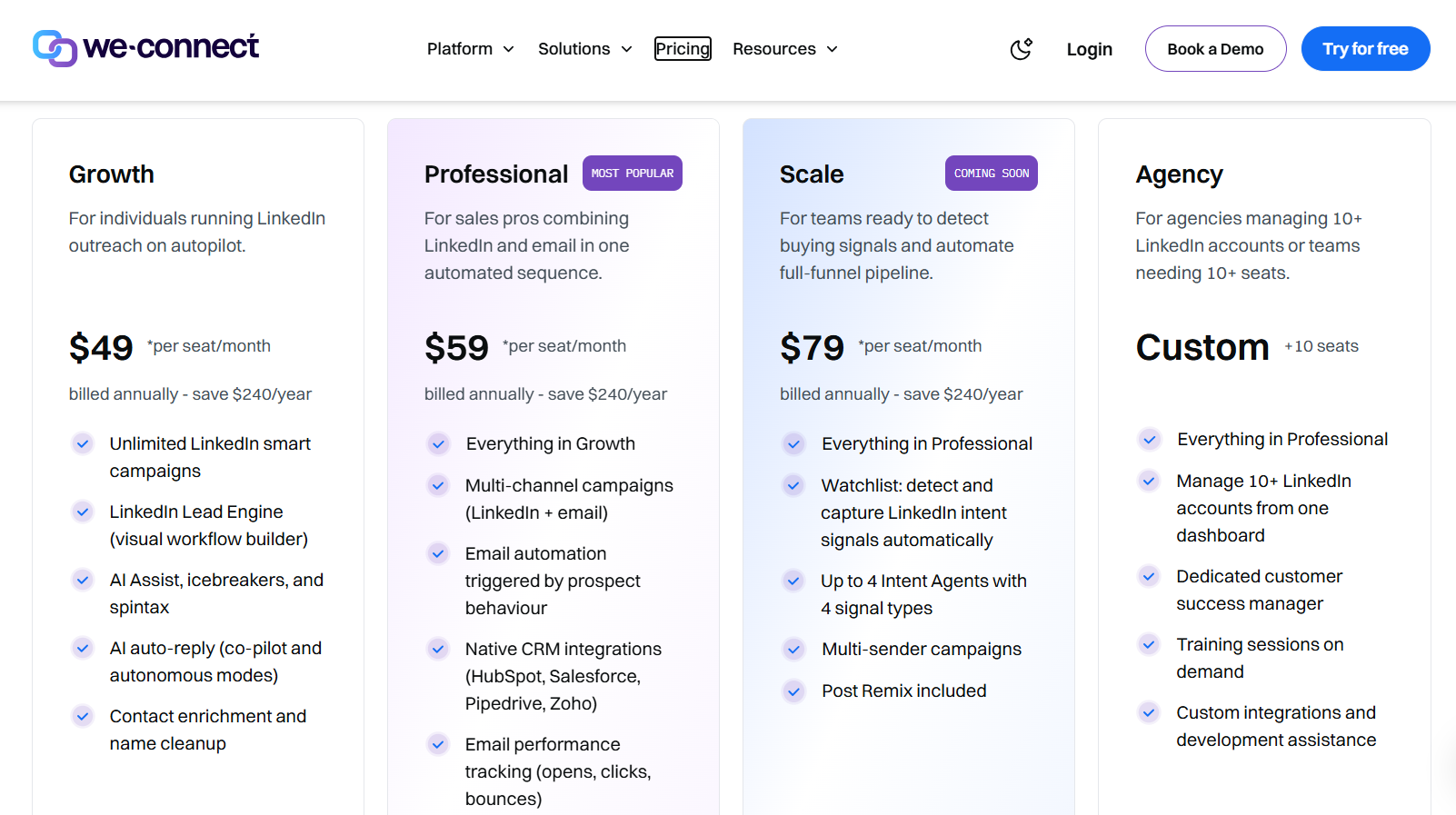
A Growth seat costs $49 a month on annual billing, and email starts on Professional at $59.
- Growth, $49/seat/month billed annually: unlimited LinkedIn smart campaigns, AI Assist, AI auto-reply, contact enrichment, and the Lead Engine, still in beta.
- Professional, $59/seat/month billed annually: LinkedIn and email in the same campaigns, behaviour-based email triggers, email tracking, and native CRM integrations.
- Scale, $79/seat/month billed annually: not launched yet, and set to bring intent-signal capture, up to four intent agents, Post Remix, and campaigns that send from several profiles.
- Agency, custom from ten seats: ten or more LinkedIn accounts in one dashboard, a customer success manager of your own, on-demand training, and custom development support.
There's a 14-day trial with no card required.
Pros & Cons
✅ Co-pilot mode keeps a person approving every AI reply.
✅ Zoho is among the native CRM syncs.
❌ The entry plan has no email.
❌ Post scheduling is a paid add-on.
#5: Expandi
Best for: Sales teams that want email follow-ups and account protection on one plan, without climbing a tier ladder.
Similar to: Dripify, We-Connect.
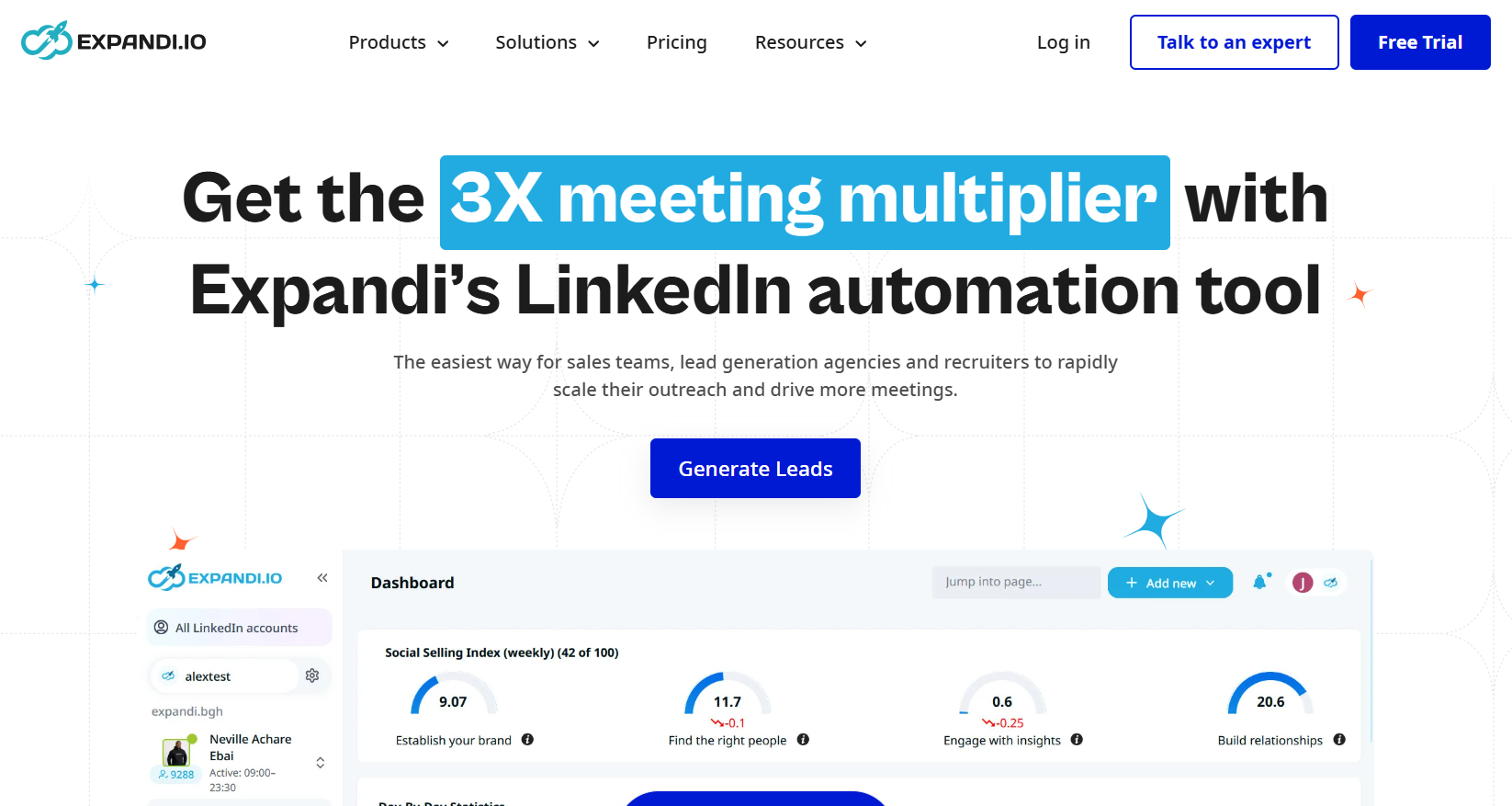
Expandi publishes a single plan at $79 a month, and email follow-ups, unlimited campaigns, per-step statistics, and the protection layer all come with it.
SalesRobot users who rely on video messages can get personalized video here through Sendspark, at an extra cost.
➡️ Teams who like Expandi's branching can compare similar tools in our Expandi alternatives roundup.
Features
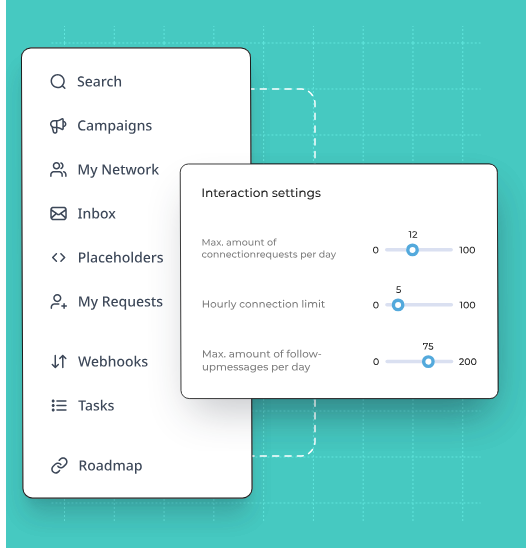
- Warm-up for new profiles: New accounts ramp up gradually behind a regional IP, inside randomized daily ranges.
- Profile views ahead of the request: A view or a post like can come first, so prospects recognize the name on the connection request.
- Sendspark video: Personalized video in LinkedIn messages, billed as an add-on.
- Agency workspace: The agency tier, quoted from ten seats, adds roles, client reports, shared templates, and white label.
Pricing
Expandi's Business plan costs $79 a month, and annual billing takes two months off.
- Business, $79/month: unlimited campaigns, email follow-ups, every protection feature, scheduling, blacklisting, campaign prioritization, the sequence builder, and statistics per step.
- Agency, quoted from ten seats: roles by permission level, one place for every campaign, client reports, template sharing, a dedicated success manager, and white label.
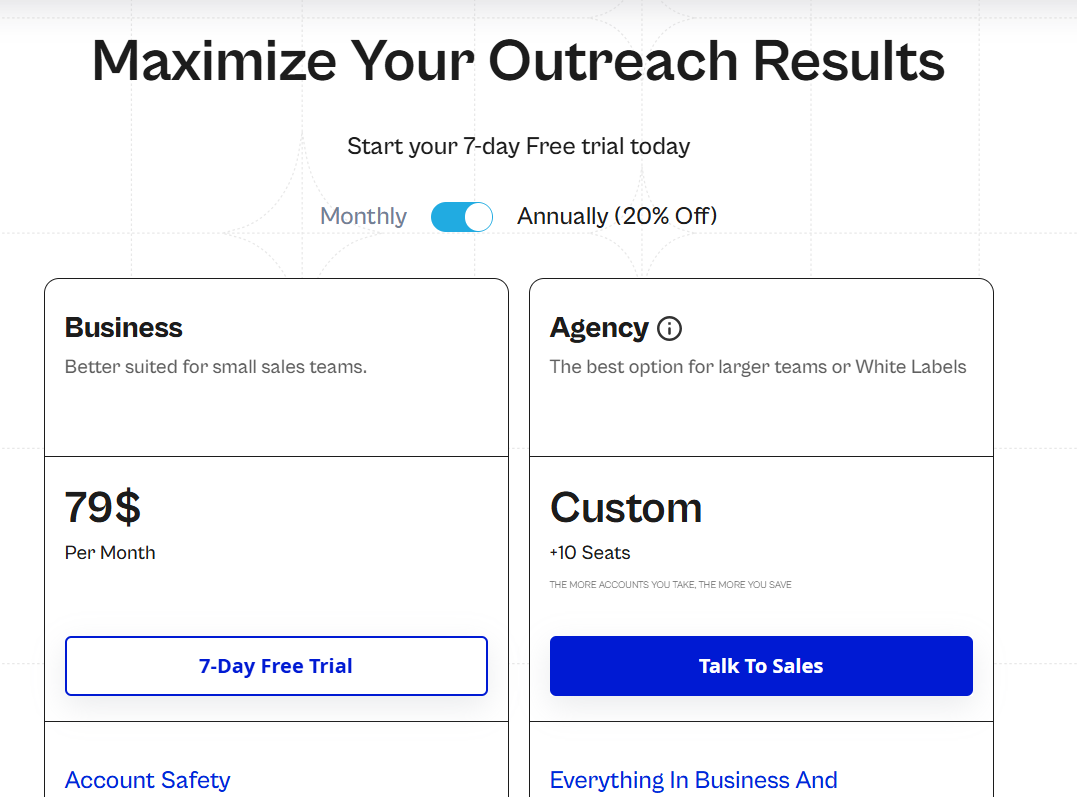
You can trial Expandi free for 7 days.
Pros & Cons
✅ No tier ladder to climb for email follow-ups.
✅ Regional IPs and warm-up protect every profile.
❌ Sendspark and Hyperise are billed separately.
❌ Agency features start at a ten-seat quote.
#6: Lemlist
Best for: Email-first teams that want inbox placement tools in the platform and phone steps next to LinkedIn.
Similar to: Reply.io, Salesforge.
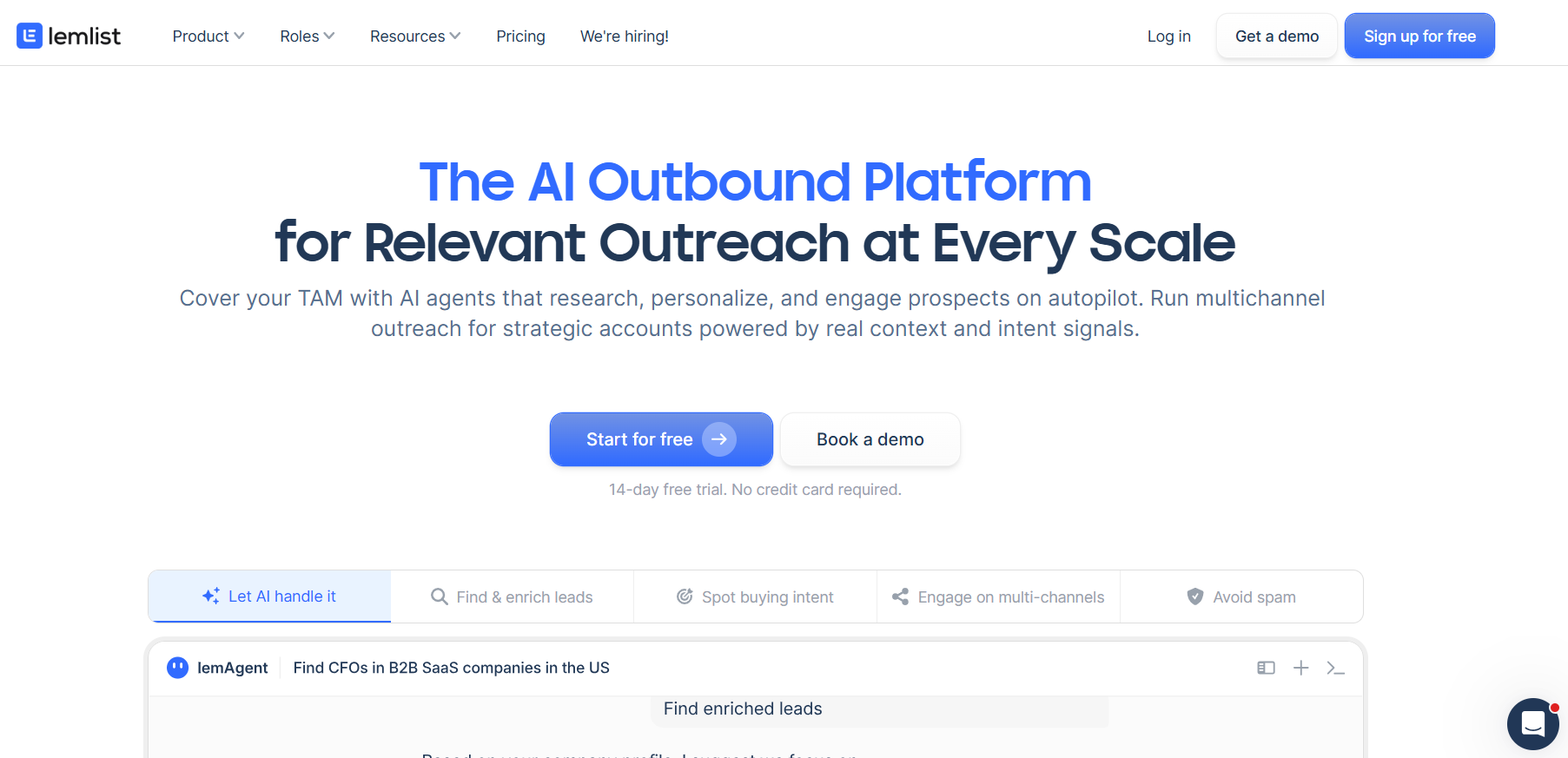
Lemlist meters email by volume, 50,000 messages a month on the Email plan, and puts no cap on users or senders.
LinkedIn comes in on Multichannel at $87 per user a month billed yearly, alongside a dialer and SMS.
When spam folders cost you more replies than LinkedIn acceptance does, Lemlist's deliverability tooling is the reason to look closer.
Think of it as the email-first counterpart to SalesRobot.
Features
- Inbox placement tools: Warm-up, rotation between inboxes, sending limits, and DNS checks warn you before a mailbox's reputation slips.
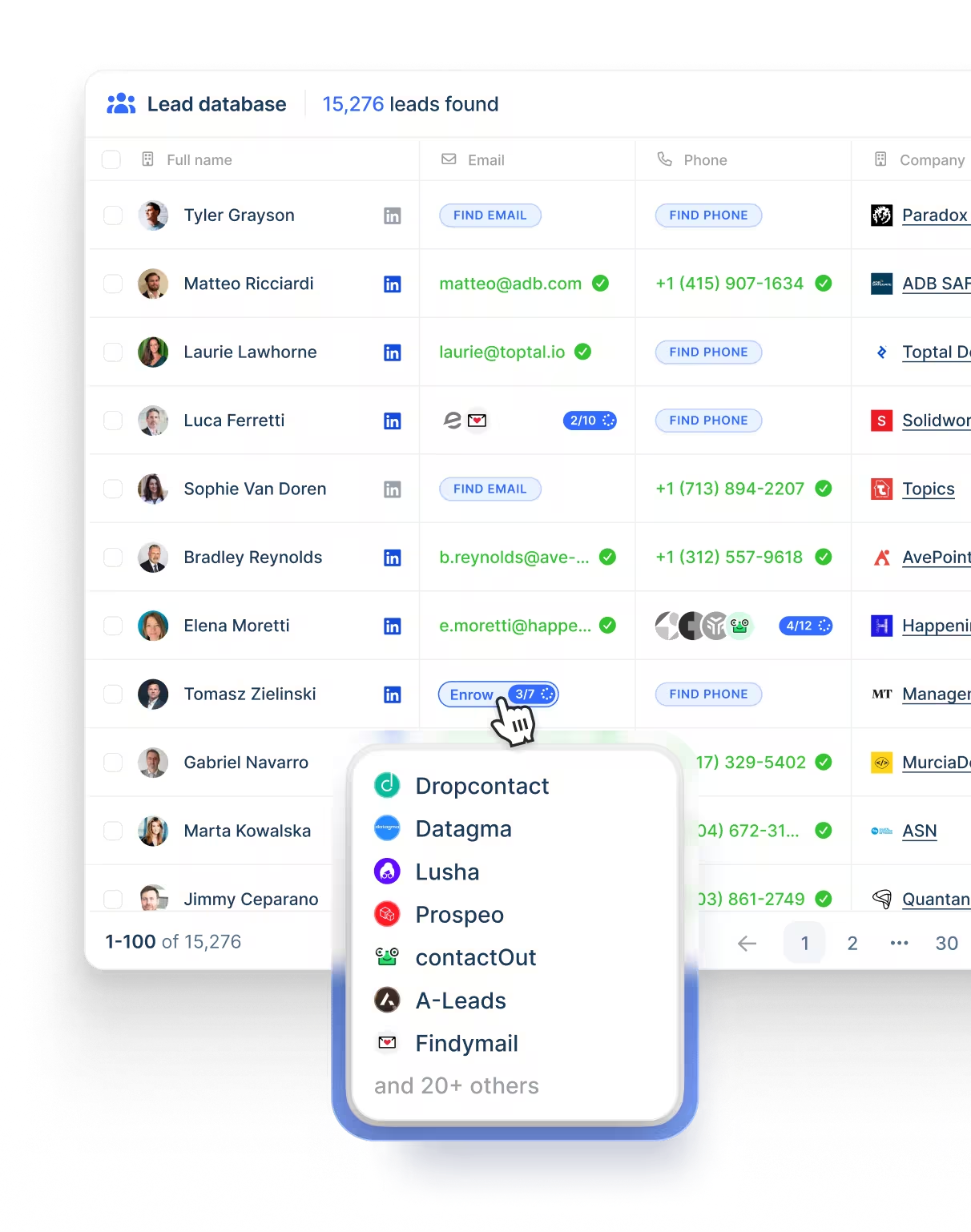
- Verified contact lookups: Emails cost five credits and phone numbers 20, drawn from a database of over 650 million records.
- WhatsApp and voice steps: LinkedIn voice notes and WhatsApp messages can join a sequence, WhatsApp as a paid add-on.
- lemAgent research: An agent researches each account and tidies the data before a sequence starts.
Pricing
Lemlist starts at $55 a month billed yearly for email, and LinkedIn begins on Multichannel.
- Email, $55 yearly or $69 monthly: 50,000 messages a month across unlimited users and senders, with the Deliverability Hub and contact database included.
- Multichannel, $87 per user yearly or $109 monthly: five senders per user, SMS, a dialer, LinkedIn automation, and unlimited messages, with WhatsApp available at extra cost.
- Enterprise, custom: SSO, roles you define, a named account manager, and priority support.
- Credits: contact lookups cost five credits per verified email and 20 per phone number, and intent signals are priced separately from 20.
Lemlist's trial runs for two weeks.
Pros & Cons
✅ No user or sender cap on the Email plan.
✅ Warm-up ships with the platform.
✅ WhatsApp and calling can join LinkedIn steps.
✅ An agent researches accounts before outreach.
❌ LinkedIn requires the pricier plan.
➡️ Our Lemlist alternatives list covers the tools email-first teams compare it with.
#7: Reply.io
Best for: Sales teams that want calling and messaging channels beside LinkedIn and email, and Jason AI SDR available as they grow.
Similar to: Salesforge, Lemlist.
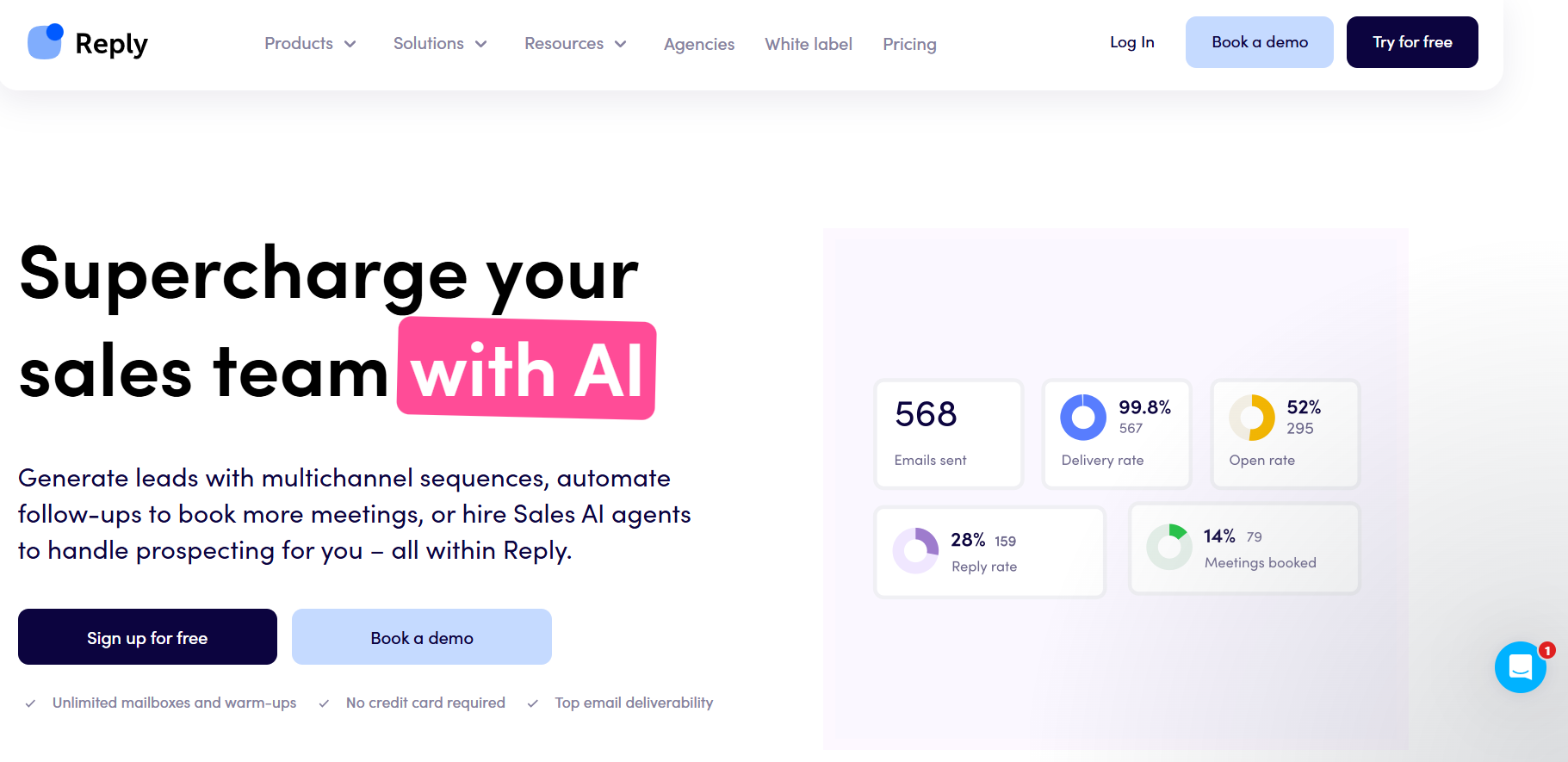
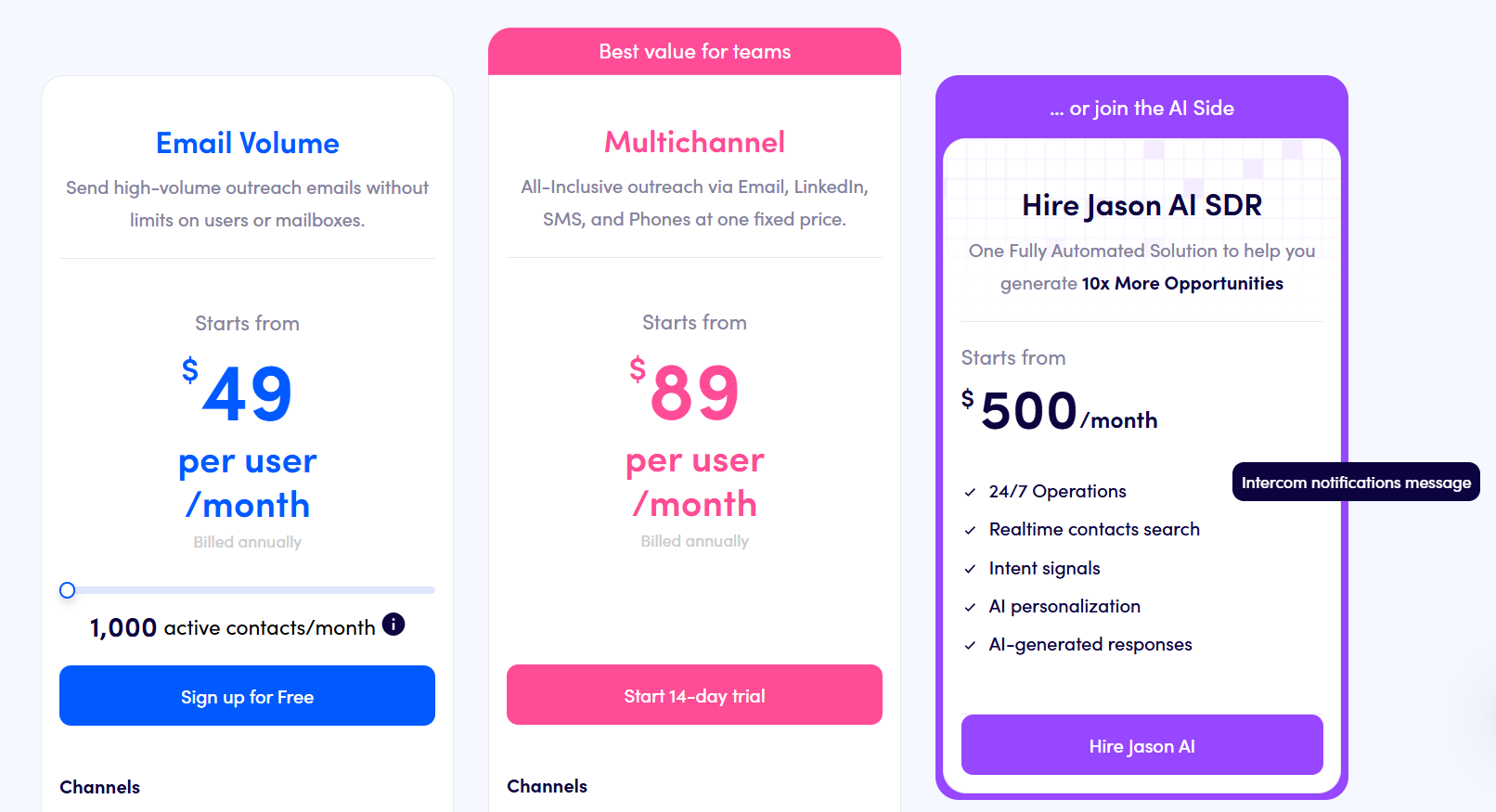
Jason AI SDR is the main reason a SalesRobot user would look at Reply.io.
It runs prospecting and replies on autopilot or copilot from $500 a month, covering more of the process than an appointment setter.
Before picking between Email Volume and Multichannel, you'll want to count LinkedIn accounts, because one plan charges for each and the other bundles them.
Features
- MCP server: Campaigns and results are open to any MCP client, Claude Code and Cursor included.
- Jason AI SDR: AI-run prospecting and replies on autopilot or copilot, priced as its own plan.
- SMS and semi-automated WhatsApp: Text messages and WhatsApp steps run alongside LinkedIn and email on Multichannel.
- Approval queue for LinkedIn: Any LinkedIn action, from invites to voice notes, can wait as a manual task for a rep to approve.
Pricing
Reply.io splits its pricing between email volume and channel coverage, starting at $49 a month.
- Email Volume, from $49/month: unlimited users and mailboxes up to 1,000 active contacts; LinkedIn adds $69/month per account, and calling with SMS adds $29/month per user.
- Multichannel, from $89/user/month billed annually: LinkedIn, calls, SMS, and semi-automated WhatsApp, plus ten mailboxes per user.
- Jason AI SDR, from $500/month: prospecting and replies handled by AI.
- Agency Core, from $210/month: client workspaces and an agency dashboard, plus optional white label and unlimited mailboxes.
Reply.io's 14-day trial runs without a card on file.
Pros & Cons
✅ AI prospecting without a second vendor.
✅ Warm-up included on every mailbox.
❌ No unified outbox, according to one G2 reviewer.
#8: Salesforge
Best for: Email-led teams that want unlimited mailboxes and warm-up in one price and LinkedIn senders from the same vendor.
Similar to: Lemlist, Reply.io.
Mailboxes are where Salesforge differs most from SalesRobot, because both paid plans include as many as you connect and warm-up costs nothing extra.
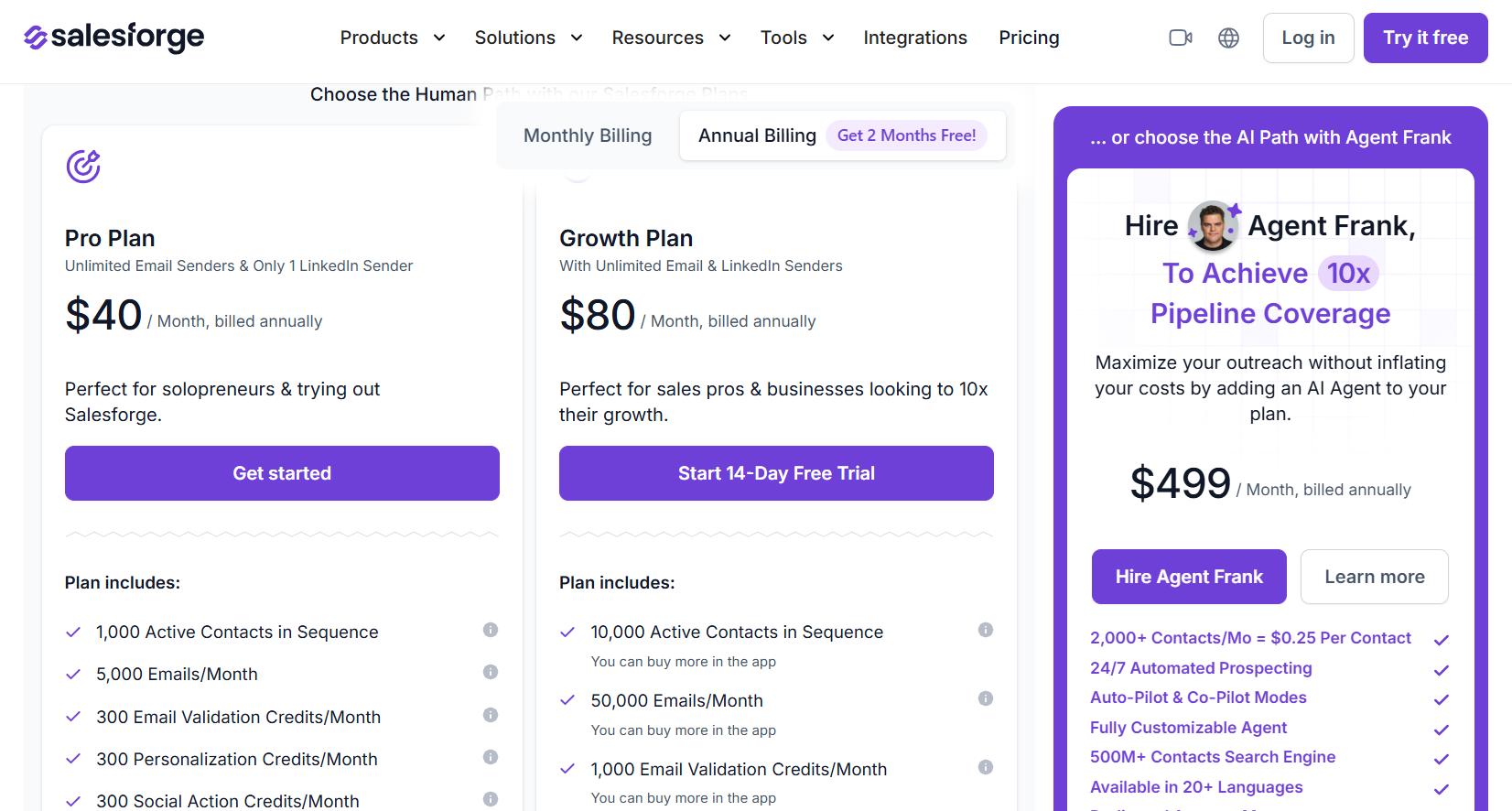
LinkedIn senders start at one on the $40 Pro plan billed annually and become unlimited on Growth at $80.
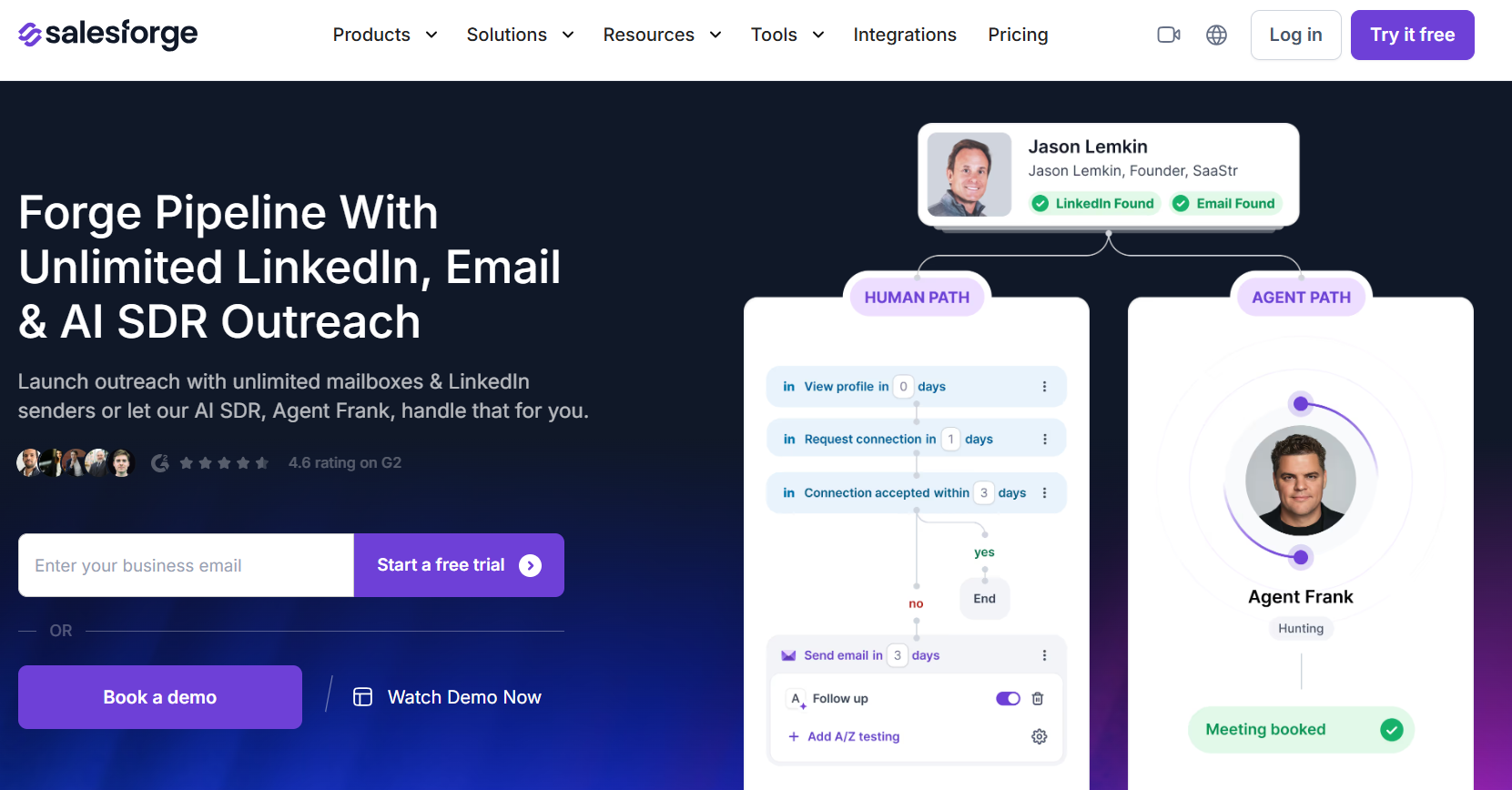
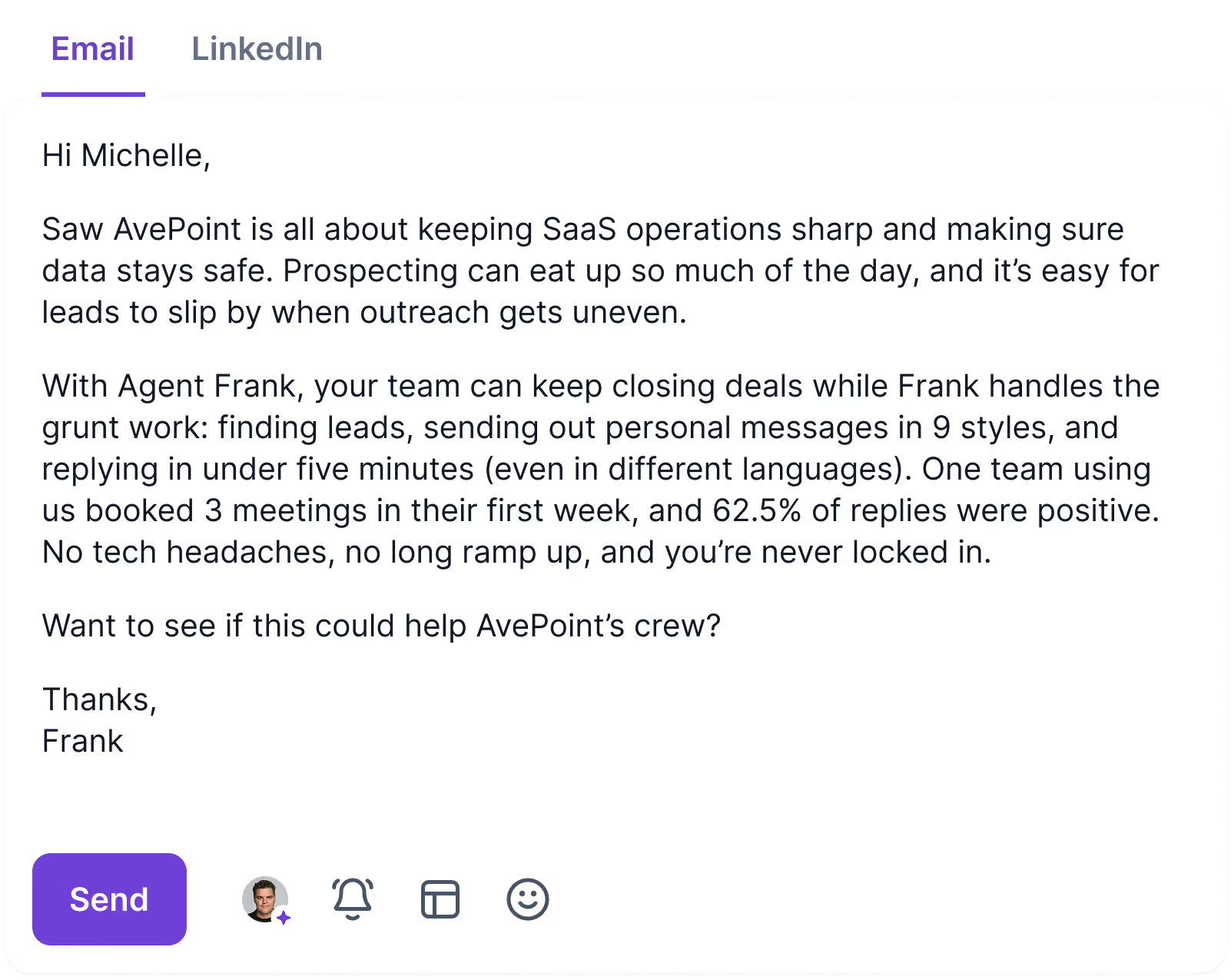
Agent Frank, the AI SDR, starts at $499 a month for teams that want AI running prospecting through to booked meetings.
➡️ For other email-led platforms, see our Salesforge alternatives piece.
Features
- No per-mailbox fee: Both paid plans include unlimited mailboxes.
- Primebox: One reply view for both channels that keeps a thread together across a prospect's different addresses.
- Warmforge: Free warm-up for every mailbox, plus placement tests and domain health alerts.
- Split tests and API: Growth adds split testing and API access, alongside sequences in several languages.
Pricing
Salesforge's Pro plan is $40 a month on annual billing, and the AI SDR is priced separately.
- Pro, $40/month billed annually: unlimited mailboxes and premium warm-up for one user and one LinkedIn sender, with 5,000 emails and 1,000 active contacts a month.
- Growth, $80/month billed annually: priority support, API access, split testing, and multi-language sequences, with no limit on users or LinkedIn senders and room for 50,000 emails and 10,000 active contacts.
- Agent Frank, from $499/month billed annually: an AI SDR working 2,000 contacts a month, with an account manager reachable in a shared Slack channel.
- Credits on Growth: separate 1,000-credit monthly pools cover email validation, personalization, and LinkedIn social actions.
Pros & Cons
✅ Warm-up and mailboxes add nothing to the bill.
✅ Replies from email and LinkedIn share one thread.
❌ Personalization and social actions spend credits.
❌ The product family can take time to learn.
#9: Sbl.so
Best for: Founders without an SDR who want AI to work LinkedIn conversations through to a booked call and don't need email yet.
Similar to: Reply.io, Salesforge.
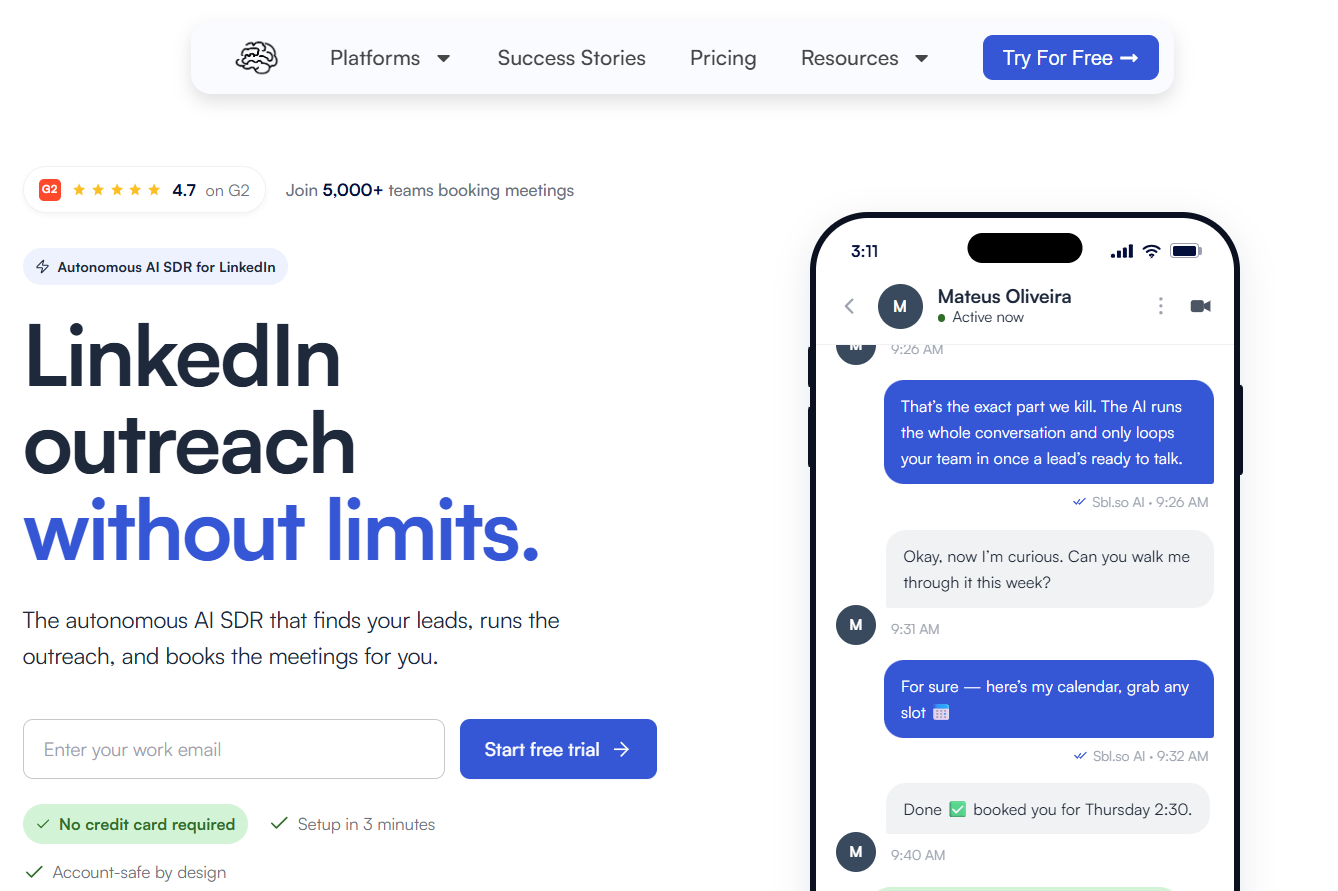
Sbl.so takes AI appointment setting further than SalesRobot, running everything from list building to the booked meeting, and Pro sends voice messages in an AI clone of your own voice.
Email isn't available yet, which is the gap I'd weigh before moving a LinkedIn and email workflow across.
Features
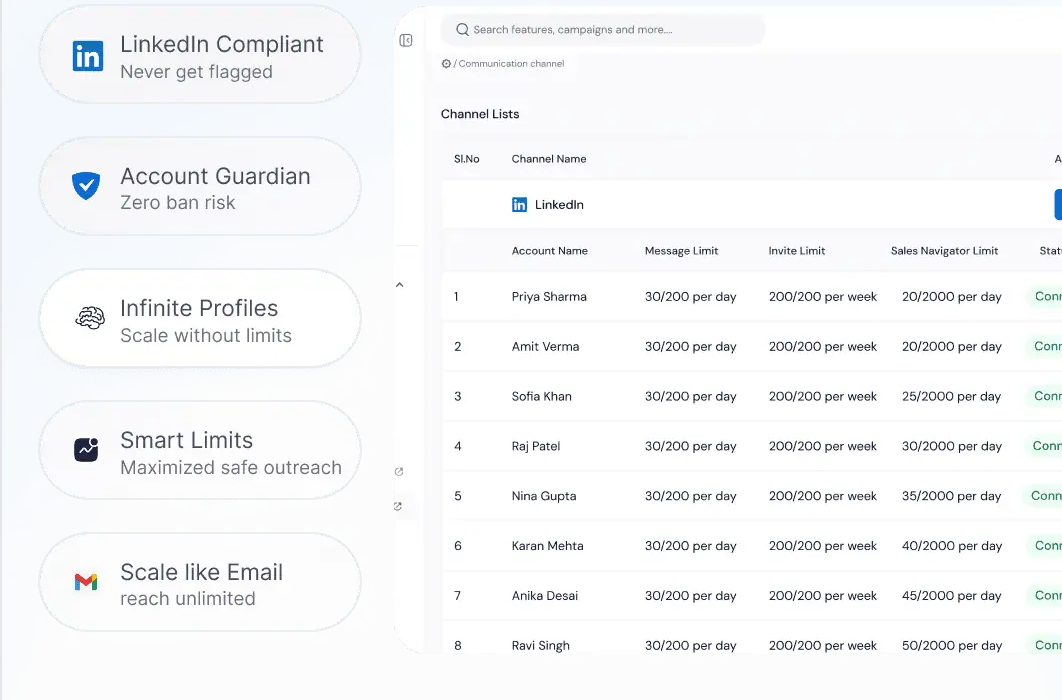
- Pre-warmed sending profiles: Volume runs through profiles Sbl.so supplies, which keeps your own account out of it.
- Competitor monitoring on Pro: Pro adds competitor tracking to job-change and funding signals.
- Booked meetings from AI threads: The AI replies in over 100 languages and books calls, handing warm leads to a person.
- Sales Navigator extraction: Starter includes Sales Navigator extraction and workspaces without limits.
Pricing
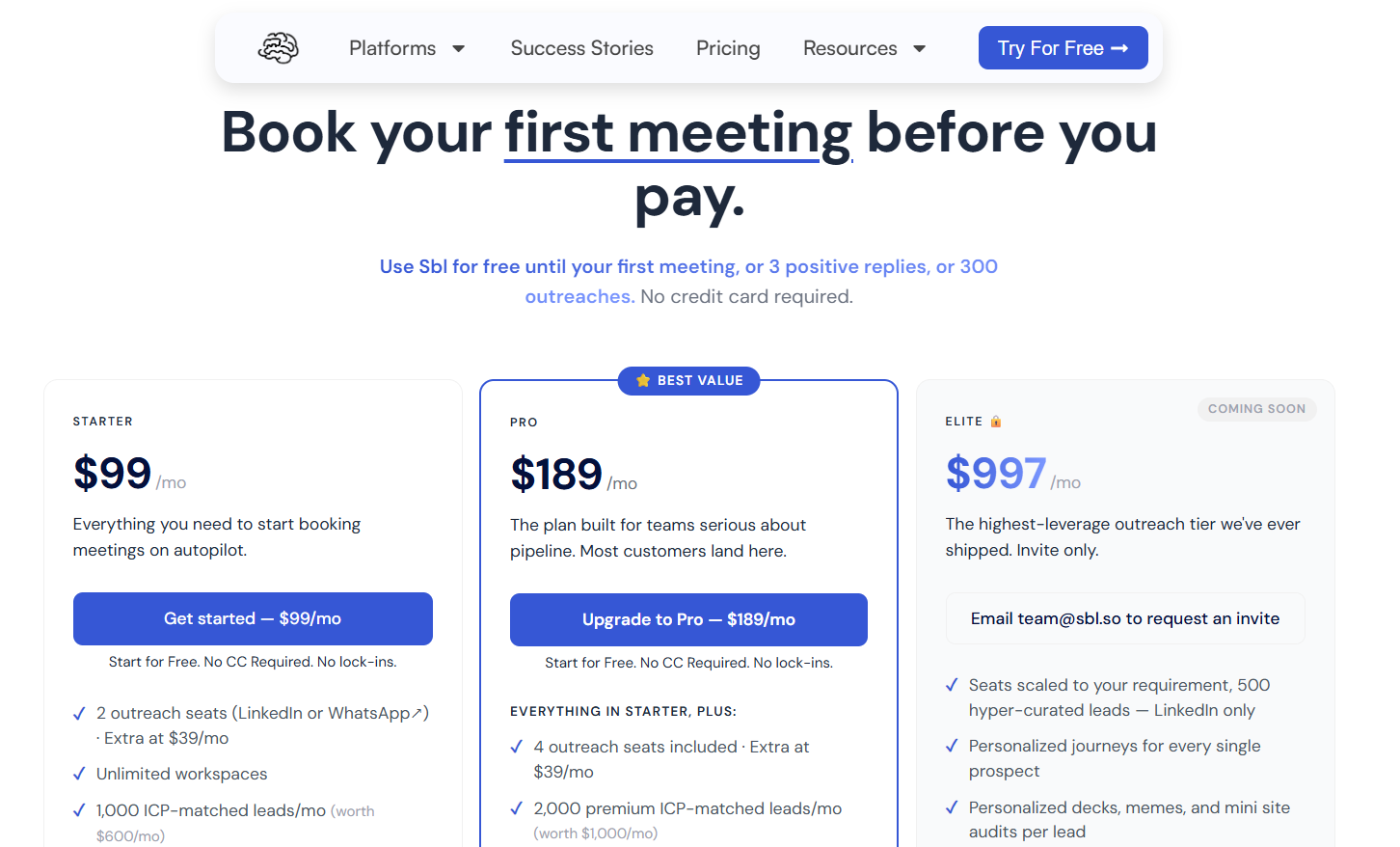
Starter costs $99 a month for two outreach seats, and additional seats are $39 each.
Seats map to one LinkedIn or WhatsApp account each, and trial access stays free until your first meeting, unless three positive replies or 300 outreaches come first.
- Starter, $99/month: two seats, 1,000 ICP-matched leads monthly, signals from your posts, AI replies across more than 100 languages, unlimited workspaces and Sales Navigator extraction, and two team members.
- Pro, $189/month: four seats, 2,000 premium leads, competitor, funding, and job-change signals, voice cloning, custom webhooks, an exportable CRM, and room for ten team members.
- Elite, $997/month: listed as coming soon and open by invitation, centered on 500 curated LinkedIn leads with a personalized journey per prospect.
- Enterprise, custom: built around a specific workflow or compliance requirement.
Pros & Cons
✅ The AI can carry a thread to a booked call.
✅ Signal-based lists refresh daily.
❌ No email channel yet.
#10: Waalaxy
Best for: First-time users who want a LinkedIn campaign running from a template today and plan to add cold email on the top tier.
Similar to: Dripify, Lemlist.
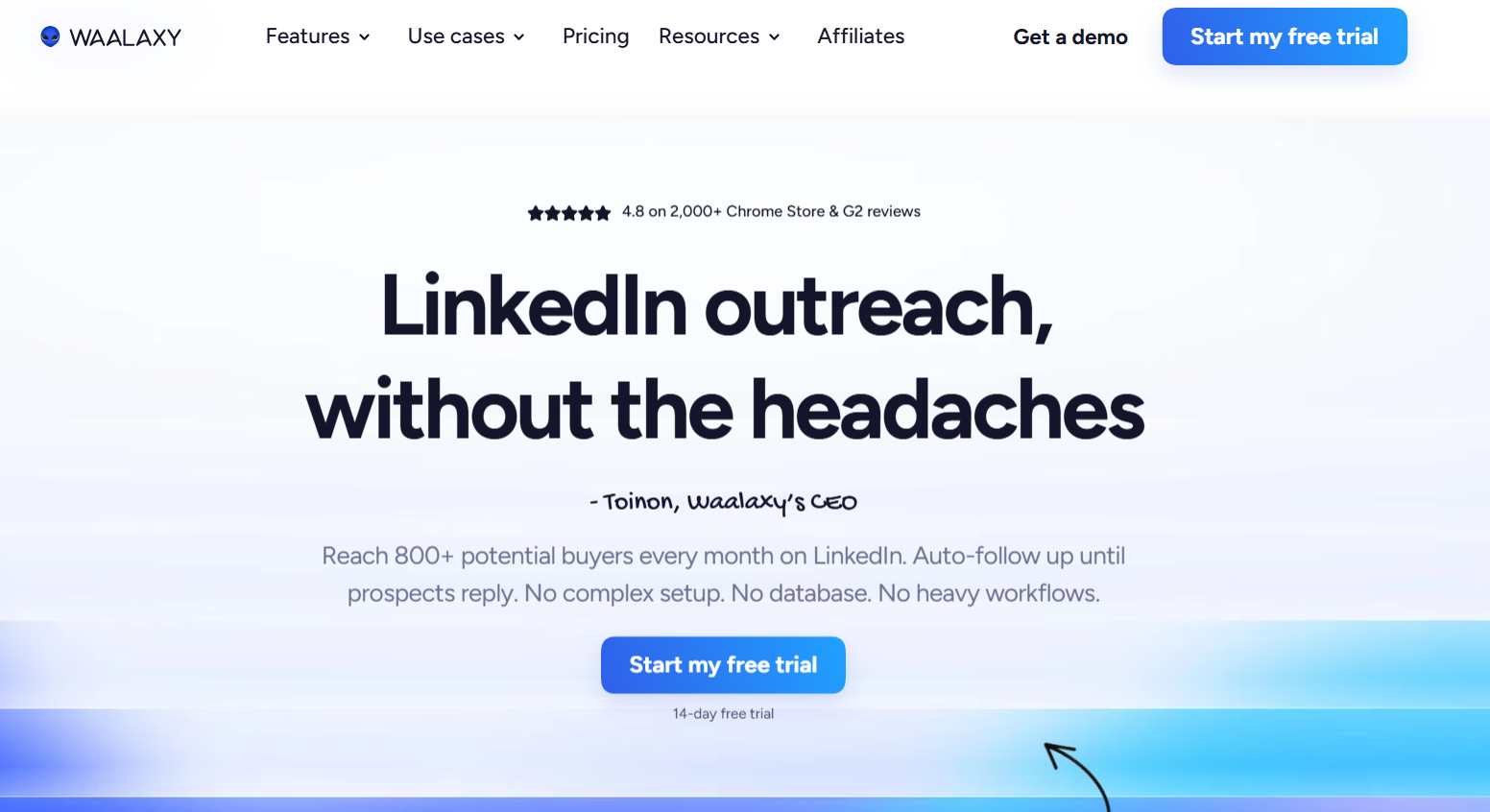
Waalaxy has the lowest entry price here, at €19 per user a month on Pro, and runs as a Chrome extension with 99 ready-made sequences.
Cold email and 500 address-finder credits a month only come with Business at €69, the plan to compare with SalesRobot.
In my view, it suits one person's first campaign better than a team that wants AI on replies.
Features
- Duplicate prevention: Overlap checks stop two reps from contacting the same lead.
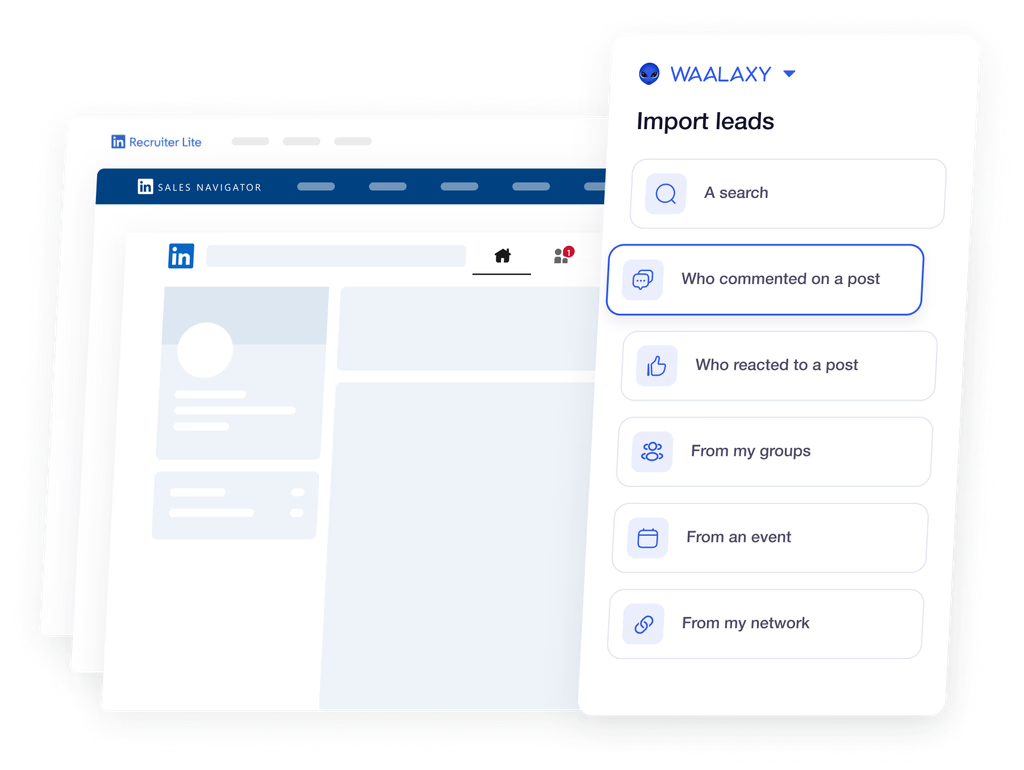
- Interest-based imports: Reactions and comments on your posts, and engagement with competitors or well-known voices in your niche, feed lists automatically.
- 99 starting templates: Campaigns launch from a LinkedIn search or Sales Navigator list, and reply detection pulls out anyone who answers.
- API and automation modules: Advanced adds API access and modules for the main no-code automation tools, Zapier among them.
Pricing
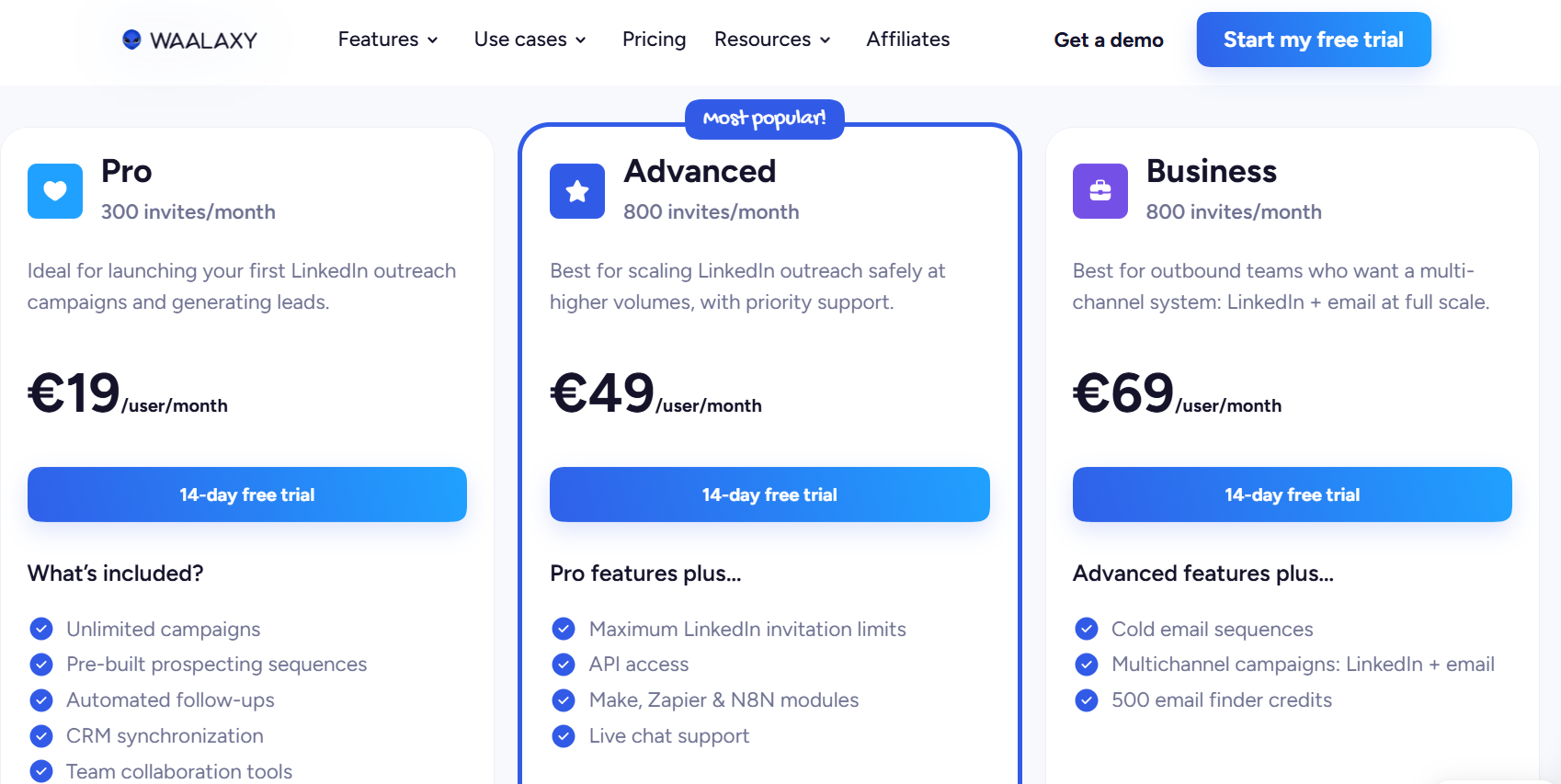
Waalaxy charges per user from €19 a month, and longer commitments lower the rate.
- Pro, €19/user/month: unlimited campaigns, 300 invitations a month, automatic follow-ups, CRM sync, and the full template library.
- Advanced, €49/user/month: 800 invitations, chat support, API access, and modules for Zapier, Make, and n8n.
- Business, €69/user/month: 500 finder credits a month to power cold email sequences and campaigns that mix LinkedIn with email.
- LinkedIn Inbox add-on: priced separately on any tier, with 500 conversations free to try.
Waalaxy's 14-day trial doesn't ask for a card, which makes it easy to test a template before committing.
Pros & Cons
✅ Templates remove the blank-canvas problem.
✅ Post engagement fills lists automatically.
❌ Email starts on Business.
❌ The LinkedIn Inbox costs extra.
➡️ More beginner-friendly options are in our Waalaxy alternatives guide.
How do SalesRobot alternatives compare on entry plans and email?
Dripify, La Growth Machine, Expandi, and Salesforge put LinkedIn and email on their entry plans, and Reply.io gets there with a LinkedIn add-on.
Meet Alfred, We-Connect, Lemlist, and Waalaxy pair the two one tier up, and Sbl.so has no email channel yet.
You'll want to look hardest at the last column, because finder credits and enrichment allowances cost money while CSV imports cost time, and an email step only sends if a verified address exists.
Which SalesRobot alternatives send voice notes or answer replies with AI?
La Growth Machine, Sbl.so, Reply.io, and Lemlist send LinkedIn voice messages, and Sbl.so, We-Connect, Jason AI SDR, and Agent Frank answer prospects with AI.
- Voice messages: La Growth Machine adds an AI-written opening to one recording, Sbl.so clones your voice on Pro, and Reply.io and Lemlist include voice notes as sequence steps.
- Video: Expandi supports personalized video through Sendspark as a paid add-on, and video isn't listed as a native step by any other tool here.
- AI that replies: We-Connect's auto-reply and Sbl.so's AI hold LinkedIn conversations, while Jason AI SDR and Agent Frank cover prospecting through to booked meetings.
- AI that writes: Meet Alfred and We-Connect personalize copy from profile data, while Lemlist's lemAgent researches accounts before outreach starts.
I'd run any AI that replies on its own in a supervised mode for the first week and read each draft before it goes out.
A single tone-deaf answer can lose a lead who was ready to talk.
When is SalesRobot still the better fit?
SalesRobot remains the better fit if AI-personalized voice notes and video messages drive your replies, or if you want an AI Appointment Setter answering LinkedIn leads within minutes.
SalesRobot keeps the edge in these cases:
- Voice notes and video messages personalized by AI are a regular part of your sequences.
- You want AI replying to leads straight away, trained on your own answers.
- You need SalesRobot's native CRM syncs and Slack notifications.
- You run outreach from Claude or another assistant through SalesRobot's MCP server, or from the terminal with its CLI.
SalesRobot has also launched Kuron, which it describes as an AI GTM team for autonomous outbound, though there's too little public detail on it yet for me to compare it fairly.
Try Meet Alfred free
Meet Alfred brings LinkedIn automation, email from your own mailbox, X outreach, and social scheduling into one subscription, which suits SalesRobot users who mainly run text-based LinkedIn and email sequences.
If I were switching, I'd export my leads from SalesRobot to CSV and run my strongest sequence on Meet Alfred against a fresh list for a week before cancelling anything.
➡️ Start your 7-day free trial, no card required, or watch the demo for a walkthrough first.
⚠️ Disclaimer: This article was last checked on 16 November 2026. Contact us if anything below has changed since then, and we'll update it.
FAQs
What is the best alternative to SalesRobot?
Meet Alfred is the best SalesRobot alternative in 2026 because email and X run in the same sequence as LinkedIn, and email sends through your own mailbox without a cap or credits.
La Growth Machine and Sbl.so are the two I'd trial alongside it for anyone who'd miss AI voice notes.
My advice is to move one campaign across first and keep SalesRobot running on the rest until reply rates settle.
Which SalesRobot alternative is cheapest?
Waalaxy is the cheapest at €19 per user a month on Pro, though email sequences need Business at €69.
For LinkedIn and email on the entry plan, Dripify at $39 and Salesforge at $40 billed annually come in lowest.
Dripify Basic carries the same one-campaign limit as SalesRobot Basic, so the saving there comes from email, not from extra campaign room.
Which SalesRobot alternatives include an email finder?
Dripify and Waalaxy include finder credits, La Growth Machine bundles waterfall enrichment into every plan, and Lemlist charges five credits per verified address from its database.
We don't offer an email finder in Meet Alfred, and our email steps rely on CSV imports or first-degree connections' contact details.
In my experience, teams that already buy data elsewhere rarely miss a built-in finder, while a solo seller starting from a LinkedIn search usually does.
Is there a SalesRobot alternative with AI voice notes?
Sbl.so sends voice messages in an AI clone of your voice on its Pro plan, and La Growth Machine adds an AI-written opening line to a single LinkedIn recording.
Reply.io and Lemlist also include LinkedIn voice notes as sequence steps.
Personalized video is rarer, and Expandi offers it only through Sendspark as a paid add-on.
Which SalesRobot alternative is best for agencies?
For agencies, Meet Alfred is my pick, because our Agency plan pairs white label on your own domain with impersonation for working every client profile from one login.
SalesRobot keeps team management for its $79 Professional plan, so for a three-person agency the bills land at $177 a month on our Agency plan against $237 on SalesRobot Professional, before any email accounts.
Reply.io's Agency Core, from $210 a month, suits agencies managing many client mailboxes.
Do SalesRobot alternatives allow more daily LinkedIn activity?
Our daily ceiling in Meet Alfred is 100 connection requests, set within safe parameters, against 75 on SalesRobot's Advanced and Professional plans and 20 on Basic.
Waalaxy counts invitations by the month, at 300 on Pro and 800 on Advanced.
A higher ceiling isn't a target, though, and I keep new profiles well below either number for the first few weeks.
Can I import my SalesRobot leads into Meet Alfred?
Yes, SalesRobot's Advanced plan lists CSV export for leads, and Meet Alfred imports CSV files as a campaign source, custom fields included.
Sales Navigator searches can also be imported straight into a campaign, which I often prefer to moving an older list.
Gustavo Parra is a Senior SEO & Content Strategist at Meet Alfred, where he specializes in LinkedIn automation, AI-driven outreach, and account-safe growth strategies. He works closely with product, engineering, and support teams to design automation frameworks that help sales teams and agencies scale LinkedIn outreach while minimizing risk. Gustavo focuses on turning real platform data and firsthand product experience into practical, compliance-first guidance.
Related Articles


