







Botdog automates LinkedIn and nothing else, a choice its homepage states directly.
For each alternative, then, the first thing I checked was whether the tool stays on LinkedIn too or adds a channel, and on which plan.
I've ranked 10 options on that basis and priced each one for five sending accounts, the number Botdog's Agency plan bundles.
TL;DR
- Meet Alfred is the best Botdog alternative in 2026 for teams that want email and X steps in the same sequence as LinkedIn, with a LinkedIn-only plan to start on.
- To stay on LinkedIn alone, HeyReach rotates campaigns across a sender pool, and Dux-Soup and Octopus CRM are the two lowest-priced tools here.
- To add email, Expandi includes it in its one plan and Dripify in its entry tier, while We-Connect and Waalaxy add it on a higher tier.
- La Growth Machine brings in calls and X, and Sbl.so pairs LinkedIn with WhatsApp and AI-run conversations.
What are the best Botdog alternatives?
Meet Alfred is the Botdog alternative I recommend first in 2026 when the goal is adding email and X to LinkedIn outreach, while HeyReach fits teams that plan to stay LinkedIn-only.
Here is how the ten LinkedIn automation tools compare in 2026 on the buyer each fits and its entry price:
How did I pick these Botdog alternatives?
To qualify, a tool had to automate LinkedIn outreach and list its prices, after which I compared them on four points taken from how Botdog describes itself.
- Channels by plan: Whether the tool stays LinkedIn-only or adds email, X, calls, or WhatsApp, and which tier includes each one.
- Five sending accounts: What five connected LinkedIn accounts cost, set against Botdog's five-sender Agency plan.
- Where campaigns run: Botdog is cloud-based, so I marked the tools that run as browser extensions.
- AI in the price: Every AI feature comes with Botdog's Solo plan, which made me check which tools do the same and which sell AI separately.
Lemlist and Reply.io aren't here, and neither is Salesforge, because all three start from email and treat LinkedIn as one module among several.
➡️ If email is your main channel, our Reply.io alternatives article ranks that group.
#1: Meet Alfred - Best Botdog Alternative for Adding Email and X to LinkedIn
Meet Alfred is the best Botdog alternative in 2026 for teams that have outgrown a single channel, since email and X steps join LinkedIn in one sequence and social posting comes with the same subscription.
Botdog has chosen to put all of its attention into LinkedIn, whereas we've gone the other way at Meet Alfred by widening the channels around it.
Disclosure: Meet Alfred is our own platform, which is why this section stays with documented features and ends with the trade-offs.
From what I've seen, teams that run outreach on LinkedIn alone hit the same four problems as they grow:
- Pipeline that depends on one platform's limits: A Meet Alfred sequence spreads its touches across LinkedIn, email, and X, which takes some of the volume off your LinkedIn account.
- A separate subscription for every extra channel: Email sends from your own mailbox and social posts go out to four networks, under the same subscription as your LinkedIn campaigns.
- Client campaigns that show another vendor's name: White label puts your agency's logo and domain on the platform, down to the address that system emails come from.
- Managers who can't step into a rep's conversations: Impersonation opens any teammate's account from the manager's own login, with no password passed around.
A good part of a Botdog setup carries over as well, from cloud sending and Sales Navigator imports to post and event campaigns and automatic withdrawal of old invitations.
I'll show you how the new channels fit in the four steps below, using a recruiting agency as the example, and I hope to show you why teams at Reuters, Samsung, Oracle, Salesforce, and HSBC are among our customers:
How do you add email and X to a LinkedIn campaign in Meet Alfred?
In Meet Alfred, you connect the channels, choose who gets which one, build a single sequence, and answer everything from one inbox.
Step 1: Connect LinkedIn, a mailbox, and X
LinkedIn connects first, with two-factor authentication completed inside Meet Alfred.
Email is sent from your existing mailbox, which you connect by SMTP or IMAP, and that covers Gmail and Outlook among others.
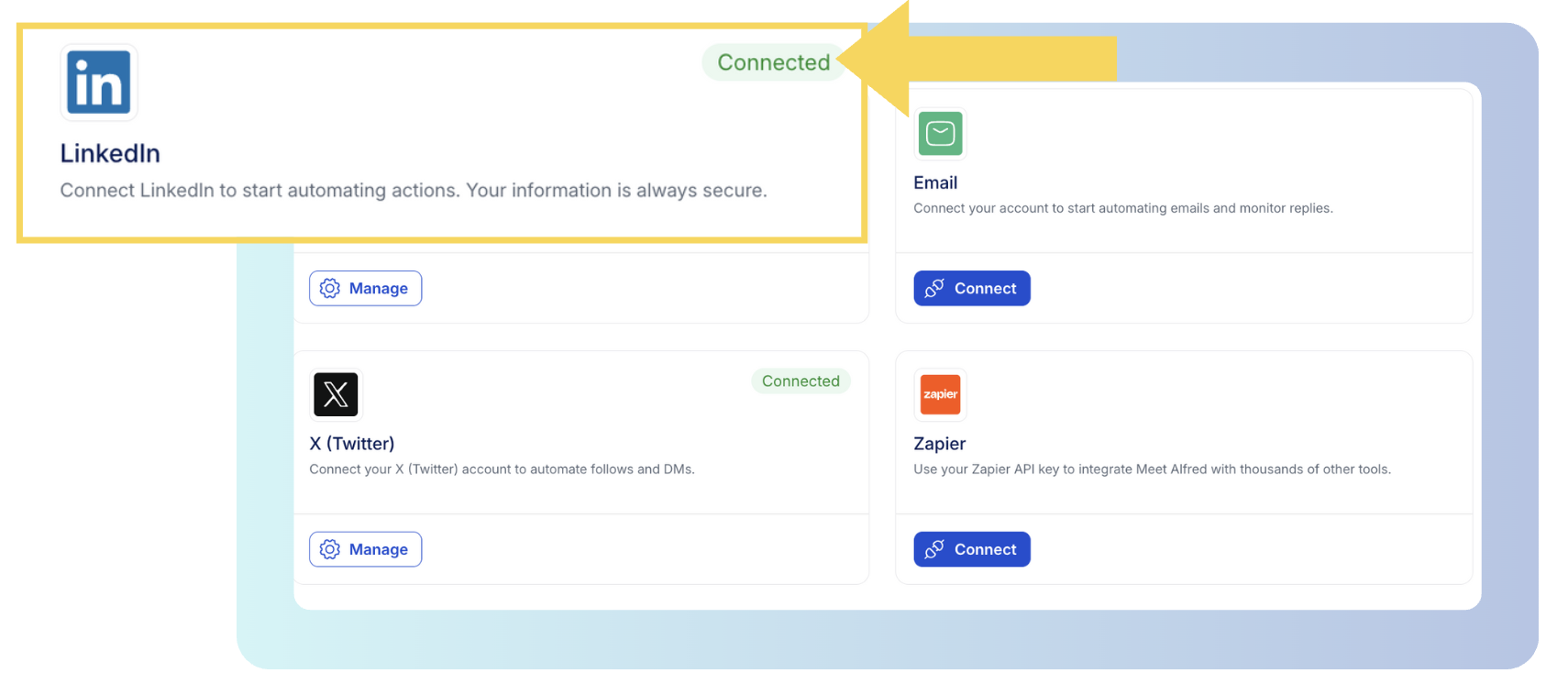
Meet Alfred doesn't sell email credits, so the only ceiling on volume is the one your mail provider sets.
An X account can be connected as well, for follows and direct messages.
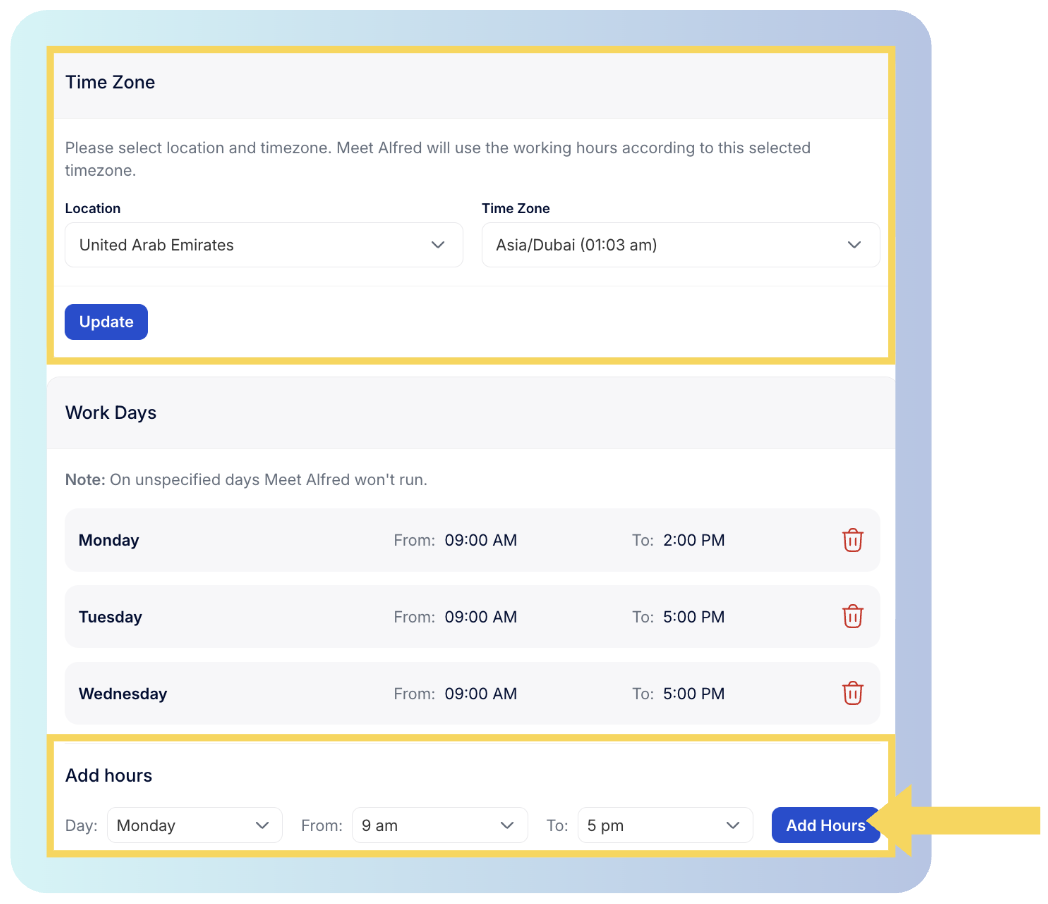
Before anything sends, you'll want to set working hours and daily limits for the LinkedIn account, and switch on auto-withdrawal for invitations nobody accepted.
Step 2: Decide who gets which channel
LinkedIn steps reach anyone in the campaign, but email and X only reach people whose address or handle you hold.
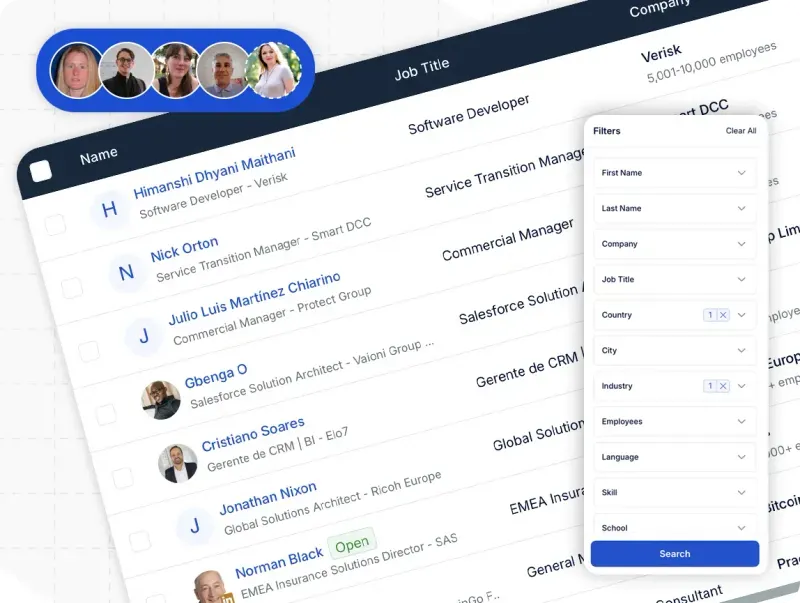
Meet Alfred has no email finder, so addresses come from a CSV upload or from first-degree connections whose contact details are in the LinkedIn CRM.
For the recruiting agency, a list of 400 senior engineers exported from an applicant tracking system would arrive as a CSV with emails, and any extra columns can be used as custom fields in the copy.
Candidates found on LinkedIn come in through a Sales Navigator list or the AI Lead Finder, which previews sample results before you commit.
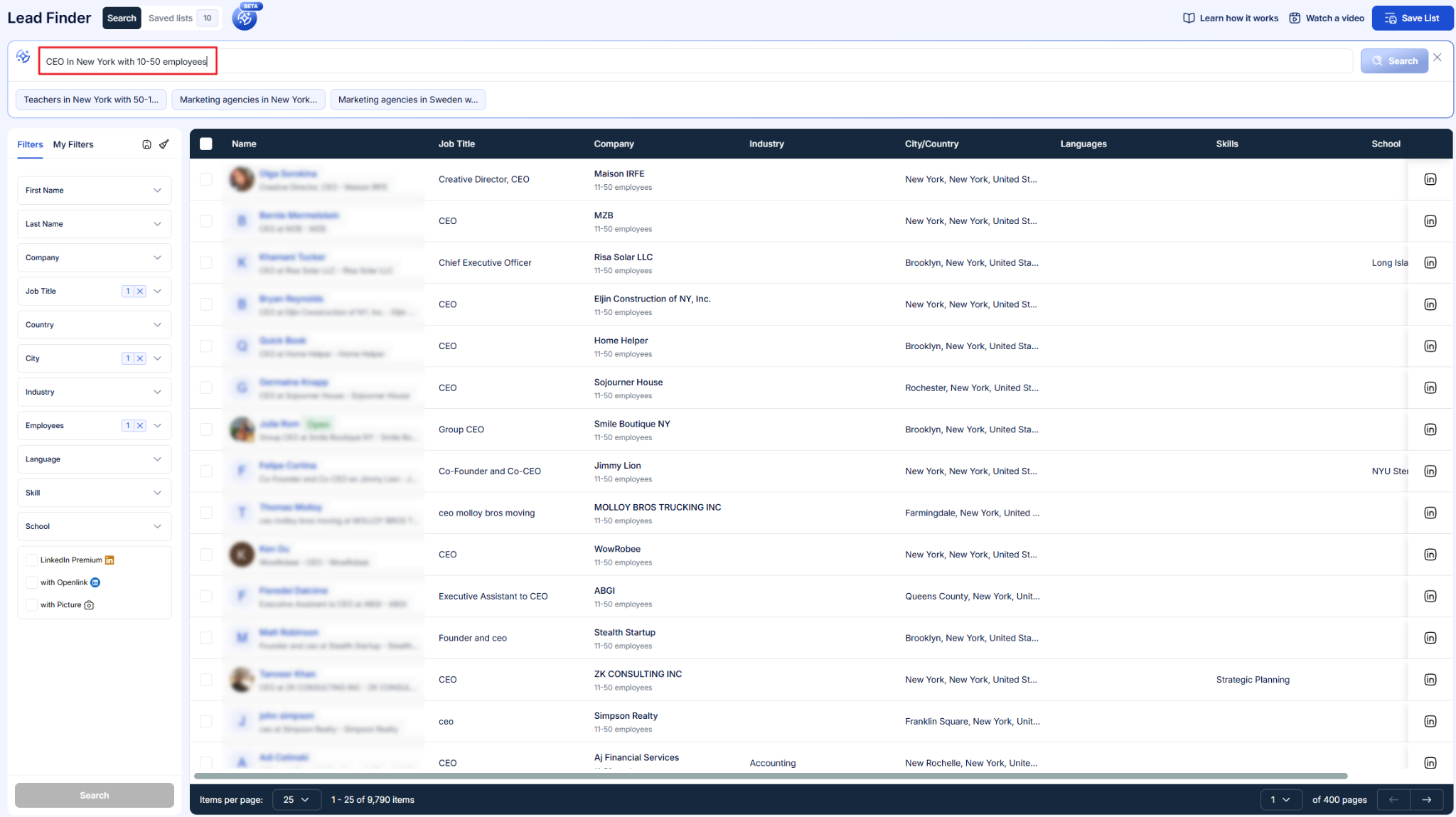
Botdog's AI Lead Review screens each lead against a description you write, which Meet Alfred has no direct counterpart for, so it's ideal to tighten the filters and read the preview carefully.
Step 3: Build one sequence across the three channels
All steps go into one Meet Alfred builder, with a delay you choose between each.
For engineers, I usually start with a profile view and a connection request that names the role, then send a LinkedIn message two days after acceptance with the job spec attached.
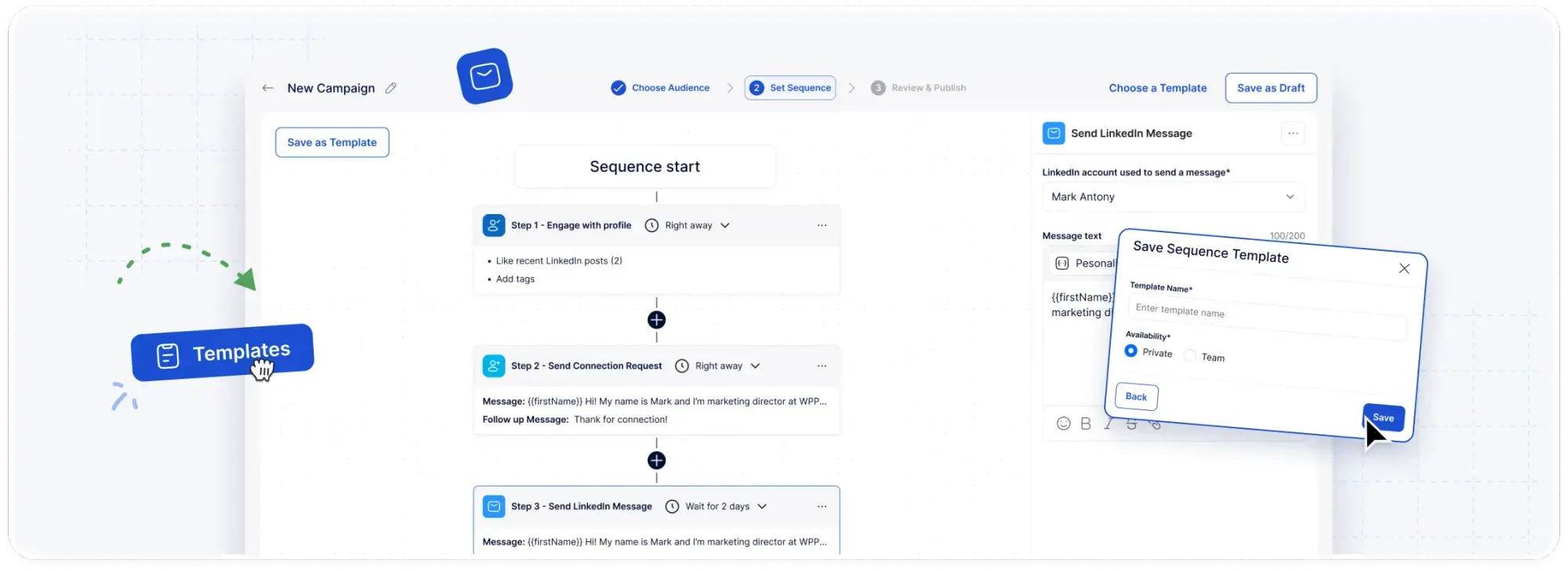
Anyone still pending after a week gets the email step, before a final follow and direct message on X for candidates who are active there.
InMail can join the sequence as well for people outside your network, though sending InMails with credits needs an active Sales Navigator Core or Advanced subscription.
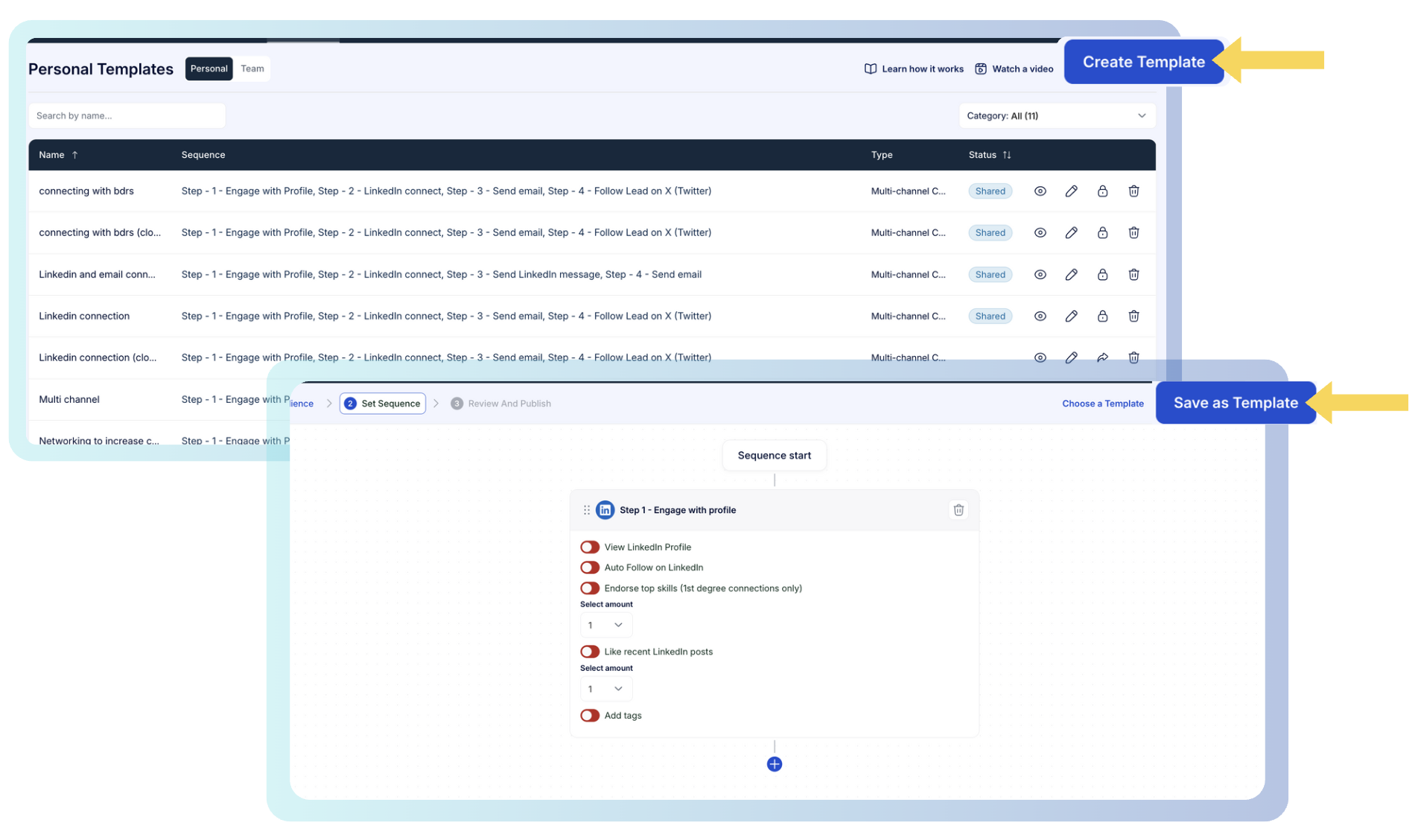
Snippets pull each person's name and current company from their profile, and shared templates keep wording consistent between recruiters.
➡️ Our LinkedIn outreach templates article has examples you can adapt.
Step 4: Answer every reply from one inbox
In Meet Alfred, a reply pauses that contact's campaign automatically, whichever step it was on.
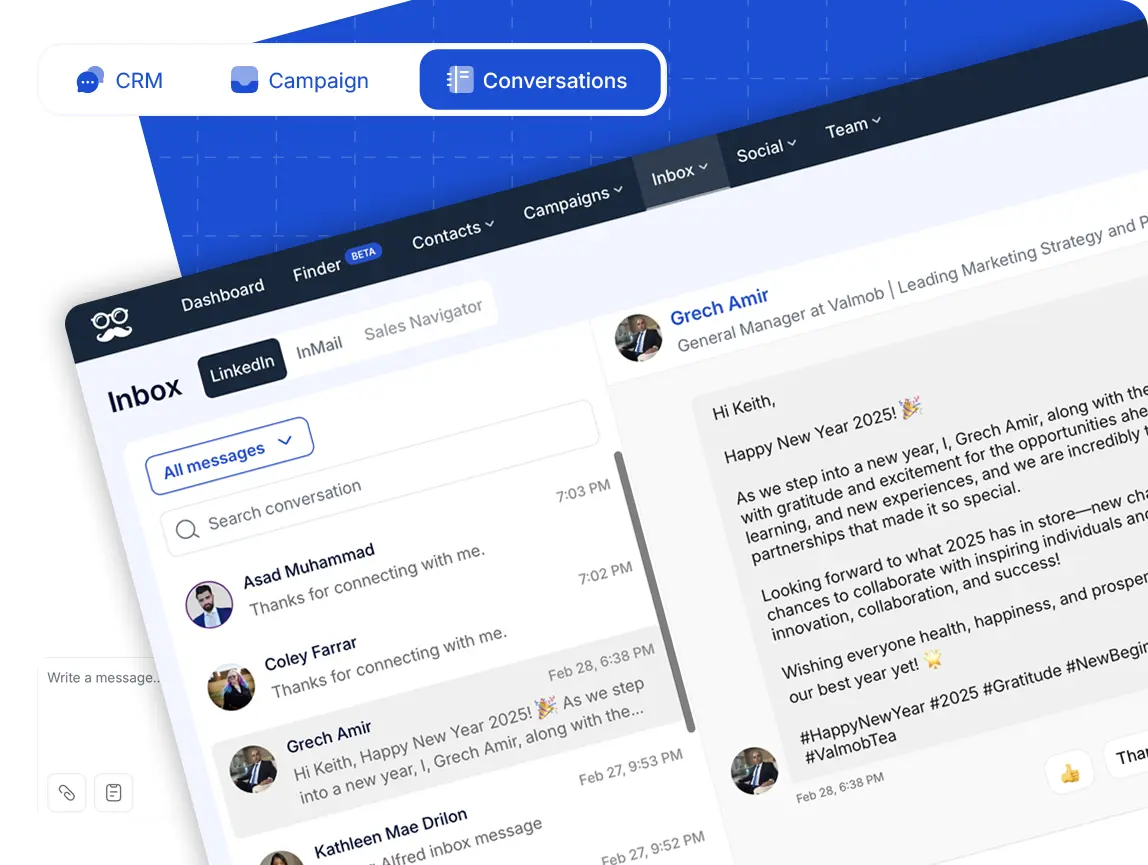
LinkedIn messages and InMails appear together in the Smart Inbox, Sales Navigator conversations included, where tags or notes can be added without leaving the thread.
From the same view, you can exclude a candidate who isn't a fit or send a batch of stalled conversations back into a campaign.
In the reports, opens and replies are broken out by channel, which shows after a month where your candidates actually respond.
Meet Alfred features
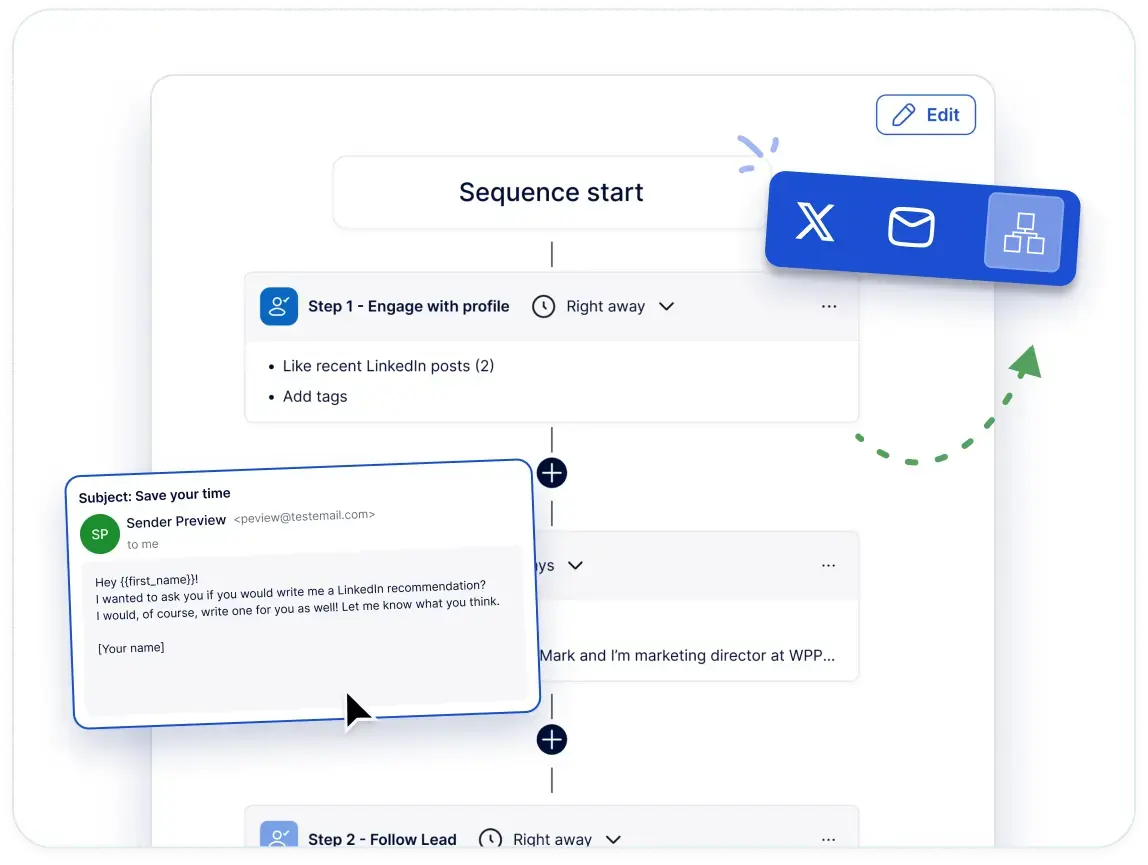
- Email automation: multi-step email sequences go out under sender aliases with personalized signatures, and opens and clicks are tracked beside your LinkedIn results. I'd keep email to a follow-up role at first and watch the reply numbers for a few weeks.
- X outreach: follows and direct messages run as steps in the same sequence or as a standalone campaign, using message templates.
- Social scheduling: posts for LinkedIn, Facebook, Instagram, and X are queued from one calendar, each previewed first and given a recommended posting time. For the recruiting agency, a weekly post about open roles can go out on all four networks while the outreach sequence runs.
- LinkedIn trends: a separate view follows the keywords you pick and brings up posts worth commenting on.
- Impersonation: from a single login, a manager can open any teammate's account to edit campaigns and answer leads as that profile, which covers the job Botdog gives to Managed Identities.
- Roles and groups: permissions are set by role, and I find it easier to group accounts by client from the start.
- White label: your agency's logo and colors go on the platform, along with a custom domain and sending address, something Botdog's pricing page doesn't list.
- Campaigns per account: each connected account runs its own campaigns. Botdog's Team Campaigns spread one campaign across multiple teammates' accounts, and Meet Alfred has no equivalent.
💡 If your IT team asks, Meet Alfred runs on AWS with end-to-end encryption and DDoS protection, and it's compliant with GDPR and CCPA.
How is Meet Alfred different from Botdog?
Botdog automates LinkedIn only and includes every AI feature in one price, while Meet Alfred adds email and X along with social posting, priced by seat across four plans.
Here are Botdog and Meet Alfred side by side on the same criteria:
➡️ Voice notes and AI lead screening are two things Botdog has that Meet Alfred doesn't, and you'll want to weigh both before switching.
Meet Alfred pricing
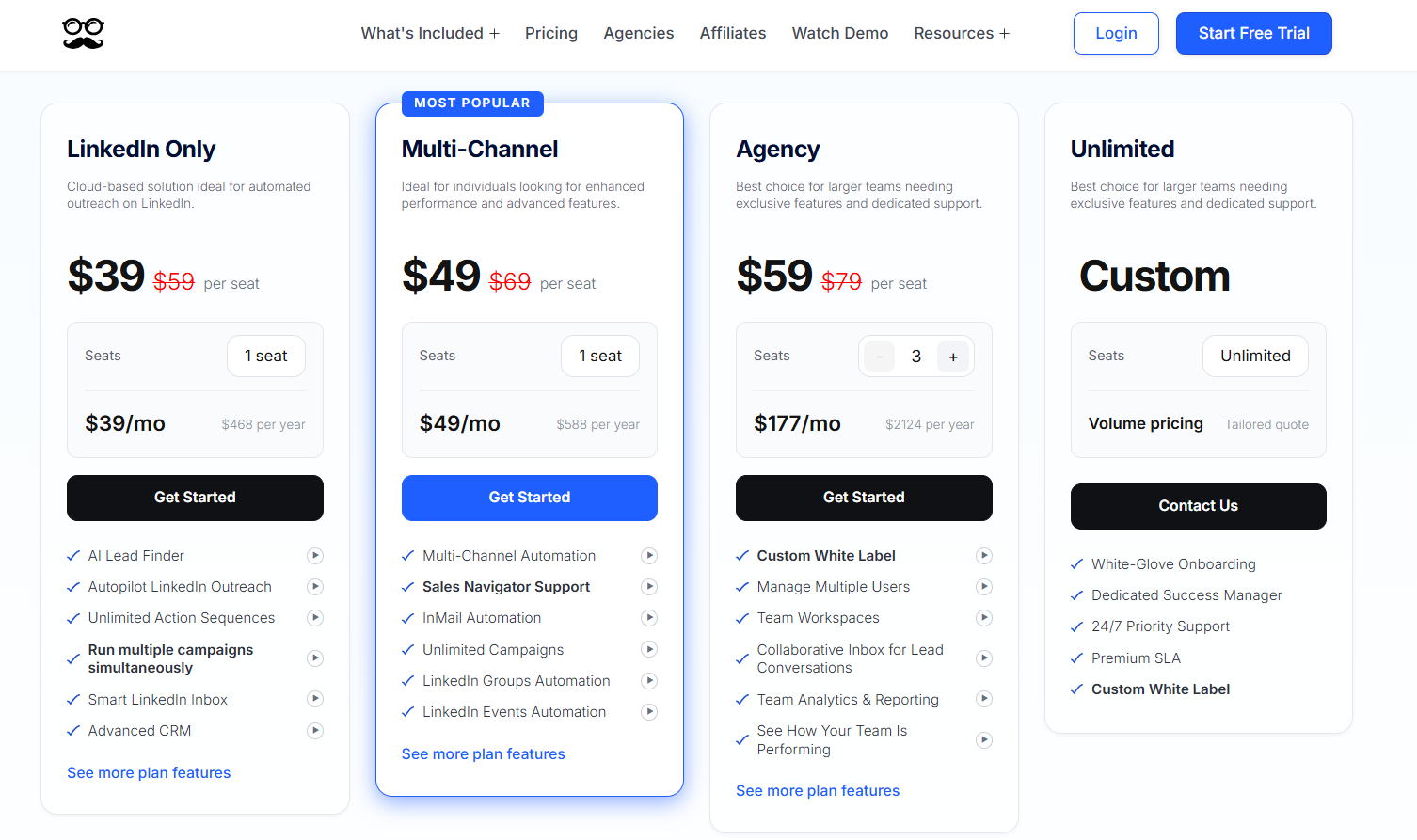
Meet Alfred comes in four plans, from $39/seat/month on annual billing, and each has a 7-day free trial that doesn't ask for a card.
- LinkedIn Only, $39/seat/month billed annually: the closest match to Botdog's scope, with automation for Basic and Premium LinkedIn accounts, sequences of unlimited steps, several campaigns running together, the Smart LinkedIn Inbox, the CRM, templates, automated greetings, and a Lead Finder capped at 1,000 results.
- Multi-Channel, $49/seat/month billed annually: the plan that adds email and X, with social scheduling, CSV campaigns, Zapier and webhooks, Sales Navigator support, InMail at up to 30 a day, campaigns from groups, events, and posts, no campaign cap, and a Lead Finder limit of 5,000 results.
- Agency, $59/seat/month billed annually, minimum three seats: Multi-Channel plus the team layer, meaning roles and permissions, a collaborative inbox, team workspaces, exportable team analytics, white label, native Salesforce and HubSpot sync, onboarding, and a dedicated account manager.
- Unlimited, custom: a quote sized to bigger rollouts, including a dedicated success manager, white-glove onboarding, a premium SLA, and priority support at any hour.
Meet Alfred pros and cons
✅ One sequence can move a prospect from LinkedIn to email or X.
✅ Meet Alfred includes social posting to four networks.
✅ The LinkedIn-only plan costs less per account than Botdog's Solo plan on annual billing.
✅ White label for agencies.
❌ No voice notes.
❌ No AI lead screening or live account risk score.
❌ A 7-day trial against Botdog's 14.
#2: HeyReach
Best for: LinkedIn-only agencies and outbound teams that want one fee covering a large pool of senders.
Similar to: Botdog, Expandi.
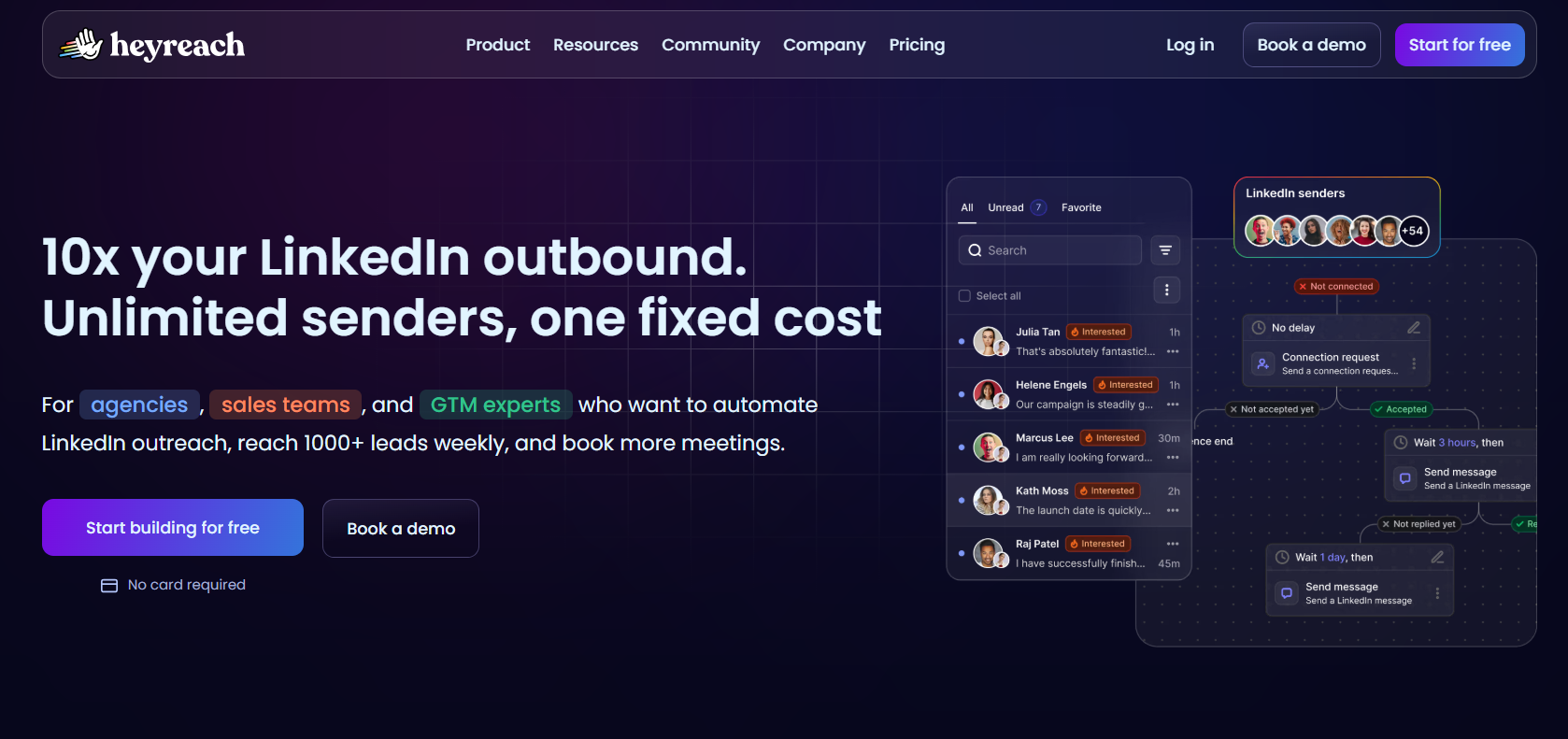
HeyReach is the alternative that changes least about a Botdog workflow, since both focus on LinkedIn and both let a team work many accounts from one place.
Pricing works differently once the pool grows, because Botdog's Agency plan covers five senders for $299 a month and HeyReach's covers 25 for $999.
By my math, that works out to about $60 per sender on Botdog and about $40 on HeyReach, both on monthly billing and before HeyReach's proxy costs.
➡️ Other sender-pool tools are ranked in our HeyReach alternatives article.
HeyReach features
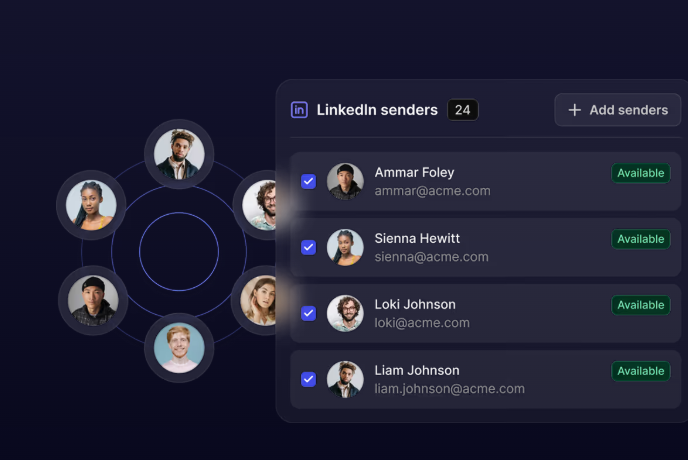
- One campaign, many senders: HeyReach spreads sending over every connected LinkedIn account automatically, so volume grows with the number of profiles.
- Shared inbox with audio replies: All accounts' messages arrive in one view, and a manager can reply for a teammate or record a voice answer.
- Imports and conditions: Lists come from Sales Navigator, Clay, RB2B, or HubSpot, and an "If Connected" condition splits existing connections from new ones.
- Tools for automation: An MCP server and a command line tool, next to the API and webhooks.
HeyReach pricing
HeyReach prices by sender from $79 a month, with 20% off on annual billing and 10% off quarterly.
- Growth, $79/month: a single sender with a dedicated residential proxy included.
- Agency, $999/month: 25 senders and white label branding, on proxies you bring yourself.
- Unlimited, $2,999/month: unlimited senders over multiple workspaces, on your own proxies again.
- Done for you, custom: outreach run by HeyReach on your behalf.
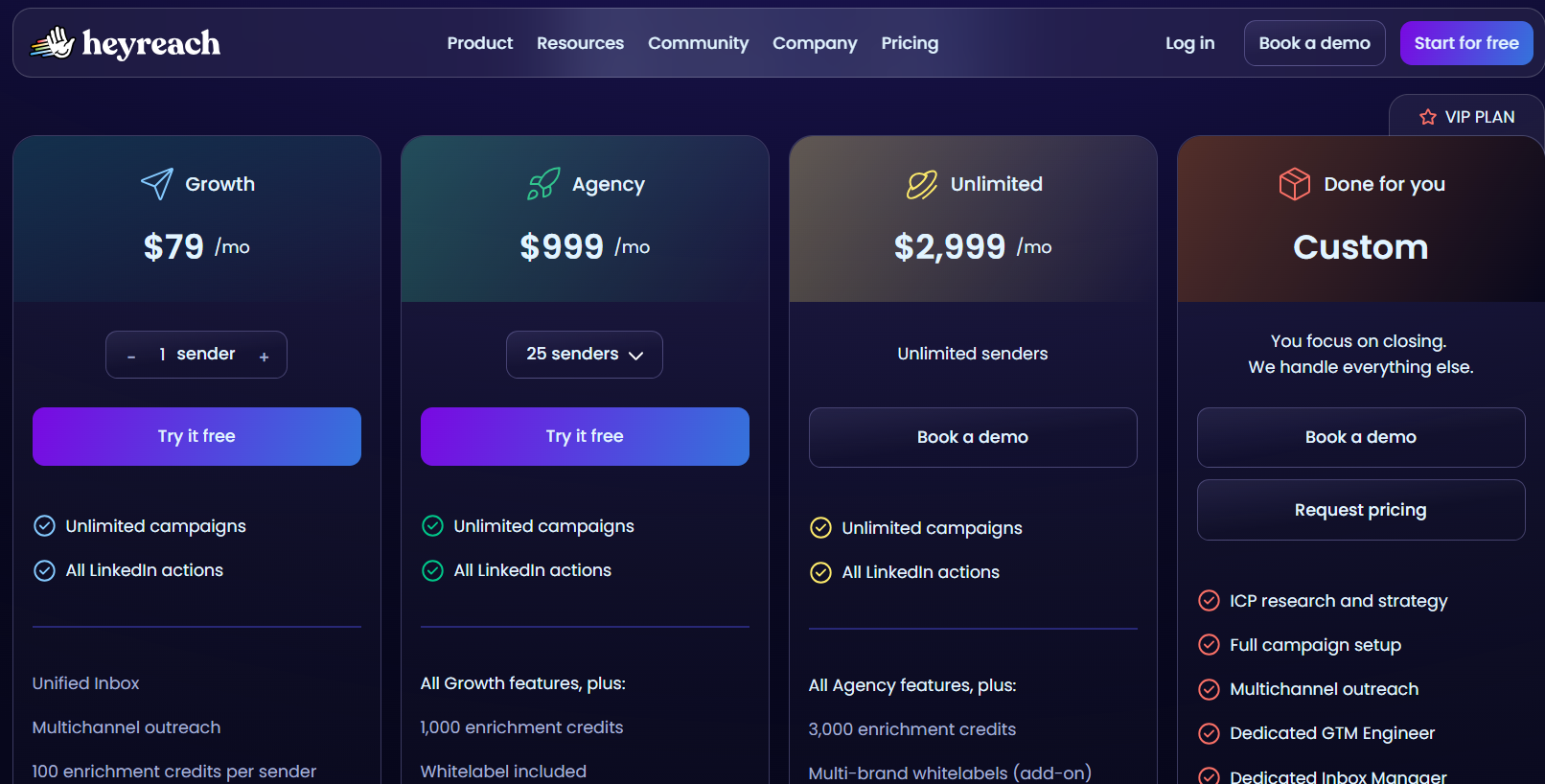
Growth can be trialled for 14 days with three LinkedIn accounts and no card, and companies under $250,000 ARR with fewer than five people can apply for a discounted early-stage program.
HeyReach pros and cons
✅ Twenty-five senders for $999 brings the unit cost to about $40.
✅ White label on the Agency plan.
✅ Free logins for teammates and clients.
❌ No email, which a G2 reviewer asked for.
❌ Your own proxies on the two larger plans, with help from HeyReach on offer.
#3: Expandi
Best for: Teams that want email follow-ups beside LinkedIn without choosing between tiers, and a warm-up period for each profile.
Similar to: HeyReach, Meet Alfred.
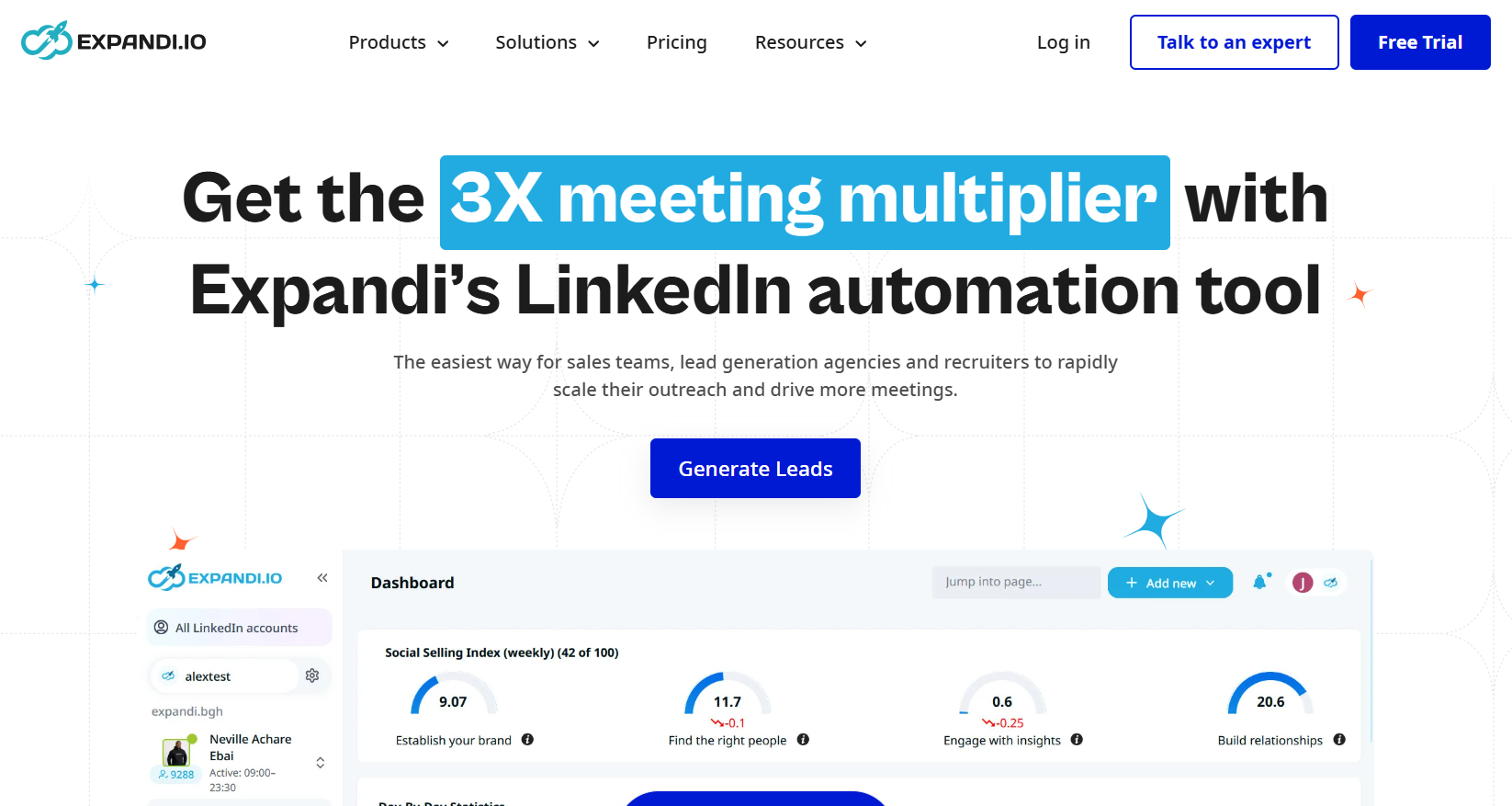
Expandi costs the same $79 a month as Botdog's Solo plan on monthly billing, yet that price adds email follow-ups to LinkedIn.
Like Botdog, Expandi runs in the cloud and publishes one plan for individuals, with nothing held back for a higher tier.
Expandi is the first one I'd look at when if-then branching is the Botdog feature you use most, because Smart Sequences branch on accepts, replies, profile visits, email opens, and post engagement.
Expandi features
- Smart Sequences: Expandi's if-then rules route each prospect by what they did on LinkedIn or email.
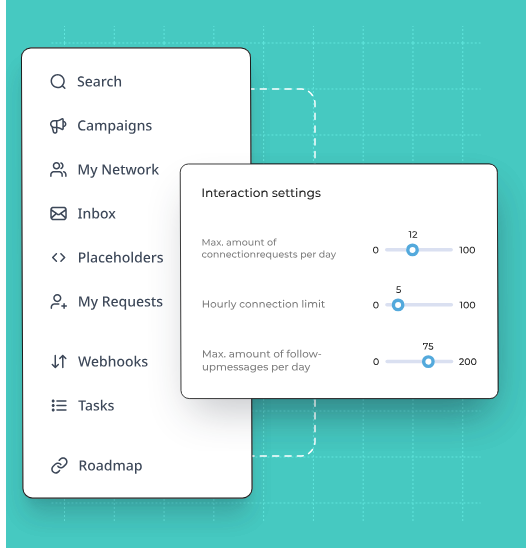
- Per-profile protection: Each LinkedIn account gets a regional IP and a warm-up that raises activity gradually, inside randomized daily ranges.
- Engagement before the invite: Profile views and post likes can be scheduled first, so the prospect has seen your name.
- Images and video: Hyperise for dynamic images and GIFs, Sendspark for personalized video, both add-ons.
- Step statistics: Numbers for every step show which action loses people.
Expandi pricing
Expandi's Business plan is $79 a month, or the equivalent of ten months' payment on annual billing.
- Business, $79/month: unlimited campaigns, email follow-ups, the protection features, the builder, step-by-step statistics, scheduling, prioritization, and blacklisting.
- Agency, quoted from ten seats: one place to manage campaigns, roles and permissions, client-ready reports, template sharing, a customer success manager, and white label.
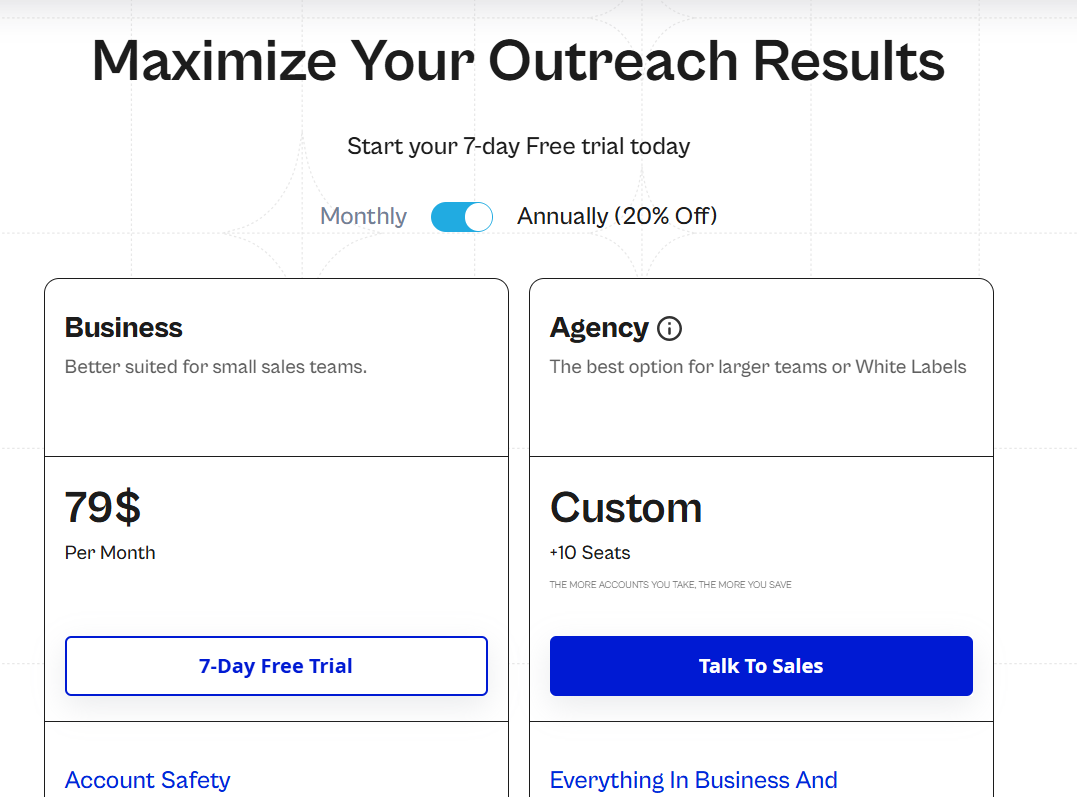
Expandi's trial is 7 days.
Expandi pros and cons
✅ Email follow-ups in the only published plan.
✅ New profiles ramp up gradually behind their own regional IP.
❌ Hyperise and Sendspark are extra.
❌ Agency features need a quote from ten seats.
➡️ See our Expandi alternatives roundup for tools built on similar branching.
#4: Dripify
Best for: One-person sales operations and small teams after LinkedIn and email in one drip builder, from the first paid plan.
Similar to: Waalaxy, We-Connect.
Dripify's $39 Basic plan includes both LinkedIn and email, and nothing else here adds email for less.
Against Botdog's Solo plan you trade scope for price, since Basic allows a single drip campaign where Botdog includes unlimited campaigns.
You'll want Pro at $59 if more than one campaign needs to run at once.
➡️ Similar drip builders are compared in our Dripify alternatives list.
Dripify features
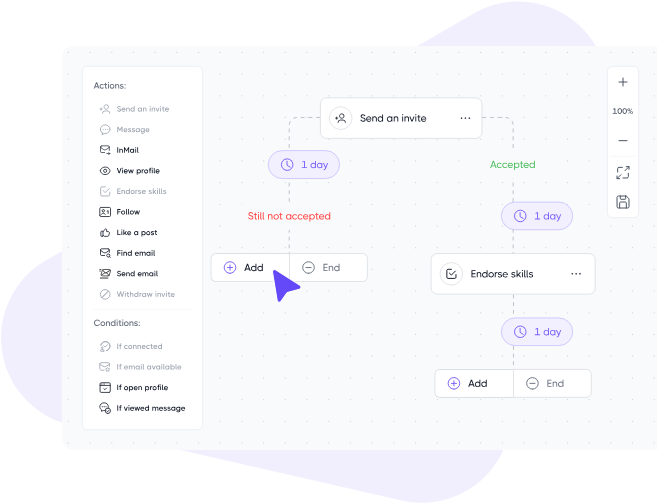
- Drag-and-drop drips: Dripify puts LinkedIn and email actions, delays, and conditions in one panel, with ready-made templates.
- Email finder: Monthly credits on every paid plan, with a verifier and enrichment.
- Post-based sourcing: One of nine lead sources turns any LinkedIn post into a rolling feed of prospects.
Dripify pricing
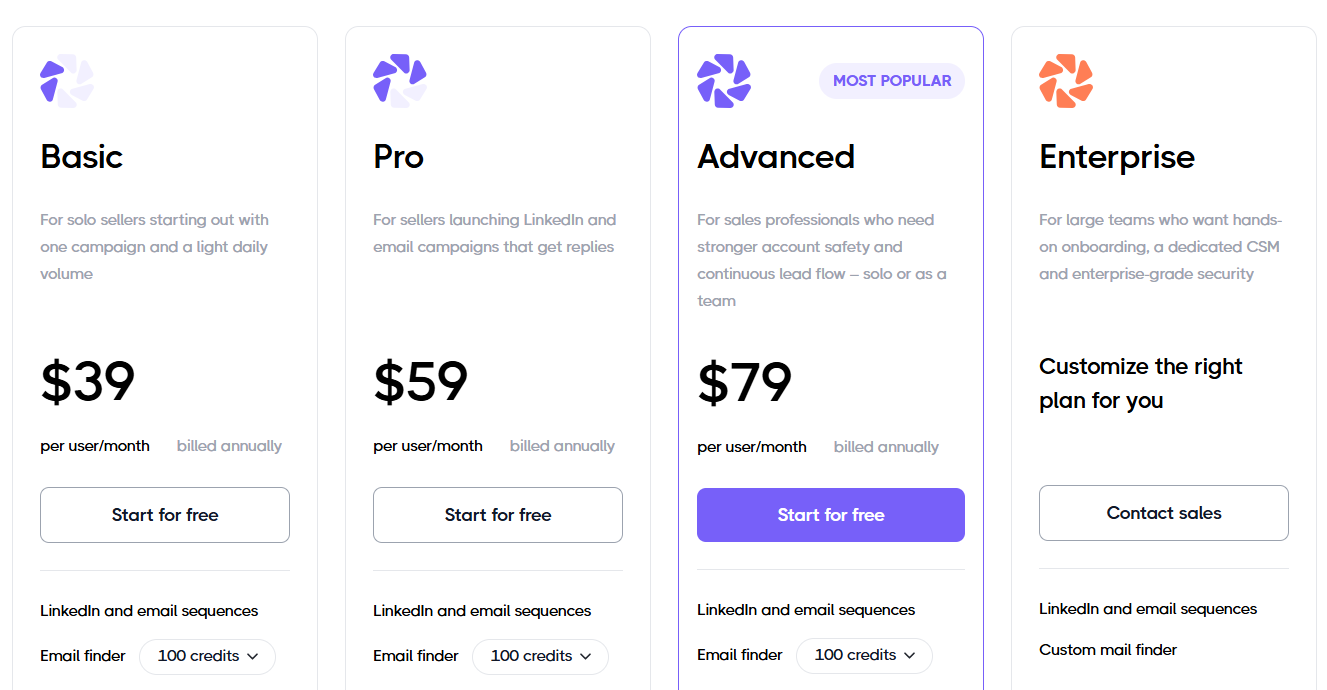
Dripify charges per user, from $39 a month billed annually or $59 billed monthly.
- Basic, $39 annually: one campaign with limited daily quotas, templates, analytics and reports, LinkedIn protection, and round-the-clock live support.
- Pro, $59 annually: as many campaigns as you need at full daily quotas, a separate inbox, webhook support, and CSV export.
- Advanced, $79 annually: team management across several teams, step analytics, split testing, lead tagging, evergreen leads, and advanced LinkedIn protection.
- Enterprise, custom: a customer success manager, with premium onboarding and dedicated technical support.
Dripify pros and cons
✅ Dripify includes email from the entry tier.
✅ An email finder on every paid plan.
✅ Quick to learn.
❌ One campaign on Basic.
❌ Team management needs Advanced.
#5: Waalaxy
Best for: Beginners and small teams aiming to get a LinkedIn campaign out the same afternoon, straight from a template.
Similar to: Dux-Soup, Dripify.
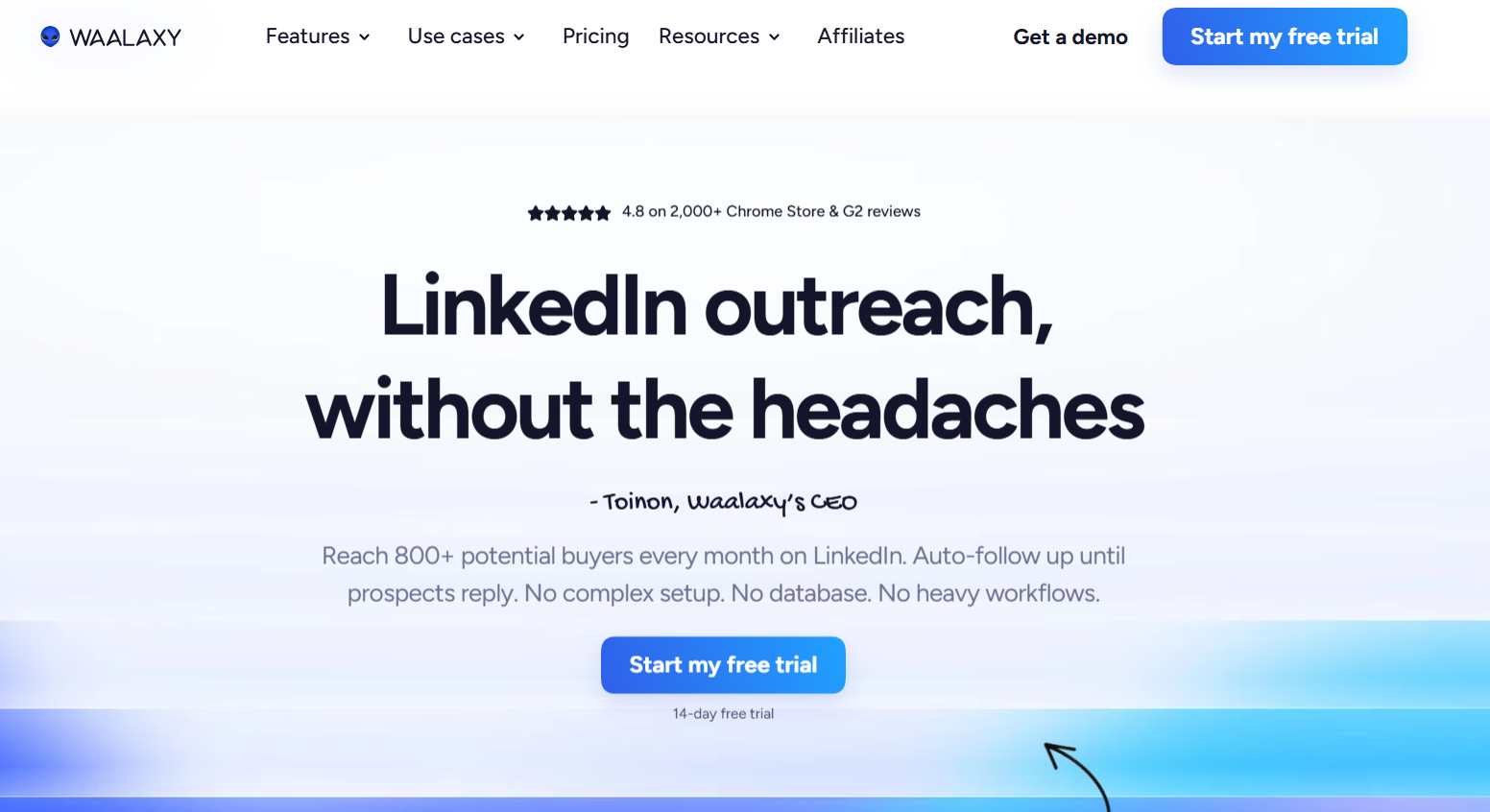
Waalaxy runs as a Chrome extension on top of LinkedIn, whereas Botdog works from the cloud.
The entry price is far lower at €19 a user, with a monthly invitation allowance separating the tiers and email arriving on Business at €69.
Based on my experience, Waalaxy fits a first campaign better than an agency running client accounts.
Waalaxy features
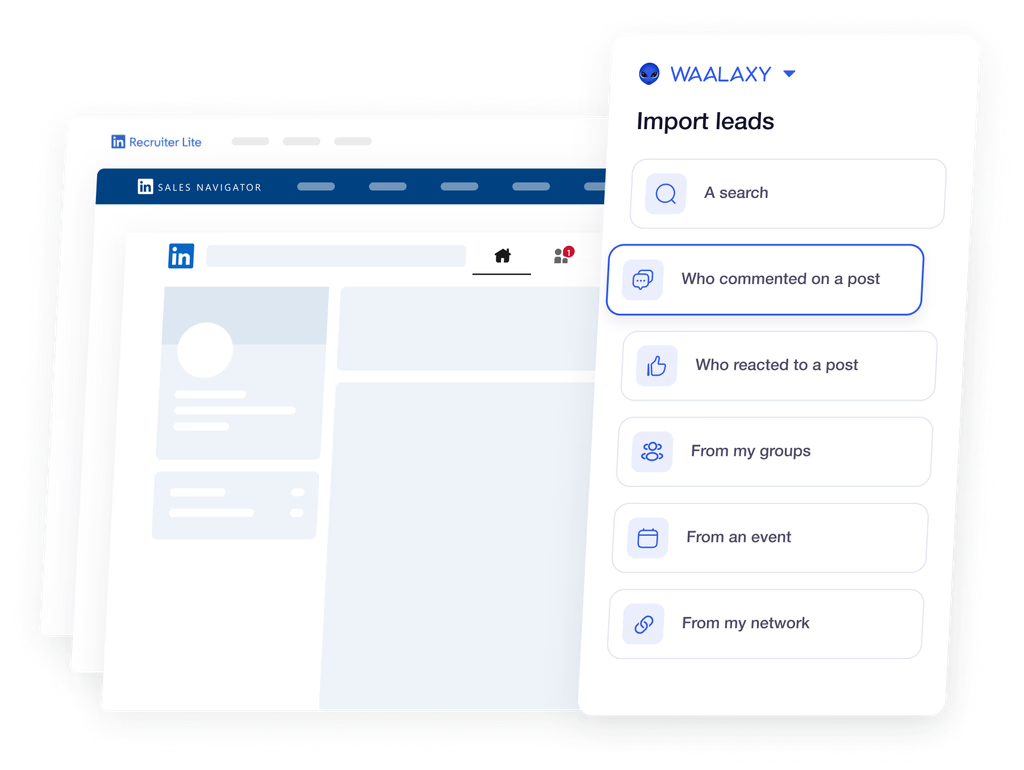
- 99 templates: Each one launches off a search result, a Sales Navigator list, or Recruiter Lite, and already contains its follow-ups.
- Interest triggers: People who react to or comment on posts are captured automatically, including engagement with rival companies.
- Email on Business: Address-finder credits power email follow-ups, at a match rate Waalaxy says is above 61%.
- Team safeguards: Overlap checks, shared prospect lists, permissions, and a common analytics view.
Waalaxy pricing
Waalaxy pricing starts at €19 per user a month, with lower rates for longer commitments.
- Pro, €19/user/month: 300 invitations a month, unlimited campaigns, templates, automatic follow-ups, and CRM syncing.
- Advanced, €49/user/month: 800 invitations, API access, modules for Make, Zapier, and n8n, and chat support.
- Business, €69/user/month: cold email and joint LinkedIn and email campaigns, with 500 address-finder credits monthly.
- LinkedIn Inbox add-on: billed separately on every tier, with 500 free conversations to test it.
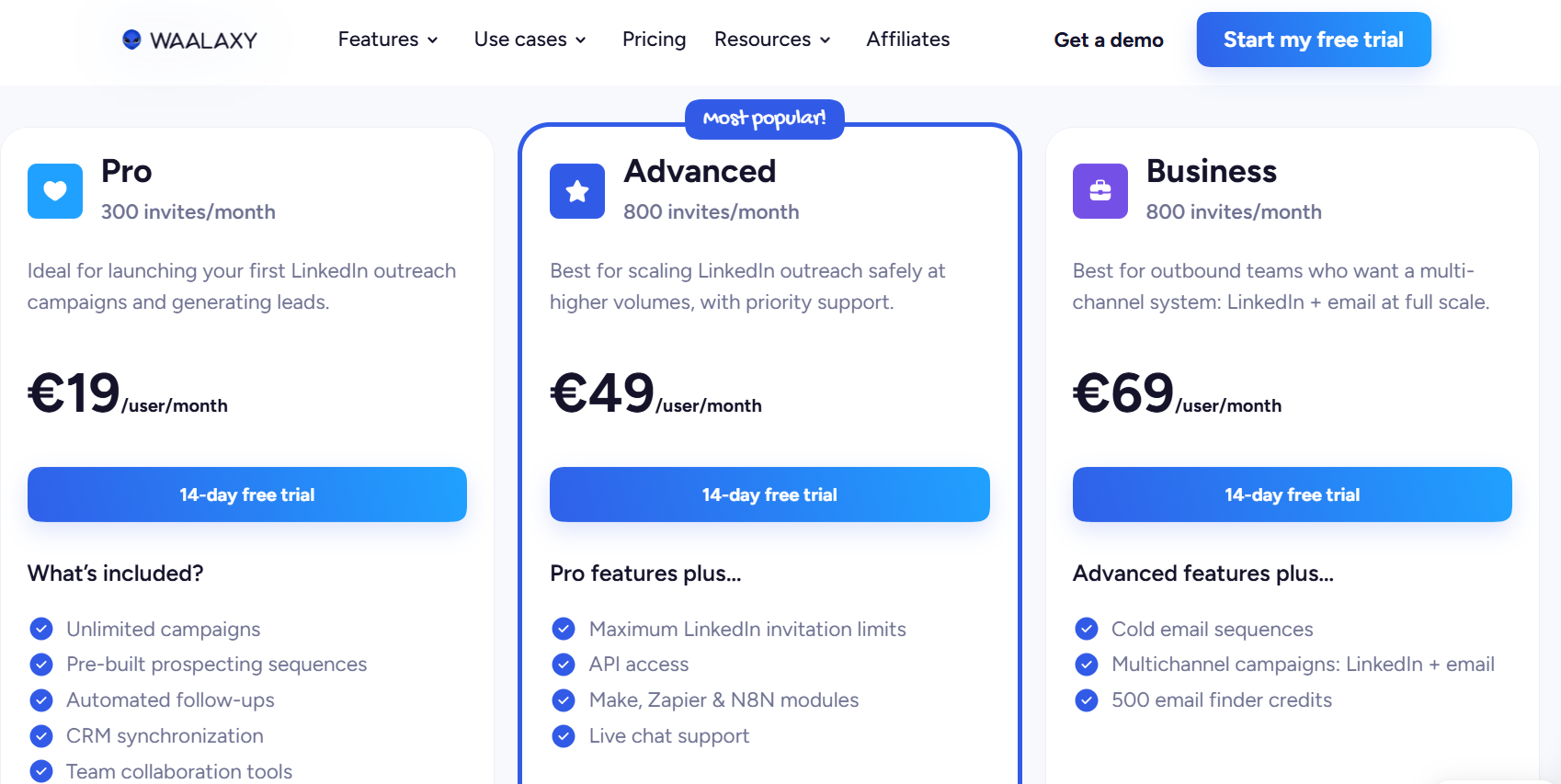
There's a 14-day trial with no card.
Waalaxy pros and cons
✅ Templates remove setup work.
✅ Duplicate prevention between reps.
❌ The inbox costs extra.
❌ Multiple G2 reviews raise pricing.
➡️ Our Waalaxy alternatives piece covers more template-led tools.
#6: We-Connect
Best for: Small teams in sales or recruiting that want AI answering LinkedIn messages and email steps that react to LinkedIn activity.
Similar to: Dripify, Expandi.
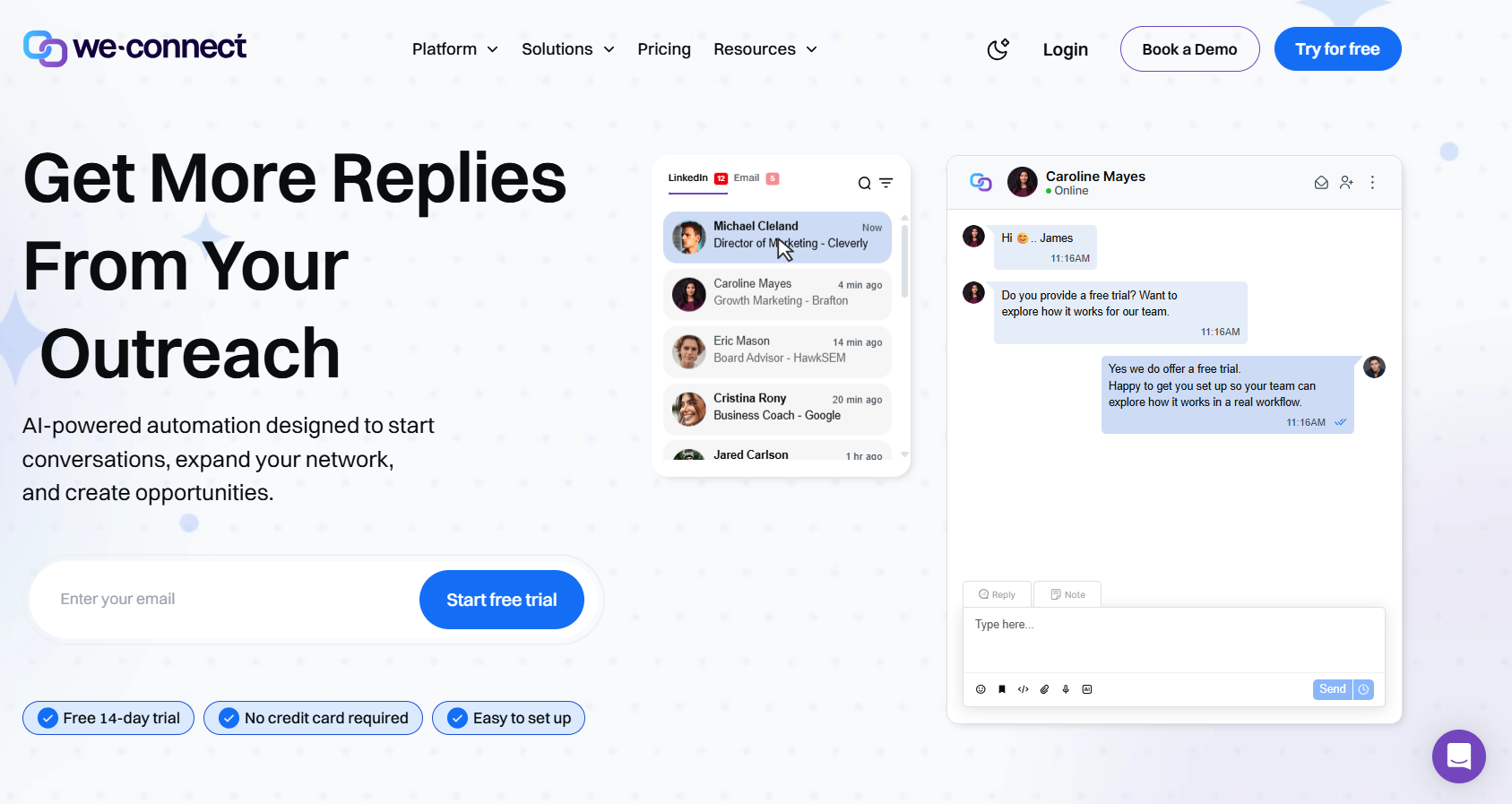
We-Connect and Botdog both put AI into the inbox, but We-Connect's goes further, because its auto-reply can send answers without sign-off while Botdog's AI Inbox Assistant offers smart replies and drafts.
Email is the added channel, and my advice is to budget for the $59 Professional plan, where email steps trigger on what a contact did on LinkedIn.
➡️ We look at this tool's own competitors in our We-Connect alternatives article.
We-Connect features
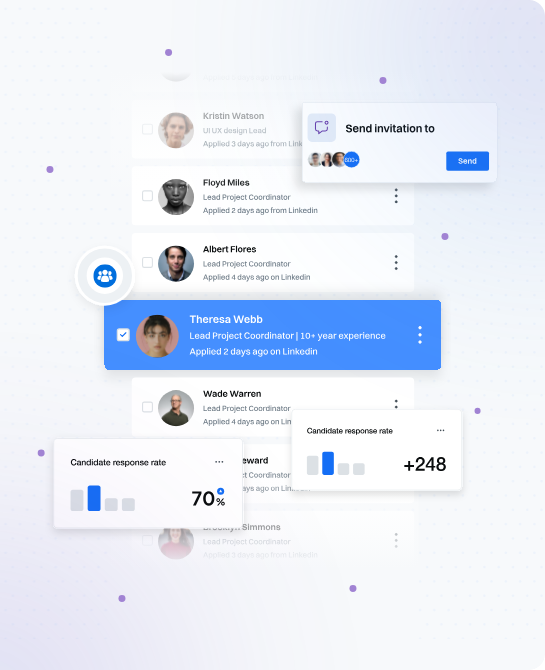
- AI auto-reply: We-Connect's co-pilot mode waits for approval, and autonomous mode answers alone.
- Behaviour-triggered email: Email steps fire on LinkedIn actions, with split tests on copy.
- AI Assist: Drafts connection notes and follow-ups from profile data.
- Lead Engine: A beta visual builder that scores contacts and decides where they go next.
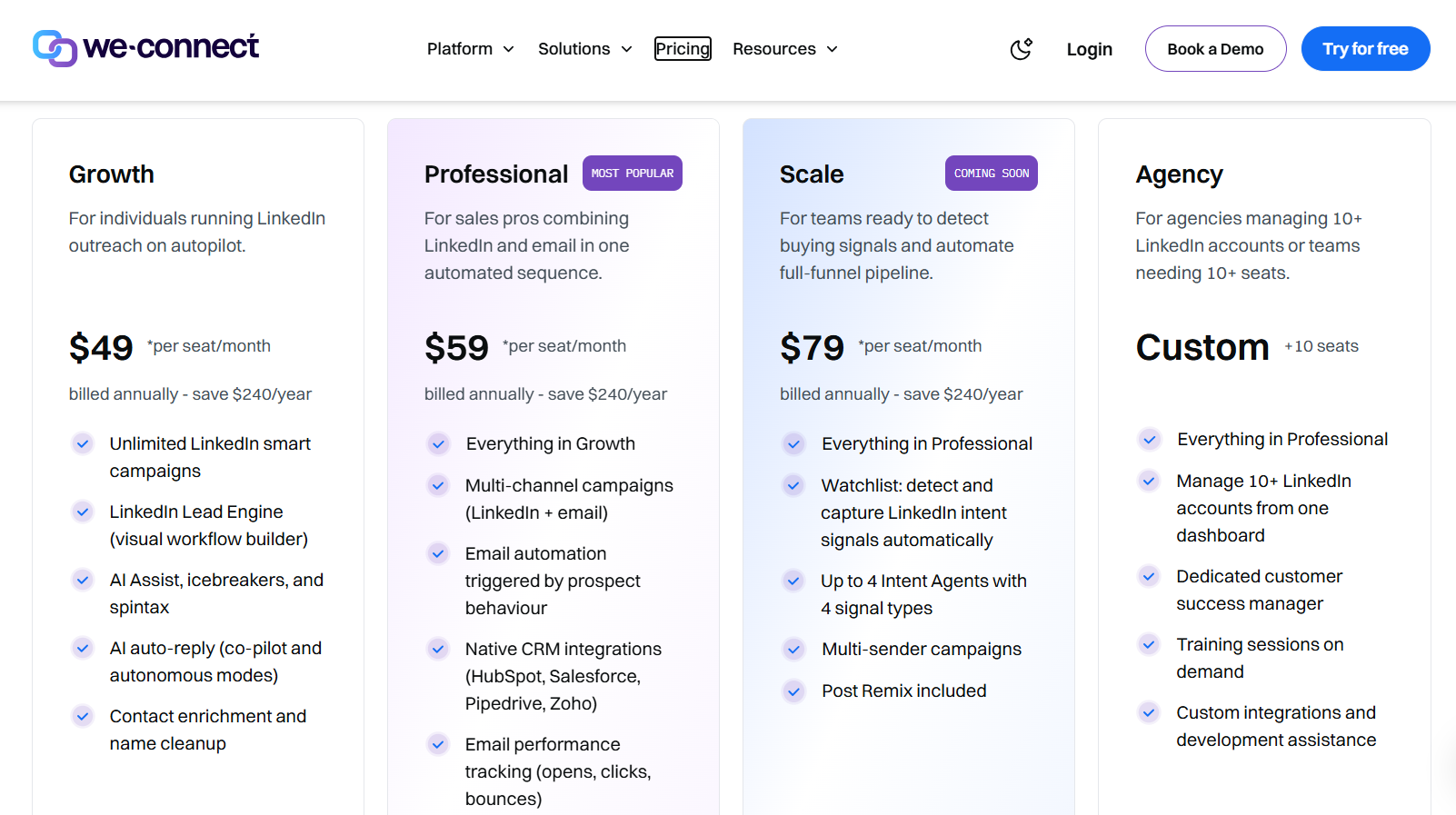
We-Connect pricing
We-Connect is priced per seat, from $49 a month billed annually.
- Growth, $49/seat/month billed annually: unlimited smart campaigns on LinkedIn, AI Assist with icebreakers and spintax, AI auto-reply, the Lead Engine, and contact enrichment.
- Professional, $59/seat/month billed annually: campaigns across LinkedIn and email, behaviour-triggered email automation, native CRM integrations, and email tracking.
- Scale, $79/seat/month billed annually: marked as coming soon, and planned to bundle Post Remix with intent signals and campaigns sent from several profiles.
- Agency, custom from ten seats: a single dashboard for ten or more LinkedIn accounts, with a dedicated success manager and training on demand.
The 14-day trial needs no card.
We-Connect pros and cons
✅ We-Connect offers autonomous AI replies on a $49 to $59 seat.
✅ Native CRM syncs and Slack notifications.
❌ Post scheduling is an add-on from $16/seat/month.
❌ A higher starting price than several tools here.
#7: La Growth Machine
Best for: Teams that want to add phone calls and X to a LinkedIn and email sequence, billed per sending identity.
Similar to: Reply.io, Lemlist.
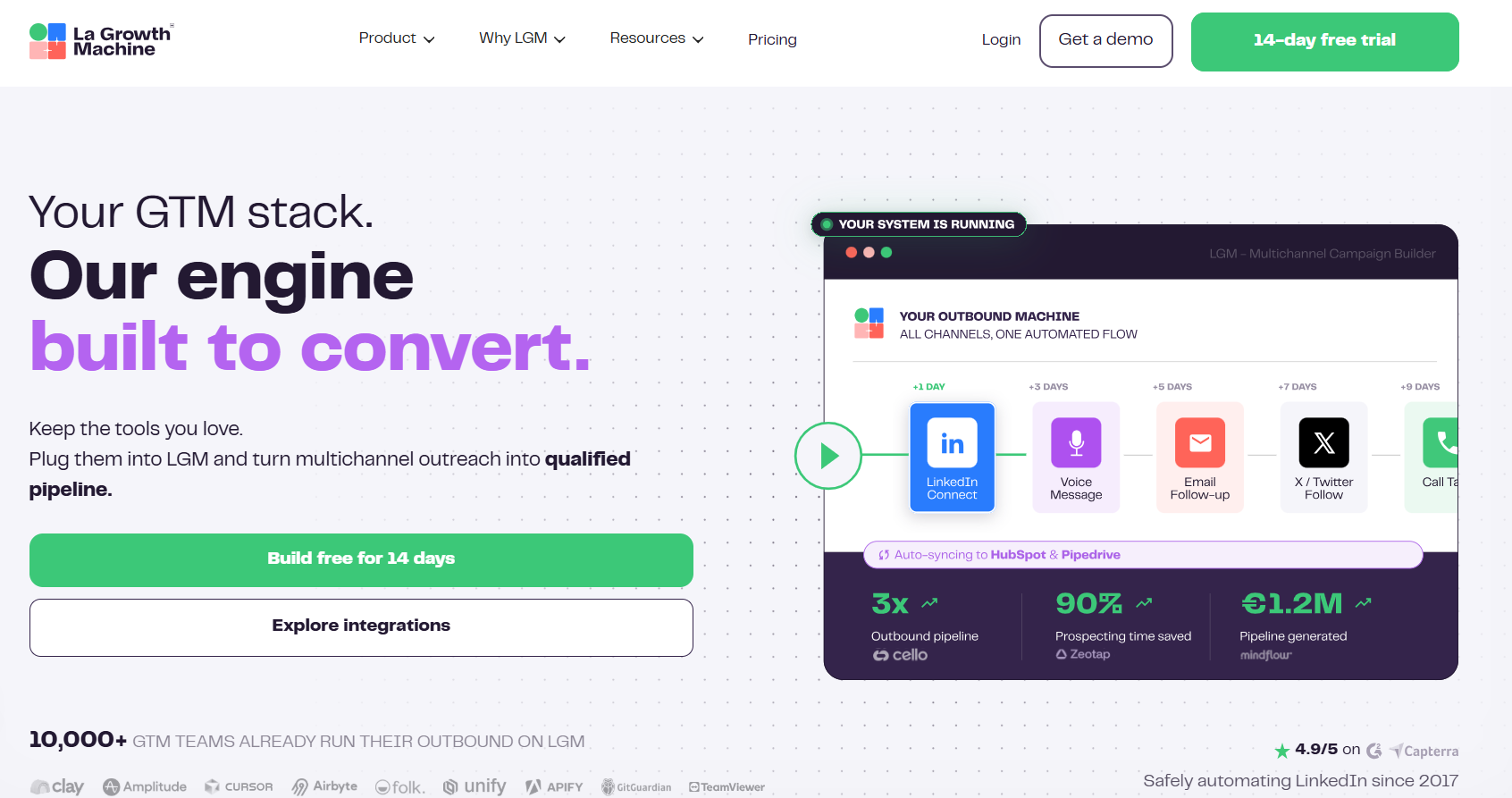
La Growth Machine adds the most channels of any tool on this list, with calls on Pro and X on Ultimate.
Like Botdog, La Growth Machine sends a recorded voice note at scale, and I like that it adds an AI-written opening line for each prospect.
La Growth Machine features
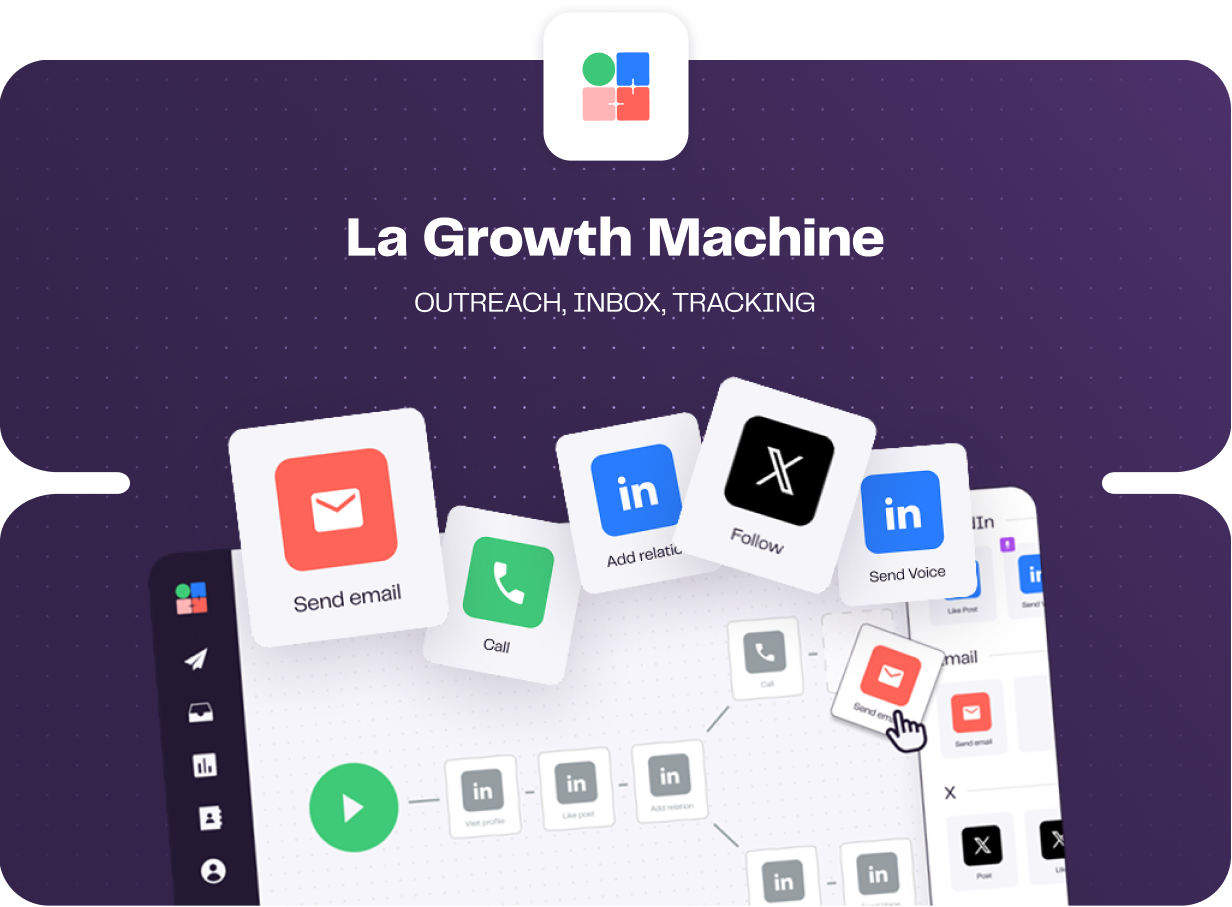
- Four channels: La Growth Machine covers LinkedIn and email on every plan, calls from Pro, and X on Ultimate.
- Voice messages: One recording sent at scale, opened by a line AI writes per prospect.
- Multichannel inbox: LinkedIn and email replies together, with status labels that sync to HubSpot or Pipedrive.
La Growth Machine pricing
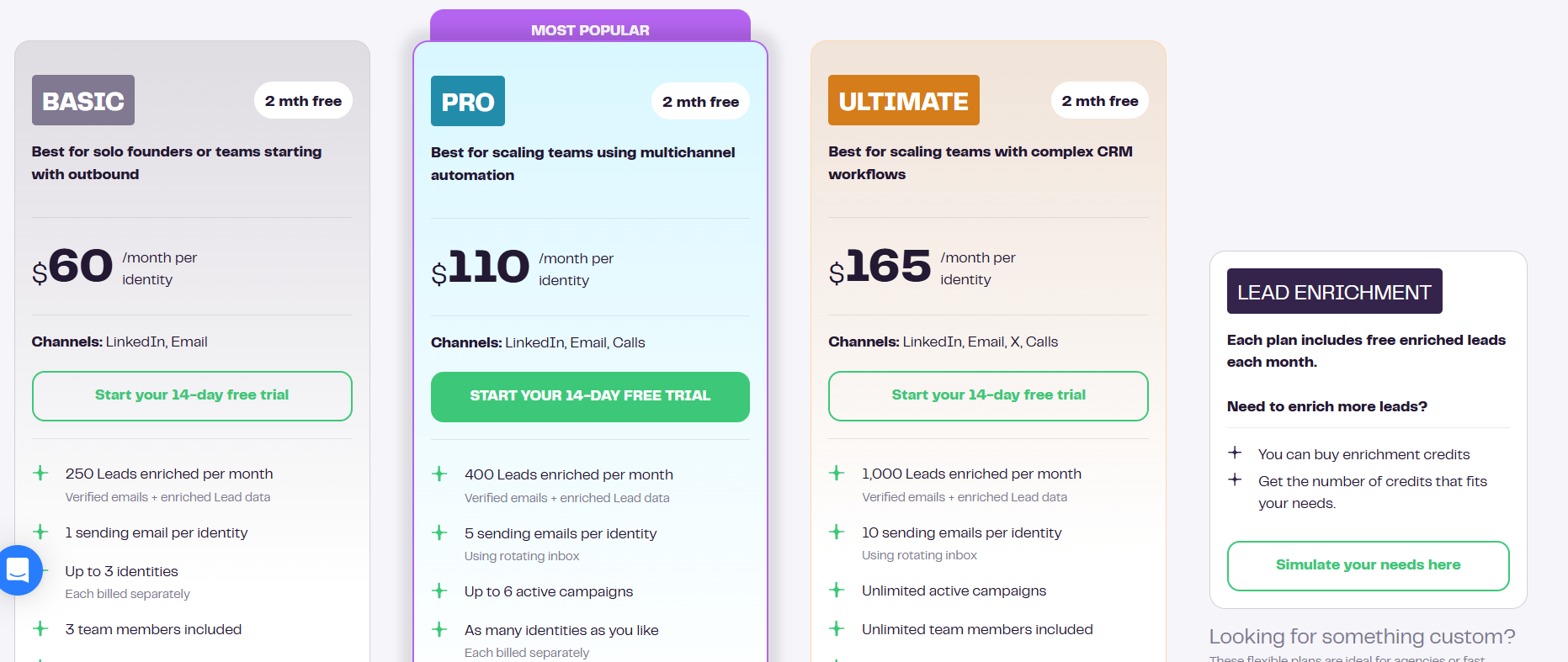
La Growth Machine pricing starts at $60 a month per identity on Basic, with two months free on annual plans.
- Basic, $60 per identity: LinkedIn and email, one sending address, 250 enriched leads a month, and at most three identities.
- Pro, $110 per identity: adds calls, social warming, five rotating addresses, six active campaigns, 400 enriched leads, and free seats for 25 team members.
- Ultimate, $165 per identity: adds X and two-way CRM sync, with 1,000 enriched leads and no cap on campaigns or team members.
- Agency, custom: from a six-identity minimum.
A 14-day trial runs without a card.
La Growth Machine pros and cons
✅ Calls and X extend a LinkedIn sequence.
✅ Reply-only teammates don't count toward the bill.
✅ Enrichment never appears as a separate charge.
❌ Five identities need the Pro tier.
❌ Sync errors and UI lag, per a G2 review.
➡️ More multichannel options are in our La Growth Machine alternatives guide.
#8: Sbl.so
Best for: Small teams and founders without an SDR, who want AI to run LinkedIn conversations and keep volume off their own profile.
Similar to: HeyReach, Reply.io.
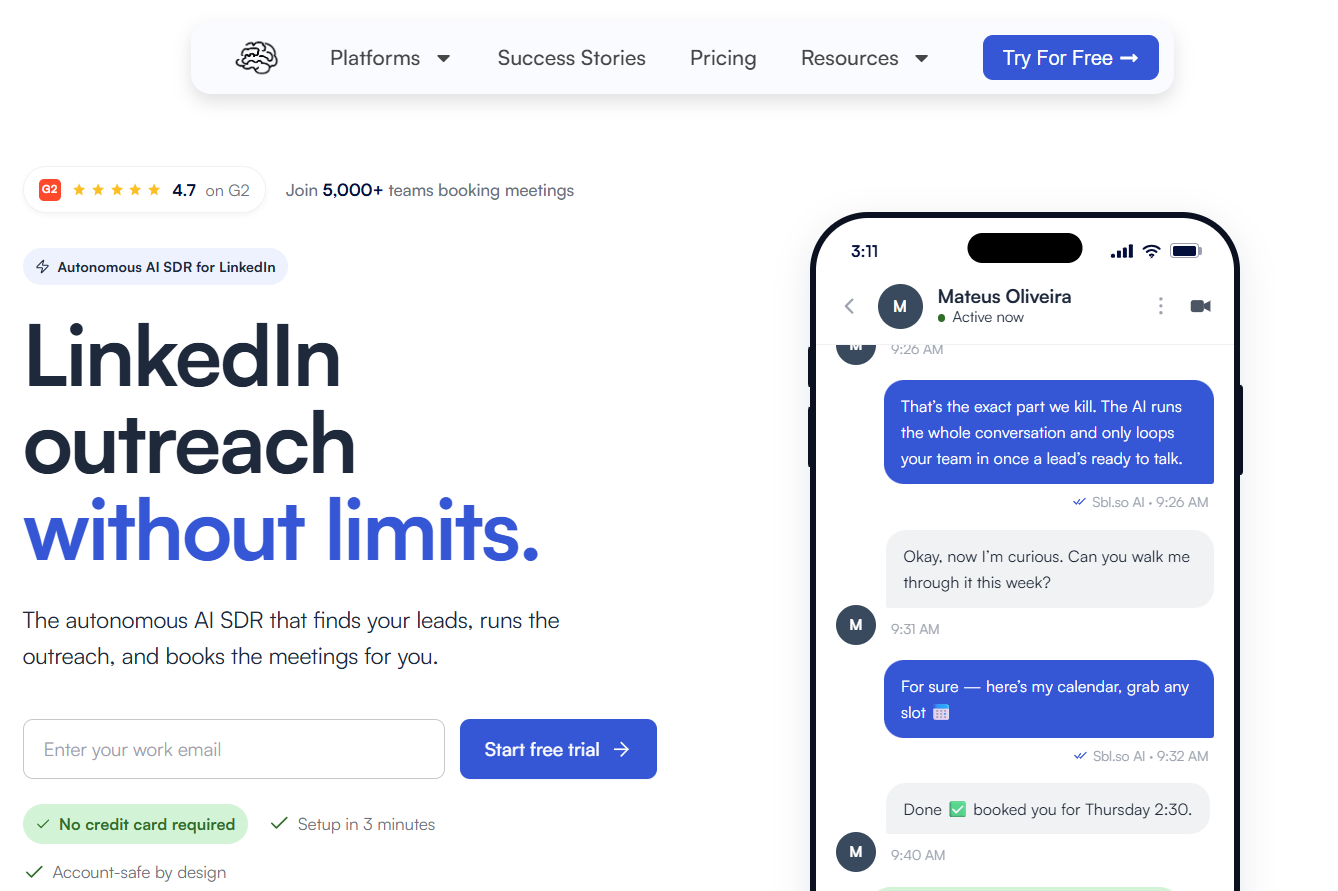
Sbl.so works very differently from Botdog, because Botdog automates outreach that you direct while Sbl.so acts as an AI SDR that builds the list and runs conversations through to a booked meeting.
WhatsApp is the second channel and email is listed as coming soon, so I'd only shortlist Sbl.so when your buyers answer on one of those two.
Sending can run from SDR Profiles that Sbl.so rents out, pre-warmed and rotated automatically.
Sbl.so features
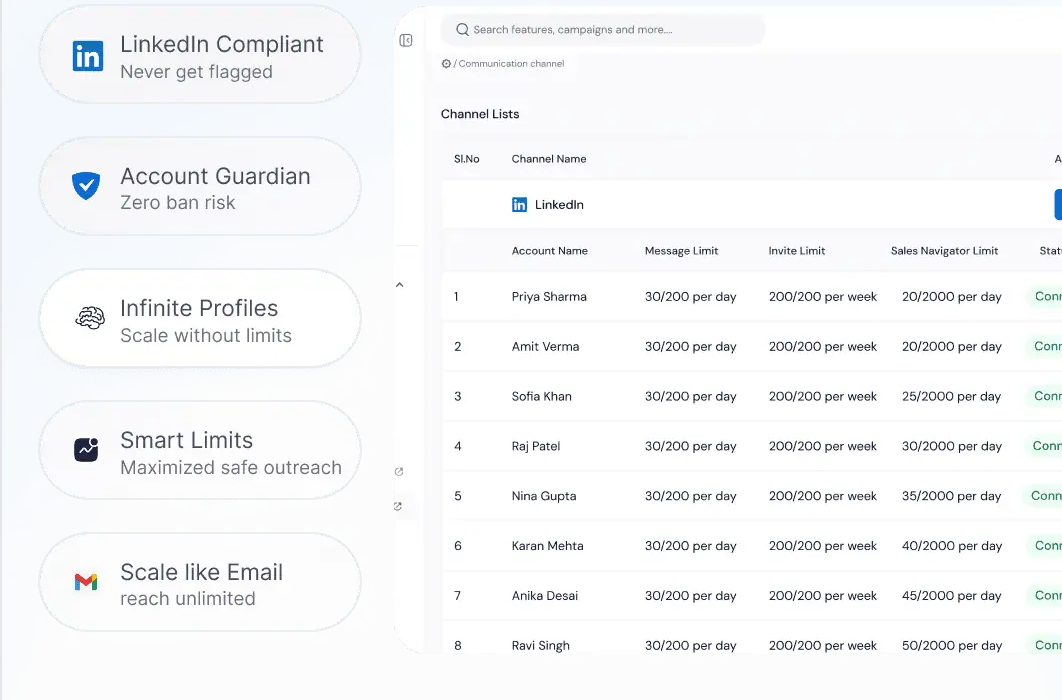
- Signal-based lists: Post comments and reactions on Starter, with job changes, funding, and competitor monitoring on Pro.
- AI conversations: Sbl.so's AI answers LinkedIn and WhatsApp messages in over a hundred languages, either on its own or in a draft mode where you review each message.
- SDR Profiles: Rented LinkedIn profiles from $65 a month each, or $59 when you take more than ten.
- Inbox and CRM: A unified inbox, calendar booking, a mobile app, and unlimited workspaces.
- Connections: HubSpot, Salesforce, Pipedrive, Slack, Zapier, n8n, and Make, plus a public API and an MCP server.
Sbl.so pricing
Sbl.so starts at $99 a month, as listed on its pricing page in November 2026, and every plan has a 7-day free trial with no card.
- Starter, $99/month: two outreach seats for LinkedIn or WhatsApp, 1,000 ICP-matched leads a month, signals from post comments and reactions, AI chat replies, unlimited Sales Navigator extraction, and two team members.
- Pro, $189/month: four seats and 2,000 premium leads, with premium signals, voice messages in an AI clone of your voice, an exportable CRM, webhooks you configure, and room for ten team members.
- Elite, $997/month: listed as coming soon and invite-only, with 500 hyper-curated LinkedIn leads and a personalized journey per prospect.
- Enterprise, custom: built around a specific workflow, volume, or compliance need.
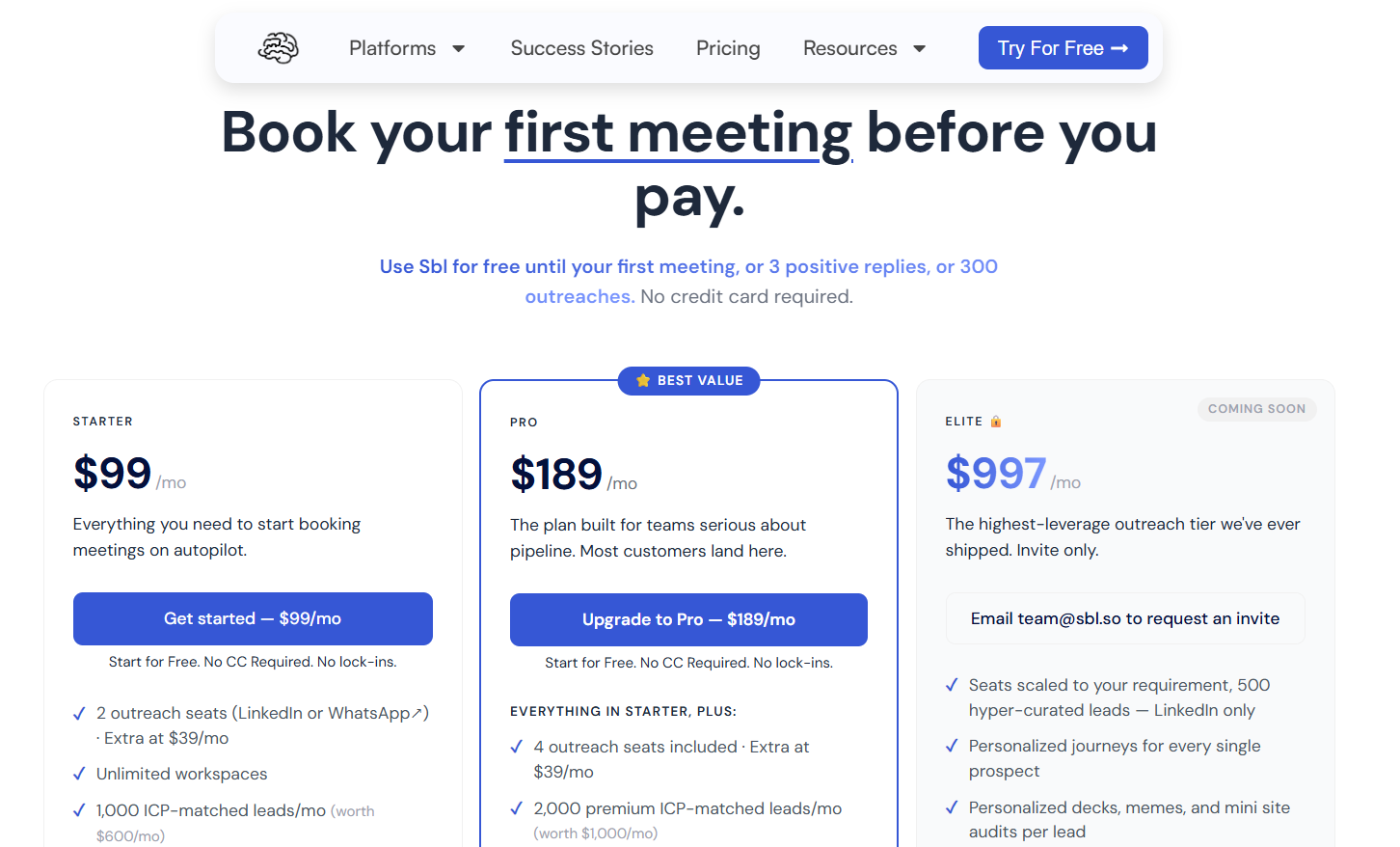
Extra outreach seats cost $39 a month each.
Sbl.so pros and cons
✅ Sbl.so's AI carries a conversation to a booked meeting.
✅ Your personal profile can stay out of campaigns.
✅ Lists refresh from buying signals.
❌ LinkedIn and WhatsApp only for now.
#9: Dux-Soup
Best for: Individuals and lean teams after low-cost LinkedIn drip campaigns, in the browser or hosted in the cloud.
Similar to: Waalaxy.
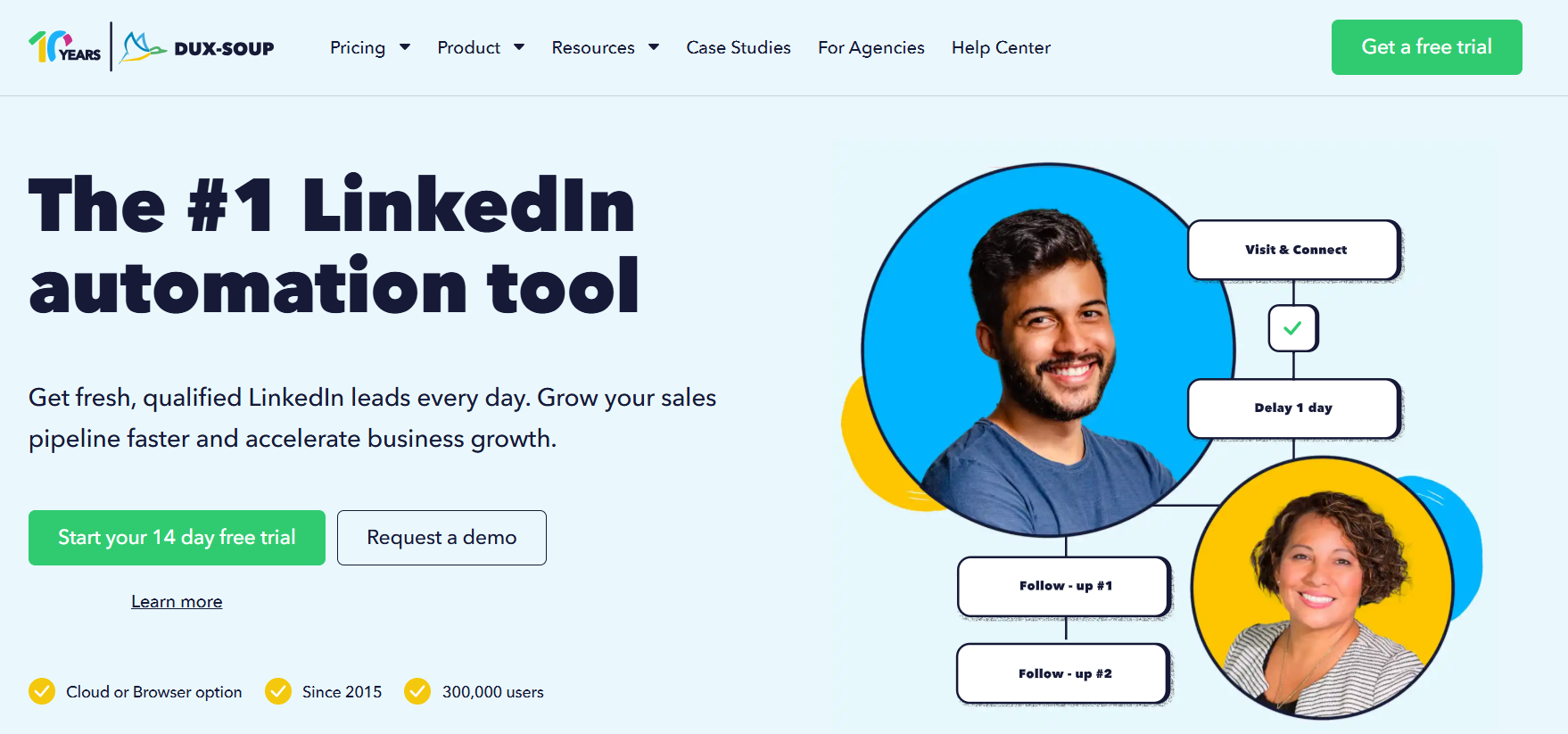
Dux-Soup stays LinkedIn-only like Botdog and costs much less at the entry level, at €9.92 a month billed annually.
The two lower tiers are browser extensions that work on your own account, whether that's standard LinkedIn, Recruiter, or Sales Navigator, whereas Cloud Dux is the hosted edition that keeps going when your computer is off.
For a like-for-like test against Botdog, I'd use Cloud Dux, because it's the hosted edition for a single user.
Dux-Soup features
- Drips of up to 12 actions: Connection requests, messages, InMails, follows, endorsements, profile visits, and post likes go into a drag-and-drop sequence with your own delays.
- Response detection: Dux-Soup removes a prospect from the sequence as soon as they reply.
- AI personalization: Messages written against each profile, plus an AI response assistant from Turbo.
- Dux-Dash: Campaign statistics, lead management, a central inbox, and native CRM integrations.
Dux-Soup pricing
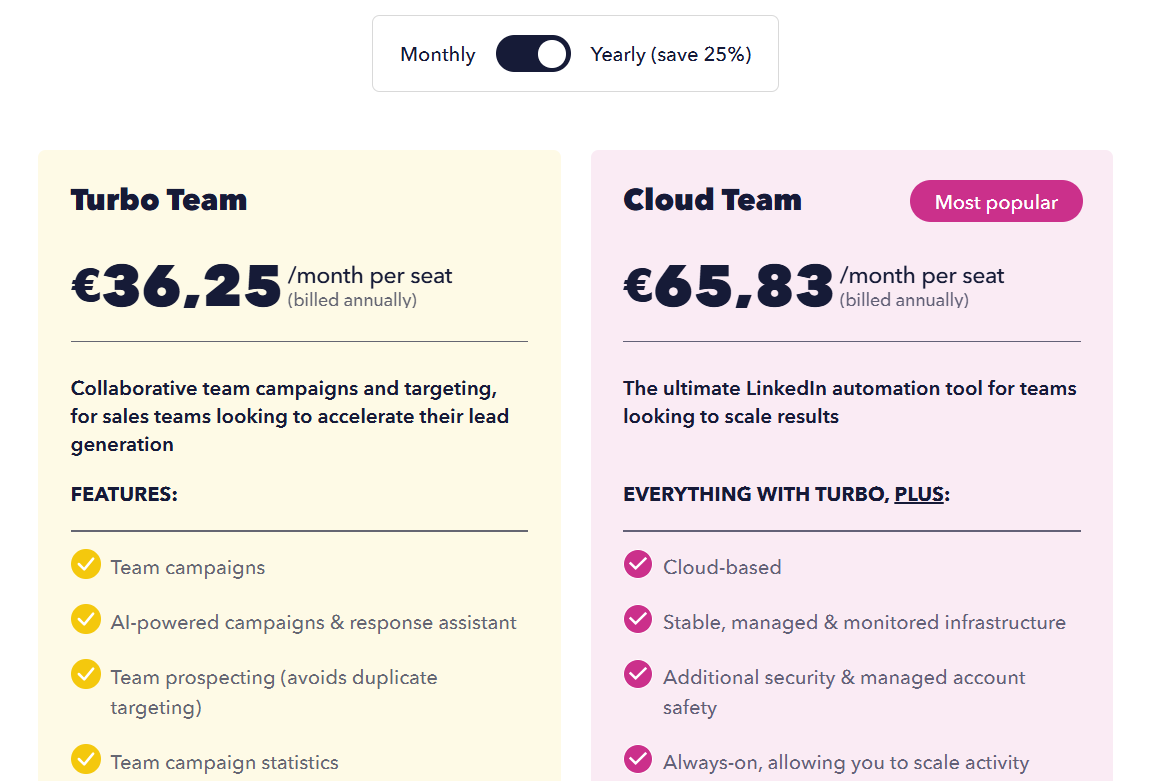
Dux-Soup is billed per user with a 25% discount on annual plans, and agencies buy a separate licence.
- Pro Dux, €12.99/month or €9.92 on annual billing: invitations with a personal note, messaging for first-degree contacts, tagging and profile visits, likes on posts, and exports to CSV.
- Turbo Dux, €49/month or €36.25 on annual billing: drip campaigns without a cap, AI-written personalization, statistics per campaign, a dashboard for leads, and CRM connections.
- Cloud Dux, €88/month or €65.83 annually: the managed cloud edition, always on and monitored.
- Cloud Agency, €330/month: five client seats or more, managed from one dashboard for unlimited LinkedIn accounts.
The 14-day trial covers Turbo features.
Dux-Soup pros and cons
✅ Dux-Soup costs under €10 a month on annual billing.
✅ No third-party access to your LinkedIn credentials on the extension tiers.
❌ A dated interface, per a G2 review.
#10: Octopus CRM
Best for: Individuals checking whether automated LinkedIn outreach works in their market before spending much.
Similar to: Waalaxy.
Octopus CRM starts at $6.99 a month, the lowest price here, and covers the core LinkedIn actions with a personal CRM attached.
I'd say Octopus CRM suits one person's outreach, whereas Botdog also covers teams and agencies.
Octopus CRM features
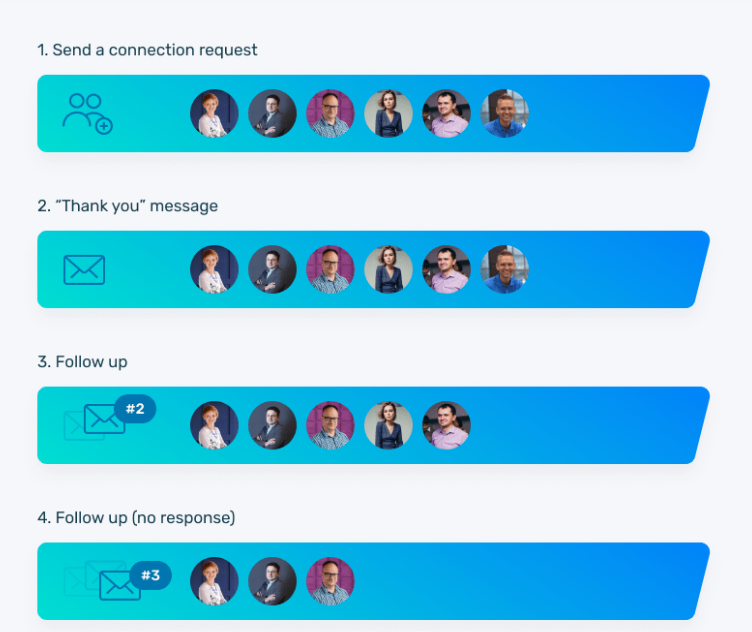
- Core automation: Octopus CRM automates personalized connection requests, bulk messages to first-degree connections, profile views, and skill endorsements on LinkedIn.
- Funnel builder: Actions link into a lead generation funnel, where viewing a profile triggers an invite and acceptance triggers a message.
- Personal CRM: A contact list with campaign statistics, plus import and export of your data.
- Activity control: An alert when daily activity climbs too high.
Octopus CRM pricing
Octopus CRM has four tiers, each opening up more of the action set, with Sales Navigator supported on all of them.
- Starter, $6.99/month: personalized auto-invites and the personal CRM.
- Pro, $9.99/month: more messaging and profile-view actions.
- Advanced, $14.99/month: integrations, including Zapier and HubSpot.
- Unlimited, $24.99/month: the full action set, with LinkedIn Premium and Recruiter support.
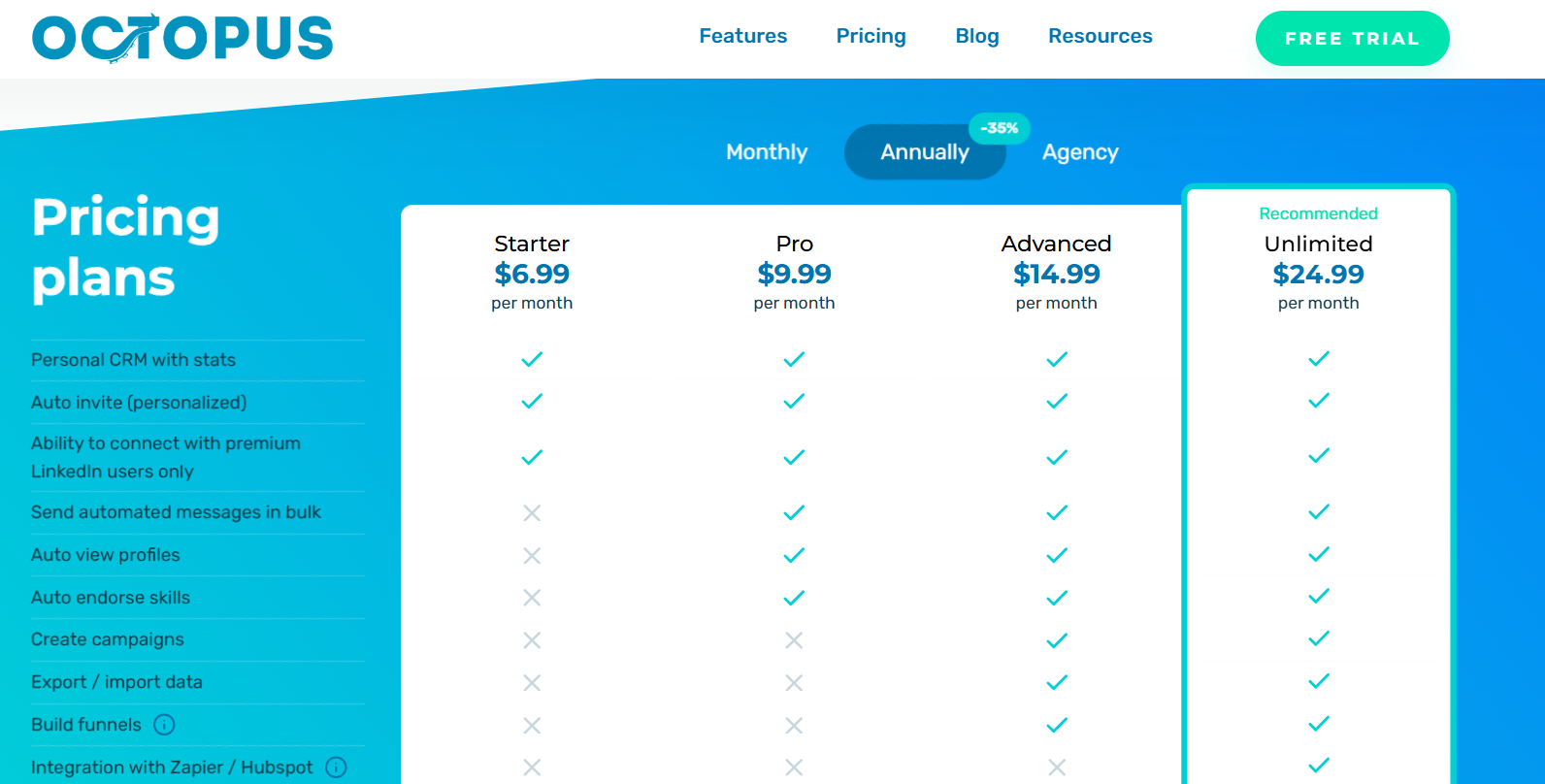
A 7-day trial is available with no credit card.
Octopus CRM pros and cons
✅ The lowest price on this list.
✅ Activity alerts as a safety net.
✅ Sales Navigator from the entry tier.
❌ Customer support drew criticism in a G2 review.
❌ Very LinkedIn-specific, per another G2 review.
➡️ We compare the two tools directly on our Meet Alfred vs Octopus CRM page.
What do five sending accounts cost on each Botdog alternative?
Botdog's Agency plan covers five senders for $209.33 a month billed yearly, while the alternatives range from about $35 to $550 a month for the same five accounts.
Each row of this pricing comparison uses the vendor's published price multiplied by five, with Botdog included for reference:
When is Botdog still the better fit?
Staying with Botdog makes sense when LinkedIn is the only channel you plan to use and you want every feature, AI included, in one price.
Based on my experience, Botdog is the one to keep in these four cases:
- LinkedIn brings in your replies today, and adding email isn't on your roadmap.
- You rely on AI Lead Review to vet leads before any invitation goes out.
- Voice Notes are part of your sequences.
- You run five accounts and want team features for $209.33 a month billed yearly.
Botdog also sells a Managed service from $690 a seat each month for teams that would hand over the whole process, which HeyReach's done-for-you plan comes nearest to on this list.
Add a second channel with Meet Alfred
Meet Alfred suits Botdog users whose prospects have stopped answering on LinkedIn alone, since the same sequence can continue by email or on X.
A fair test is to keep Botdog running, rebuild one campaign in Meet Alfred during the trial, and add an email step for everyone who hasn't accepted after a week.
➡️ Start a 7-day free trial without a card, or book a demo if you'd like a guided look first.
⚠️ Disclaimer: We last verified this article on 23 November 2026. Prices and features change, so if you spot something outdated, we'd appreciate a message.
FAQs
What is the best Botdog alternative?
Meet Alfred is the best Botdog alternative in 2026 for teams that want email and X in the same sequence as LinkedIn, plus social posting.
If you'd stay LinkedIn-only, HeyReach is the closer match for a large sender pool.
My rule is to choose on channel plans first and price second, because switching tools twice costs more than either subscription.
Which Botdog alternative is cheapest?
Octopus CRM has the lowest price at $6.99 a month, ahead of Dux-Soup at €9.92 billed annually and Waalaxy at €19 per user.
Those entry tiers cover fewer actions than Botdog's Solo plan, which is why a line-by-line look at the feature lists is worth doing before switching for price alone.
Which Botdog alternatives add email?
Meet Alfred, Expandi, Dripify, We-Connect, Waalaxy, and La Growth Machine all send email as well as LinkedIn messages.
Expandi and Dripify include it on the entry plan, as does La Growth Machine, while the other three add it on a higher tier: $49 on Meet Alfred, $59 on We-Connect, and €69 on Waalaxy.
HeyReach stays on LinkedIn, as do Dux-Soup and Octopus CRM, and Sbl.so lists email as coming soon.
Our email steps send through your own mailbox, which I prefer because the sending reputation stays yours.
Is Meet Alfred cheaper than Botdog?
For one account on annual billing it is, since our LinkedIn Only plan costs $39 a seat against $55.33 for Botdog's Solo plan, and Multi-Channel costs $49.
For five accounts with team features, Botdog is cheaper, at $209.33 a month for its Agency plan against $295 for five seats on ours.
On monthly billing the single-account gap is $59 against $79.
It's ideal to run the numbers for your actual seat count, since the answer changes between one account and five.
Can I move my Botdog contacts into Meet Alfred?
Yes, because Botdog exports any contact list to CSV and Meet Alfred can build a campaign from that file, keeping its extra columns for personalization.
CSV campaigns start on our Multi-Channel plan, so that's the tier to trial if a migration is the goal.
Before importing, I'd remove anyone who already replied in Botdog, so nobody gets a first-touch message twice.
Which Botdog alternatives send voice notes?
La Growth Machine and Sbl.so do, and HeyReach lets you record an audio reply from its inbox.
La Growth Machine opens each recording with a line AI writes for the prospect, whereas Sbl.so uses an AI clone of your voice on its Pro plan.
Meet Alfred has no voice step, so if voice notes drive your replies today, they're best kept in whichever tool sends them.
Which Botdog alternative is best for agencies?
Meet Alfred is my choice for agencies that want white label, because our Agency plan puts your logo and domain on the platform from three seats, at $59 a seat billed annually.
HeyReach's Agency plan also includes white label, with 25 senders for $999 a month, and Expandi quotes agencies from ten seats.
Botdog's own Agency plan is the lower-cost choice for five senders when client-facing branding isn't needed.
Gustavo Parra is a Senior SEO & Content Strategist at Meet Alfred, where he specializes in LinkedIn automation, AI-driven outreach, and account-safe growth strategies. He works closely with product, engineering, and support teams to design automation frameworks that help sales teams and agencies scale LinkedIn outreach while minimizing risk. Gustavo focuses on turning real platform data and firsthand product experience into practical, compliance-first guidance.
Related Articles